Using the Autocomplete Component
The autocomplete component provides auto suggestion when entering text into a text input. This is useful when you have a dynamic list of products, countries, options etc., so you can offer your users
Step 1
Section titled “Step 1”The autocomplete component provides auto suggestion when entering text into a text input. This is useful when you have a dynamic list of products, countries, options etc., so you can offer your users quick search and selection without having to enter long text.
Data Source
Section titled “Data Source”You can use any dynamic data source for the autocomplete component - a database query, a JSON data source, an API data source or an array with items.
In our example we will use a database query, returned by a server action. We already set up a simple database query, which returns a list of countries and the associated country codes from our database.
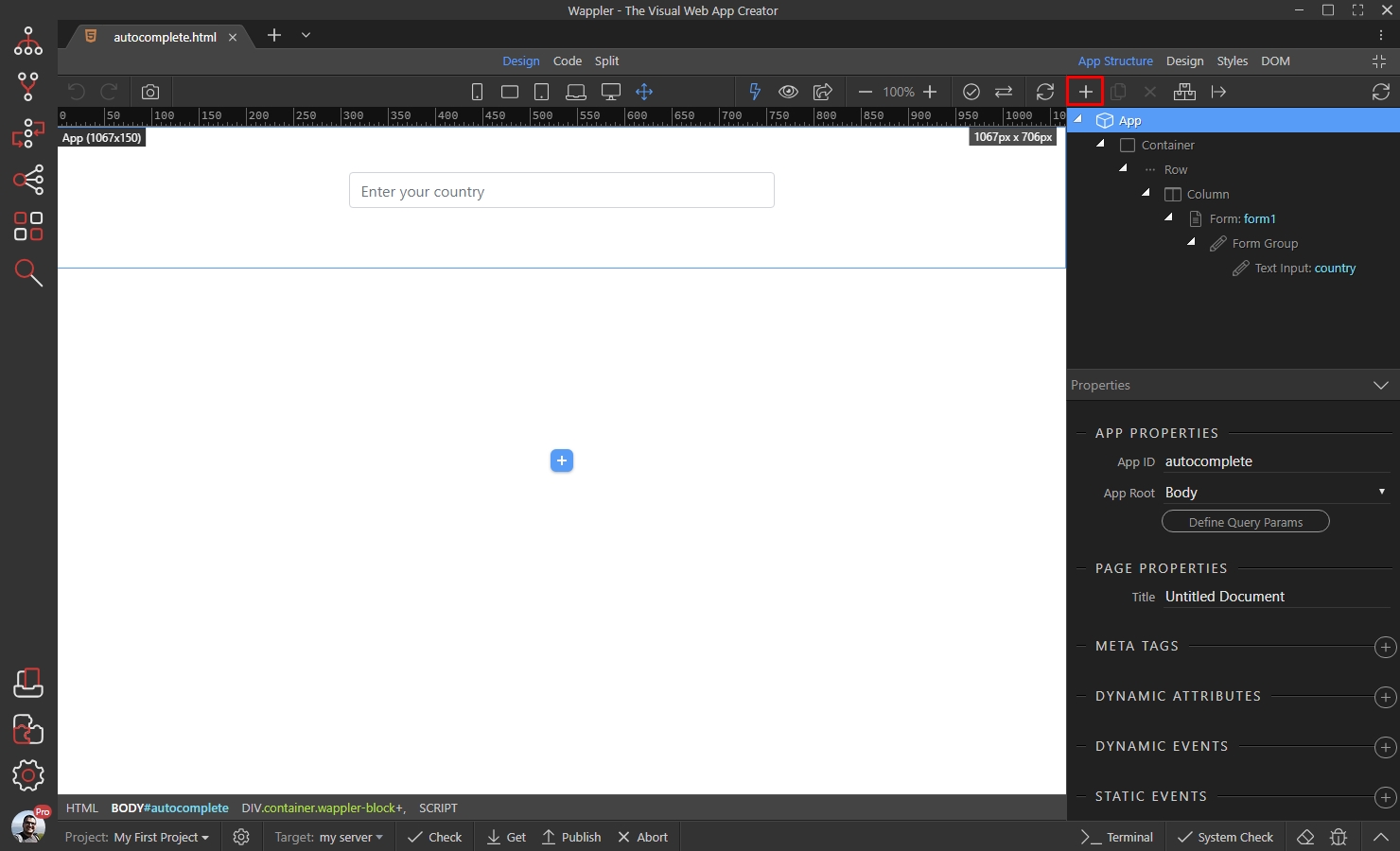
The first step is to add the server connect component in the App Structure. Click the add new component button:
Select Data > Server Connect:
Section titled “Select Data > Server Connect:”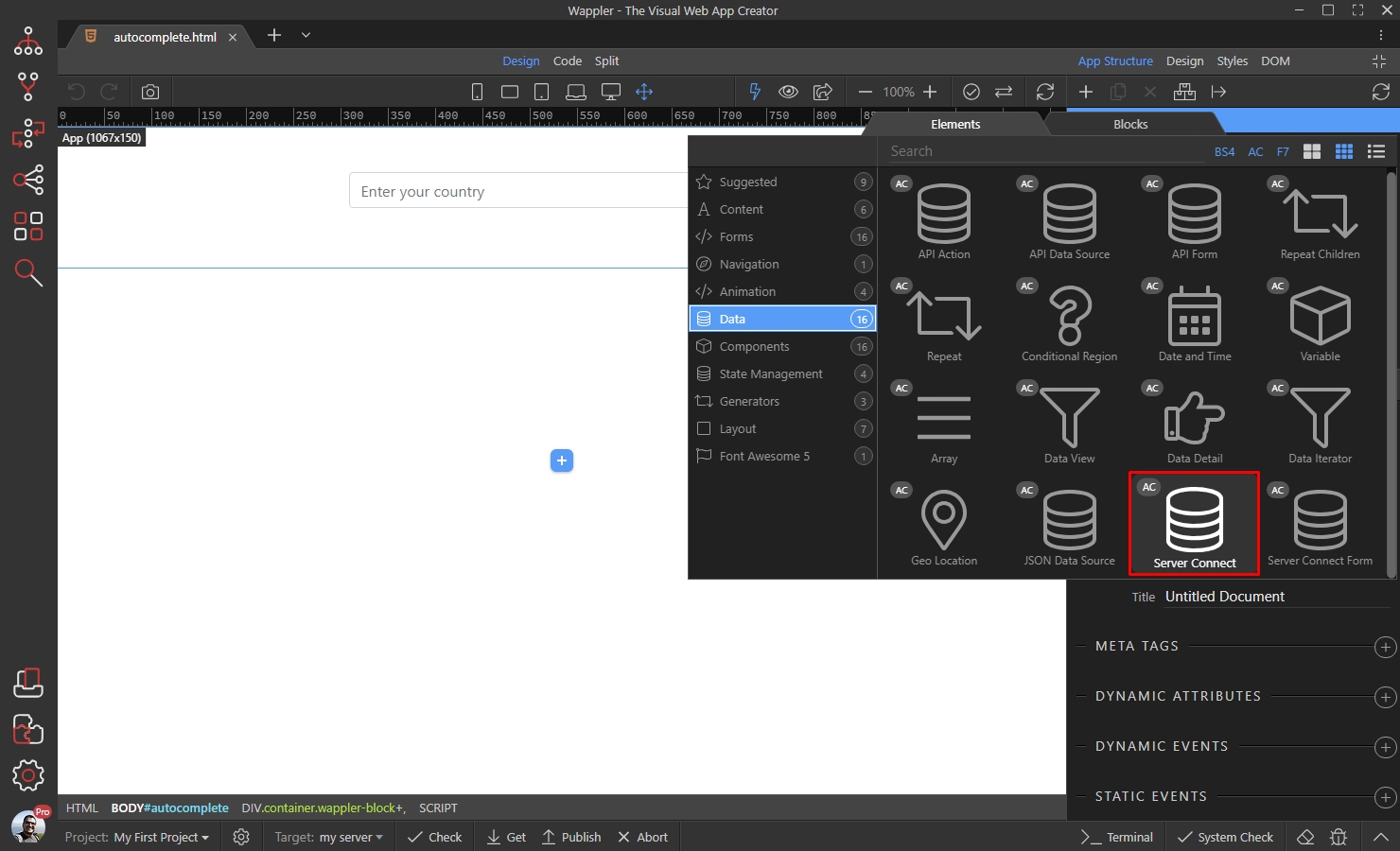
And then click the Select Server Action button:
Section titled “And then click the Select Server Action button:”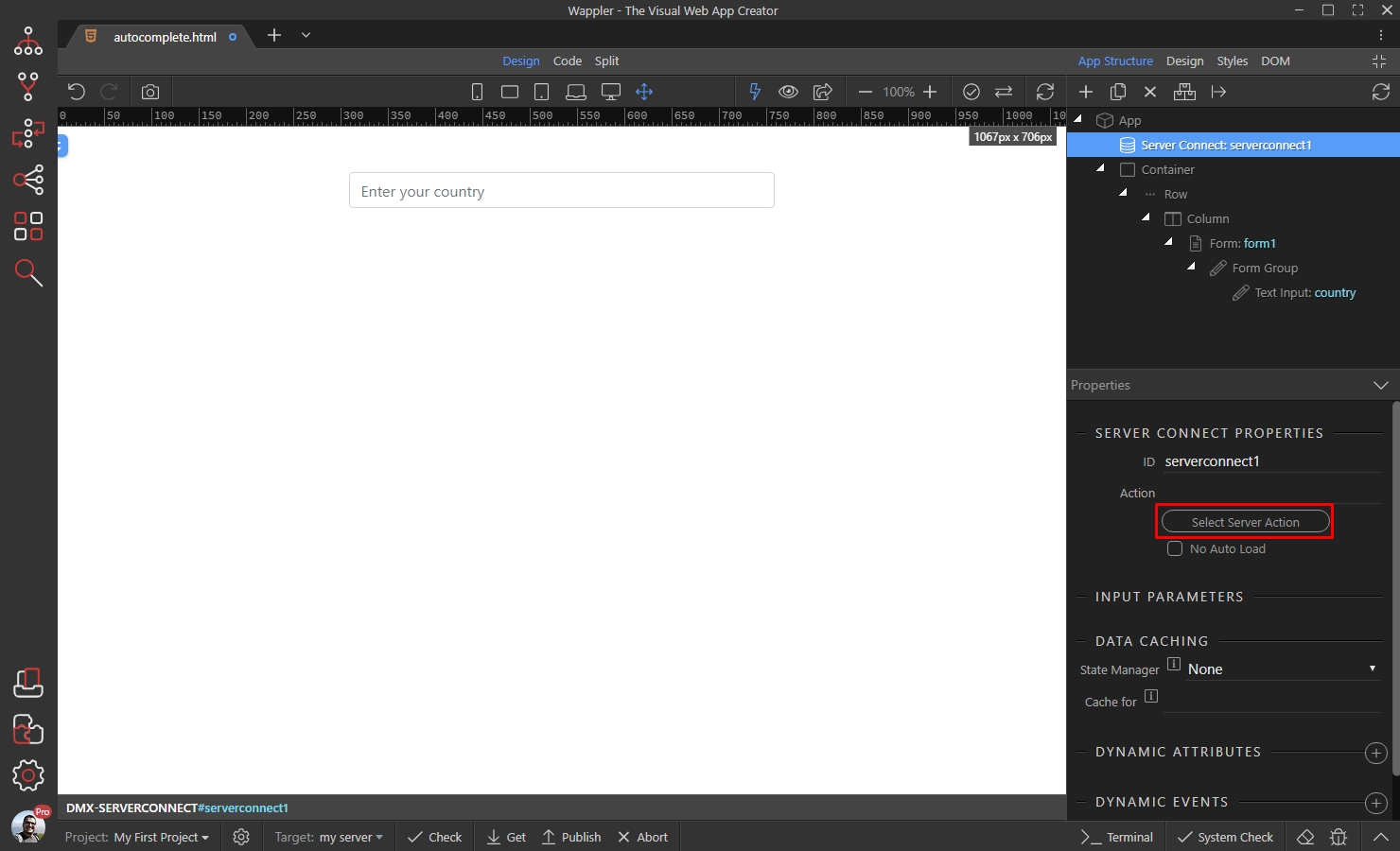
Select the server action, which you want to use:
Section titled “Select the server action, which you want to use:”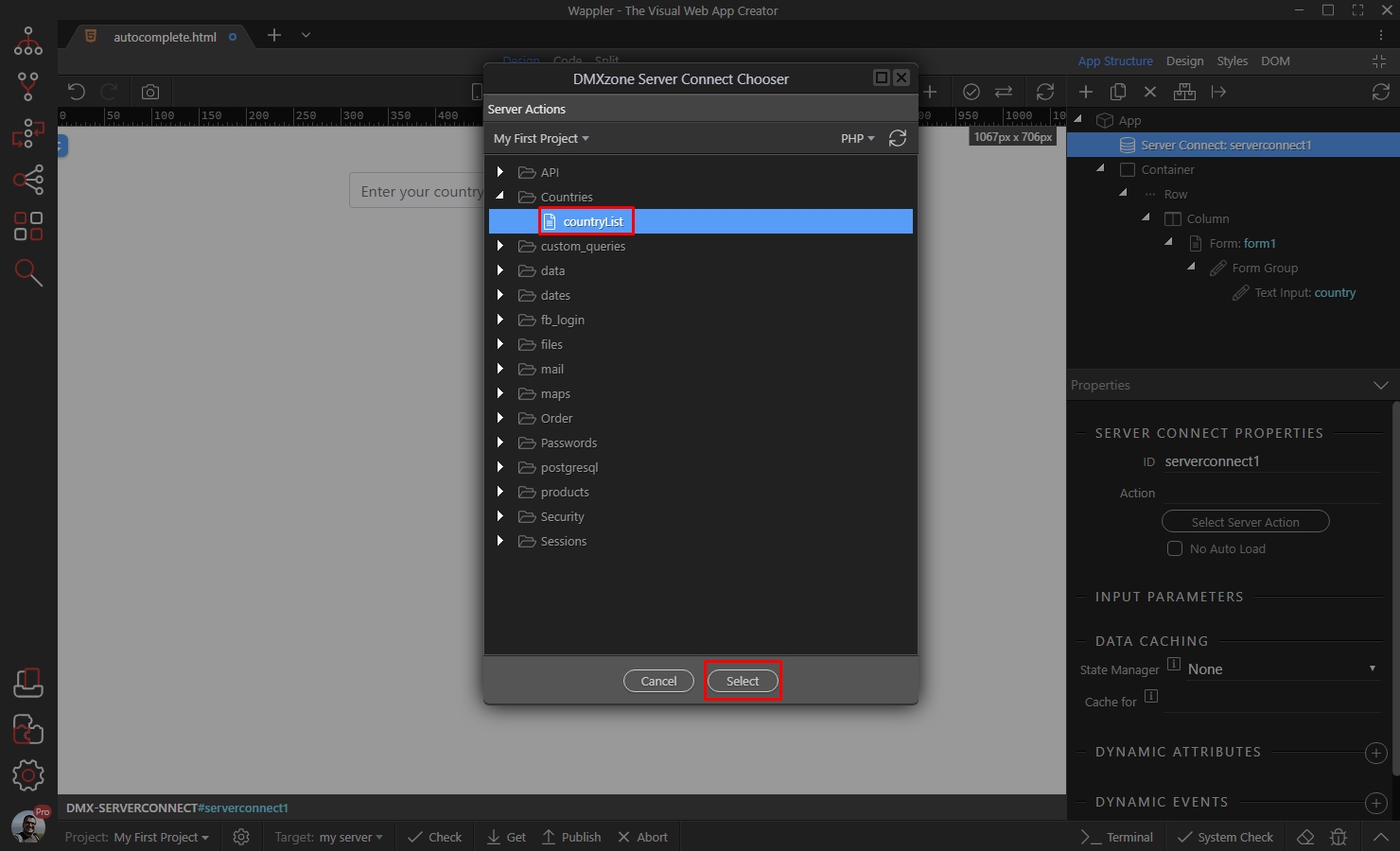
And you are done. Now we can set up the autocomplete component.
Section titled “And you are done. Now we can set up the autocomplete component.”Setting Up Autocomplete
Section titled “Setting Up Autocomplete”We already added a text input on our page. Select it:
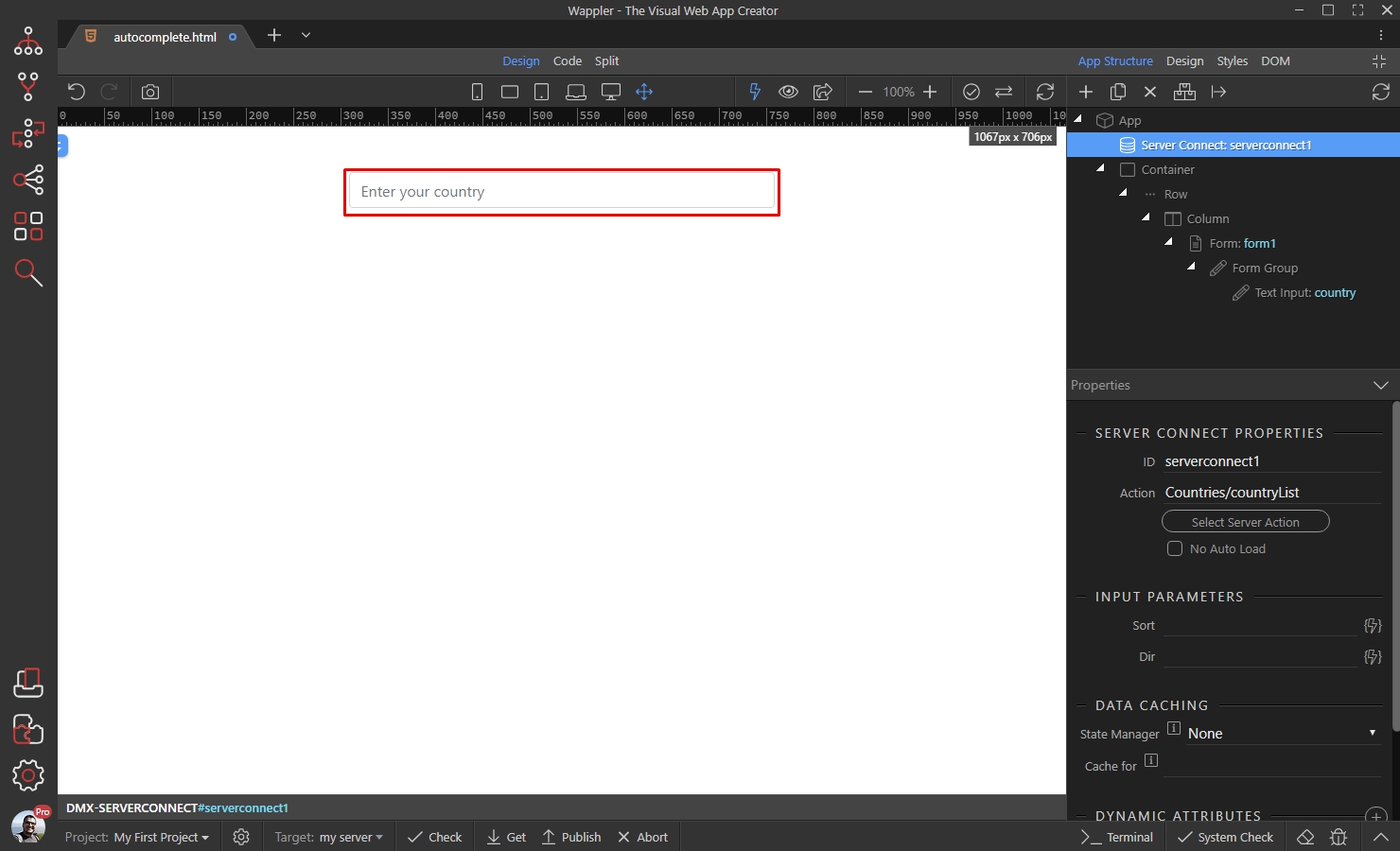
Then click the Make Auto Complete button:
Section titled “Then click the Make Auto Complete button:”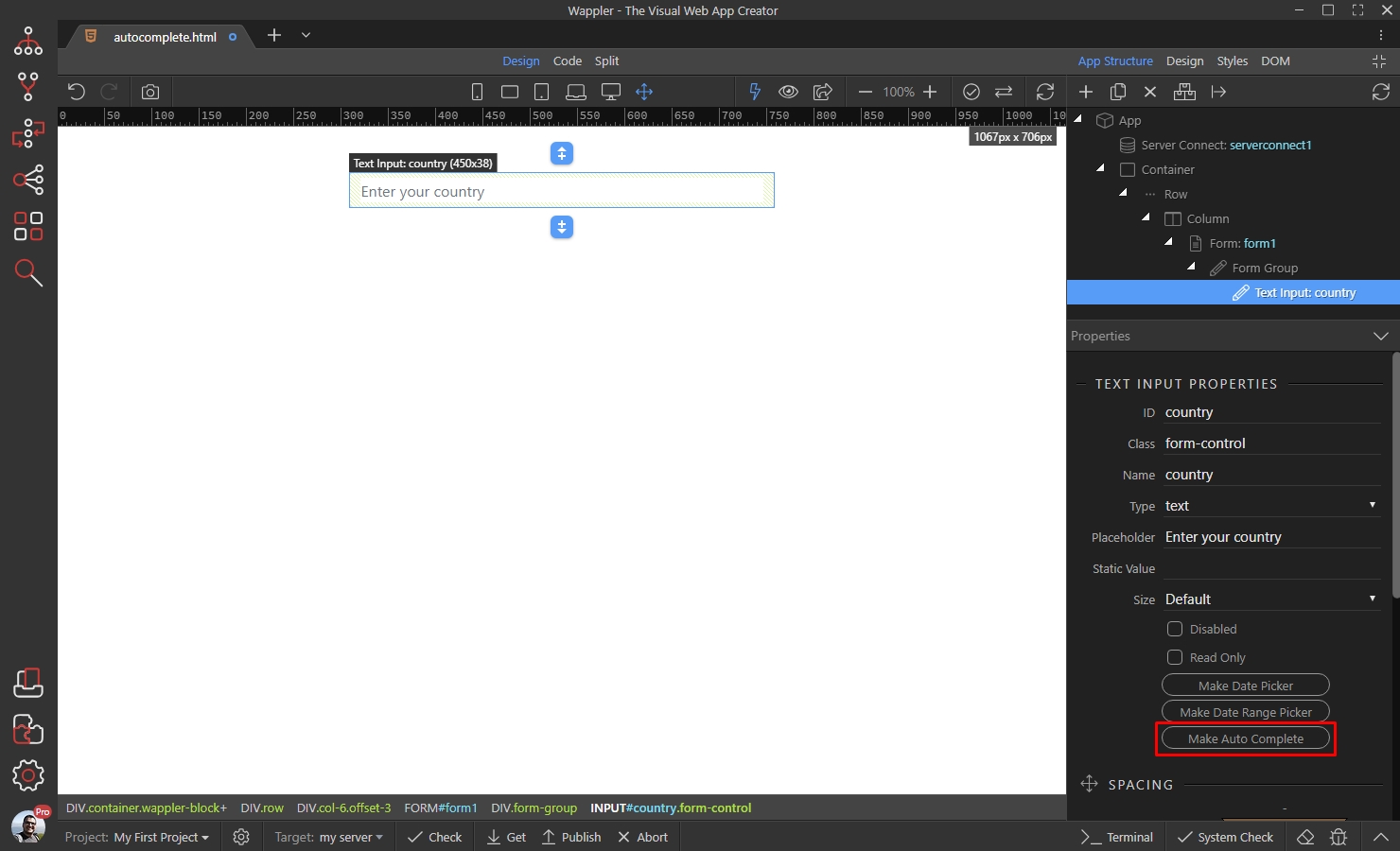
Step 9
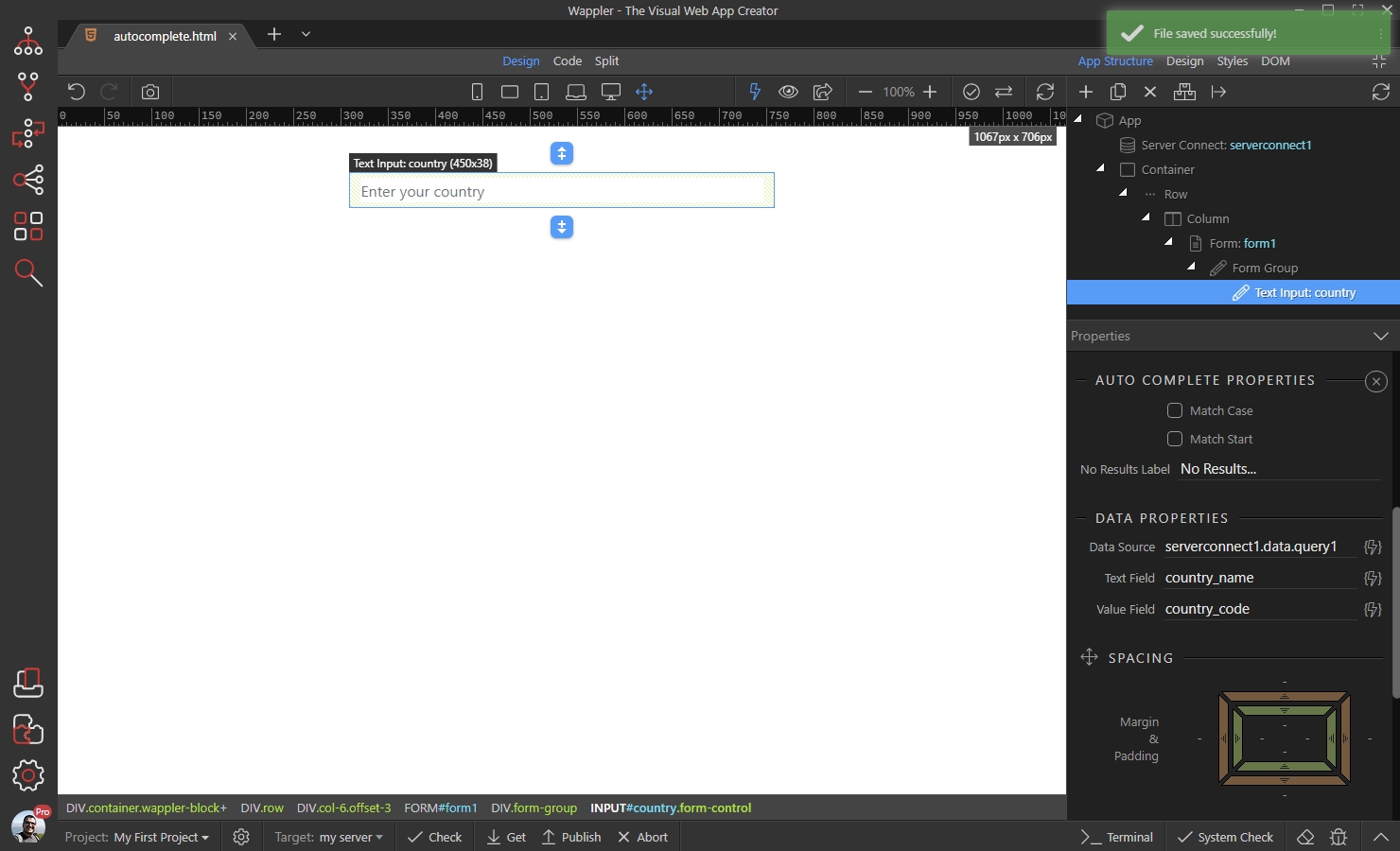
Section titled “Step 9”You will find the Autocomplete properties, in the Properties panel.
Match Case - enable this option to make the search case sensitive
Match Start - enable this option if you want the search to show only the results starting with the entered string, otherwise it will show all the items containing the entered characters.

You can enter a custom text, to be displayed when no results are found:
Section titled “You can enter a custom text, to be displayed when no results are found:”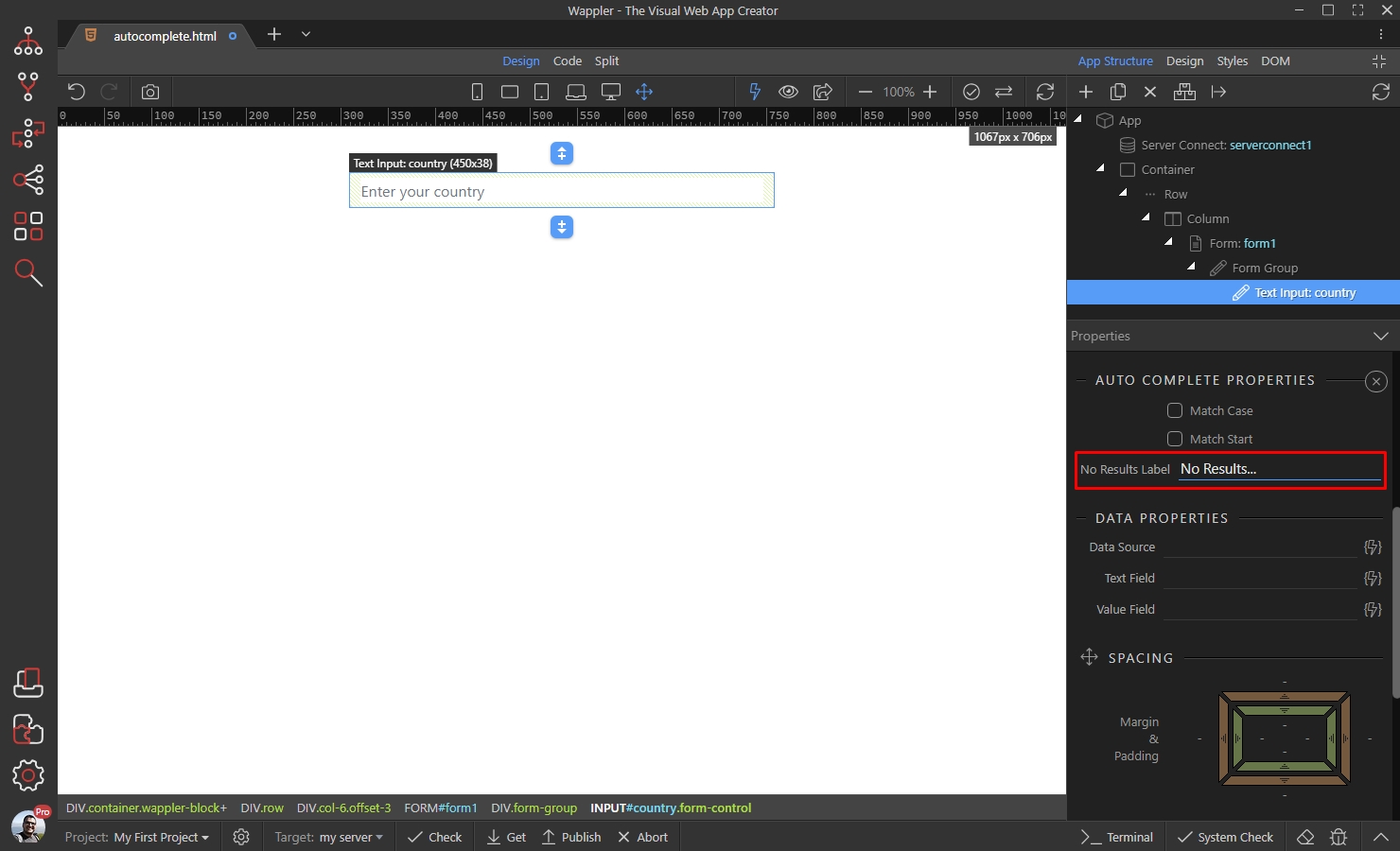
Click the dynamic data picker button, to select the Data Source for the Autocomplete:
Section titled “Click the dynamic data picker button, to select the Data Source for the Autocomplete:”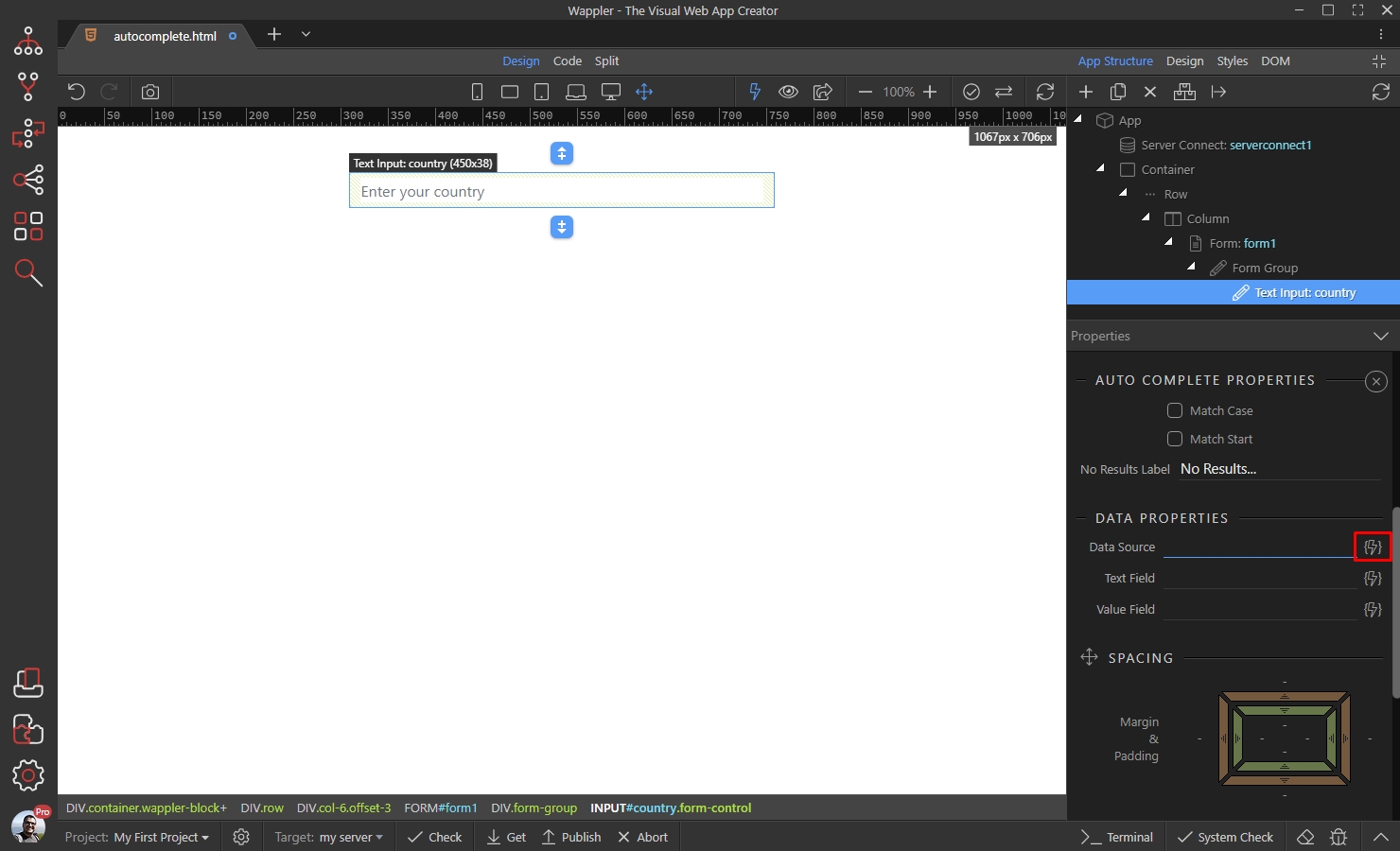
In our case this is the database query returned by the server action:
Section titled “In our case this is the database query returned by the server action:”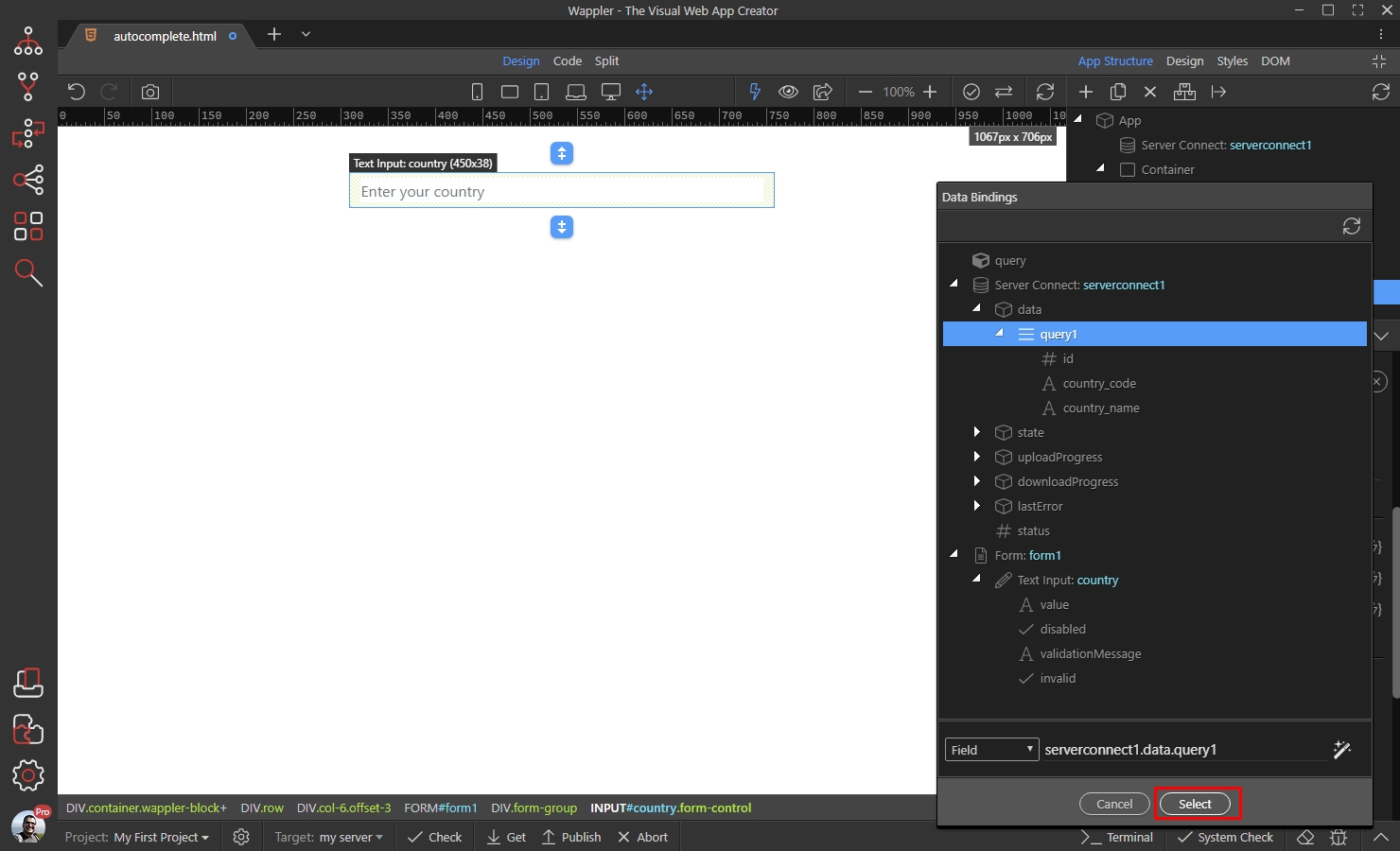
Step 13
Section titled “Step 13”In the Text Field option select the value which needs to be displayed in the list of suggestions, i.e. what the user sees on the page:

This will be the country name field returned by our database query:
Section titled “This will be the country name field returned by our database query:”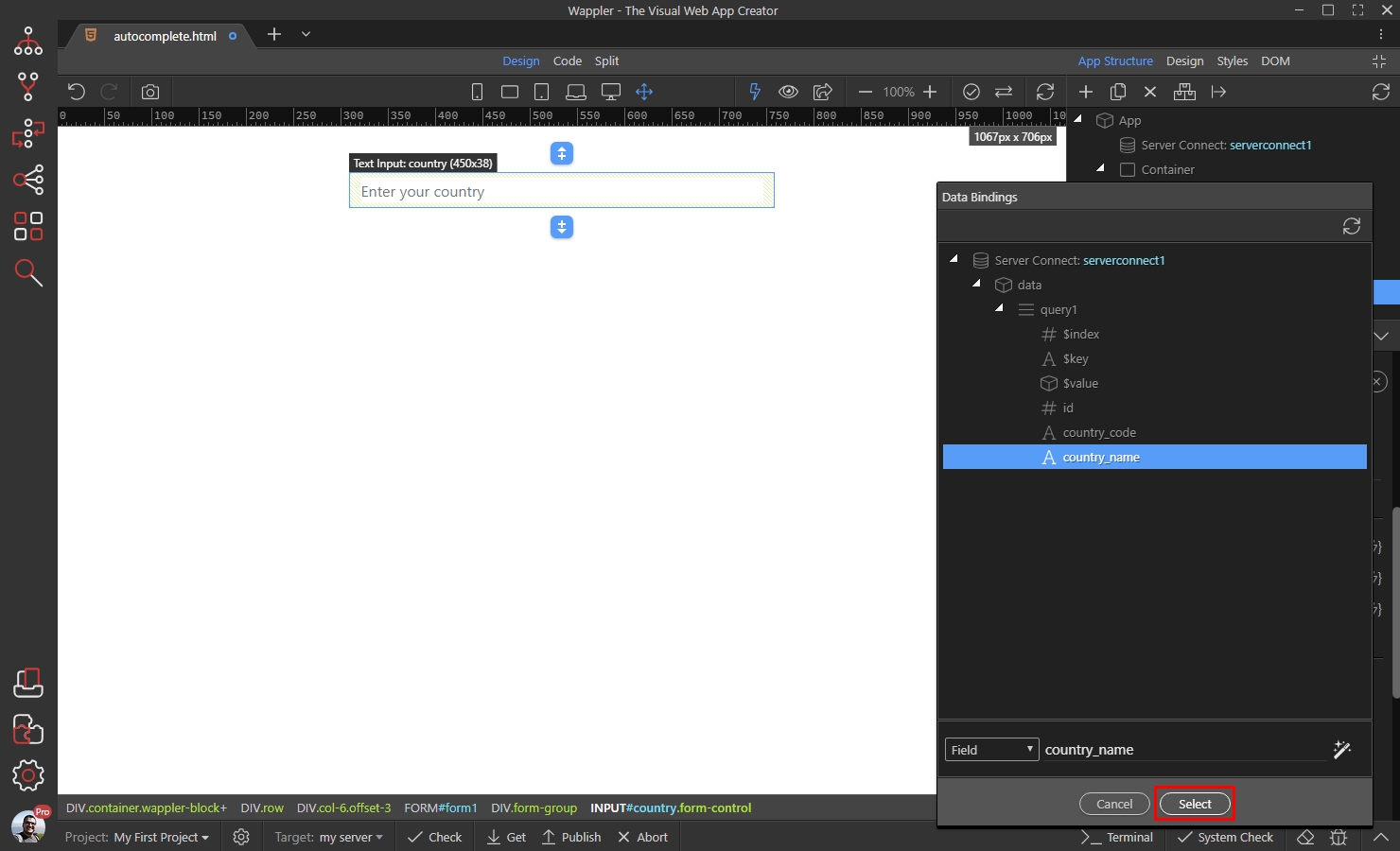
Step 15
Section titled “Step 15”In the Value Field option select the value which needs to be sent from your form/input. This is useful if you are using this field to filter some data by an ID:
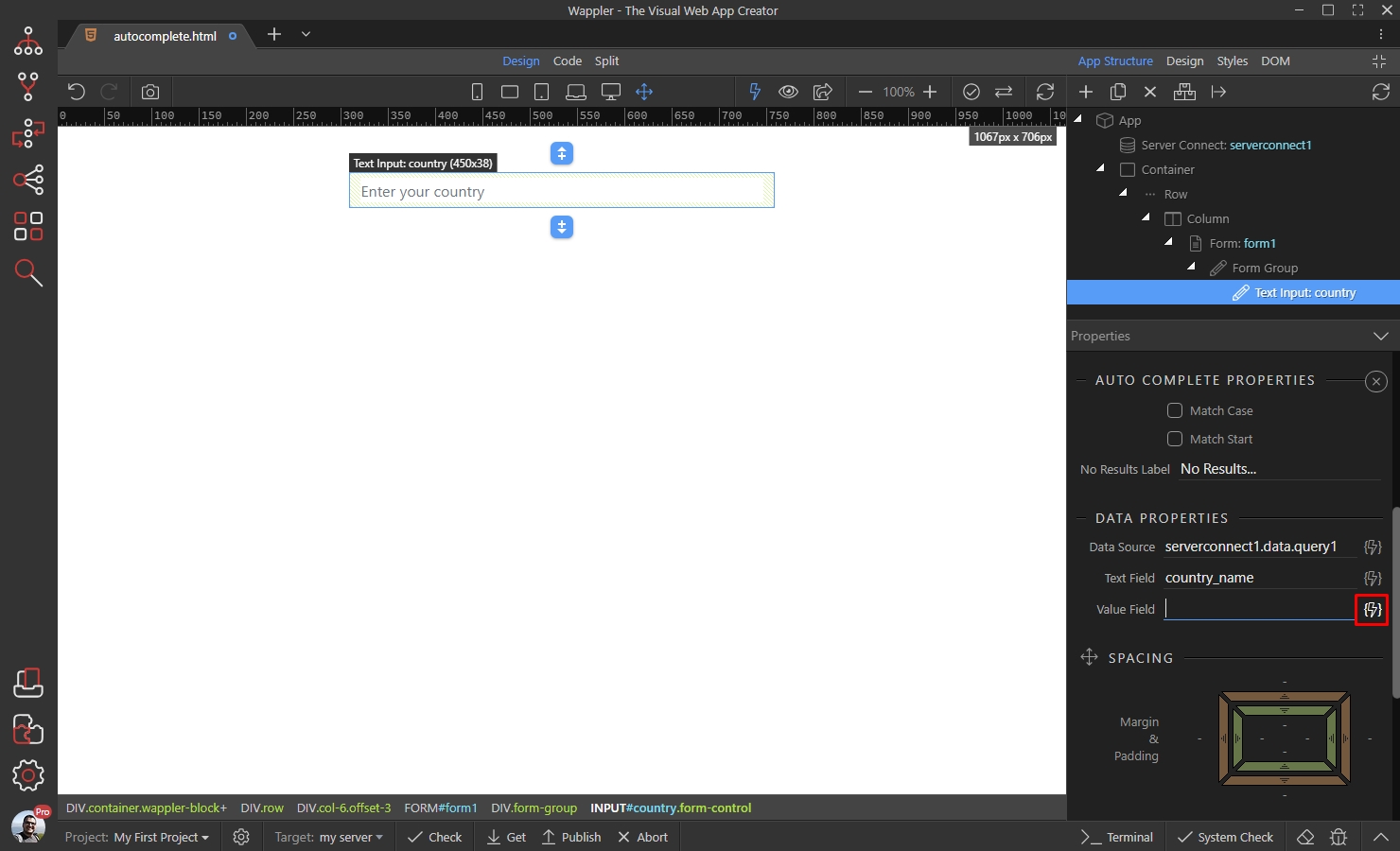
In our case this will be the country code field returned by our database query:
Section titled “In our case this will be the country code field returned by our database query:”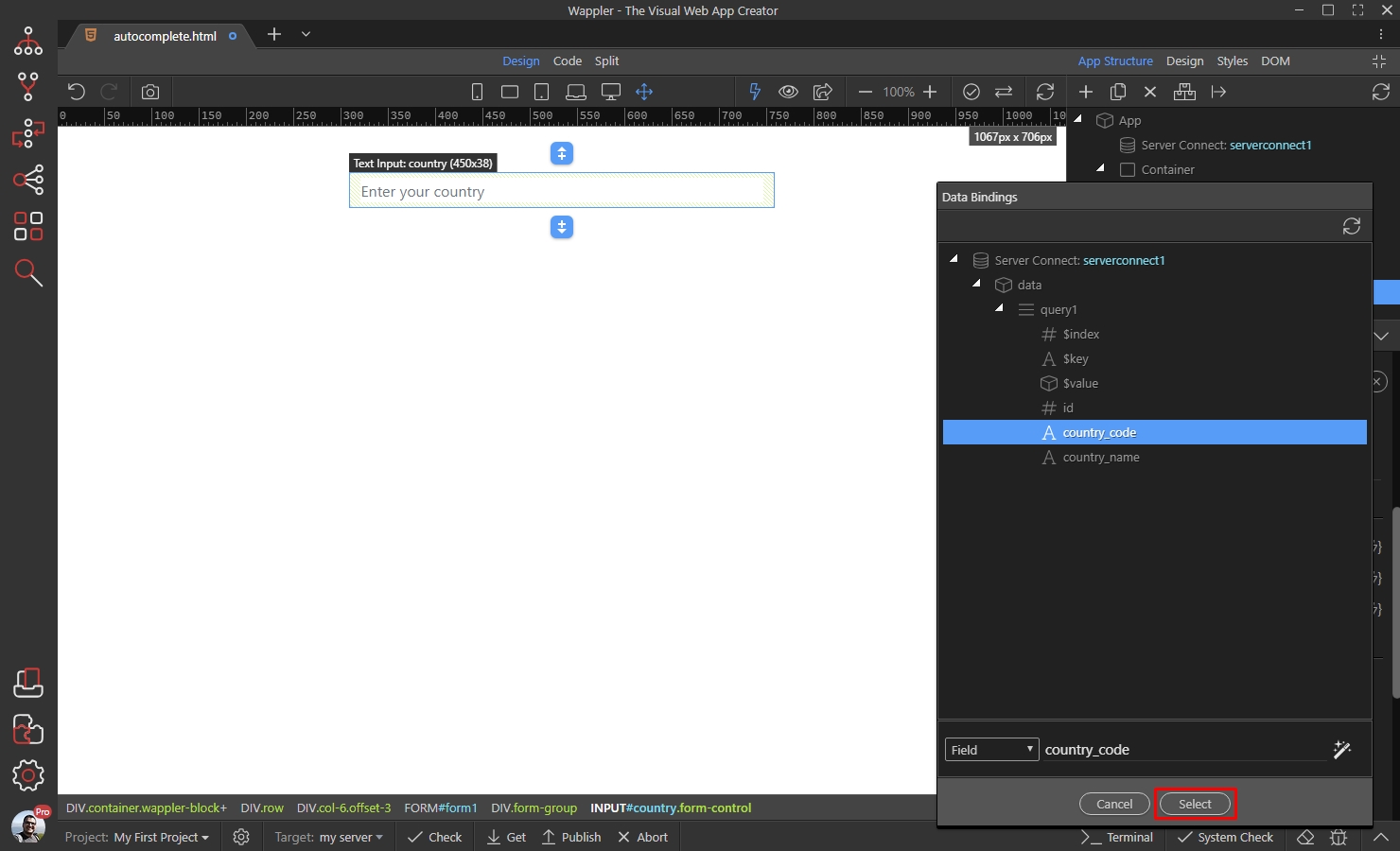
Save your page:
Section titled “Save your page:”Now, when a user selects a country, the country name will be displayed in the field but its code will be sent as a value by this field.
You can use the Autocomplete input in Server Connect the same way as you are using a regular text input, and it will send the Value Field value to the Server Action.
Save your page:
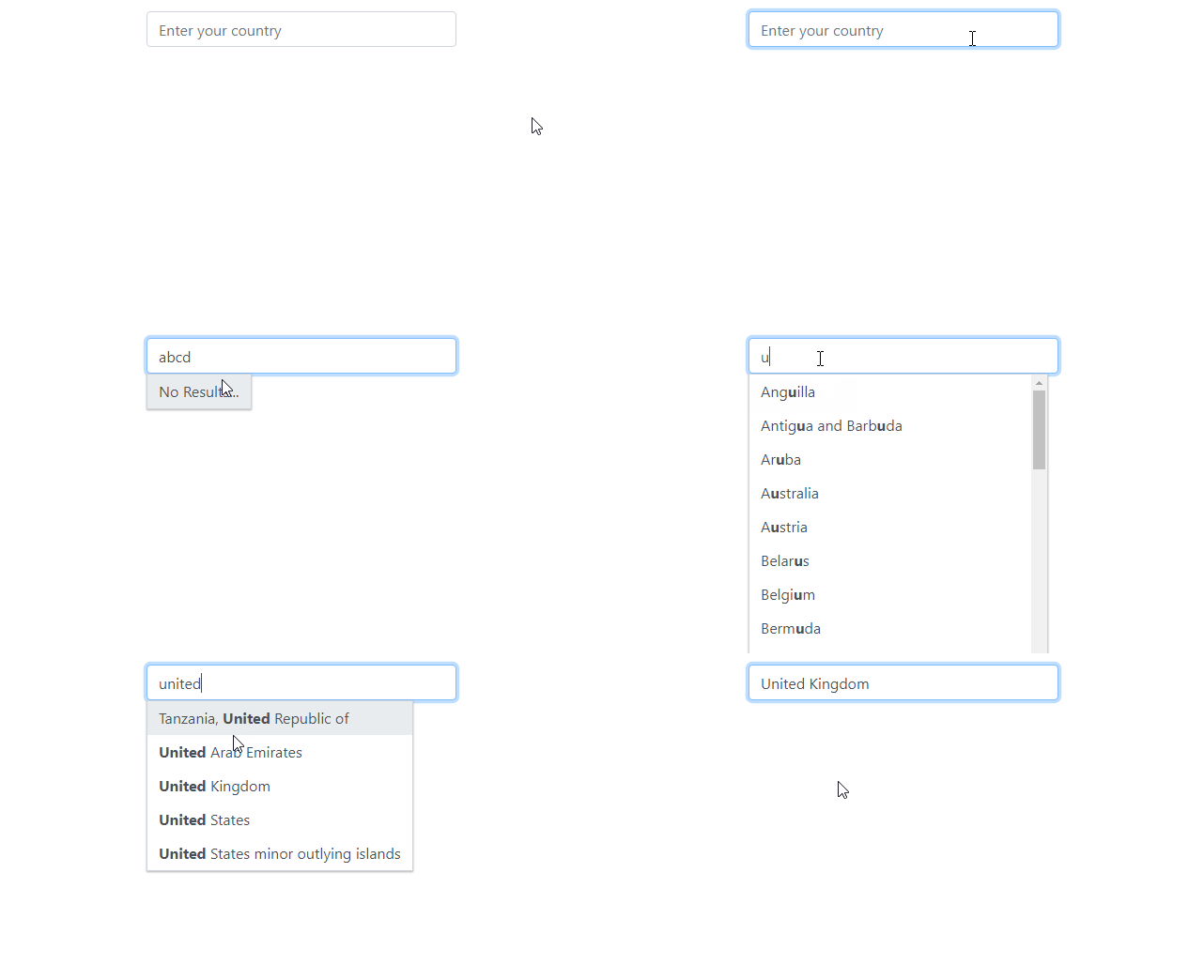
Here are the results:
Section titled “Here are the results:”