
Confirm a form submission with a Page Flow
A confirmation dialog that submits only from its confirm branch and cancels without sending a request.
Ask for confirmation before sending a valid Server Connect form.
Also called: confirm submit, confirmation dialog, prevent submit, Bootbox.
Before you begin
Section titled “Before you begin”- A working Server Connect form with validation and a submit button.
- App Connect Flow and Bootbox available in the page’s project.
Handle the form’s Submit event
Section titled “Handle the form’s Submit event”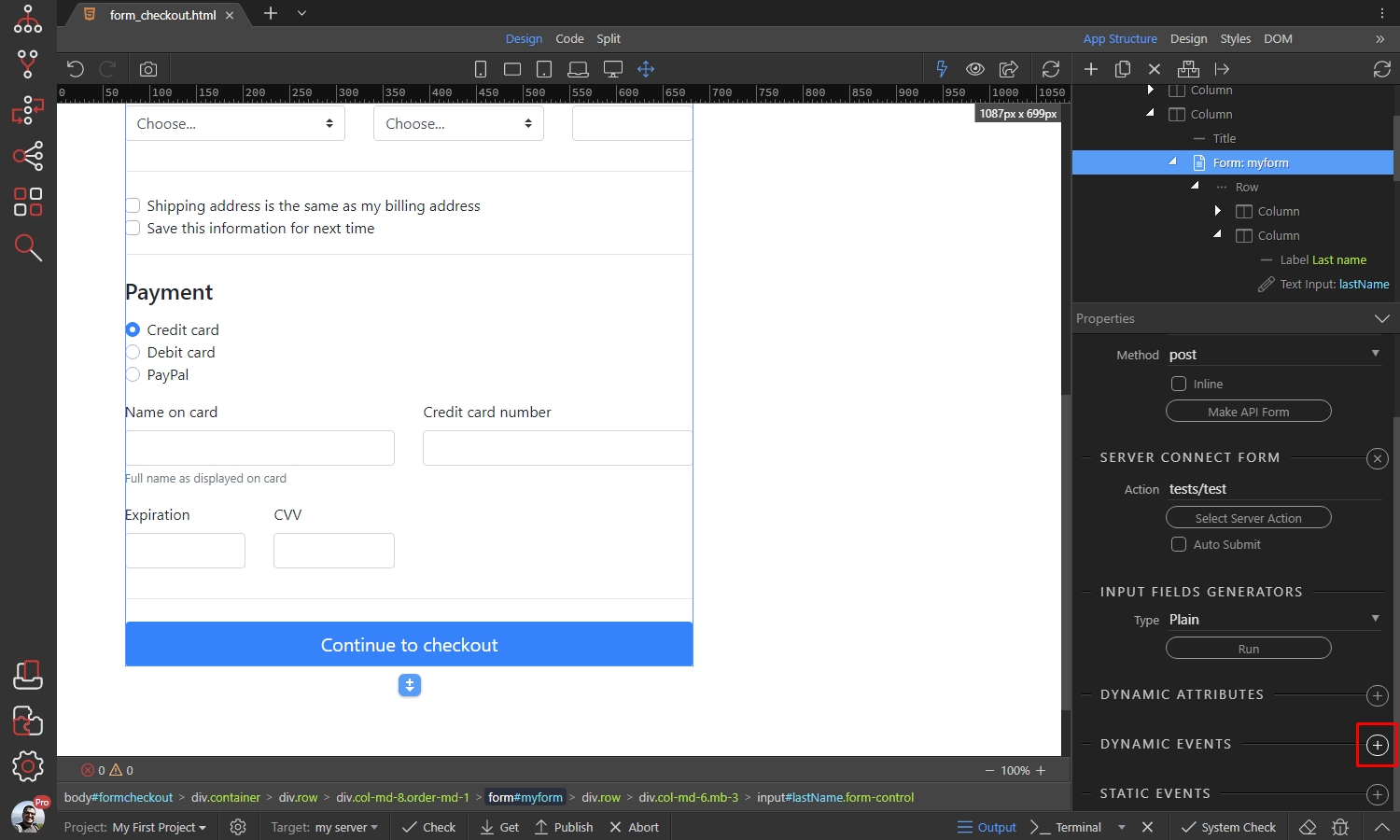
Add the confirmation dialog
Section titled “Add the confirmation dialog”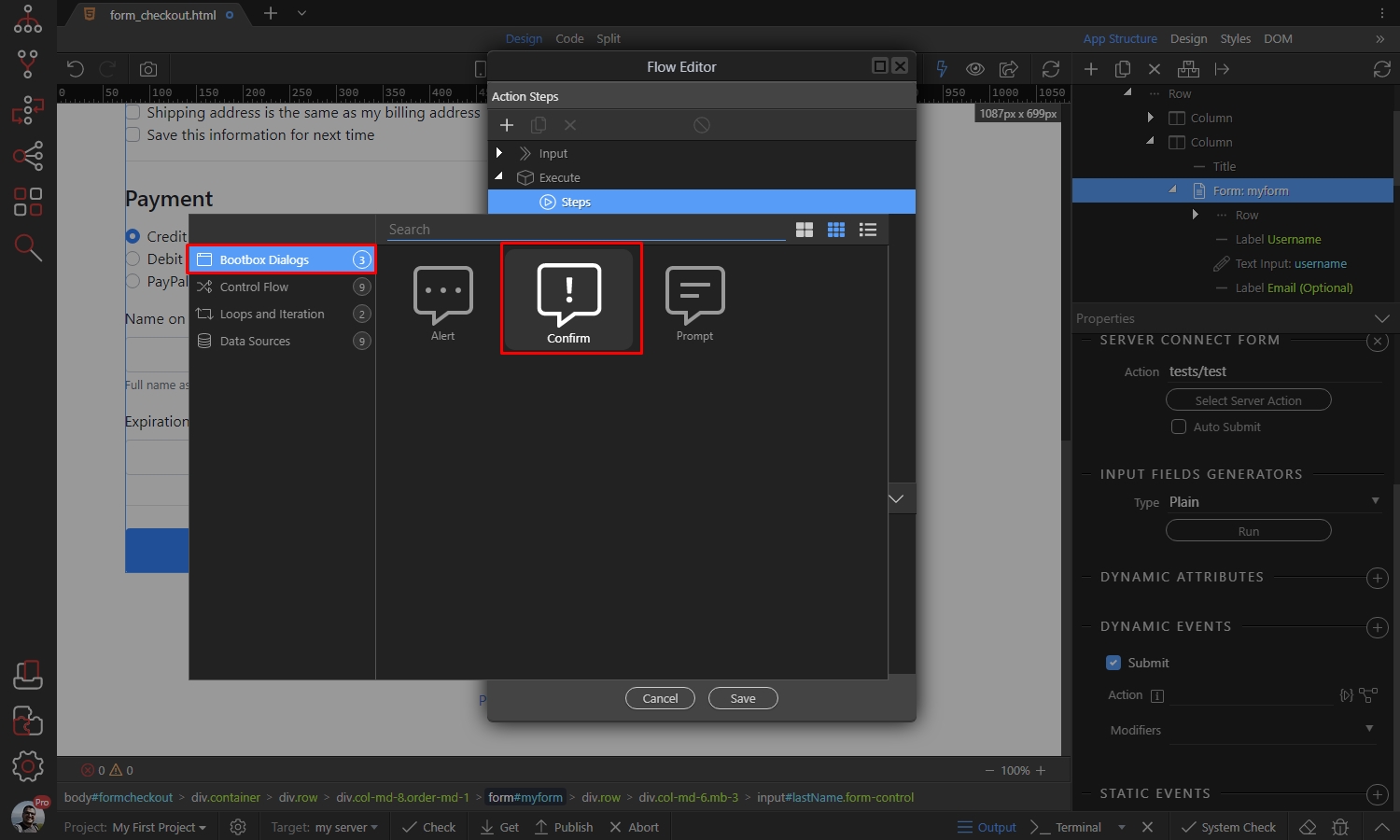
Submit only from the Then branch
Section titled “Submit only from the Then branch”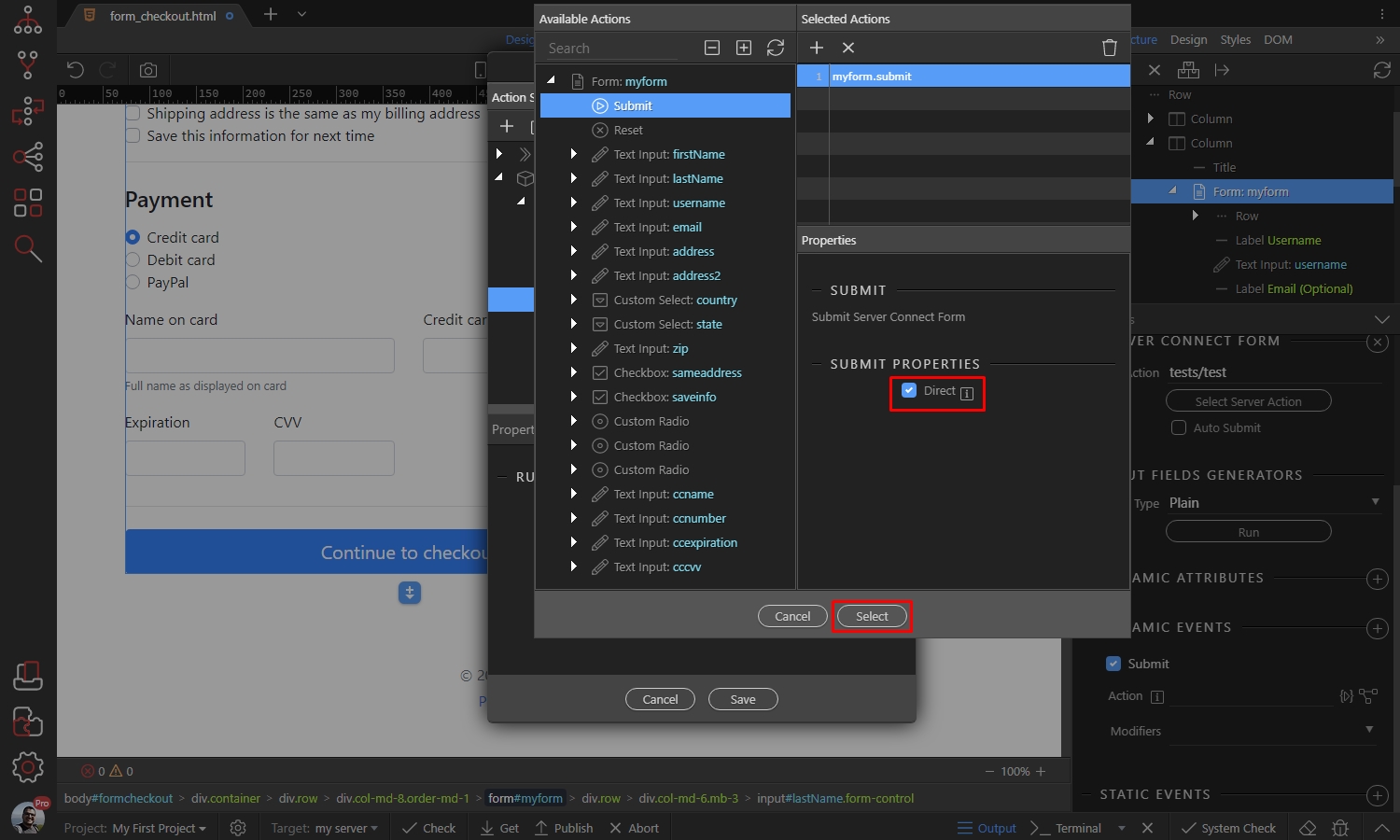
Prevent the original submission
Section titled “Prevent the original submission”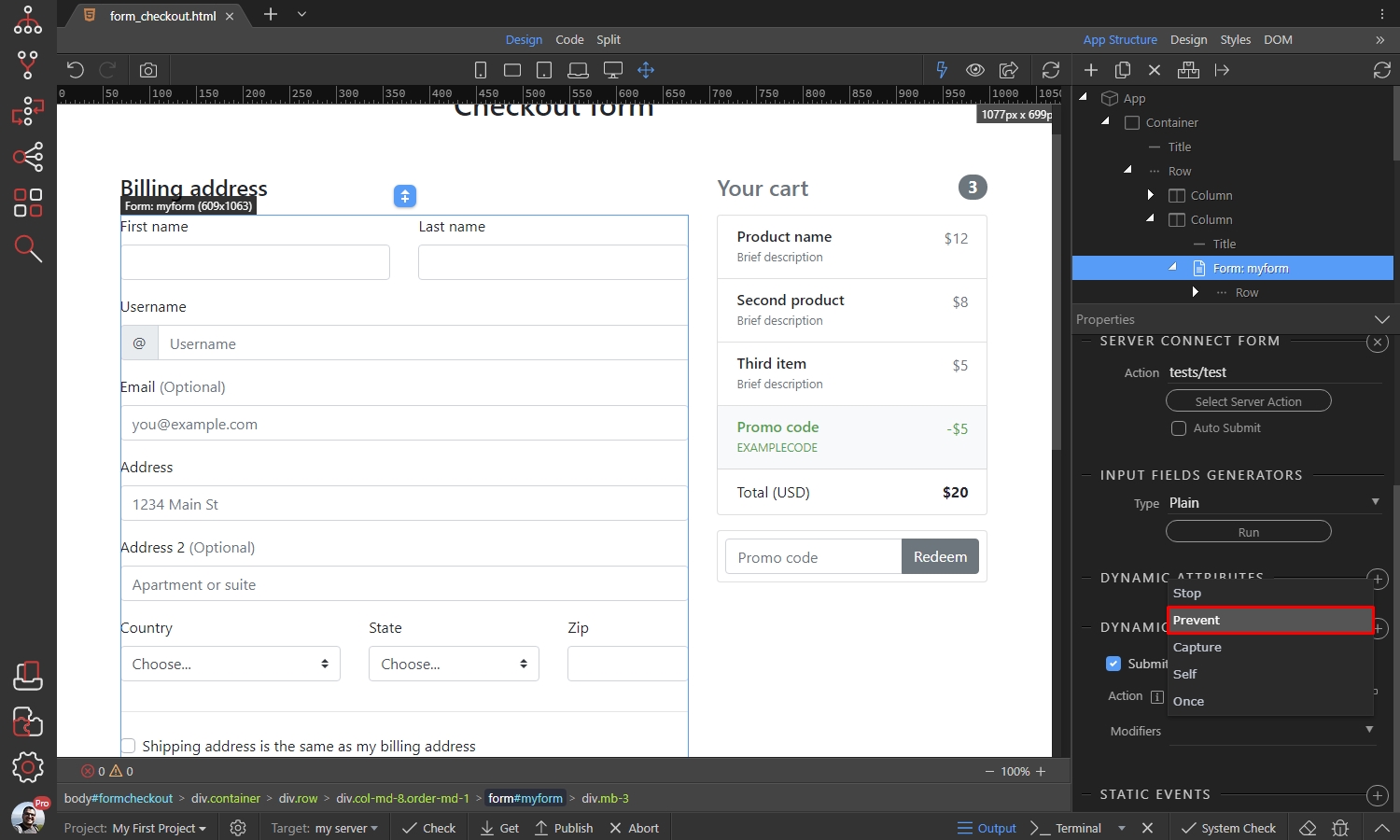
Keep progress and result feedback
Section titled “Keep progress and result feedback”Disable the submit button while the form is executing and display a success or error state after the request. The confirmation indicates intent; it is not evidence that the server operation succeeded.
Test Cancel, Confirm and invalid input
Section titled “Test Cancel, Confirm and invalid input”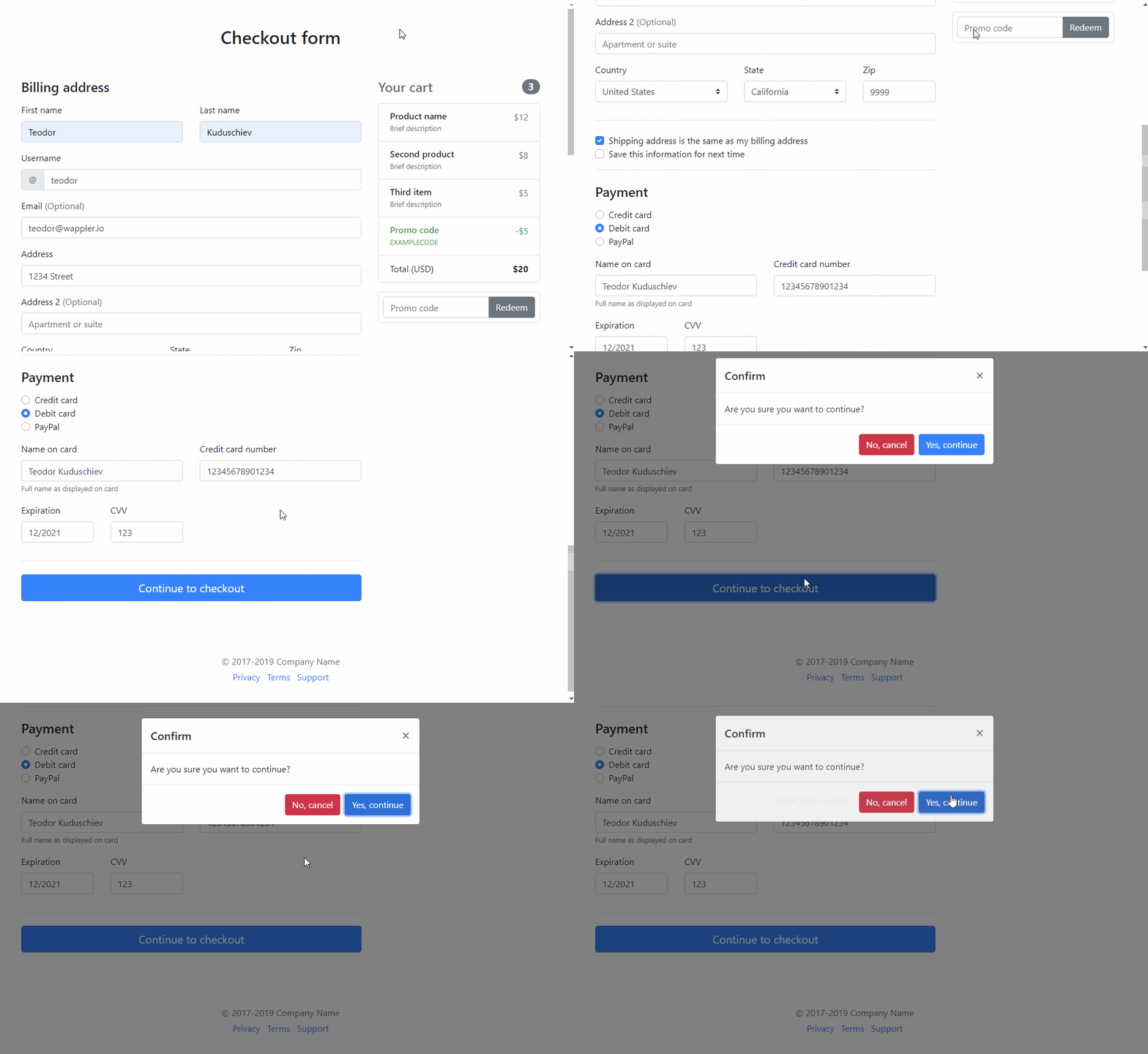
Check your result
Section titled “Check your result”Cancel sends no request. Confirm sends one request and does not reopen the confirmation dialog. Invalid required fields are rejected before submission.