Using API Data Source
In this tutorial we will show you the basics of API Data Source. We are going to connect to the popular Unsplash API to retrieve the latest photos in a nice masonry layout. This API requires an api ke
Note, that every API has its own documentation and its better to check it before start using it.
Section titled “Note, that every API has its own documentation and its better to check it before start using it.”In this tutorial we will show you the basics of API Data Source. We are going to connect to the popular Unsplash API to retrieve the latest photos in a nice masonry layout.
This API requires an api key, which we already retrieved. Please make sure to check the Unsplash docs: https://unsplash.com/documentation to learn how to get your own API key.
Note, that every API has its own documentation and its better to check it before start using it.
We added a simple layout, which will be converted to a masonry grid later. It contains a bootstrap 4 container, with a row and column inside it. We added an image inside the column. Click the add new component button:
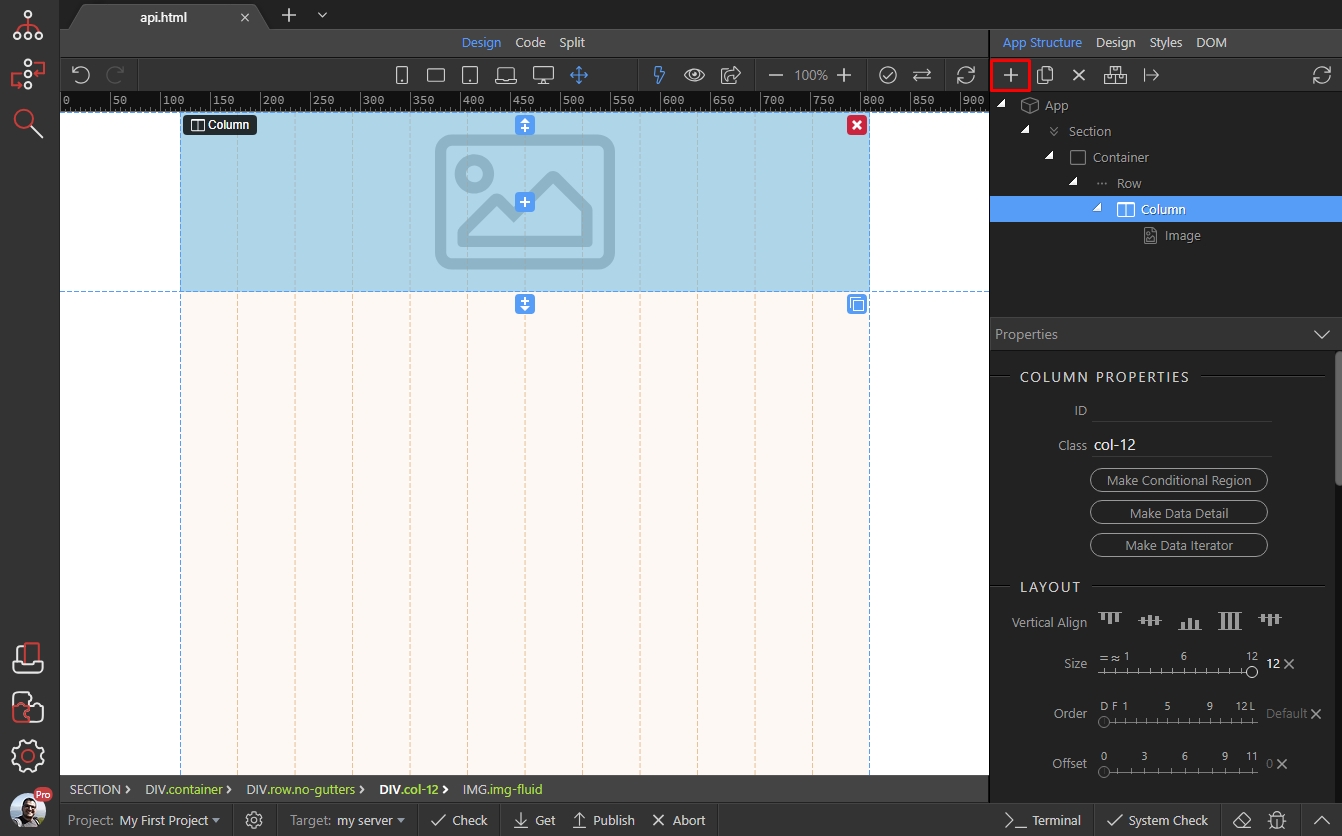
Then open the Data category (1) and add API Data Source (2):
Section titled “Then open the Data category (1) and add API Data Source (2):”
Step 3
Section titled “Step 3”You will find the API Data Source component properties in the properties panel. Here you Add API URL (1) and Query Parameters (2) and/or API Headers (3) if your requires so:
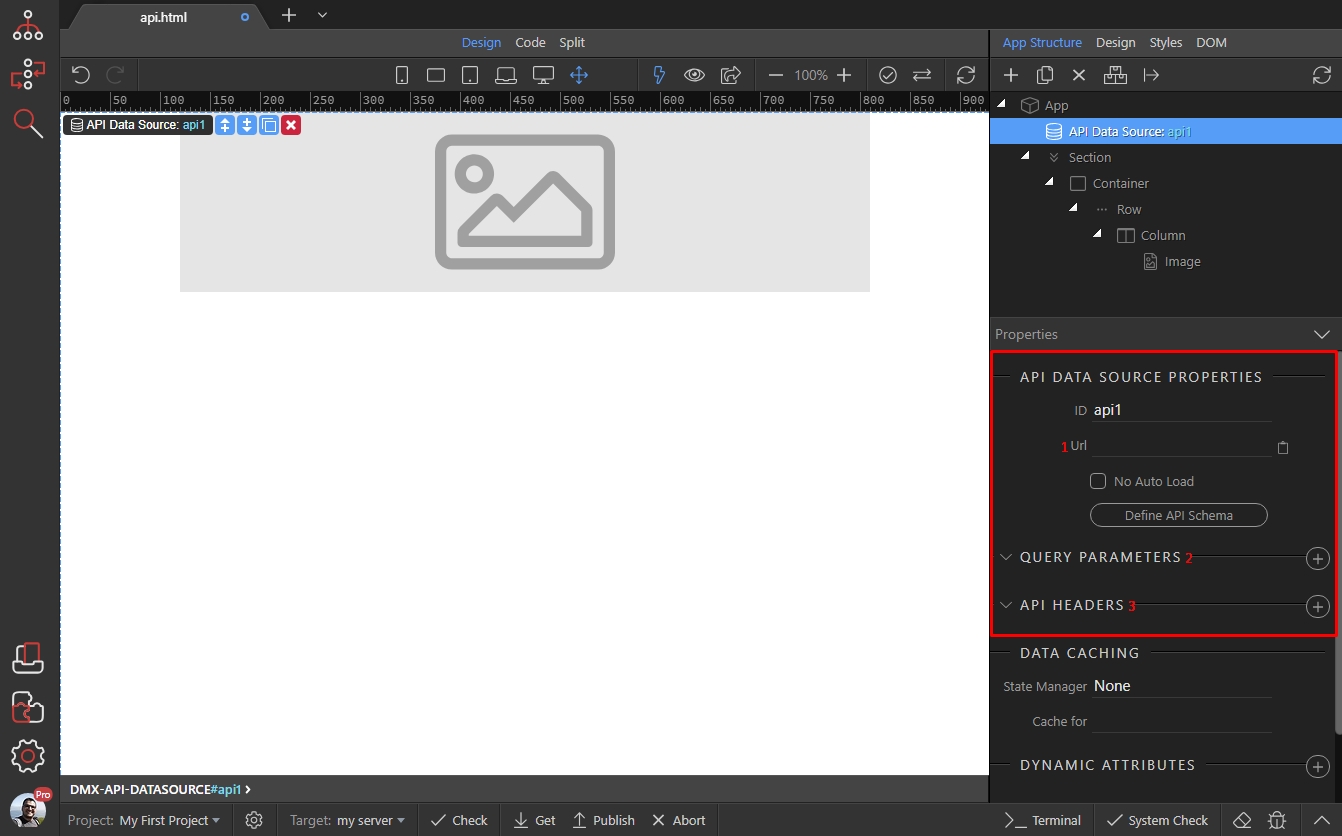
Firs we paste the API URL:
Section titled “Firs we paste the API URL:”
Step 5
Section titled “Step 5”Then, as we want to limit the number of photos retrieved, as per API documentation we need to add a query parameter:

Step 6
Section titled “Step 6”We add it, and assign a name to it. Also we add a value to it - it can be static or dynamic value. For static values, which are not numbers make sure to wrap your value with single quotes like: ‘staic value’. For dynamic values and numbers that’s not required:

If your API requires, you can add header as well, just click the add new header button:
Section titled “If your API requires, you can add header as well, just click the add new header button:”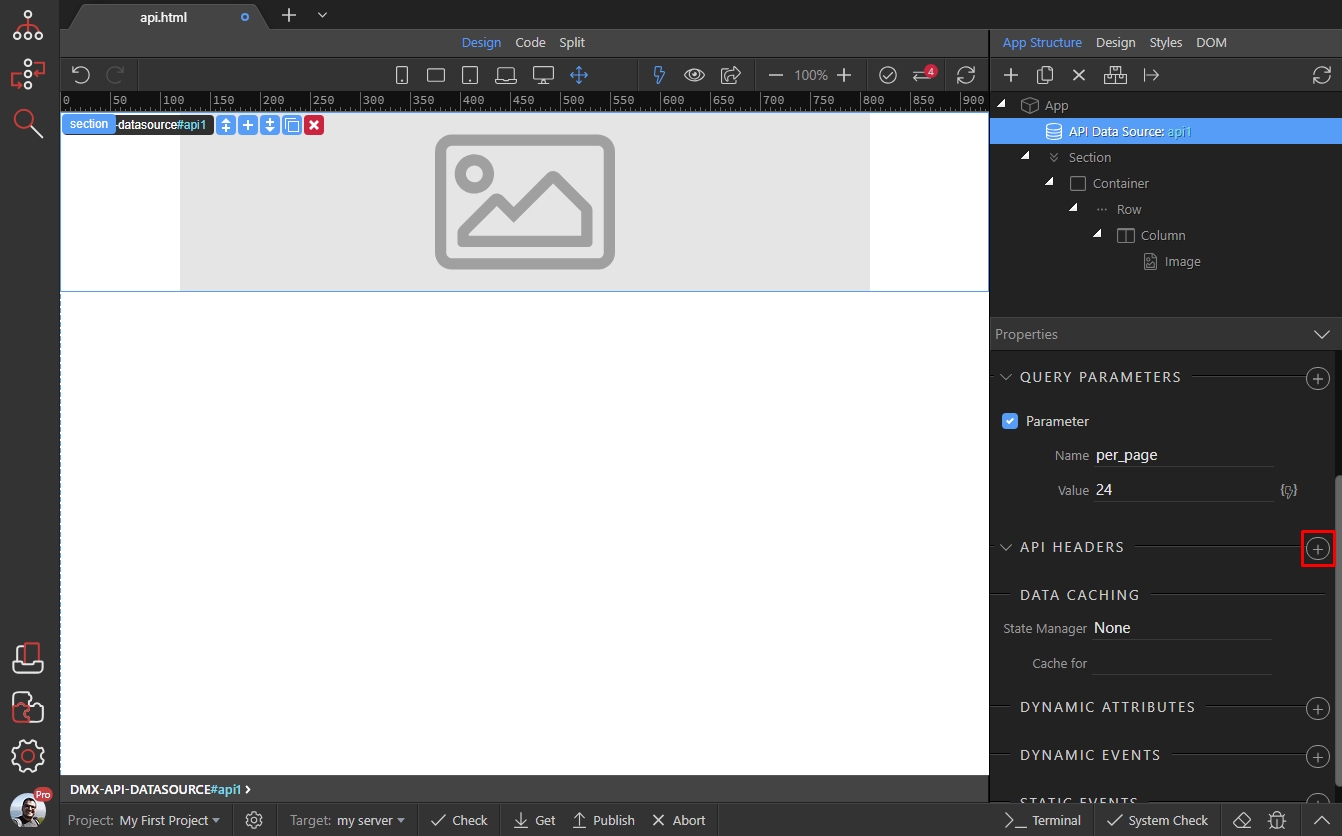
Step 8
Section titled “Step 8”Add a name and value for it, again it can be static or dynamic value. For static values, which are not numbers make sure to wrap your value with single quotes like: ‘staic value’. For dynamic values and numbers that’s not required:
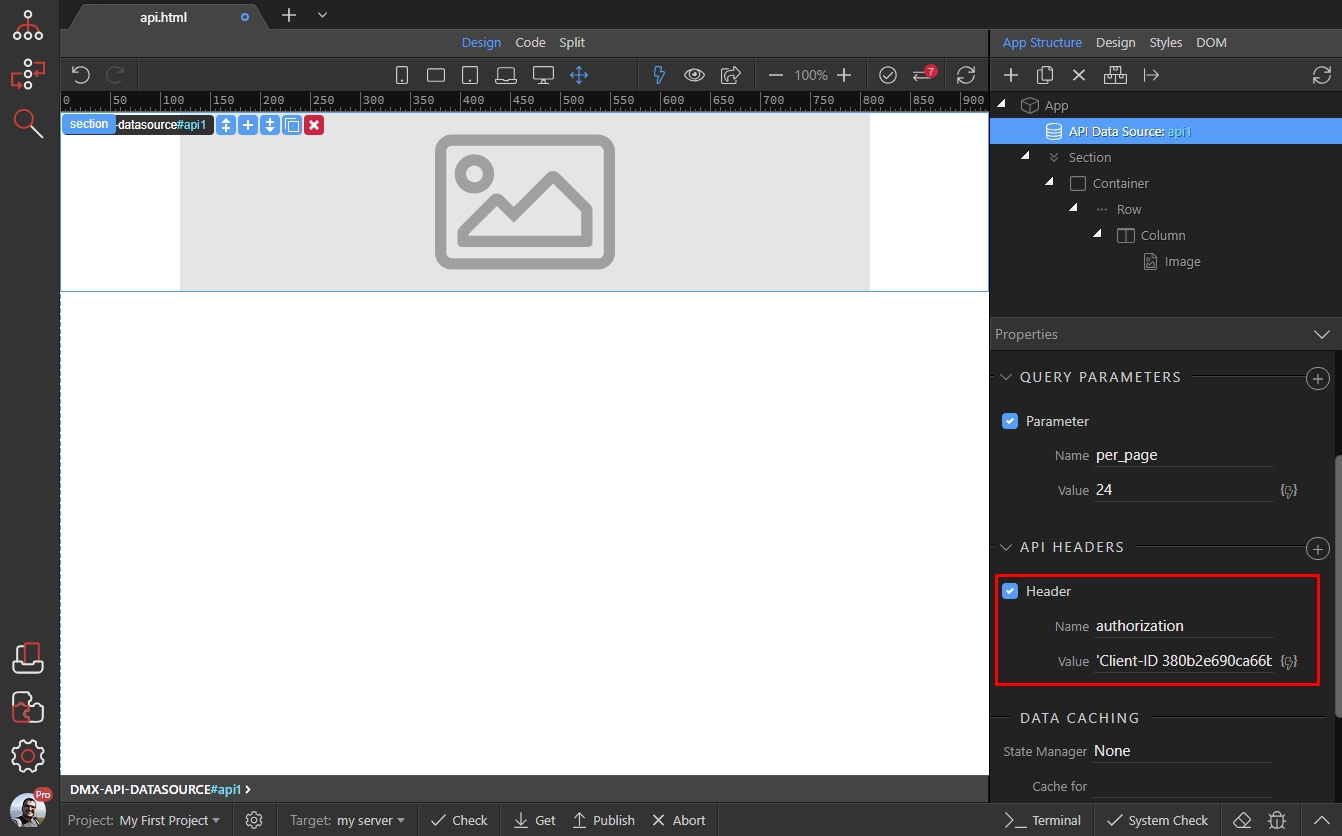
When you are done adding your parameters and headers, click the Defin API Schema button:
Section titled “When you are done adding your parameters and headers, click the Defin API Schema button:”
Step 10
Section titled “Step 10”You will see your parameters and headers here, you can change them to test the data if you want. Click the Fetch Schema button, to retrieve API Schema. It will be used as a data source on your page:
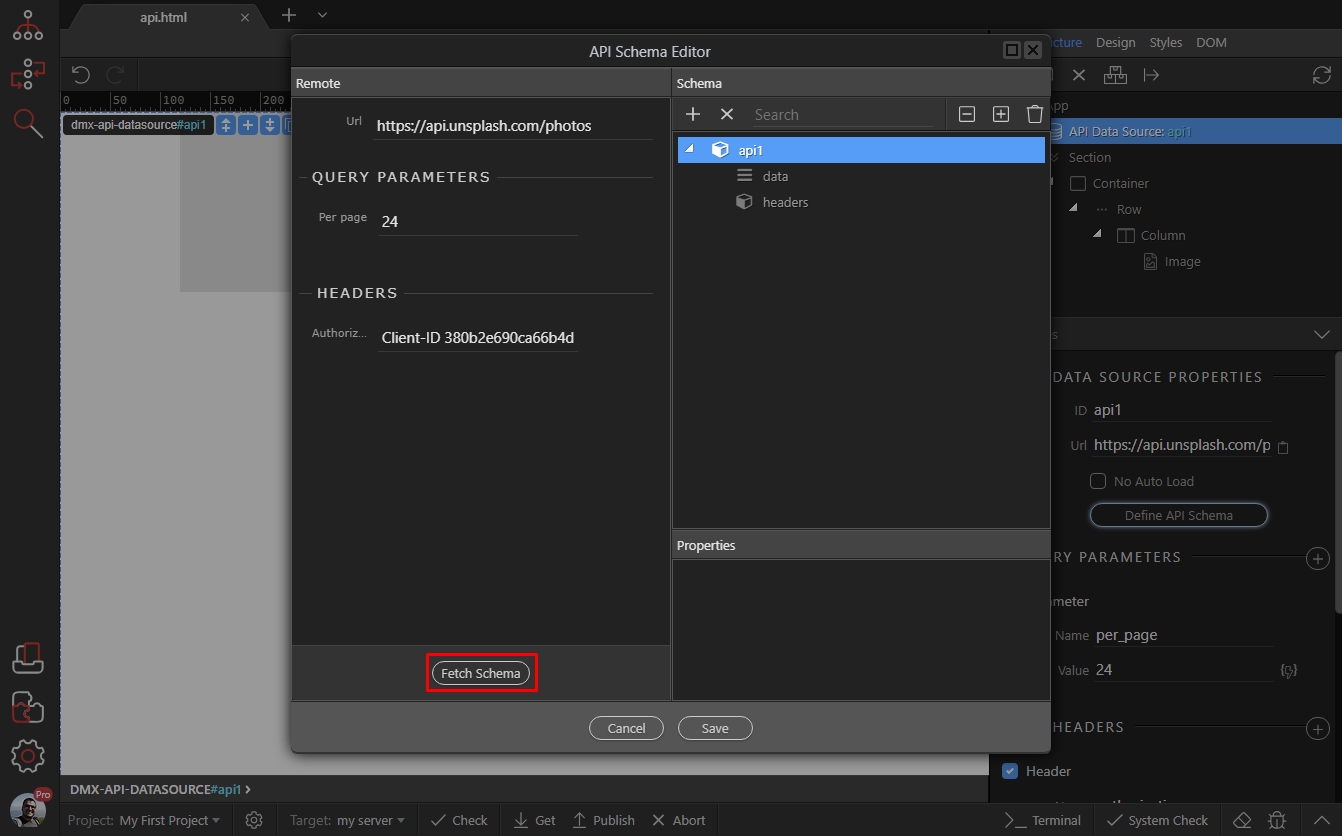
You will see the data, returned by your API under data:
Section titled “You will see the data, returned by your API under data:”
Step 12
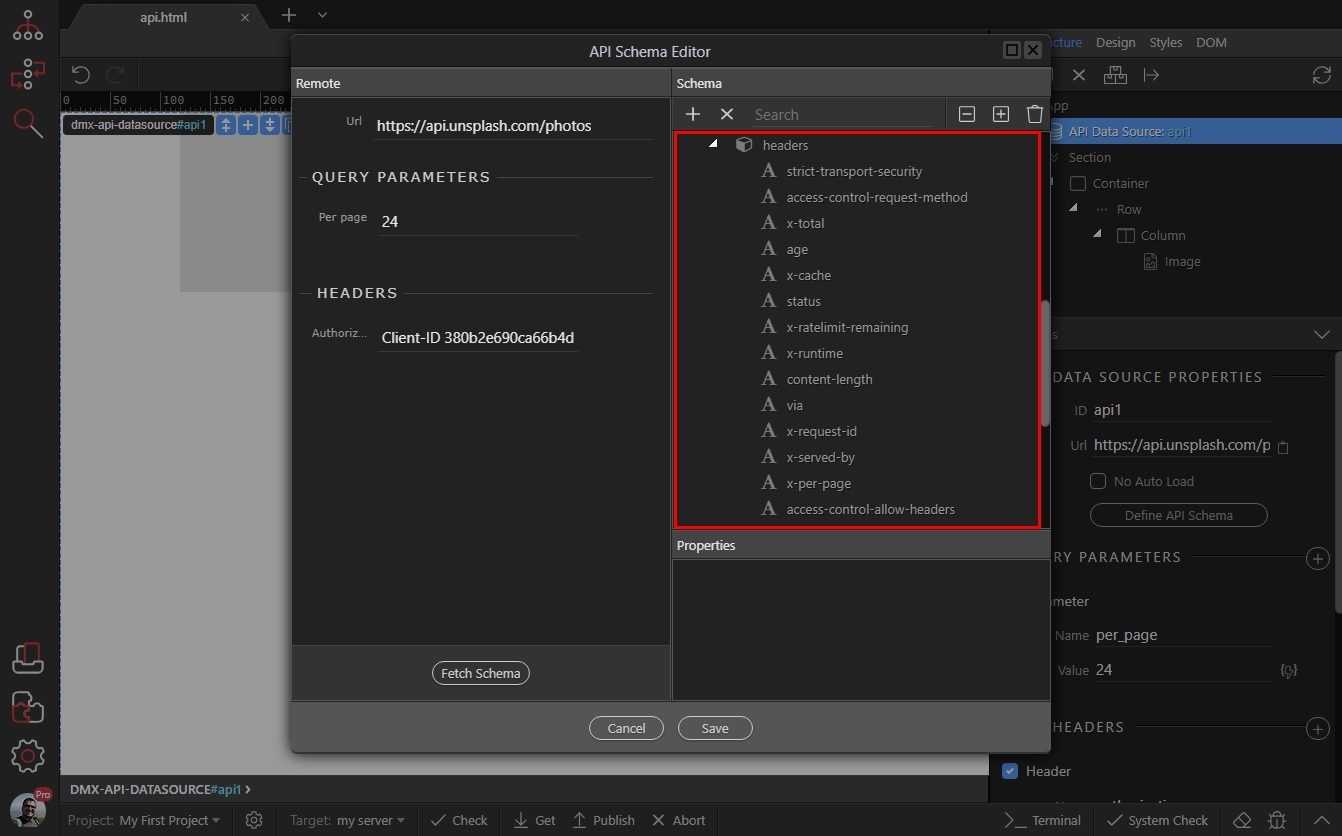
Section titled “Step 12”Also you will see any response headers returned. You can use the information from response headers on your pages later, if you need:
Click the save button:
Section titled “Click the save button:”
Step 14
Section titled “Step 14”Now, let’s convert the row to a masonry grid and add the dynamic API data to it. Select the row element (1) and click the Make Masonry button (2):
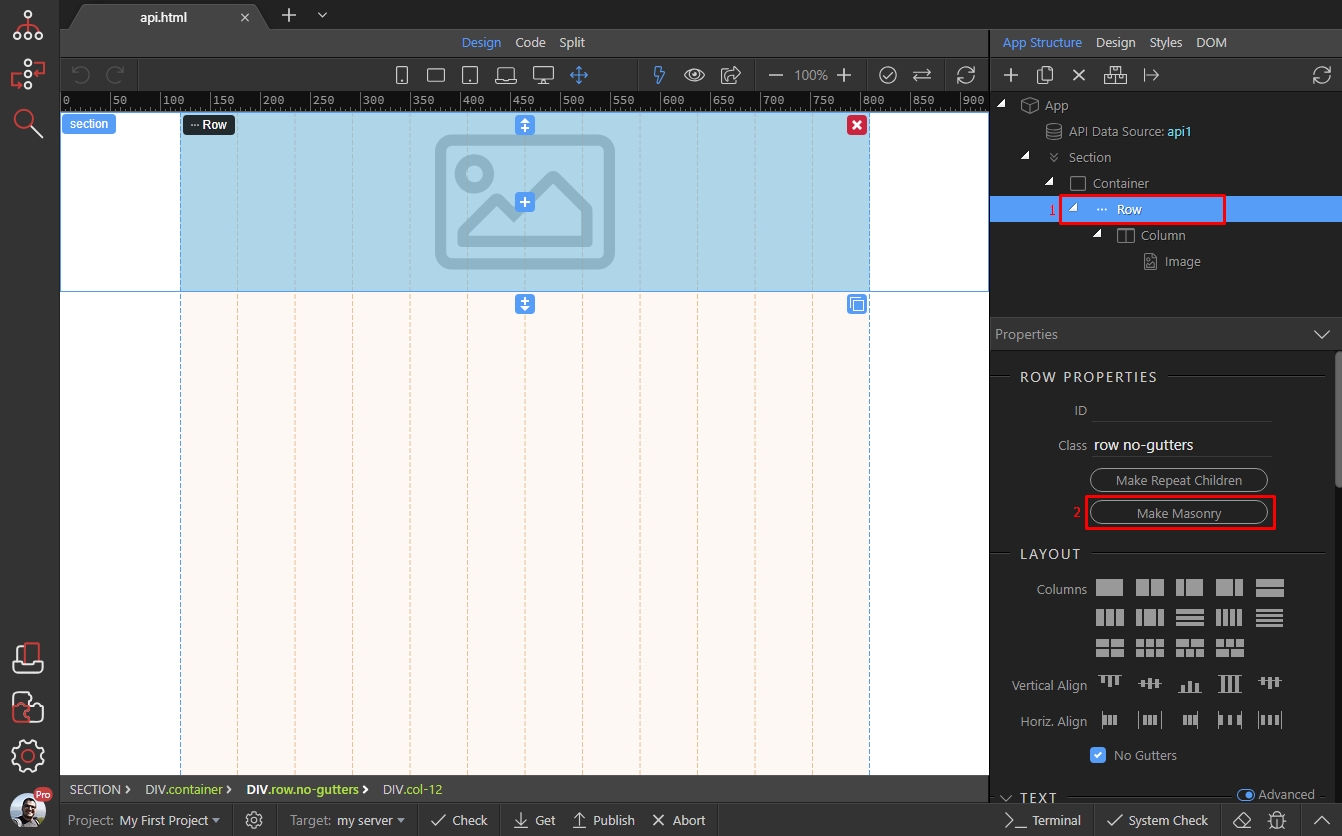
Then select a dynamic expression for the masonry:
Section titled “Then select a dynamic expression for the masonry:”
We select the repeating data element, returned by our API Schema:
Section titled “We select the repeating data element, returned by our API Schema:”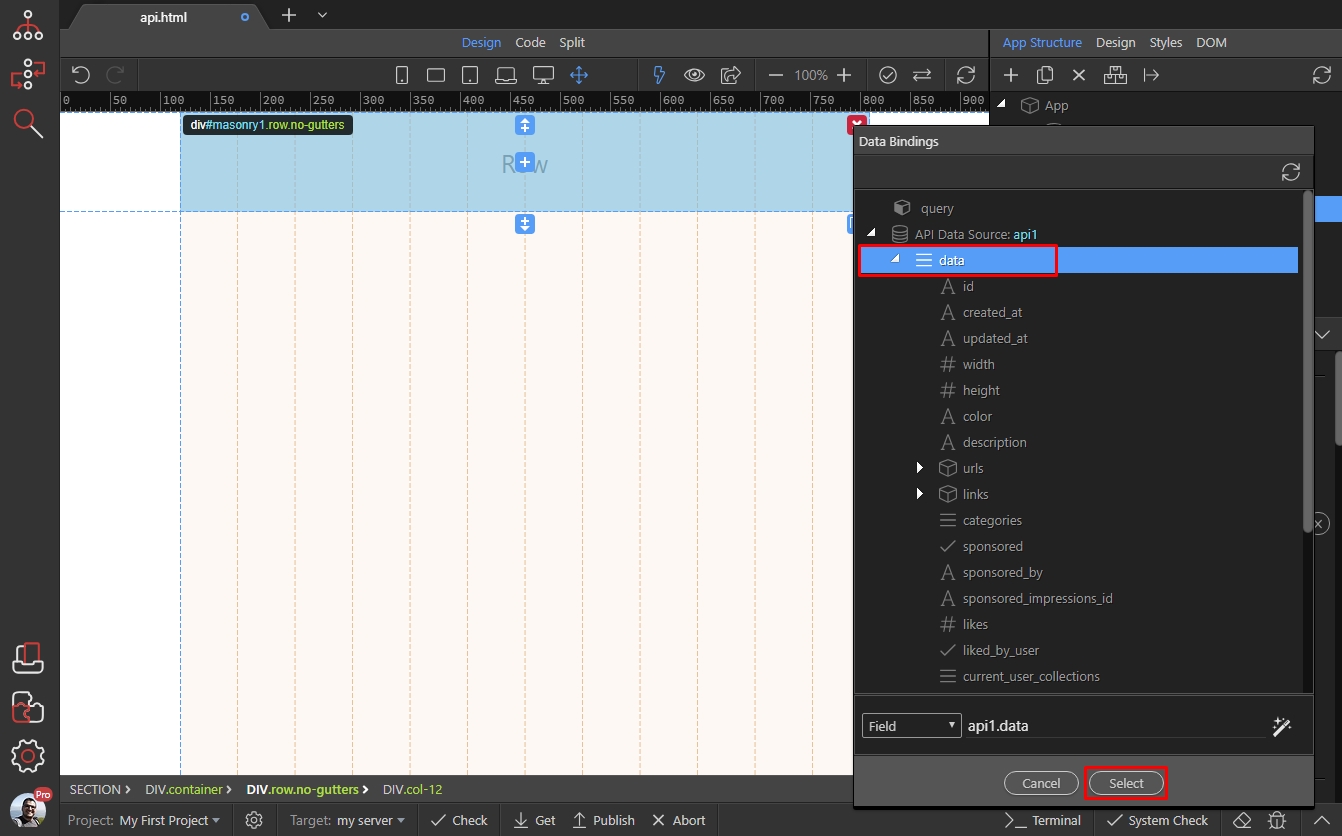
Step 17
Section titled “Step 17”And you can see our images repeated 24 times. Let’s bind dynamic URL to the image. Select image (1) and add new dynamic attribute (2):
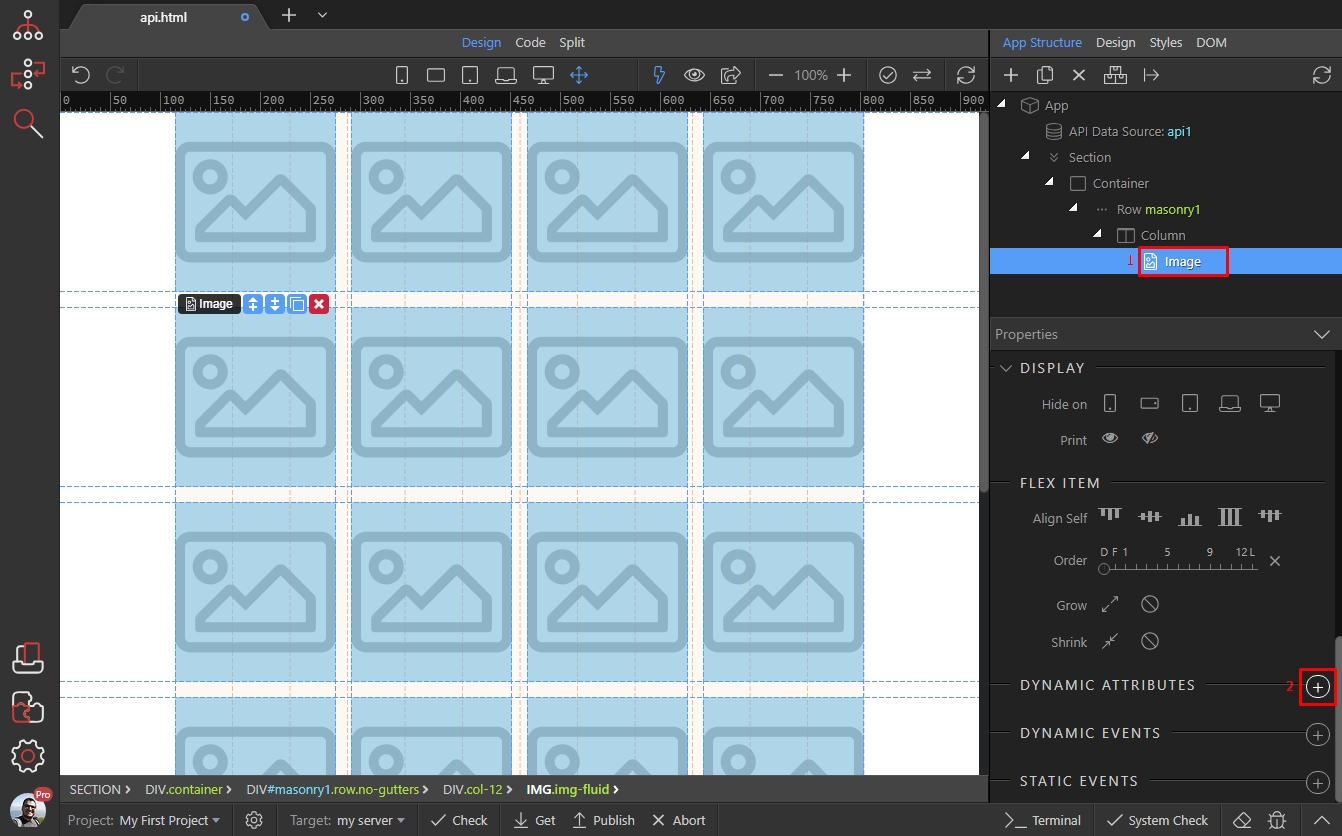
Open the images category and click image source:
Section titled “Open the images category and click image source:”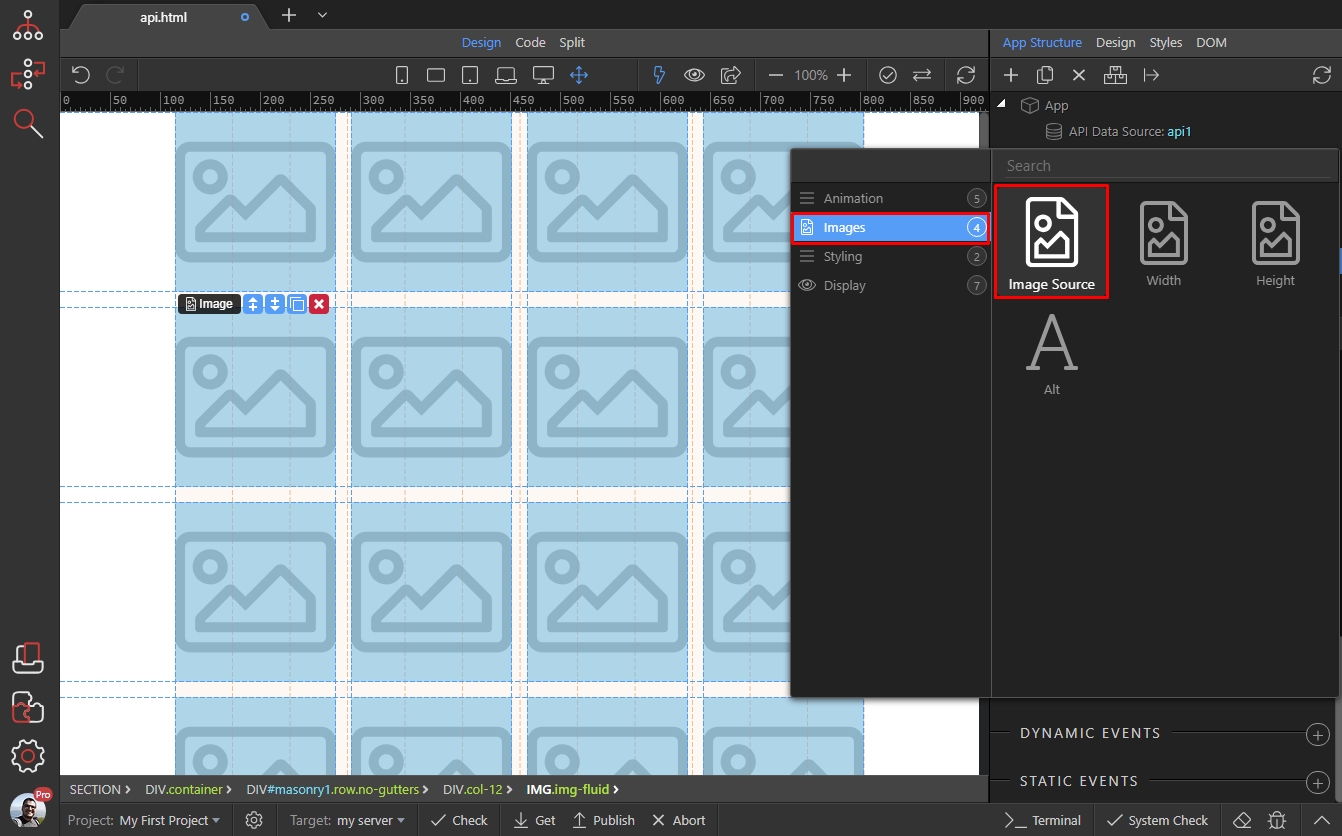
Then select an expression for the dynamic image source:
Section titled “Then select an expression for the dynamic image source:”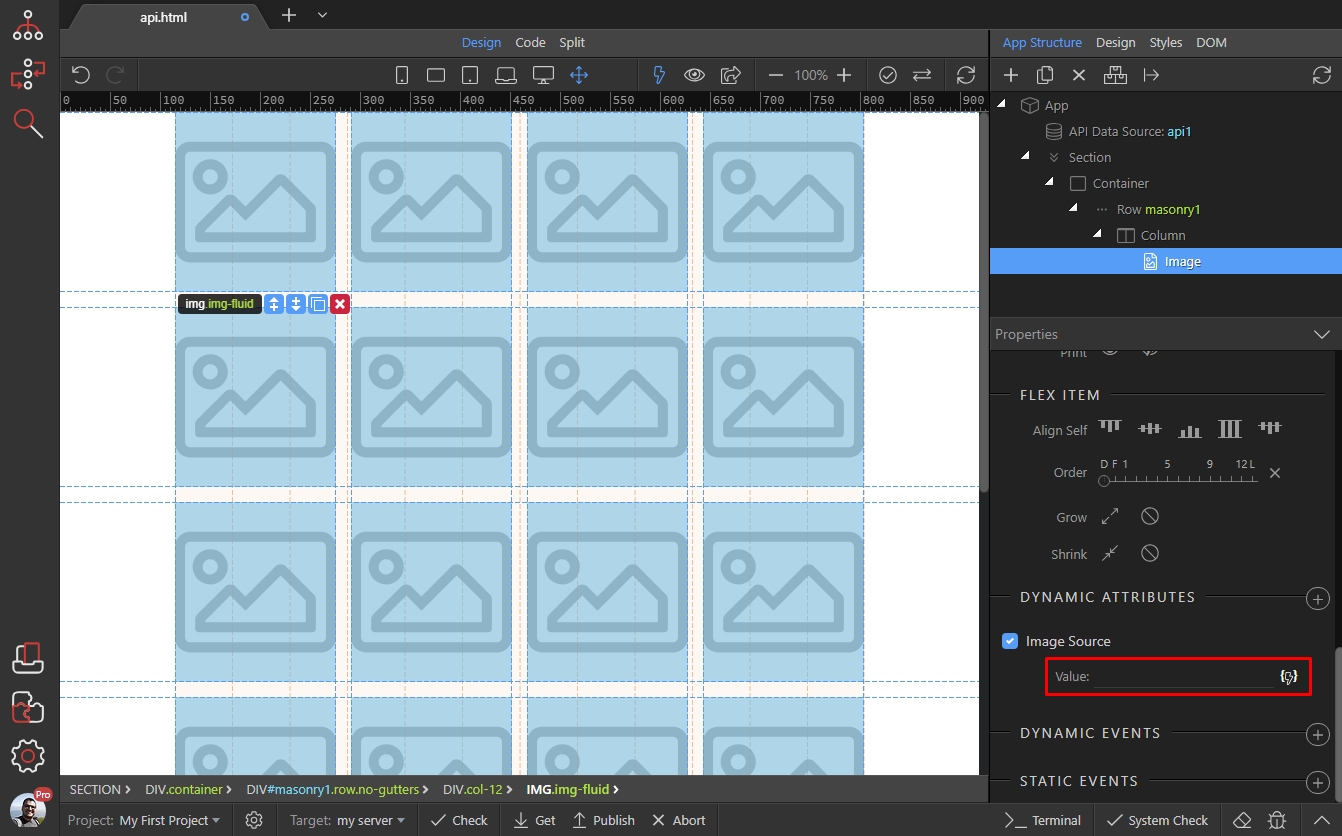
Our API returns different URLs fr different image sizes. We select the regular image size URL:
Section titled “Our API returns different URLs fr different image sizes. We select the regular image size URL:”
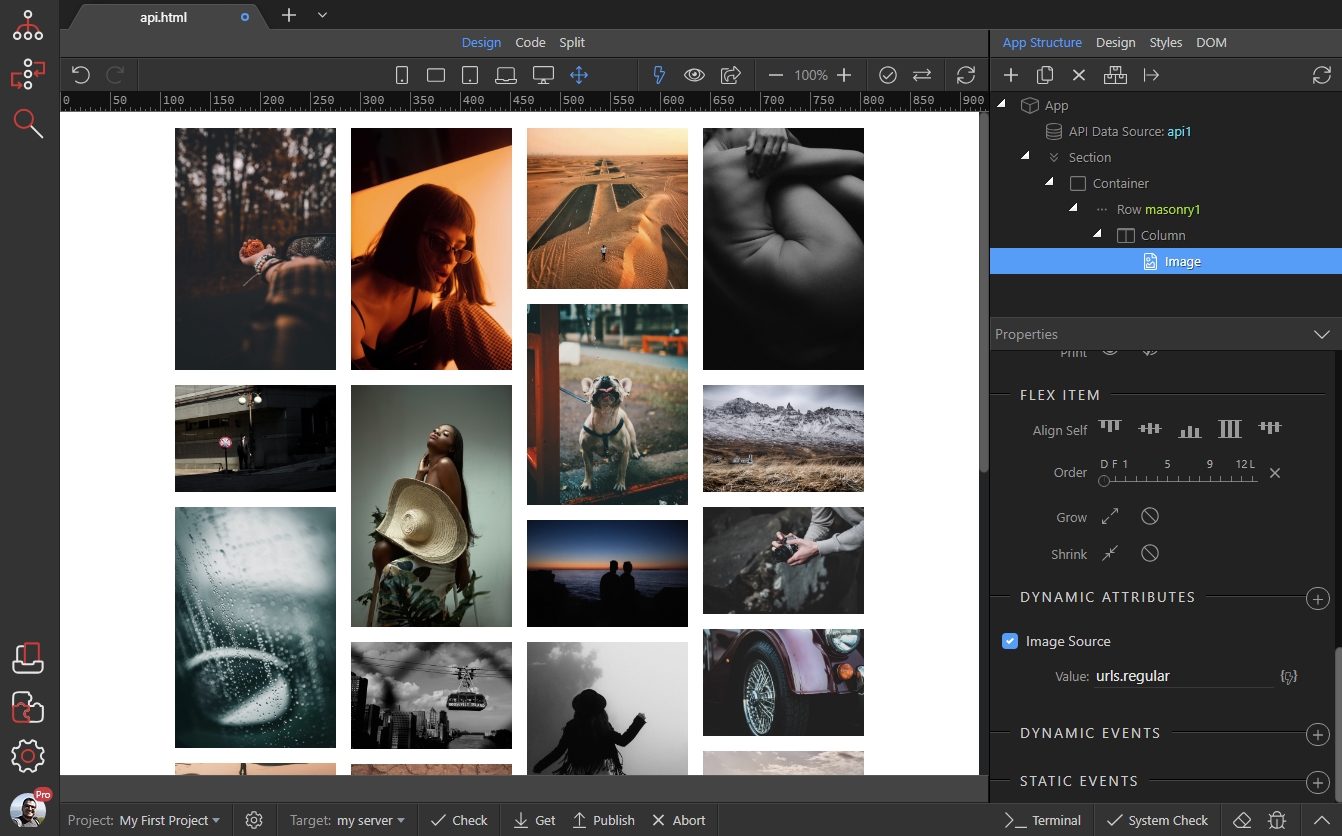
And we are done! Our masonry grid, showing images from a data API is rendered on the page:
Section titled “And we are done! Our masonry grid, showing images from a data API is rendered on the page:”