
Remember a preference with Cookie Manager
Store and read a small browser-visible preference cookie.
Store and read a small browser-visible preference cookie.
Before you begin
Section titled “Before you begin”- An App Connect page with an App ID. The in-app tour opens prepared examples with a dedicated test key.
Add the component and declare the test key
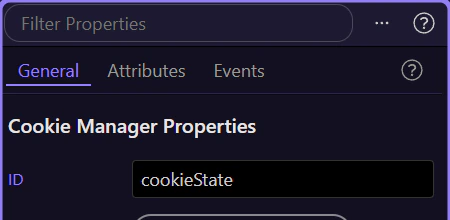
Section titled “Add the component and declare the test key”Add Cookie Manager to the page and name it cookieState. Select it in App Structure and use Define Cookies to declare wappler_docs_preference for the data/action pickers. This declares metadata; the key is not stored until a Set action runs.
Set a value from a button
Section titled “Set a value from a button”Add a button. In its Dynamic Events, add a Click action, select cookieState → Set, choose Name wappler_docs_preference and use the text value compact. Use Path / for this example. Leave expiration unset for a session cookie, or supply a deliberate date/numeric day value when persistence is required.
Bind through the data property
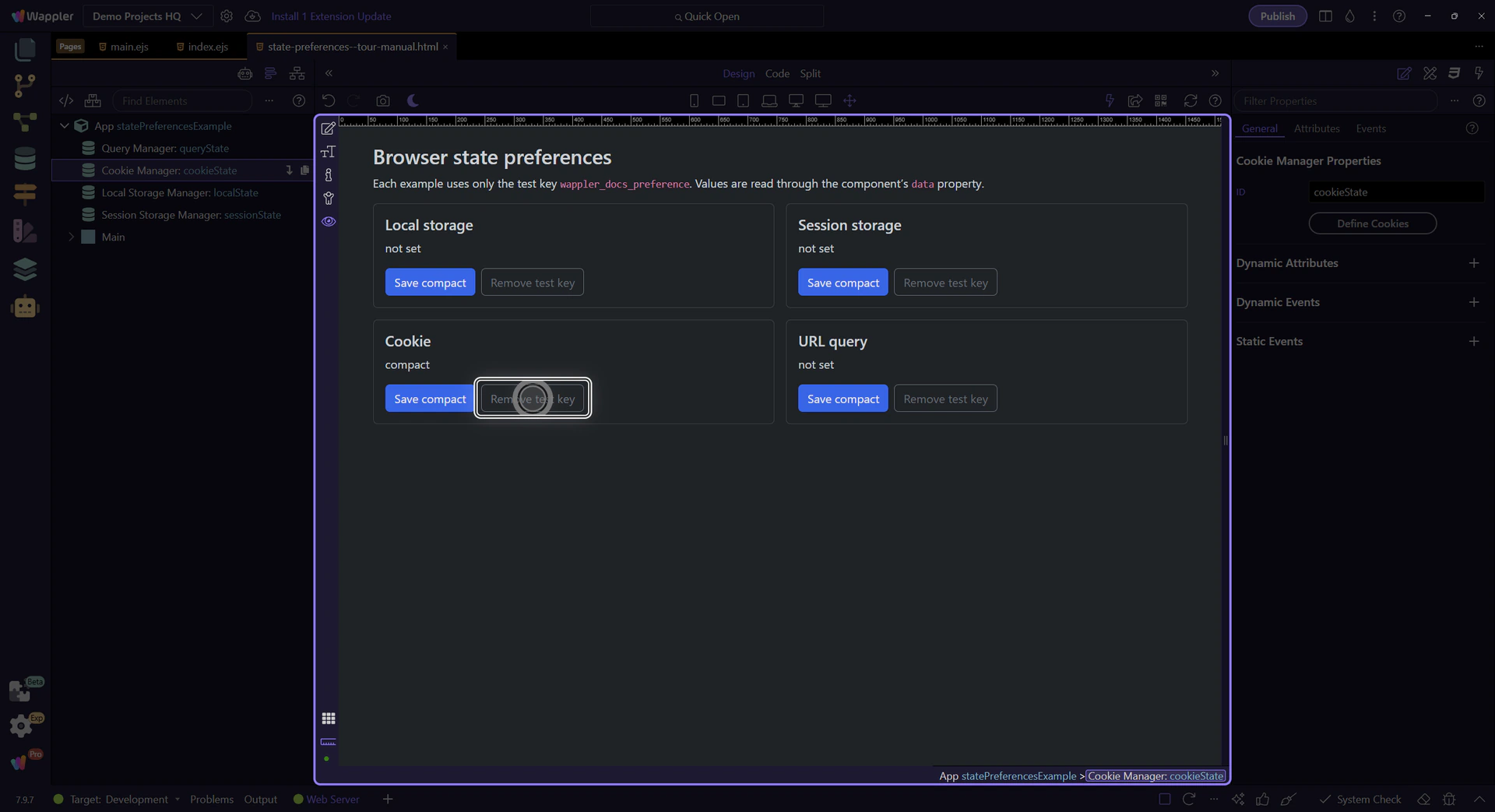
Section titled “Bind through the data property”Add a text label and bind it to cookieState.data.wappler_docs_preference. Click the prepared Save compact button in Preview. The label should change to compact. Check the visible cookie and test the selected path/expiration behavior.
Remove only the test preference
Section titled “Remove only the test preference”Add a second button using cookieState → Remove with the same Name. Use Path / again. The installed Cookie Manager Remove All has a known callback error; remove the specific key instead.
Keep browser state separate from trusted data
Section titled “Keep browser state separate from trusted data”Browser preferences are editable client-side state. Do not use them as proof of identity, permissions or completed server work. Use the matching reference for exact action options and lifetime limitations.
Check your result
Section titled “Check your result”The bound label shows the stored string; removing the cookie with matching path clears it.