Creating Custom SQL Queries
You can use the Custom Query component in Server Connect in order to manually add a custom SQL query. You can define your own parameters, edit the schema and metadata and preview the results. Creating
Step 1
Section titled “Step 1”You can use the Custom Query component in Server Connect in order to manually add a custom SQL query. You can define your own parameters, edit the schema and metadata and preview the results.
Creating Custom SQL Queries
Section titled “Creating Custom SQL Queries”You already know how to create a database connection in Wappler, so we won’t show this again.
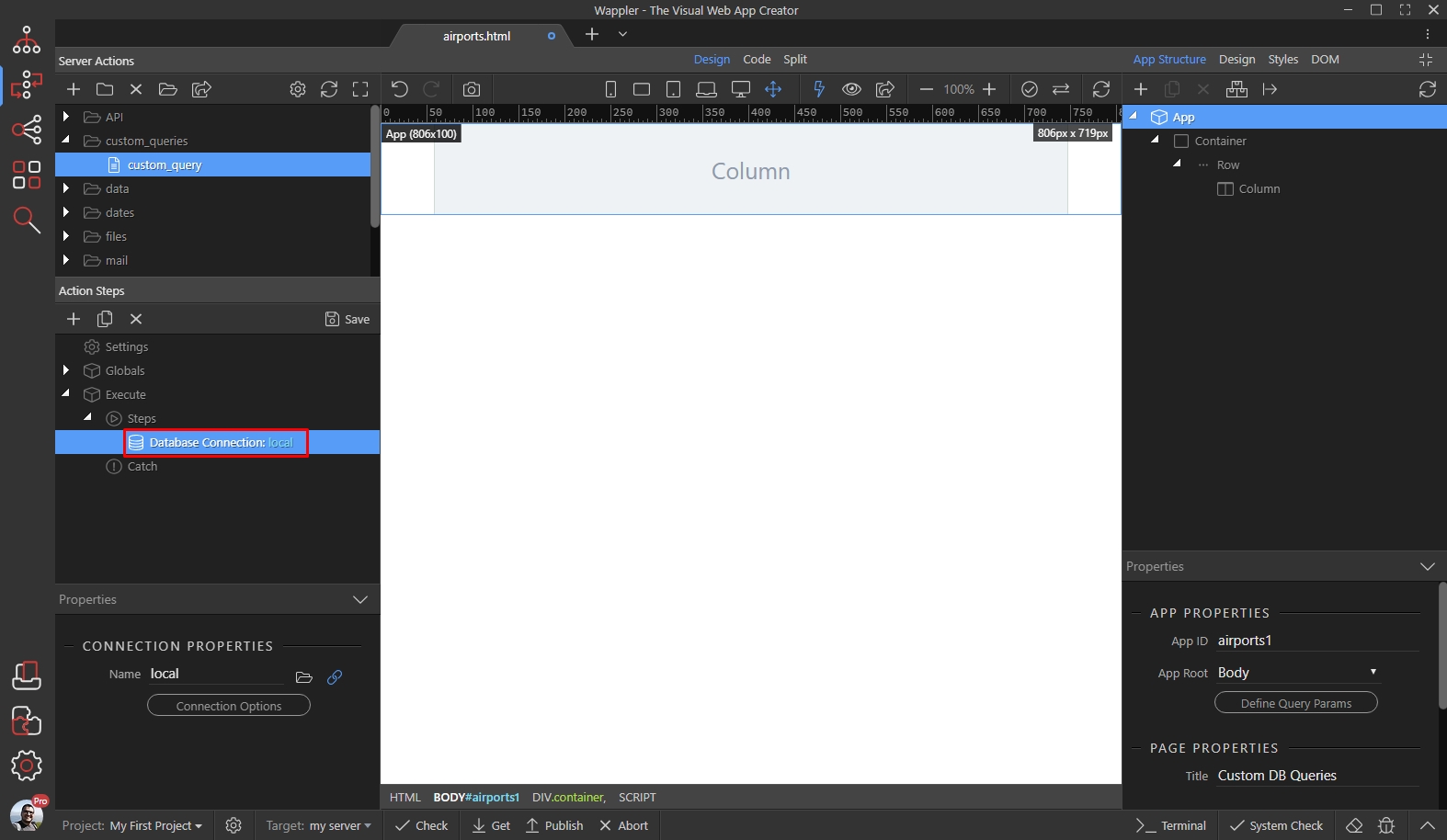
In your server action with the database connection, right click the database connection step:
Open Database Actions and select Database Custom Query:
Section titled “Open Database Actions and select Database Custom Query:”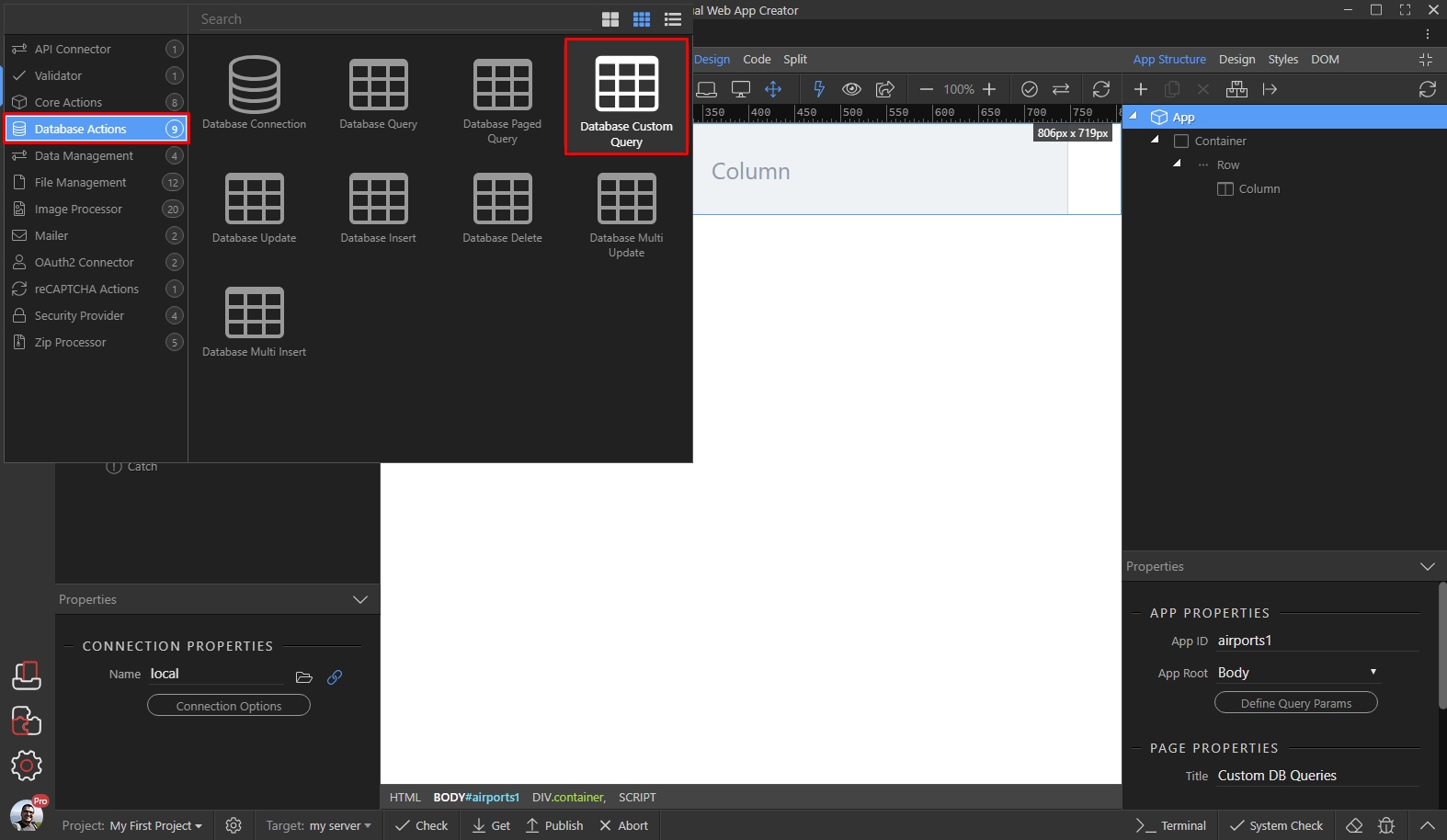
Click the Build Query button:
Section titled “Click the Build Query button:”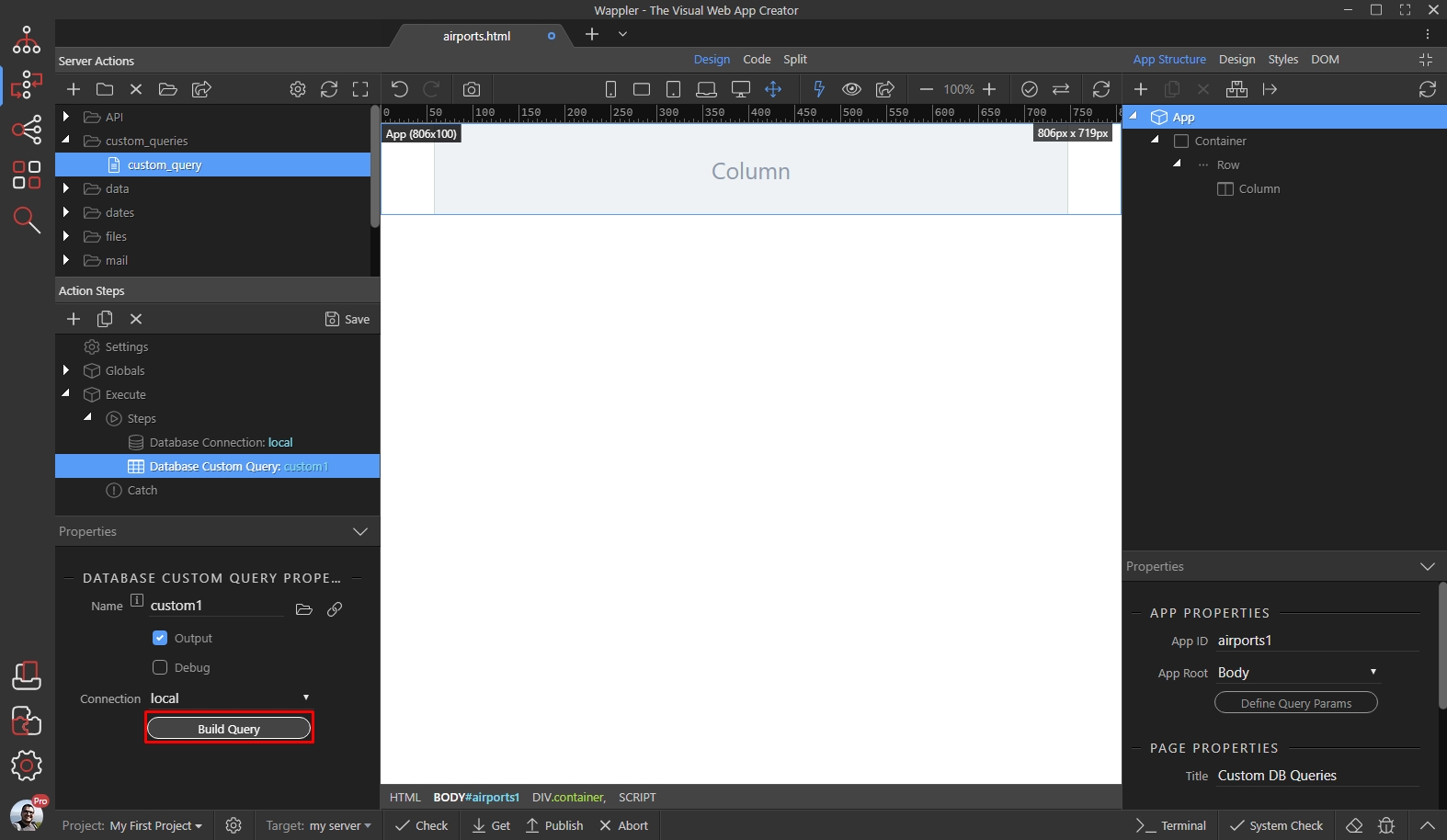
Step 5
Section titled “Step 5”In the Custom Query dialog, you will see your database tables listed on the left. In the SQL Editor area you can write your own SQL Statements. Code autocomplete options are available, so it makes it easier to write your queries there:

Step 6
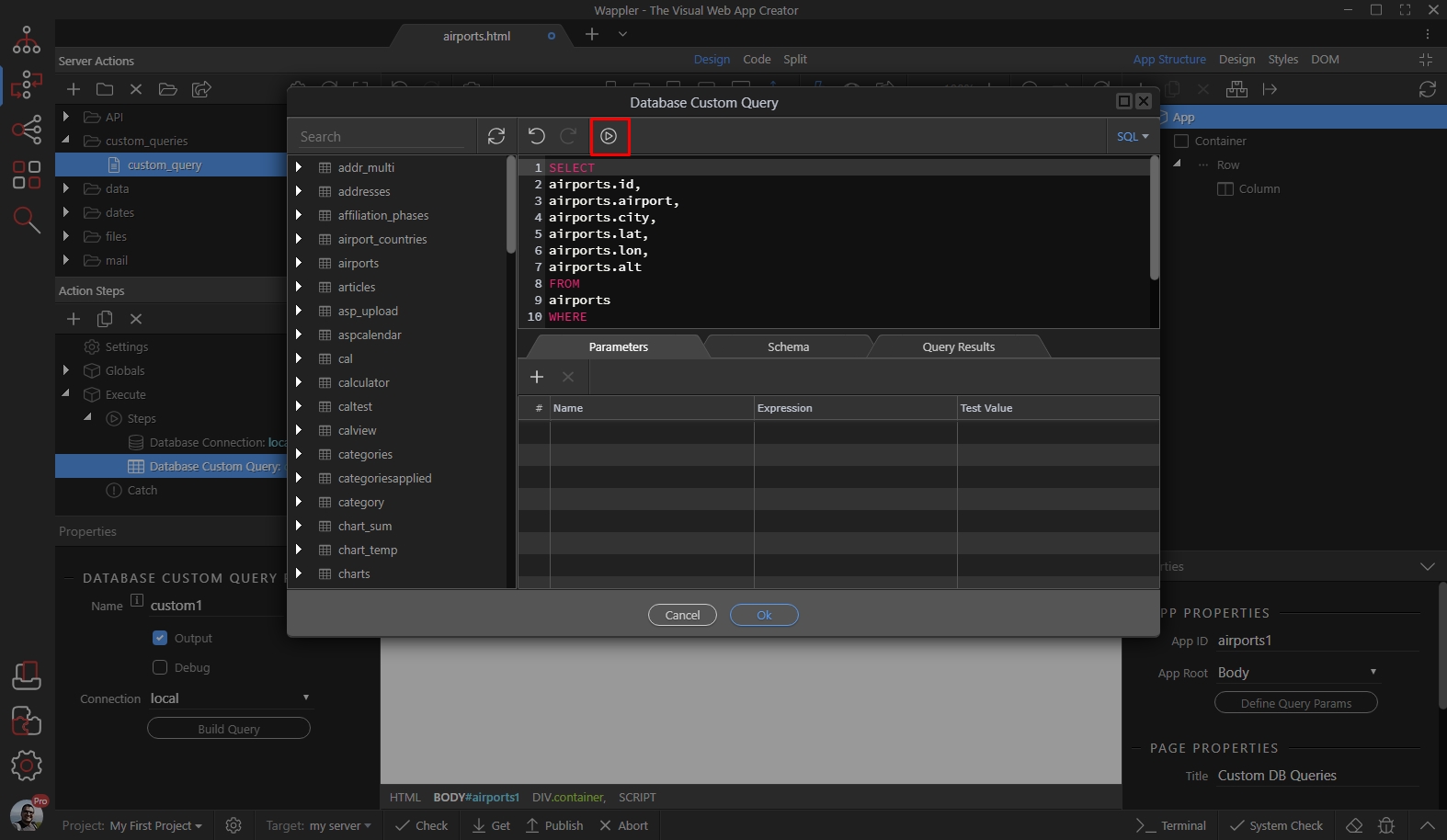
Section titled “Step 6”You can also directly paste your statements, generated by any other software there and then click the Run button to preview the results:
The query results tab will automatically show the results:
Section titled “The query results tab will automatically show the results:”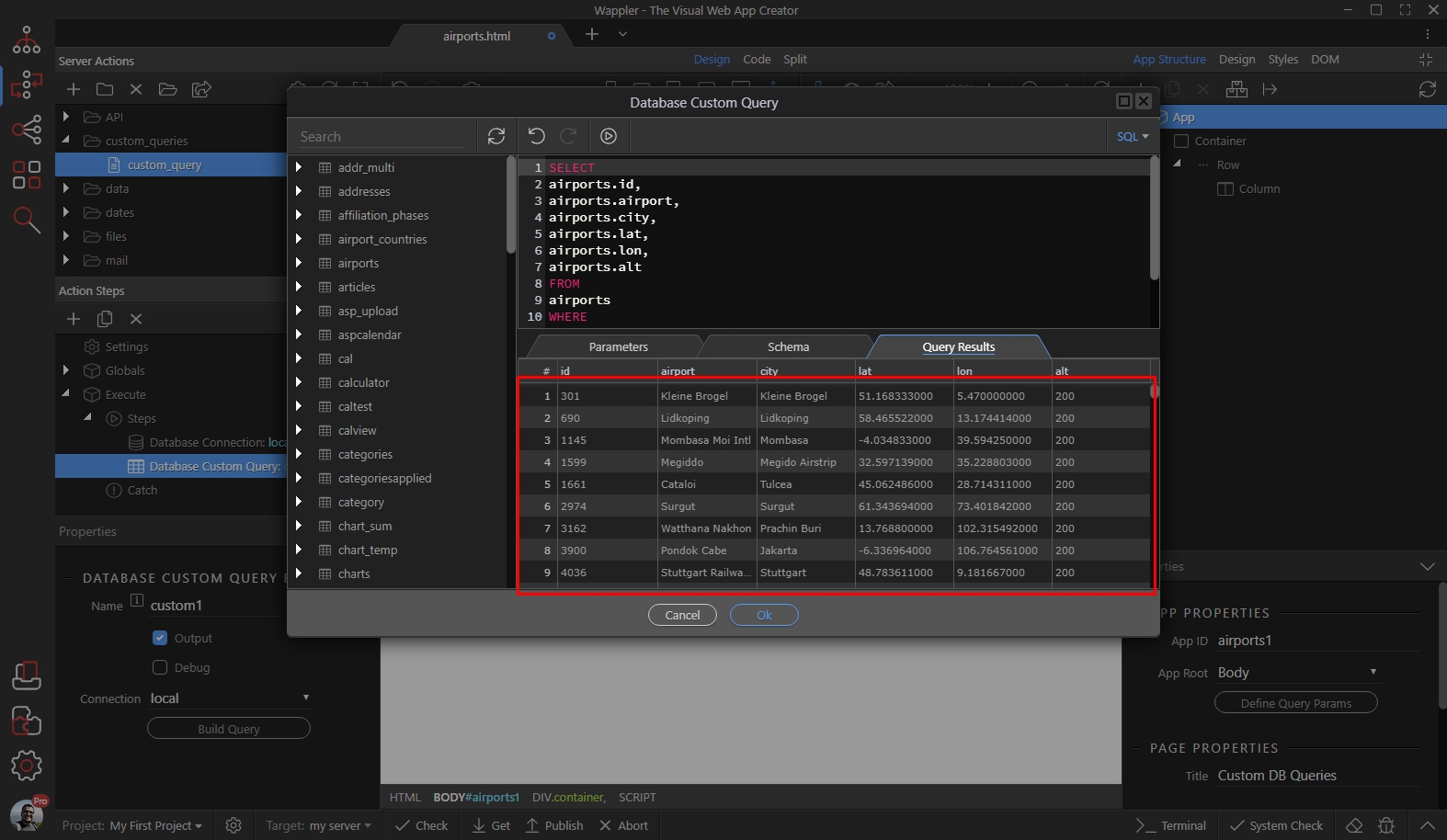
Step 8
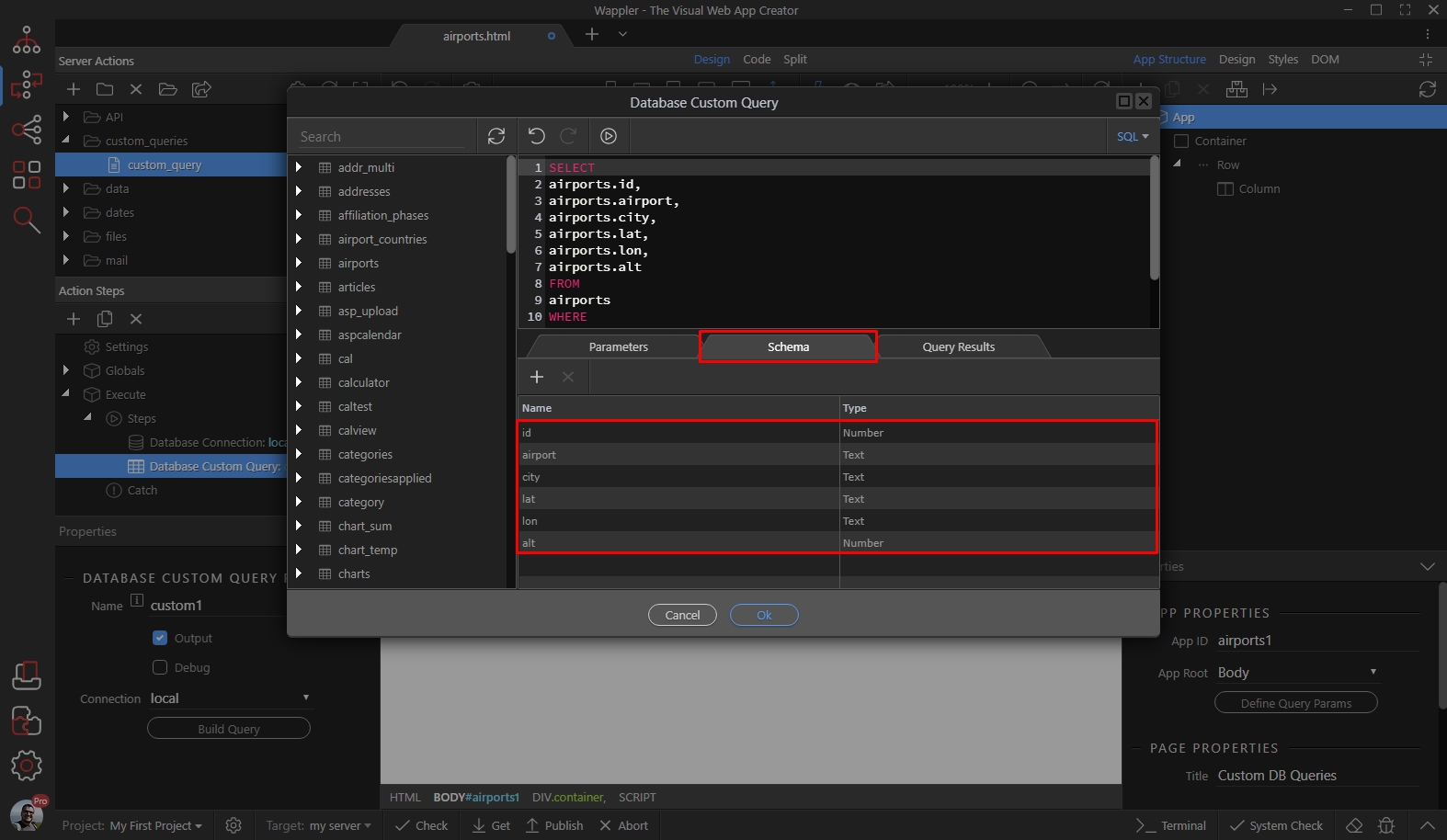
Section titled “Step 8”Open the Schema tab, to edit the schema that will later be available in the Dynamic Data Picker on your pages. The schema is automatically populated with the results from your custom SQL query. You can edit the data type or remove any fields you don’t want to use:
You can add Parameters to use with your custom SQL Statements. Just open the Parameters tab:
Section titled “You can add Parameters to use with your custom SQL Statements. Just open the Parameters tab:”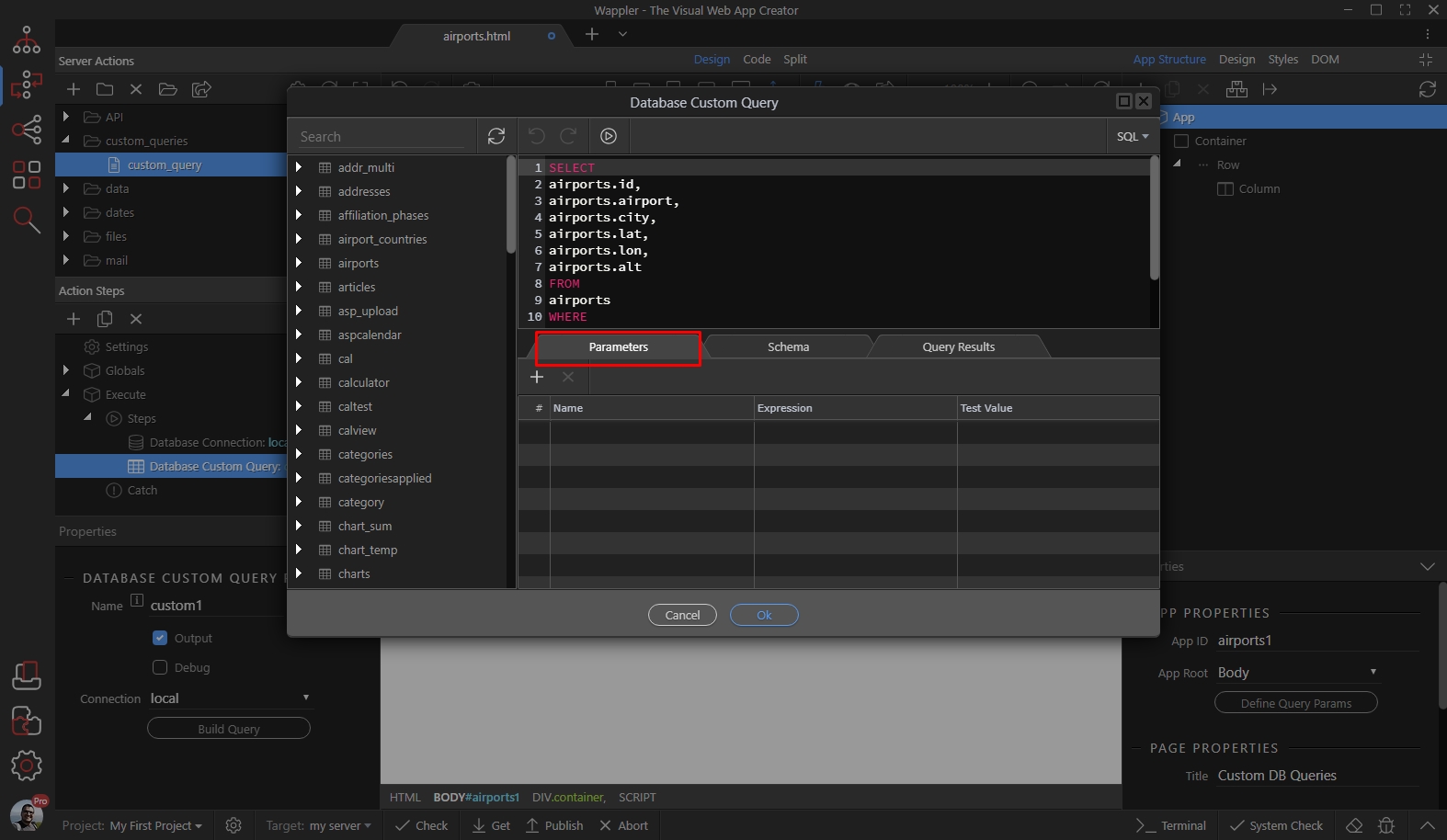
Then click the Add New Parameter button:
Section titled “Then click the Add New Parameter button:”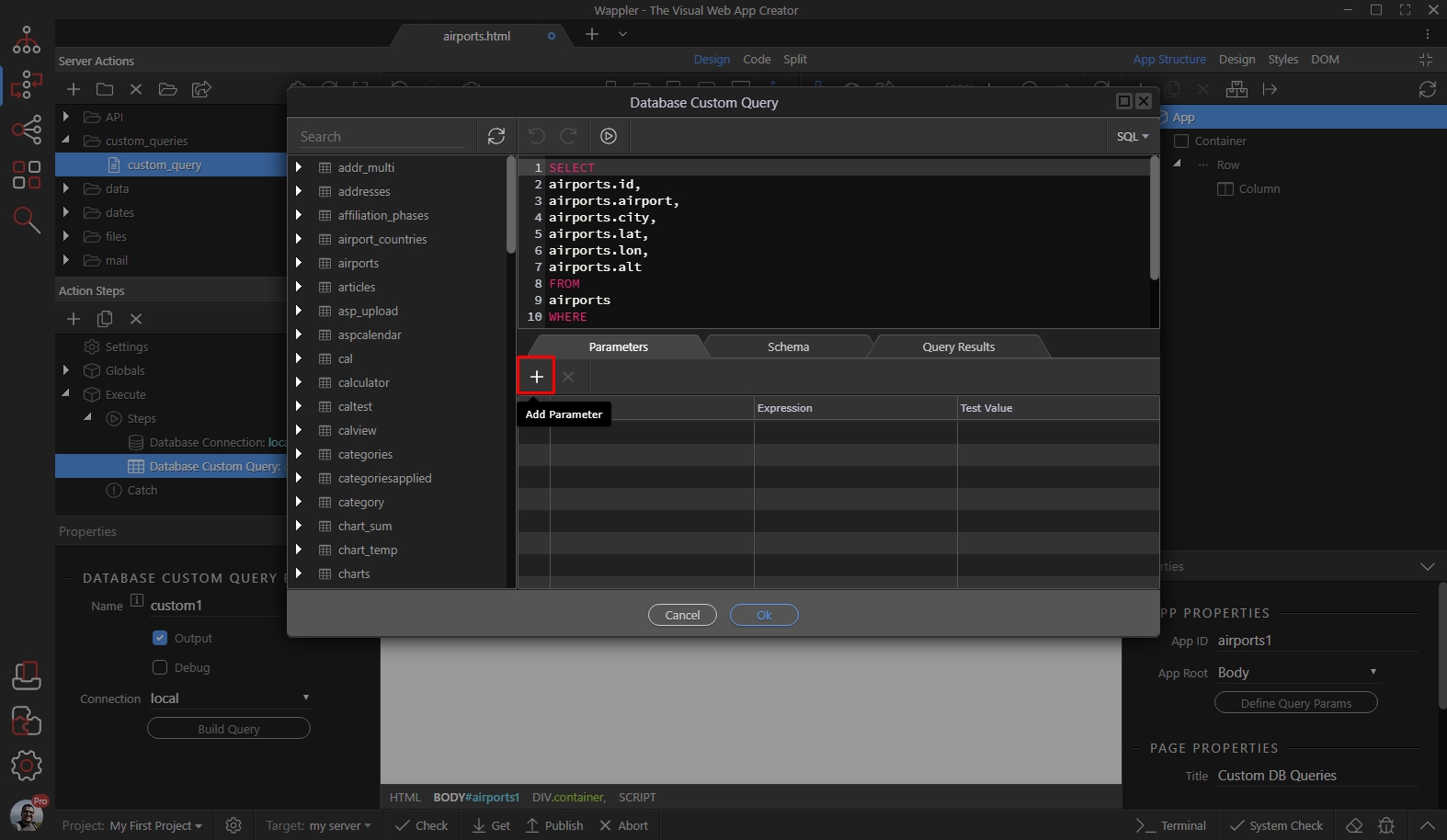
Add a name for your parameter and assign a dynamic value for it:
Section titled “Add a name for your parameter and assign a dynamic value for it:”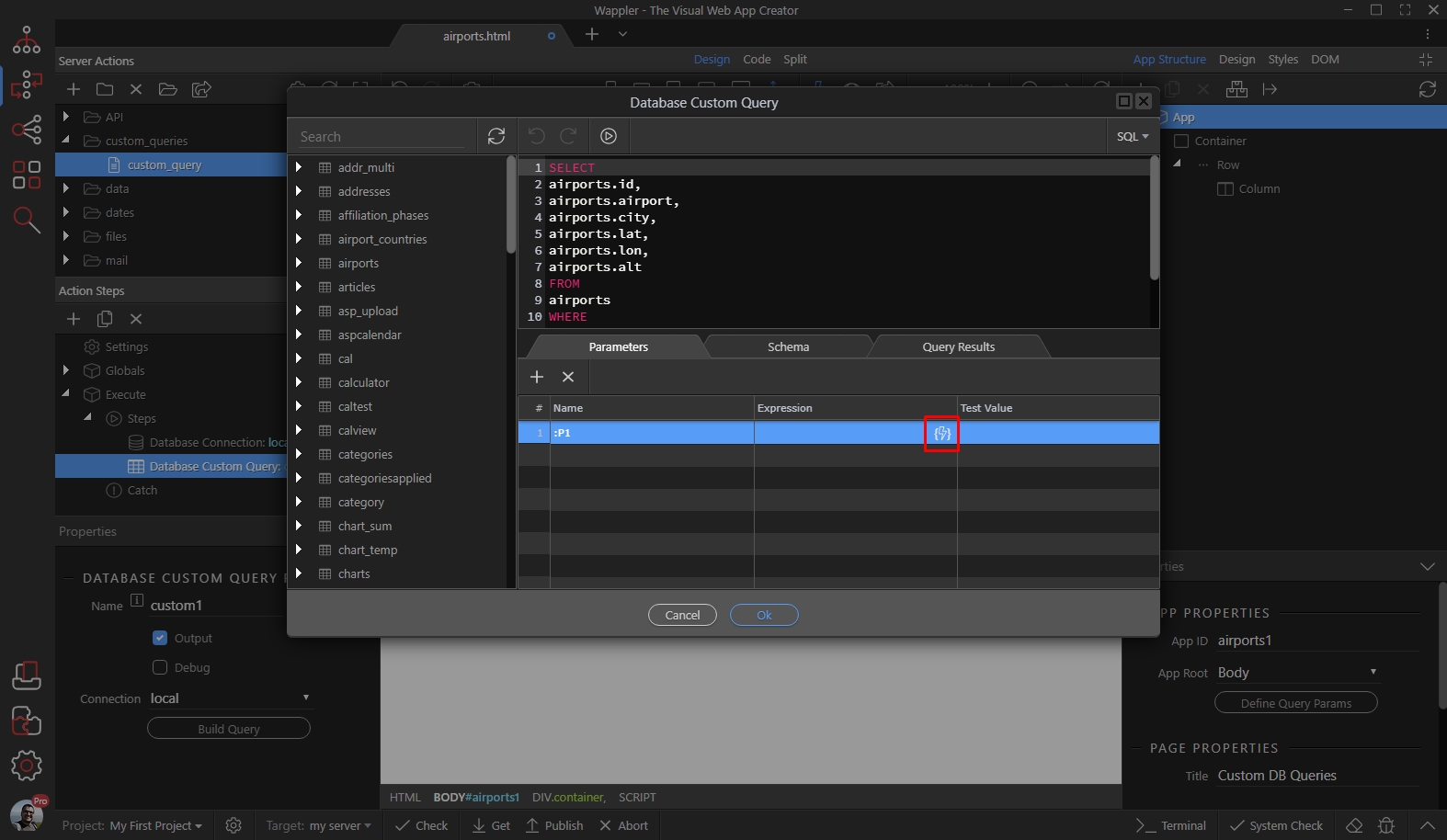
Select your value using the dynamic data picker dialog:
Section titled “Select your value using the dynamic data picker dialog:”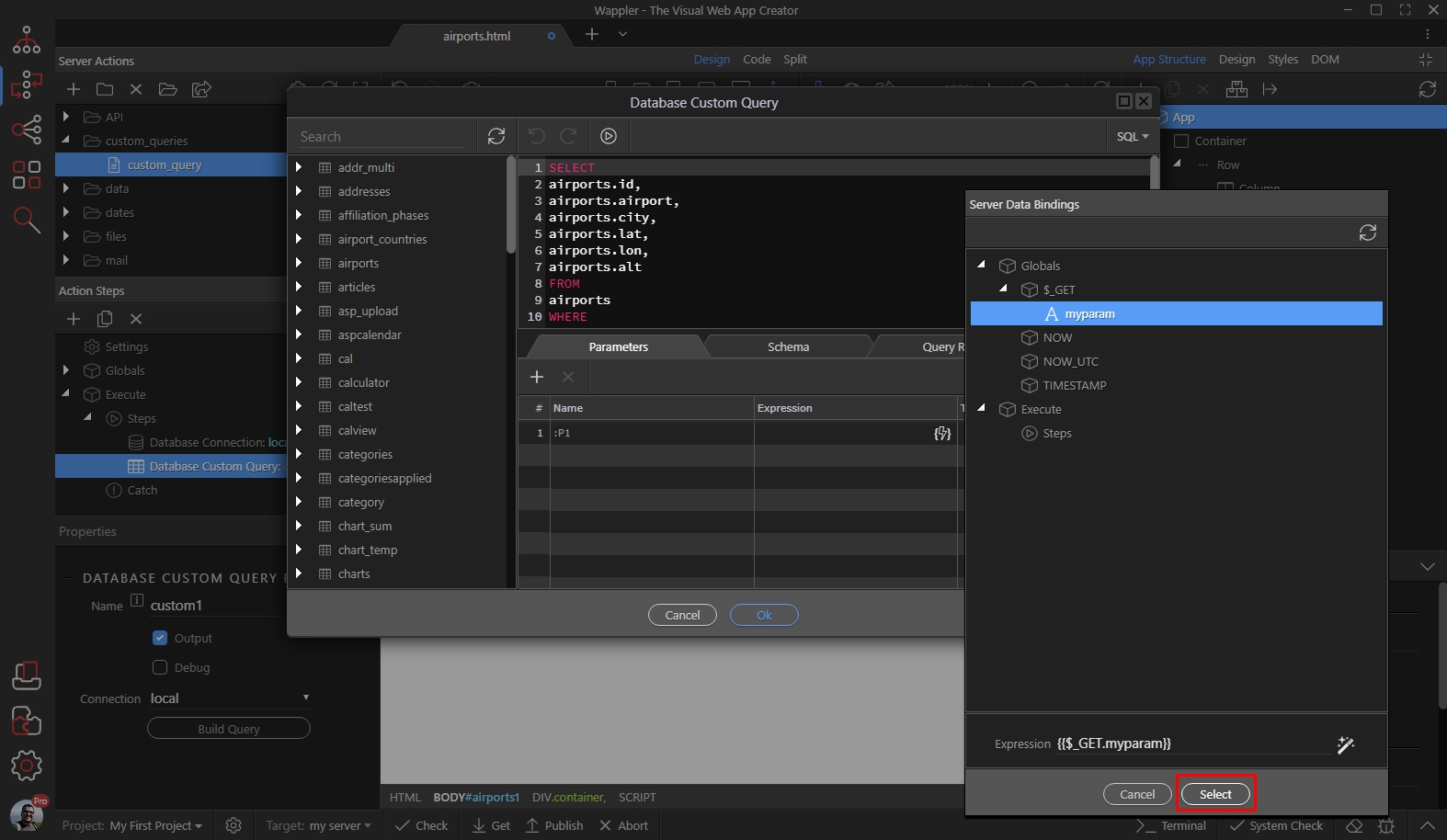
You can also add some test value, to test your query with:
Section titled “You can also add some test value, to test your query with:”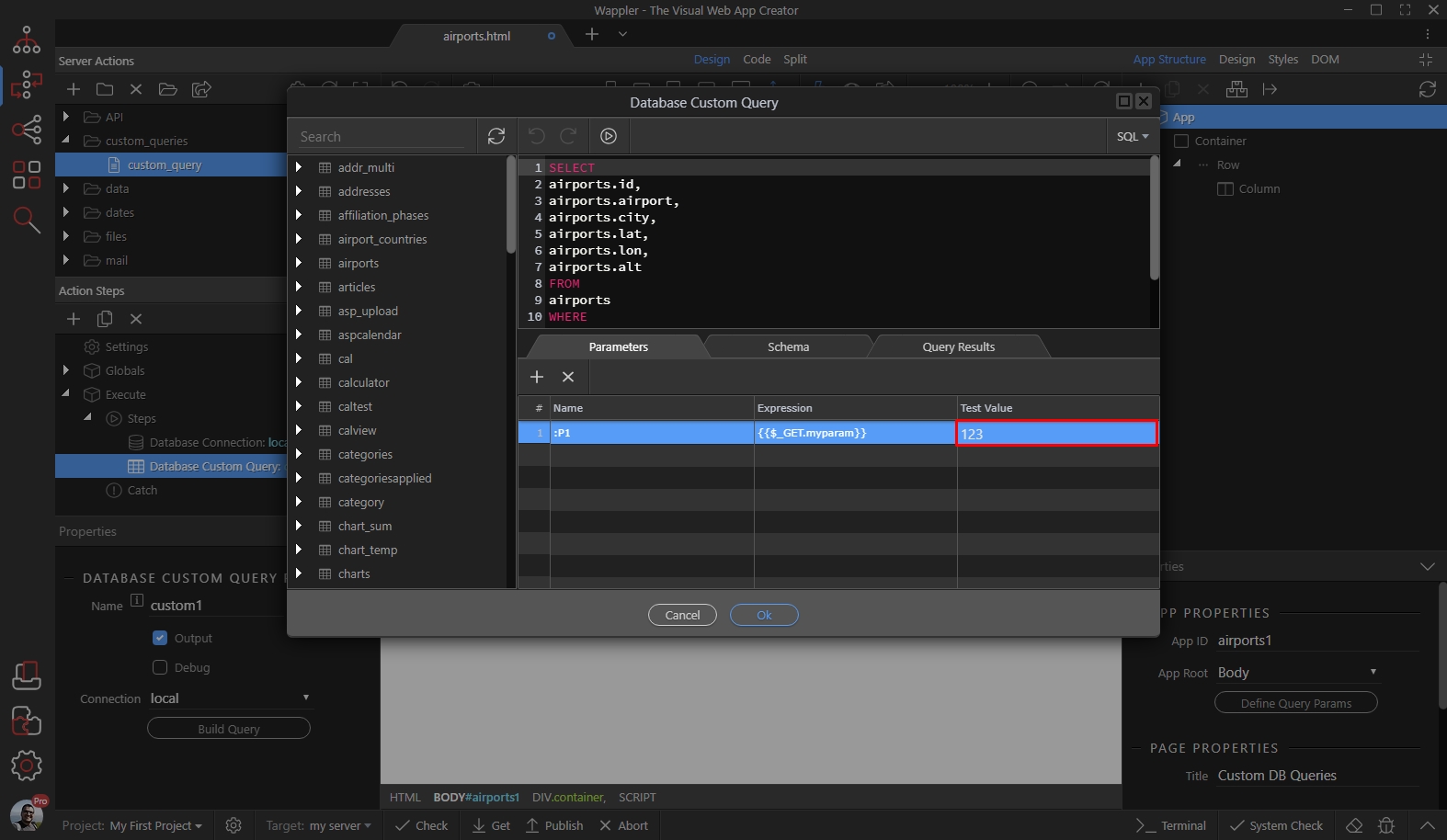
Click the OK button, when you are done:
Section titled “Click the OK button, when you are done:”
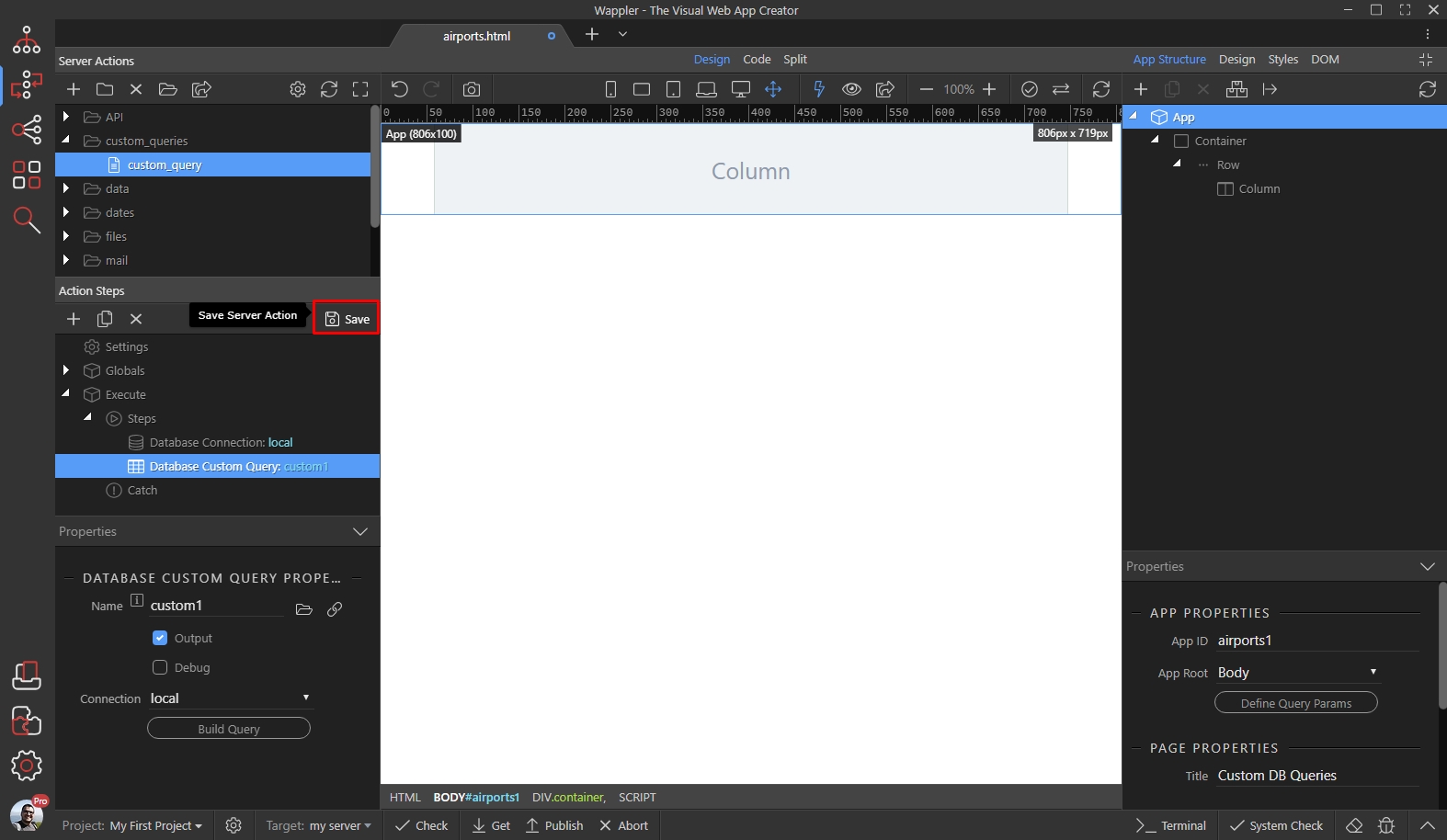
Save your server action and you are done:
Section titled “Save your server action and you are done:”