
Database Manager: Quick Overview
Get a quick overview of Database Manager: what it is, where to find it, and how it fits in your workflow.
Database Manager Overview
Section titled “Database Manager Overview”Database Manager is the panel where Wappler’s database work becomes visible: connections, schema, relations, migrations, and live table data all meet here. In Demo Projects HQ, this is the panel you would inspect before building or debugging real actions like the tasks/list.json query, which joins projects_tasks to clients_projects, clients, and clients_contacts, or the admin users/update.json action that edits the users table behind the project’s security provider. That is why the manager matters: it tells you what structure and connection state those actions are relying on.
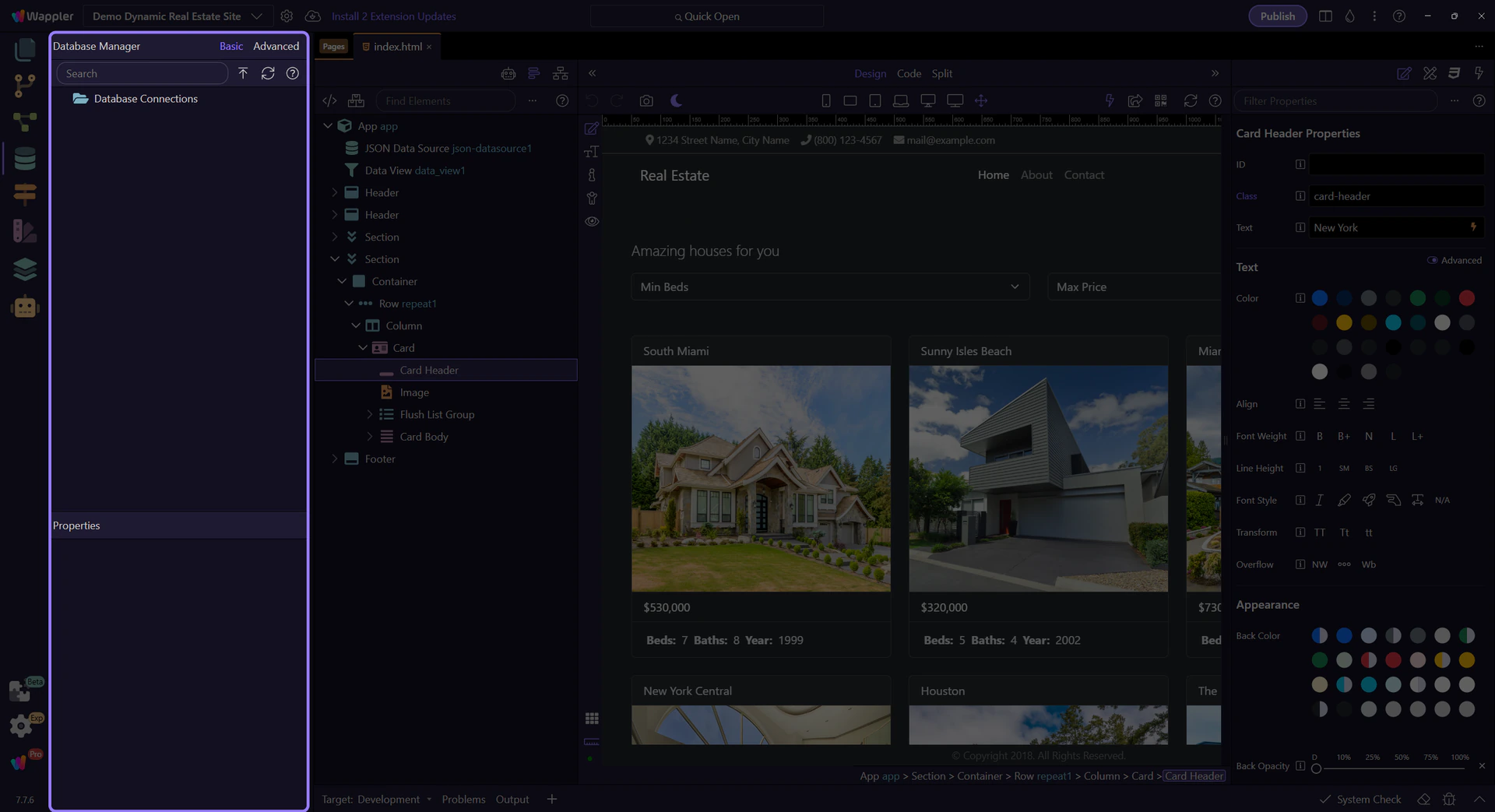
Connections and project state
Section titled “Connections and project state”The tree starts with your database connections and then fans out into the structure that connection exposes. In practice, this is where you feel the difference between projects and targets: one connection may be direct and ready for schema/data work, while another may only be suitable for reading schema. That connection state changes what the rest of the panel can do. It also sets the stage for the panel’s on-demand behavior: you expand into tables and deeper child nodes only when you need them.

Search
Section titled “Search”Use Search when the schema stops being small enough to browse comfortably. It is especially useful once a project grows beyond a few tables and you need to jump directly to a known table, field, or relation instead of expanding the whole tree manually.

Refresh Schema
Section titled “Refresh Schema”Refresh is the panel reset for reality. Use it after external schema edits, after pulling teammate changes, or after applying migrations elsewhere so Database Manager reflects the actual database before you trust what you are seeing.

Basic and Advanced view modes
Section titled “Basic and Advanced view modes”The Basic and Advanced toggle changes how much of the panel surface is exposed. Basic is the friendlier everyday mode for common relationship work. Advanced shows deeper structure and advanced-only details. Even this quick tour should surface that contrast, because many panel-level docs questions come from users not realizing the mode changes what they can see.

Next steps
Section titled “Next steps”A healthy mental model is to treat Database Manager as three panels in one: connection setup, schema modeling, and live data inspection. On a real app you might start by checking the connection, then add or inspect references, then open View/Edit Data to confirm what records are actually present before connecting pages or Server Connect actions to them.