Debugging Server Connect Errors
You can easily debug issues related to server-side processing such as - form not sending email, record not inserting or updating, query not showing data etc. The first thing you need to do is to open
Step 1
Section titled “Step 1”You can easily debug issues related to server-side processing such as - form not sending email, record not inserting or updating, query not showing data etc.
The first thing you need to do is to open the server connect settings. They are located in the Workflows Panel > Server Actions:
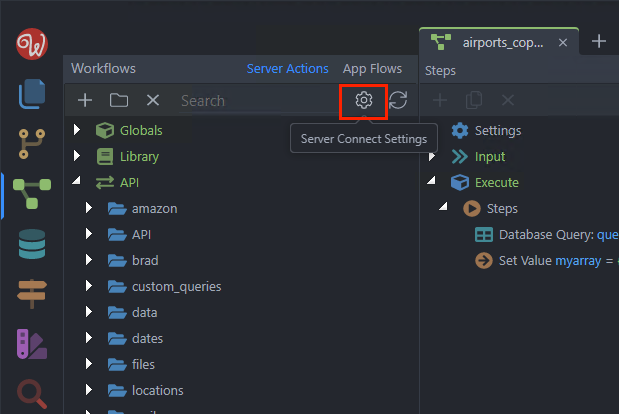
And enable the Debug Mode:
Section titled “And enable the Debug Mode:”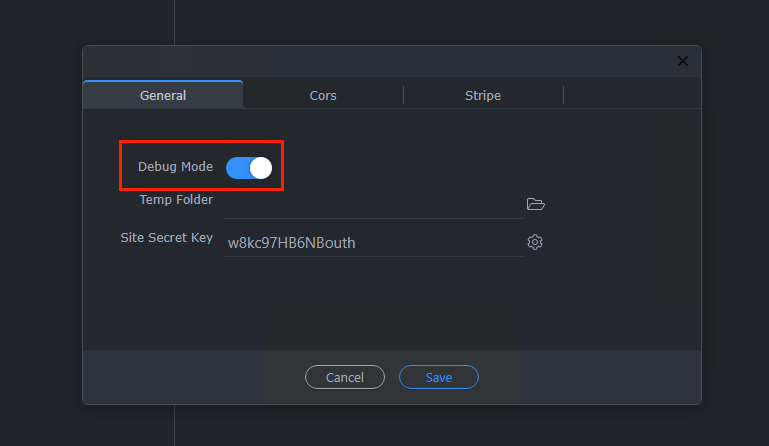
Click Save:
Section titled “Click Save:”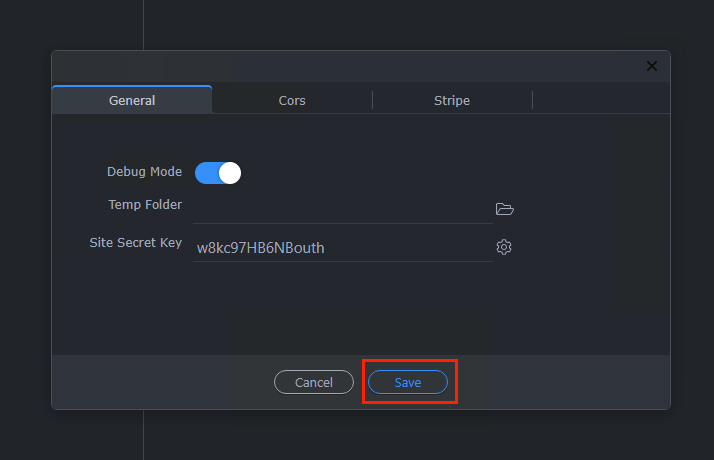
Step 4
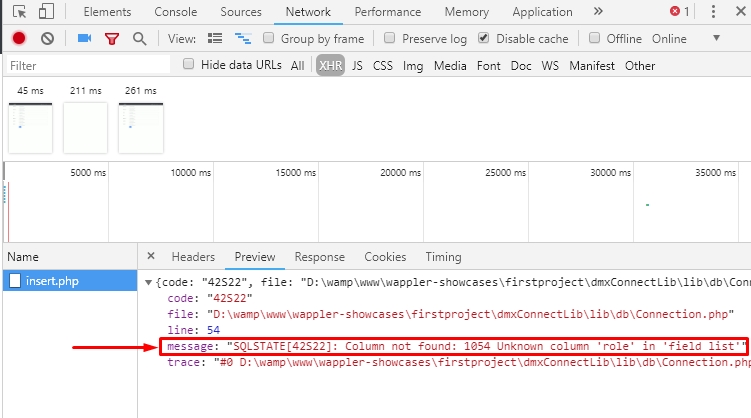
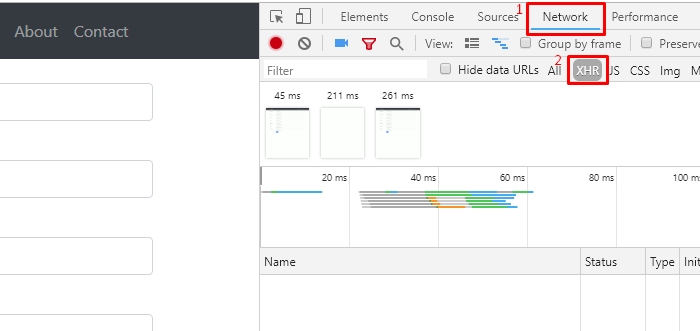
Section titled “Step 4”In your browser, open the Developer tools. If you don't know how to open them please refer to your browser's documentation. Then open the Network tab(1) and select XHR(2):
Step 5
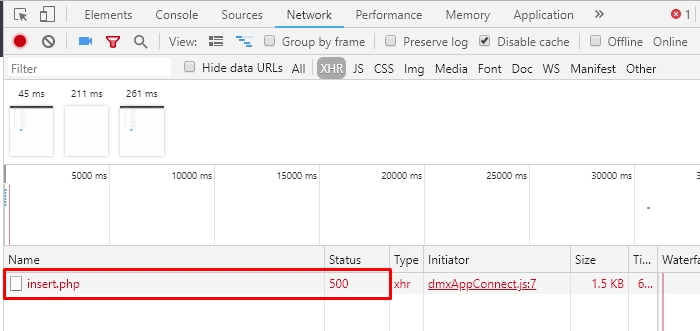
Section titled “Step 5”Now with the developer tools open reload the page if your server action runs on load, or submit the form if the server action is run on form submit. You will see the error message in the XHR tab, it contains the file which is causing it as well as the error status:
Step 6
Section titled “Step 6”Click the name of file that is causing the error. Select Preview or Response tabs You will see the error message, explaining what is wrong. In our case, the database column, which we are trying to insert record into is not found - which probably means it has been renamed or deleted from the database, and we forgot to update the server action accordingly: