Inserting Multiple File Names in a Database
You already know HOW TO UPLOAD MULTIPLE FILES TO YOUR SERVER so now we are going to show you how to insert their names or URLs to a database. Open the Server Connect panel: Select your server action,
Open the Server Connect panel:
Section titled “Open the Server Connect panel:”You already know HOW TO UPLOAD MULTIPLE FILES TO YOUR SERVER so now we are going to show you how to insert their names or URLs to a database.
Open the Server Connect panel:
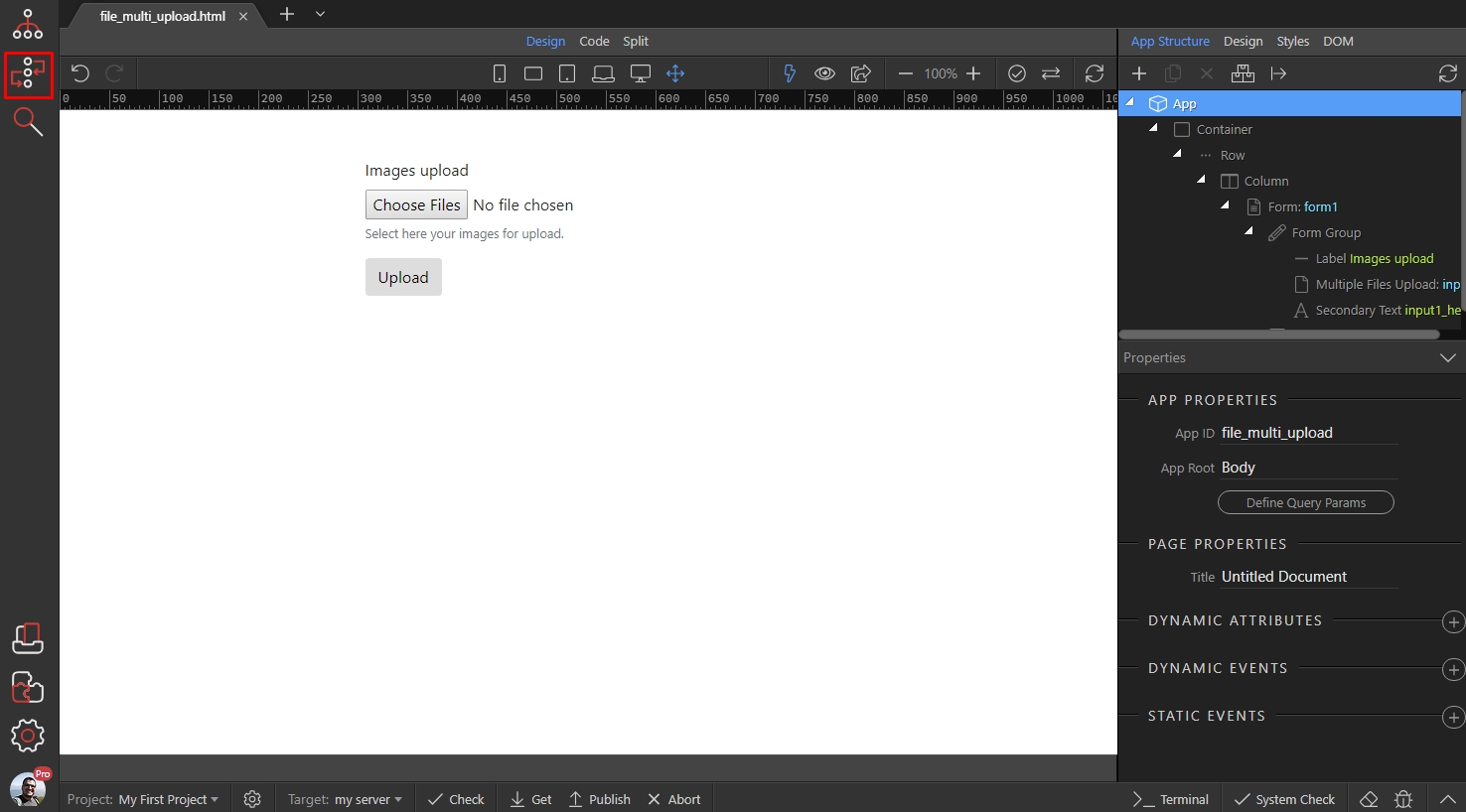
Select your server action, which uploads multiple files to the server and right click steps:
Section titled “Select your server action, which uploads multiple files to the server and right click steps:”
Open Database Actions and add Database Connection:
Section titled “Open Database Actions and add Database Connection:”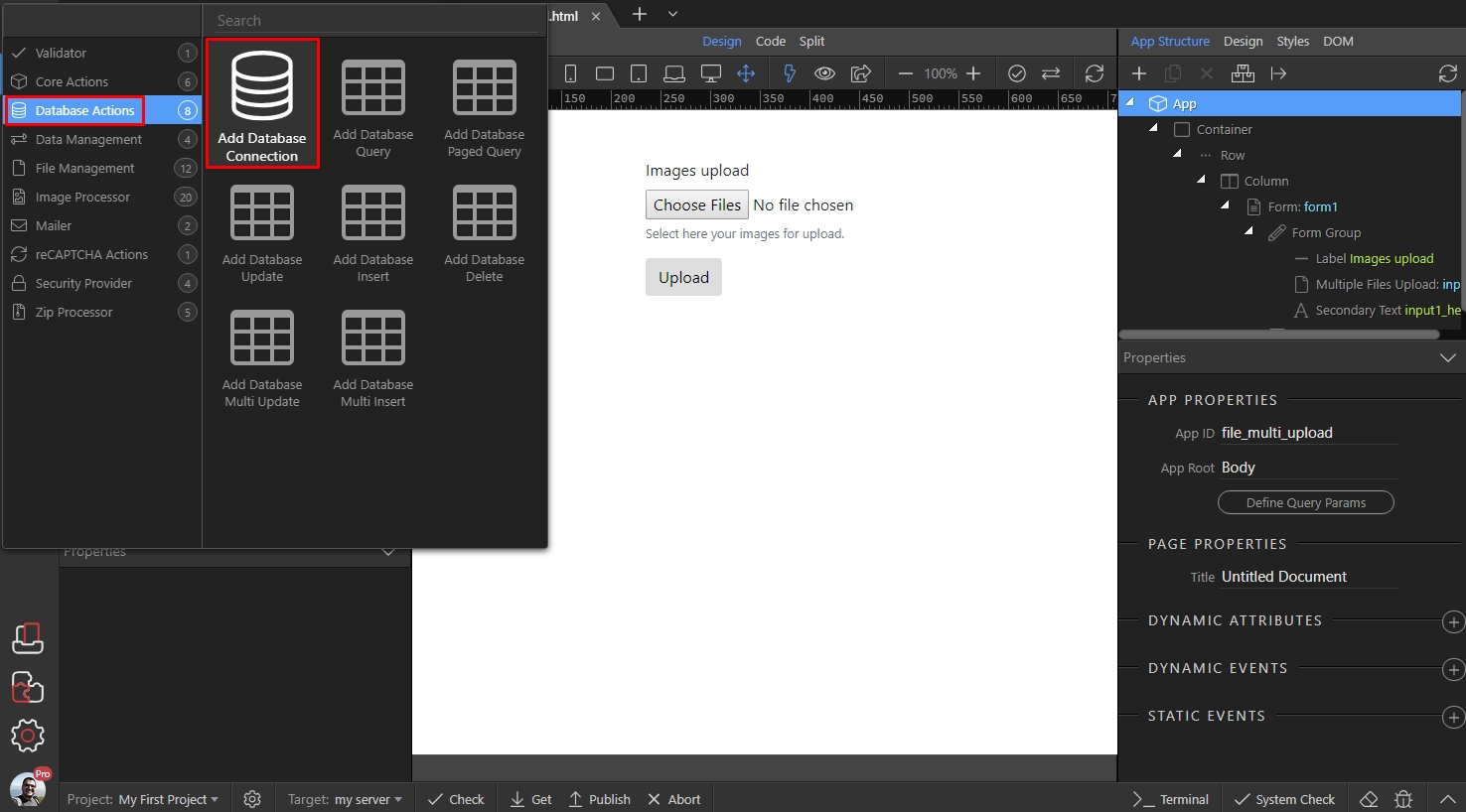
Step 4
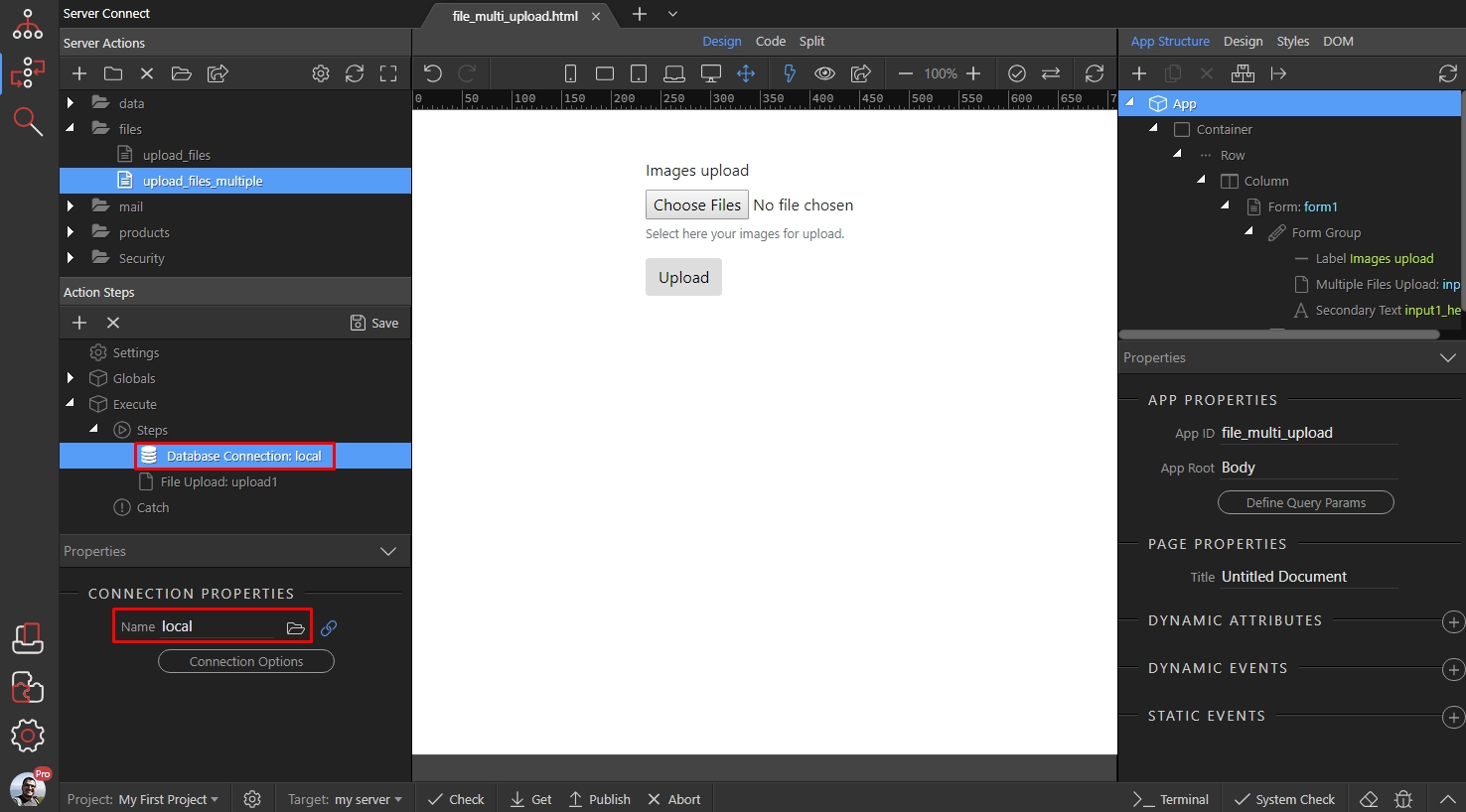
Section titled “Step 4”Make sure the database connection step is before the file upload step. If it is not, just grab it with your mouse and drag it in the first place in the action steps.
Then define your db connection or select one if you have already defined it for this site:
Right click the file upload step:
Section titled “Right click the file upload step:”
Open Core Actions and add Repeat:
Section titled “Open Core Actions and add Repeat:”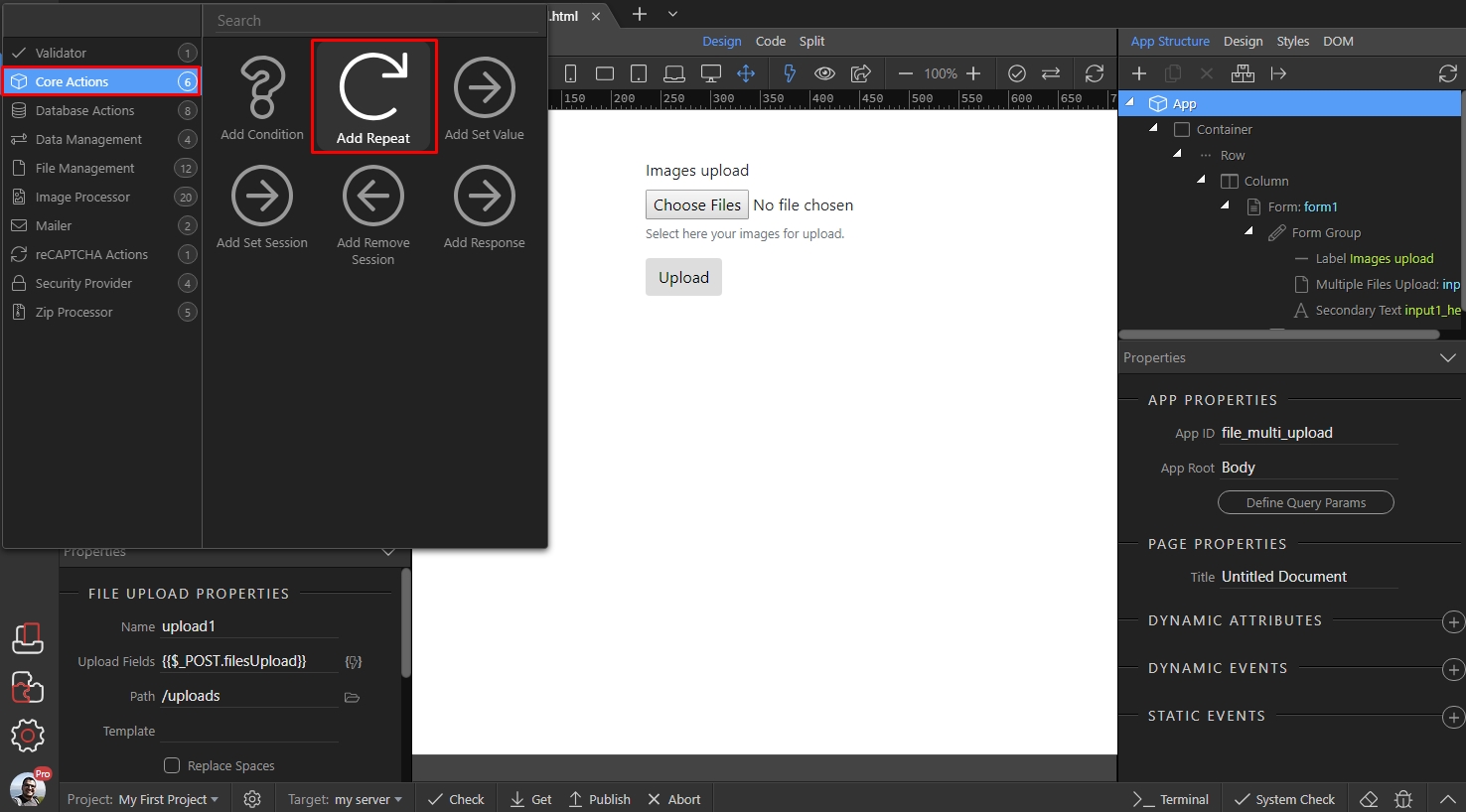
Then click the dynamic data picker, to select an expression for the repeat step:
Section titled “Then click the dynamic data picker, to select an expression for the repeat step:”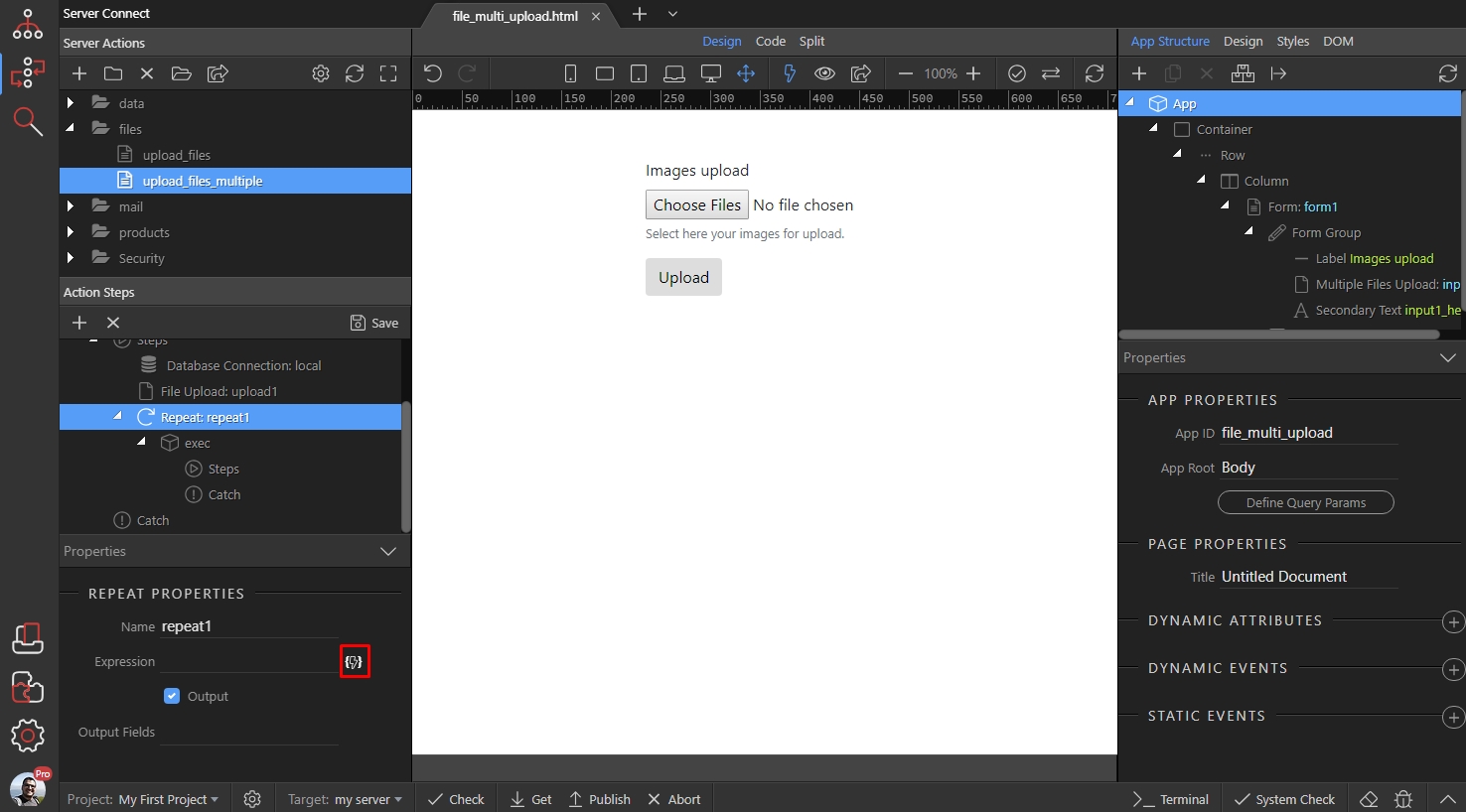
Step 8
Section titled “Step 8”Here, you should select the File Upload step. This means that the steps inside the repeat will be executed as many times as files are uploaded by the upload step:
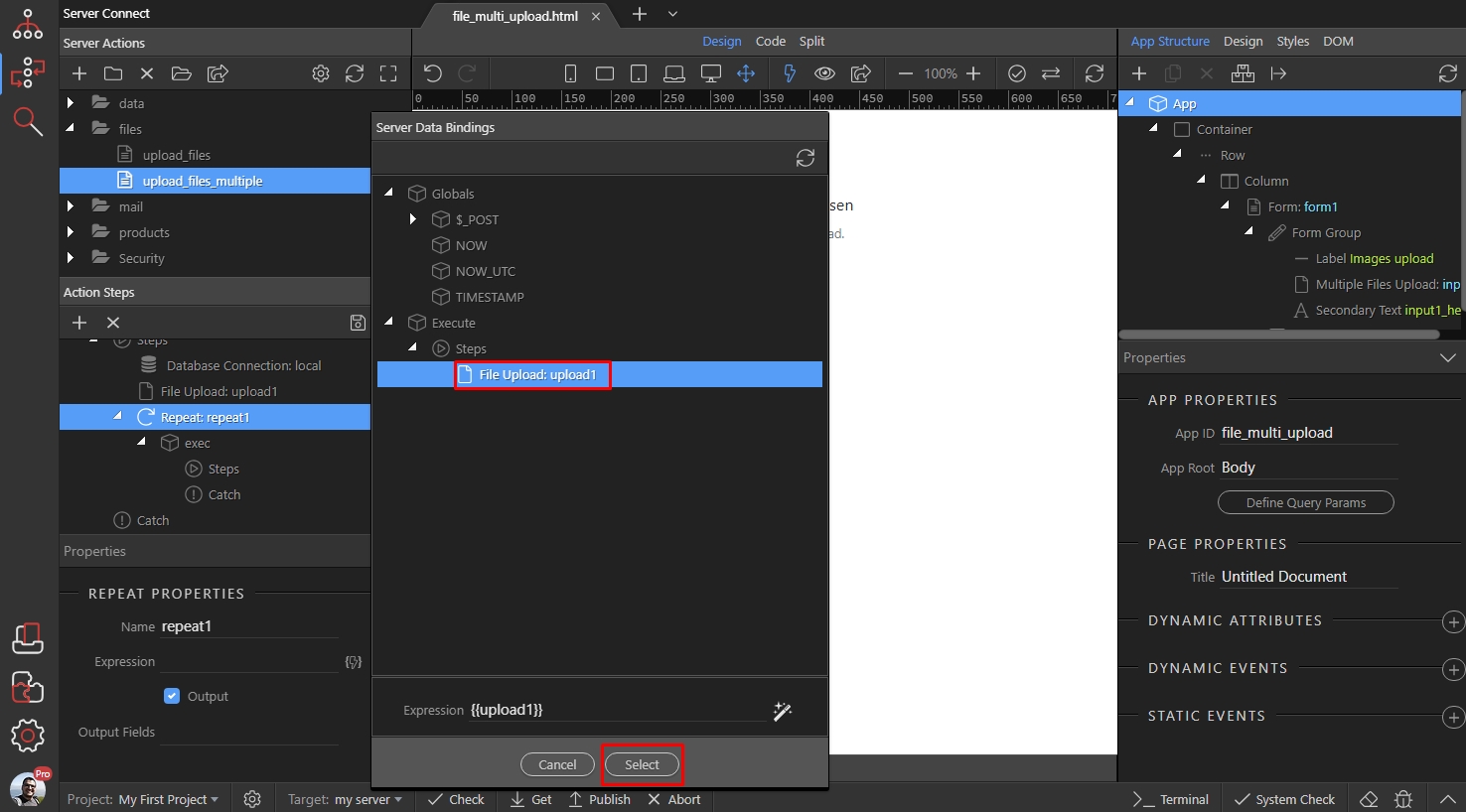
Now, right click steps inside the repeat:
Section titled “Now, right click steps inside the repeat:”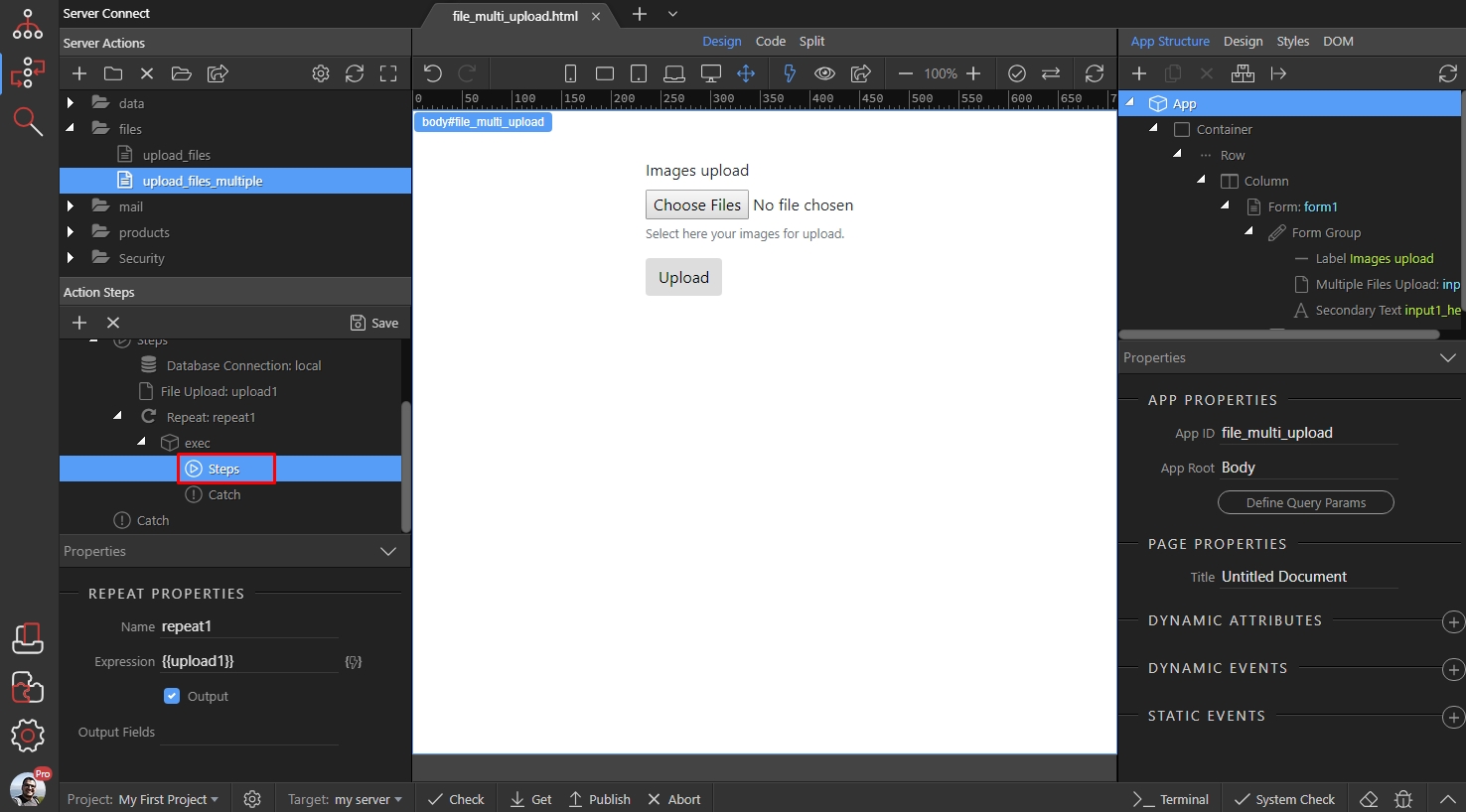
Open Database Actions and Add Database Insert:
Section titled “Open Database Actions and Add Database Insert:”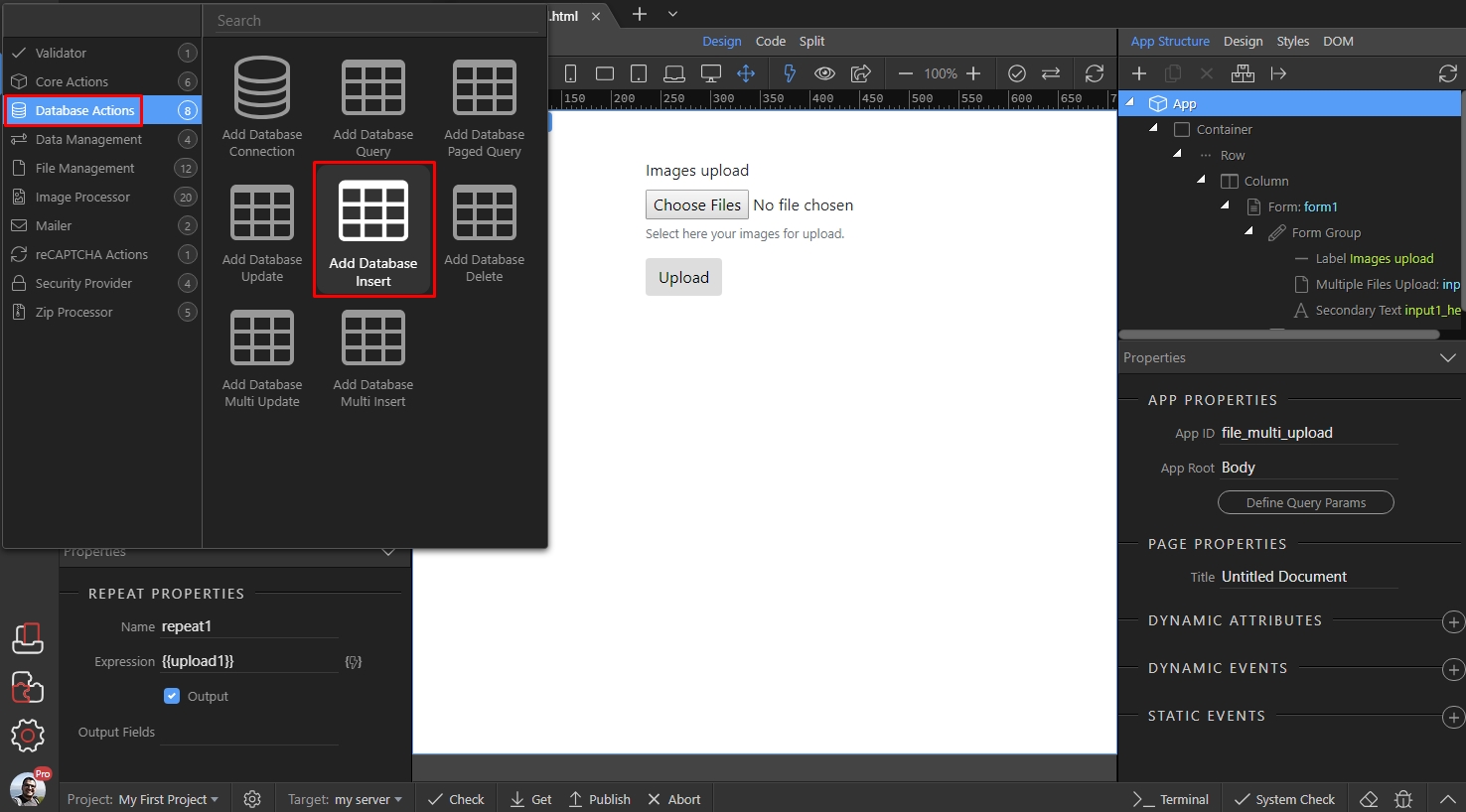
Click the Insert Options button:
Section titled “Click the Insert Options button:”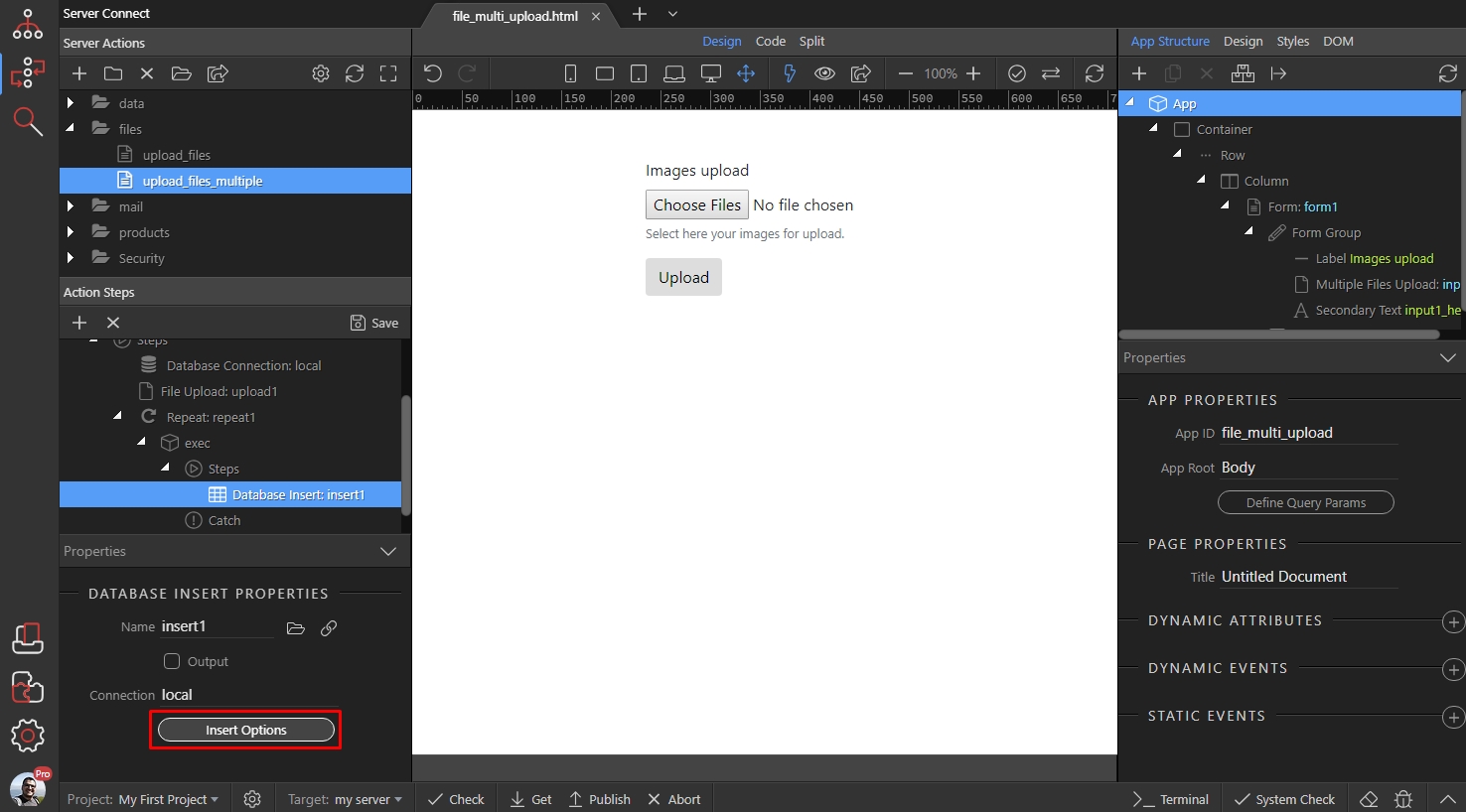
And select the table, where you want to insert the uploaded files’ names or URLs:
Section titled “And select the table, where you want to insert the uploaded files’ names or URLs:”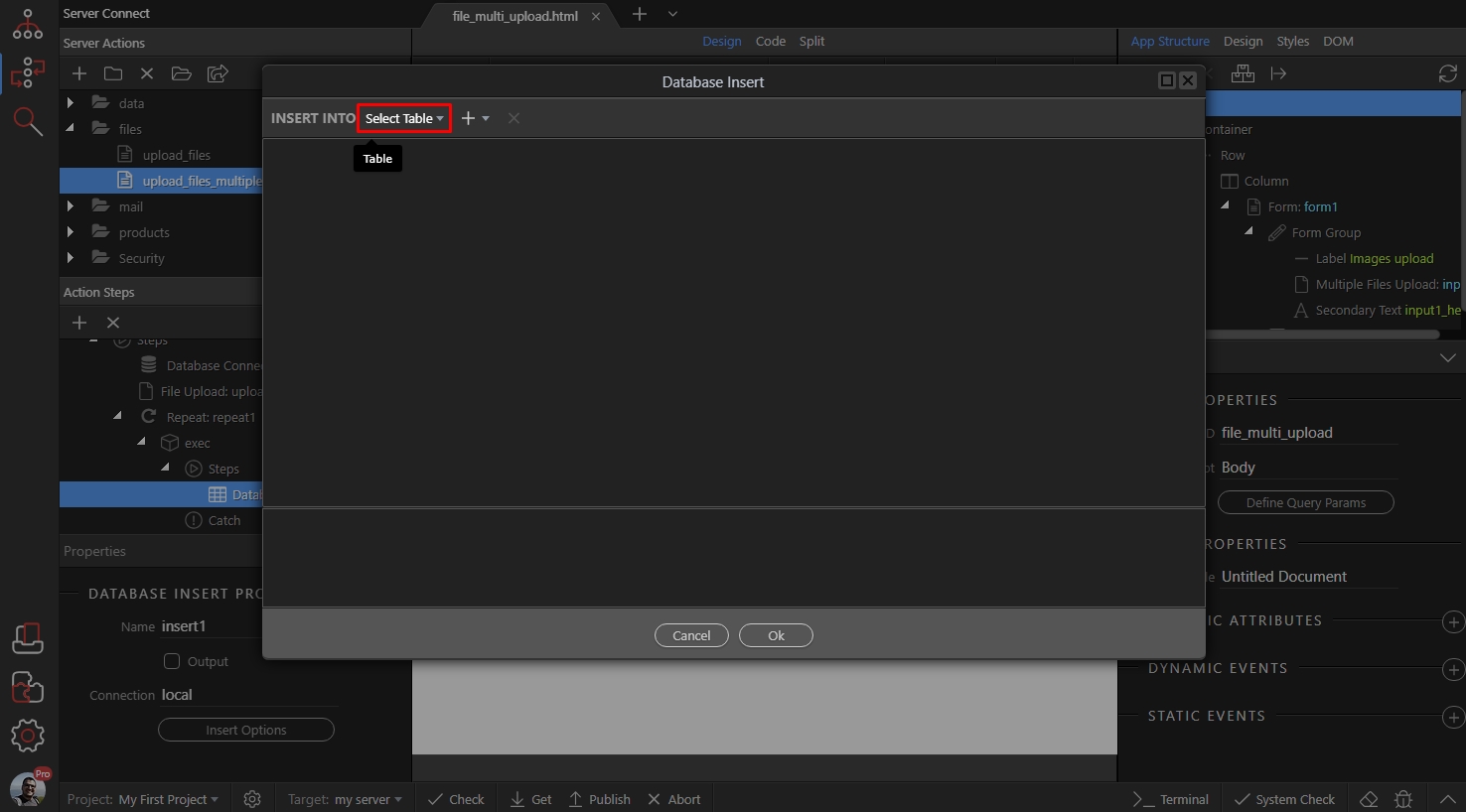
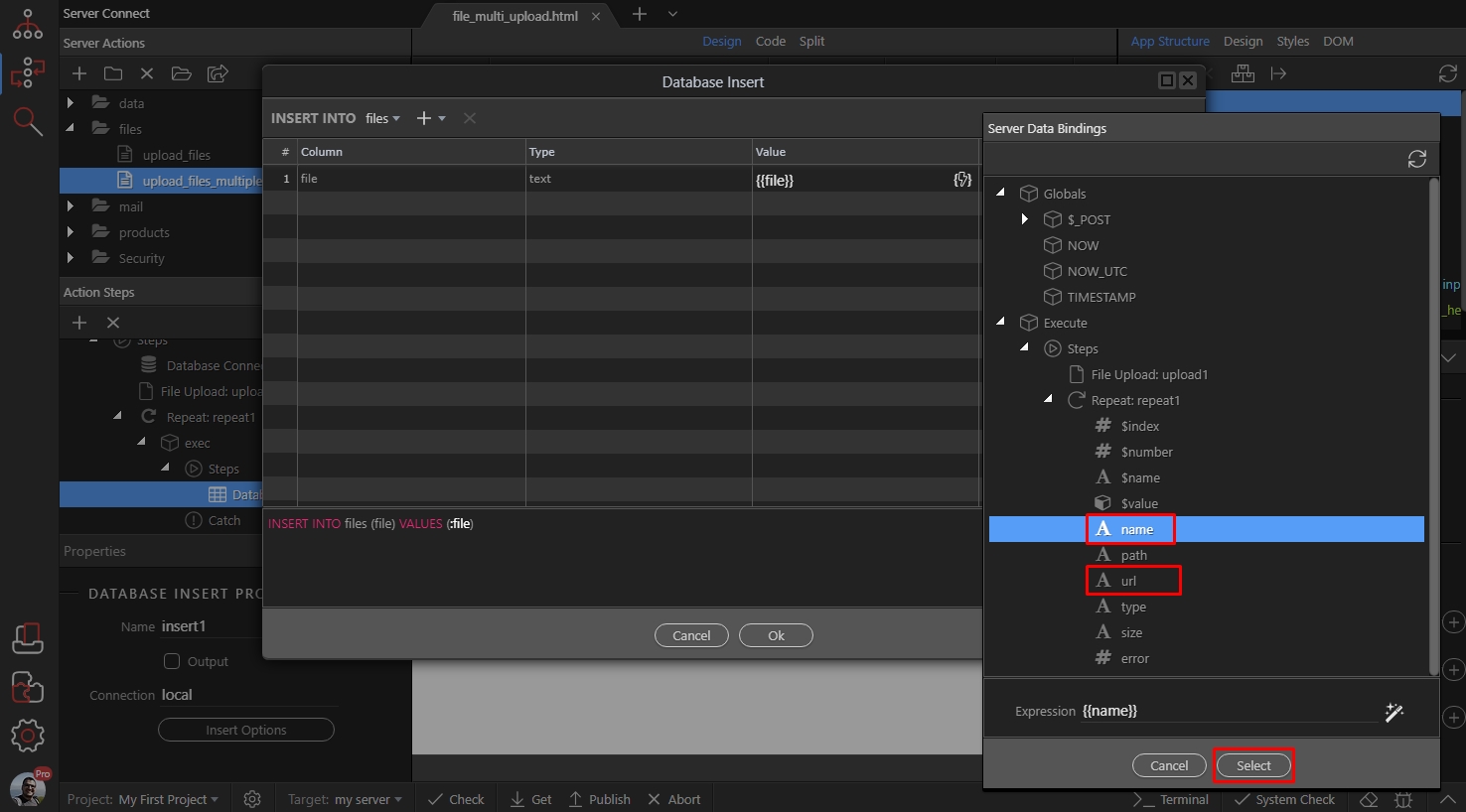
Double click the value field and click the dynamic data picker icon:
Section titled “Double click the value field and click the dynamic data picker icon:”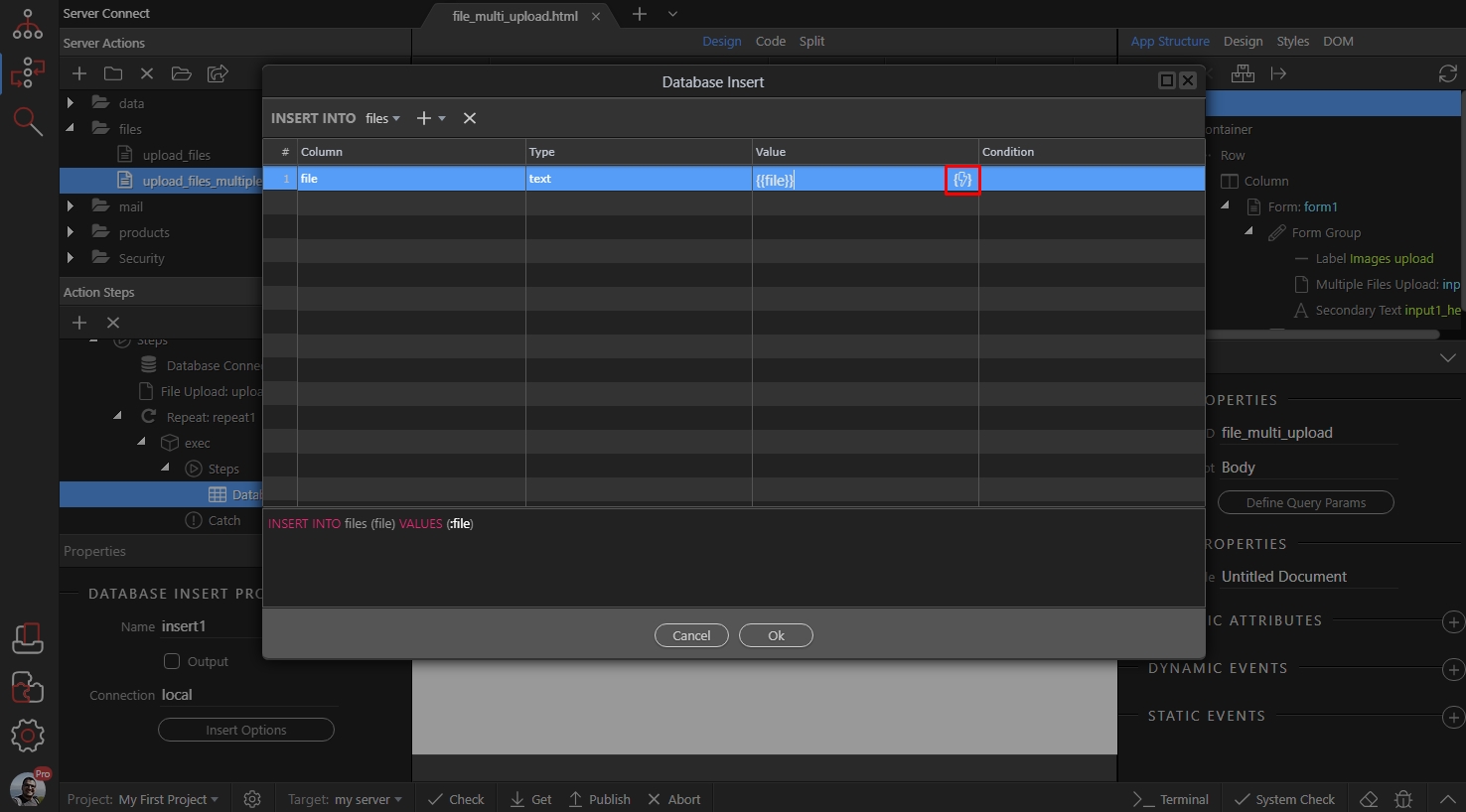
Step 14
Section titled “Step 14”Here, select either the name of the file, or its URL returned under the Repeat. We prefer to store just the name of the file, not the whole URL to it:
Click OK:
Section titled “Click OK:”
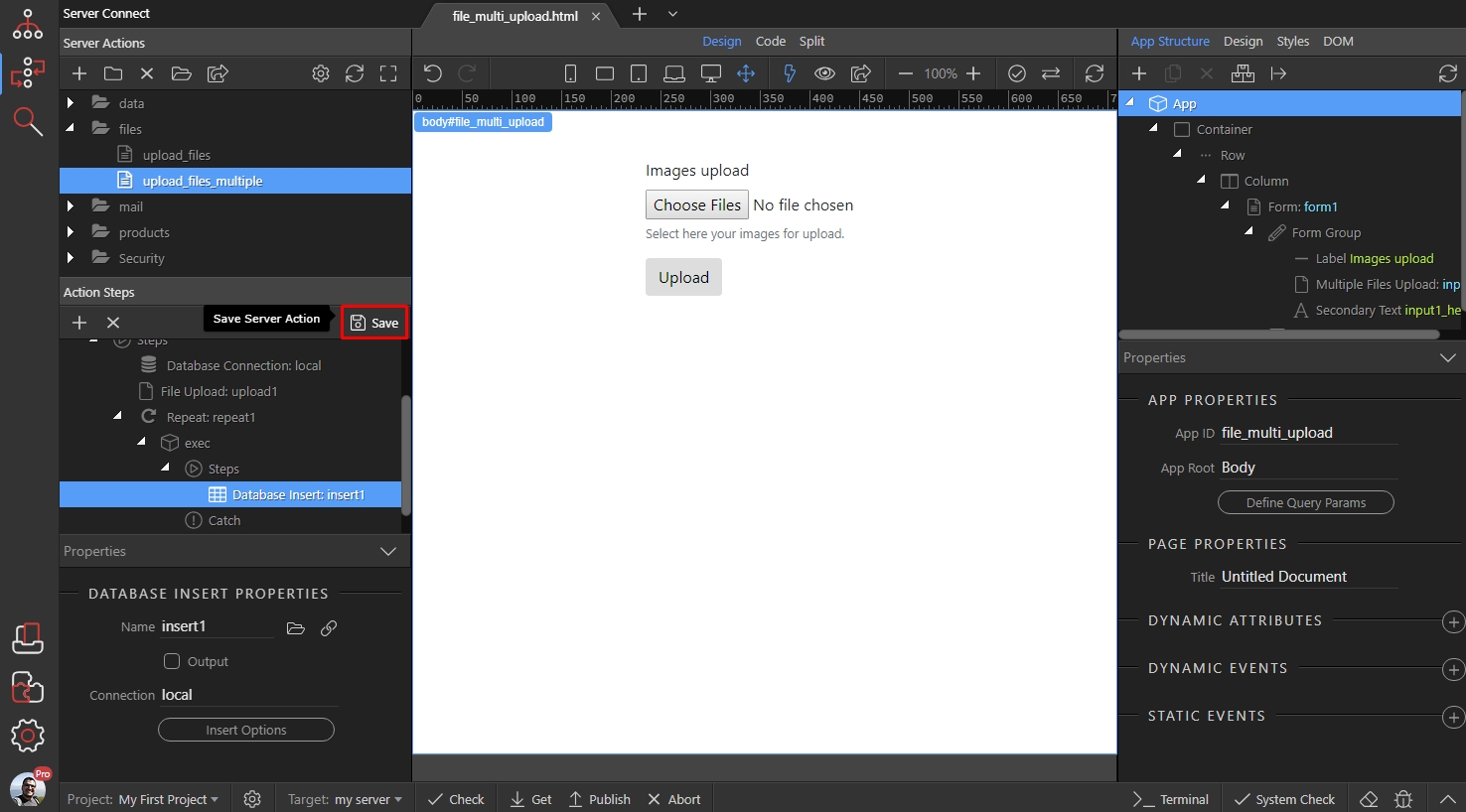
Save your server action:
Section titled “Save your server action:”