
Confirmation protects intent
The browser confirm step helps stop accidental deletes before the server request is sent.
Design destructive actions so users understand the consequence, confirm deliberately, and still get clear feedback after the delete runs.
Demo Projects HQ already uses a concrete destructive-action pattern on the task edit page. The delete section names the action clearly, asks for explicit browser confirmation before submit, disables the destructive button while the request is running, and then shows either success or server error feedback. That makes it a much better example than a generic warning dialog on its own.
#task_delete is visually separated with a danger treatment and plain language, so the user can tell they are in the destructive part of the page before they ever click the button. That structural clarity is the first safety layer in a good delete flow.
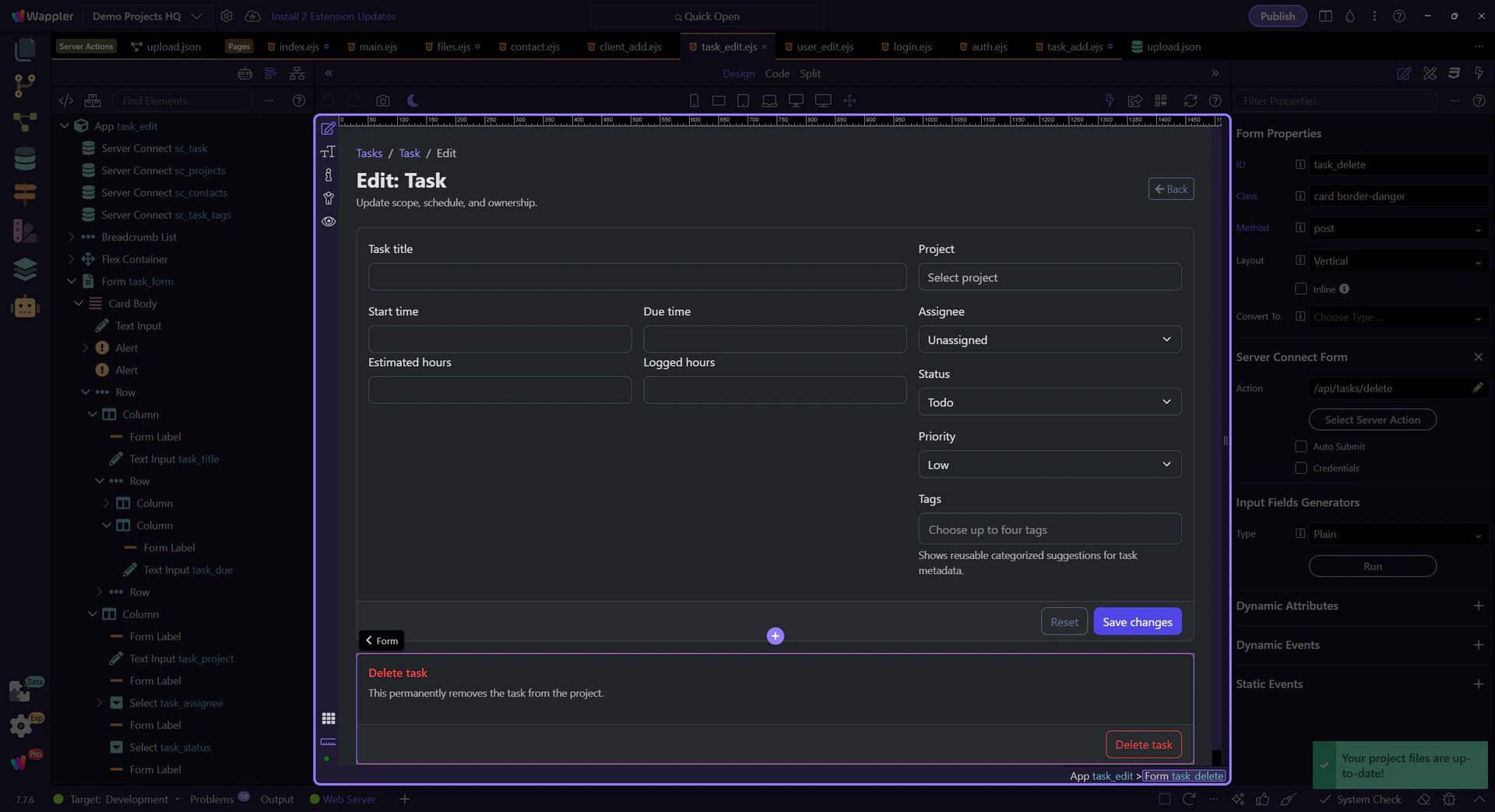
The delete button uses a direct confirmation message: Delete this task? This cannot be undone. That is enough friction for a routine record delete because it names the action and its irreversibility without turning the workflow into ceremony users stop reading.
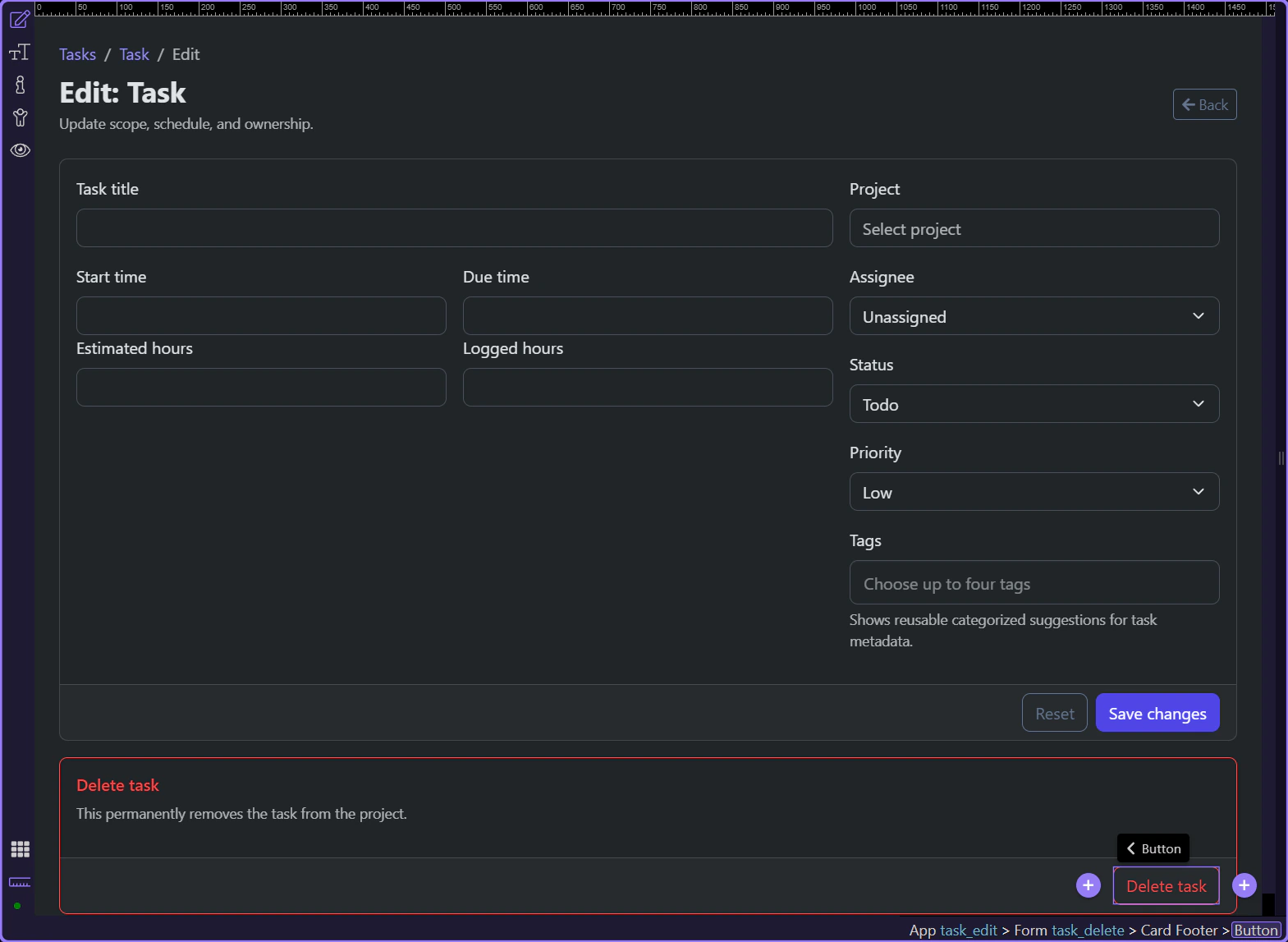
After confirmation, the page still has to show what happened. Demo Projects HQ does that with success and error alerts bound to task_delete.data and task_delete.lastError, so the delete flow ends with a visible outcome instead of leaving the user wondering whether the request worked.
important: A confirmation dialog answers “Are you sure?” It does not answer “Did it work?” Your page still needs a real result state.
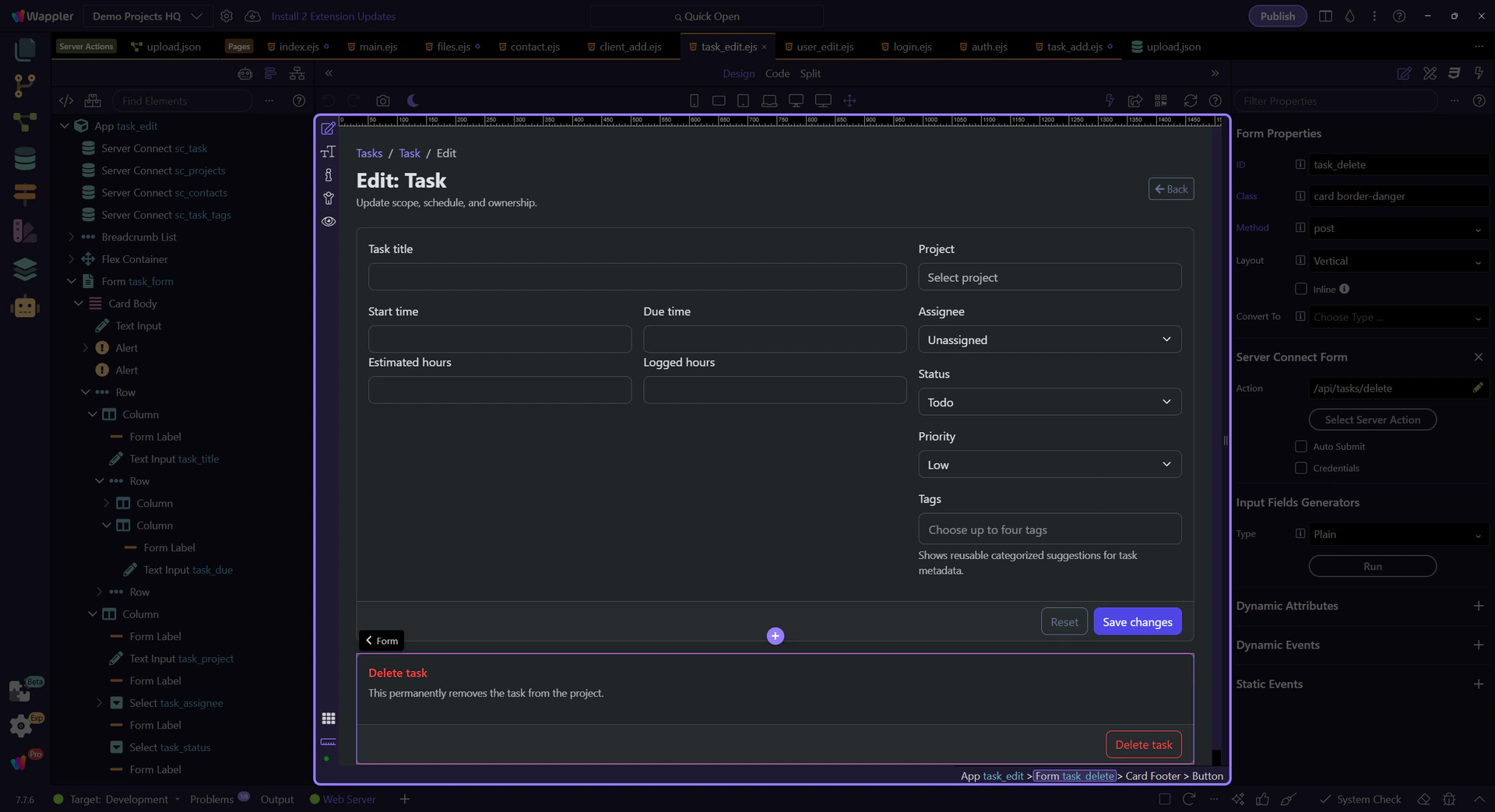
The task delete pattern is reusable across Demo Projects HQ edit pages such as clients, contacts, projects, and users: clear destructive section, deliberate confirmation, disabled submit while executing, and explicit result feedback. Keep those pieces together whenever you design a delete flow in Wappler.