
Demo walkthrough: Files upload (repeat + refresh)
Use the real files page and upload action to connect multipart upload, repeat-driven inserts, and the frontend refresh loop.
Introduction
Section titled “Introduction”The Demo Projects HQ files page is a useful upload example because it does more than transfer bytes. The form posts multipart data, the action uploads each file, a repeat step persists one database row per uploaded file, and the page refreshes the visible library when the request succeeds.
Frontend: upload, feedback, and refresh
Section titled “Frontend: upload, feedback, and refresh”The files page keeps the upload contract readable on the frontend. The form names the upload action, the Dropzone field provides the batch of files, and the success hook refreshes the page data so the new files appear without manual reloading.
The files page opens
Section titled “The files page opens”Start on the real files page so the upload form, success feedback, and files table are all visible in one place. This is the page that submits the upload request and proves whether the refresh loop exposes the new files immediately.
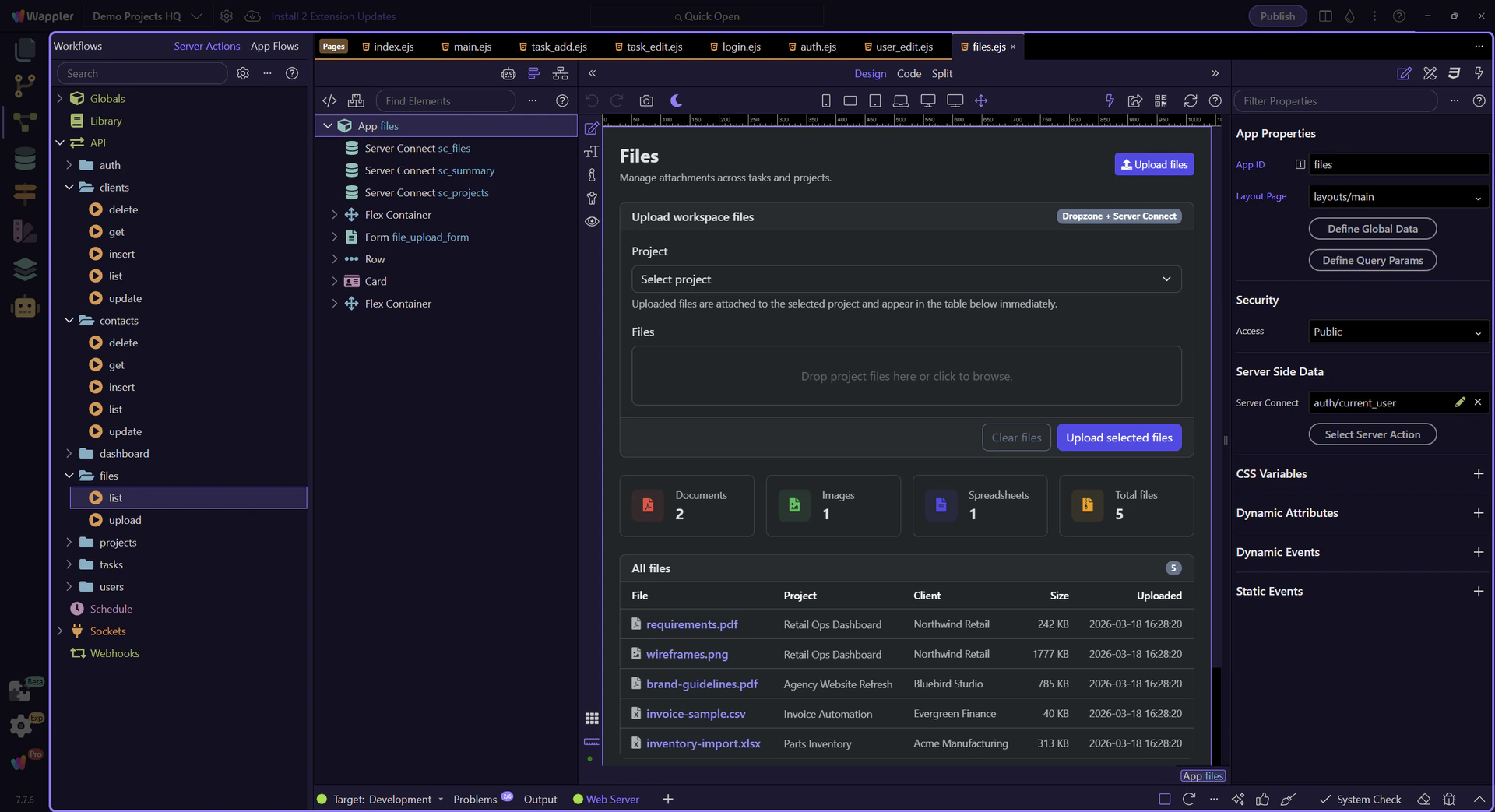
Design view is active for the files page
Section titled “Design view is active for the files page”Switch to Design view before selecting the upload form and the repeated list so the next steps can inspect the live page structure instead of spending time on editor setup.
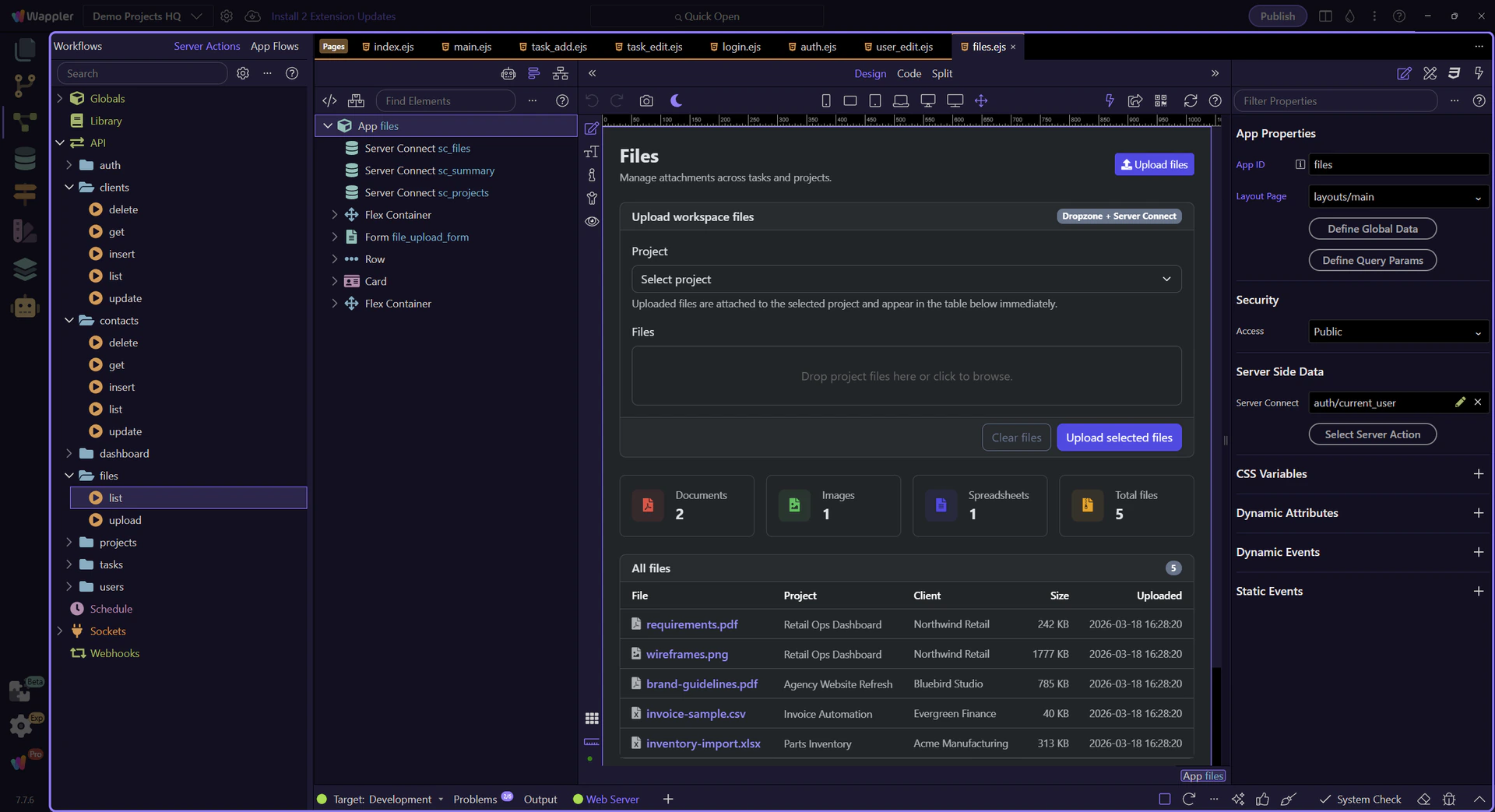
The upload form defines the request and success loop
Section titled “The upload form defines the request and success loop”#file_upload_form posts to /api/files/upload, sends multipart data, and wires a success handler that resets the Dropzone and reloads both sc_files and sc_summary. That one form expresses the whole frontend contract for upload plus visible refresh.
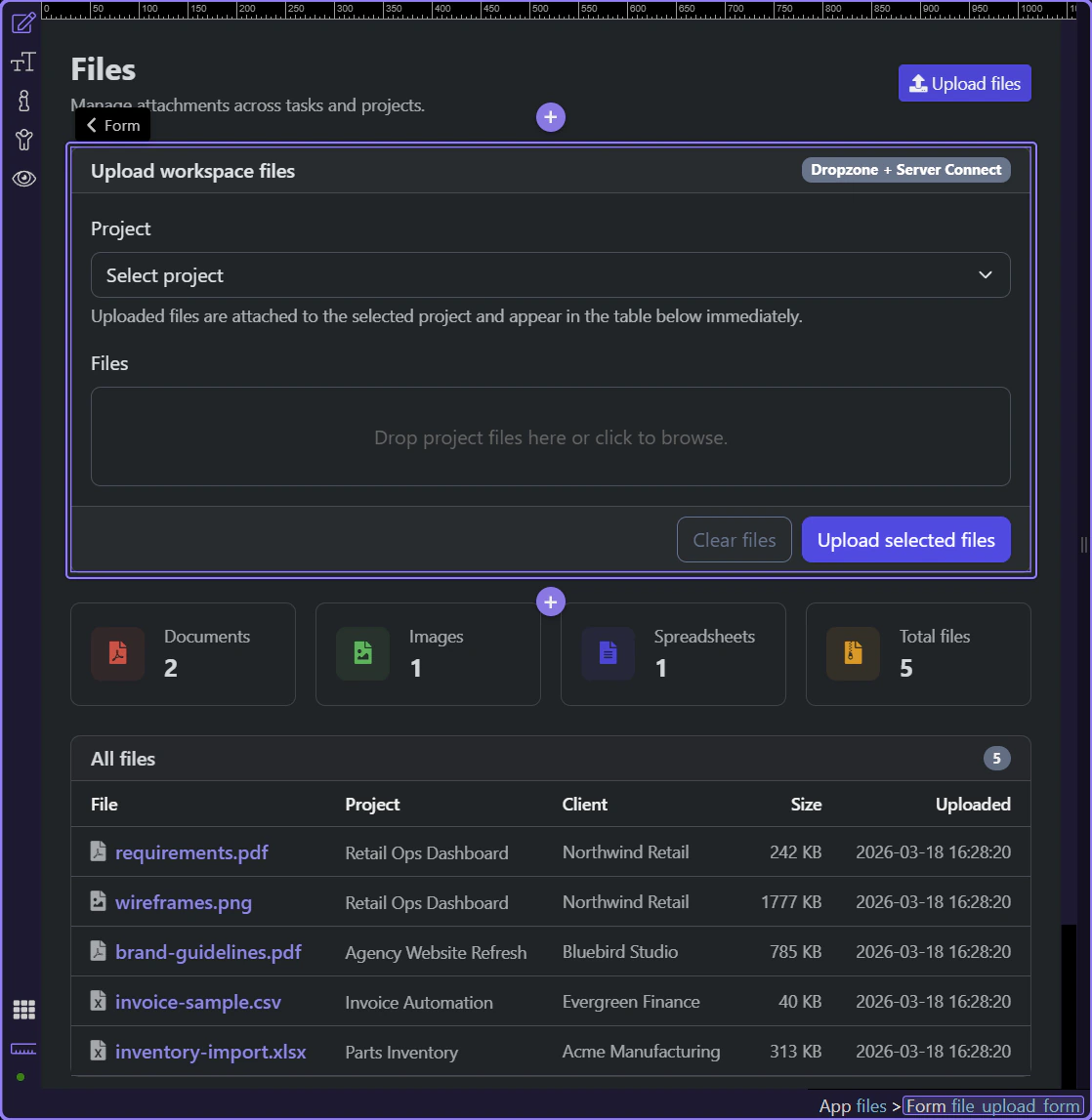
The page links project selection, Dropzone files, and the repeated list
Section titled “The page links project selection, Dropzone files, and the repeated list”The page keeps the upload story concrete: #upload_project_id provides project context, #files_dropzone contributes multiple files, and #files_list repeats over sc_files.data.files. That is why the upload result becomes visible on the same page without a manual reload.
Backend: upload first, then repeat inserts
Section titled “Backend: upload first, then repeat inserts”The upload action is split into two useful phases. First it stores the physical files and returns an array of uploaded items. Then a repeat step iterates that array and inserts one database row per uploaded file.
The upload action opens in the Server Connect editor
Section titled “The upload action opens in the Server Connect editor”The real upload action is now visible in the editor. This is where the page contract turns into two distinct server phases: store the uploaded files first, then persist one database row per uploaded file.
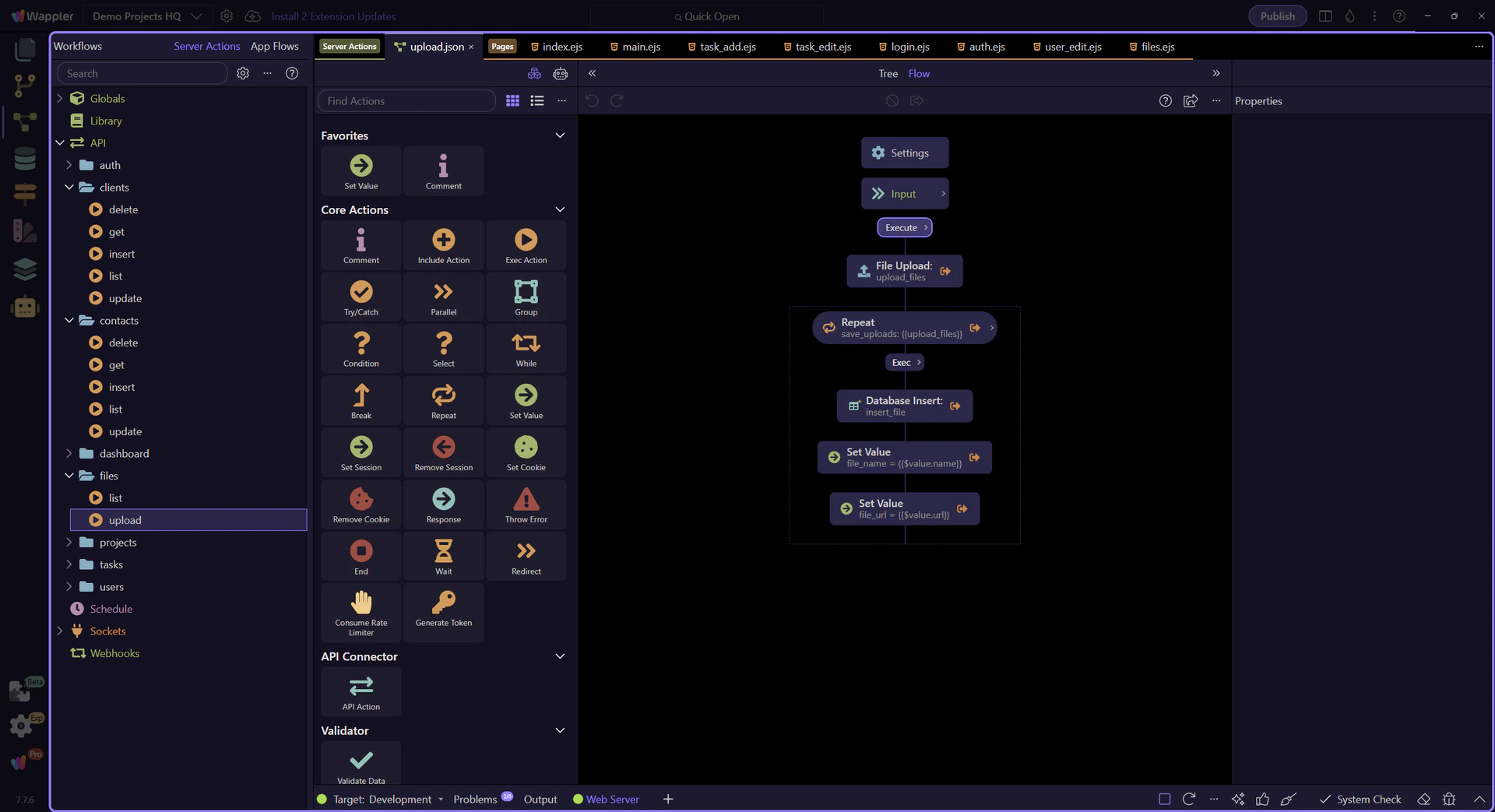
$_POST accepts project context and a multiple file field
Section titled “$_POST accepts project context and a multiple file field”At the top of the action, $_POST defines the two real inputs the backend is willing to accept: one numeric project_id and one multiple file field named demo_files. That explicit contract is what makes the later repeat step predictable.
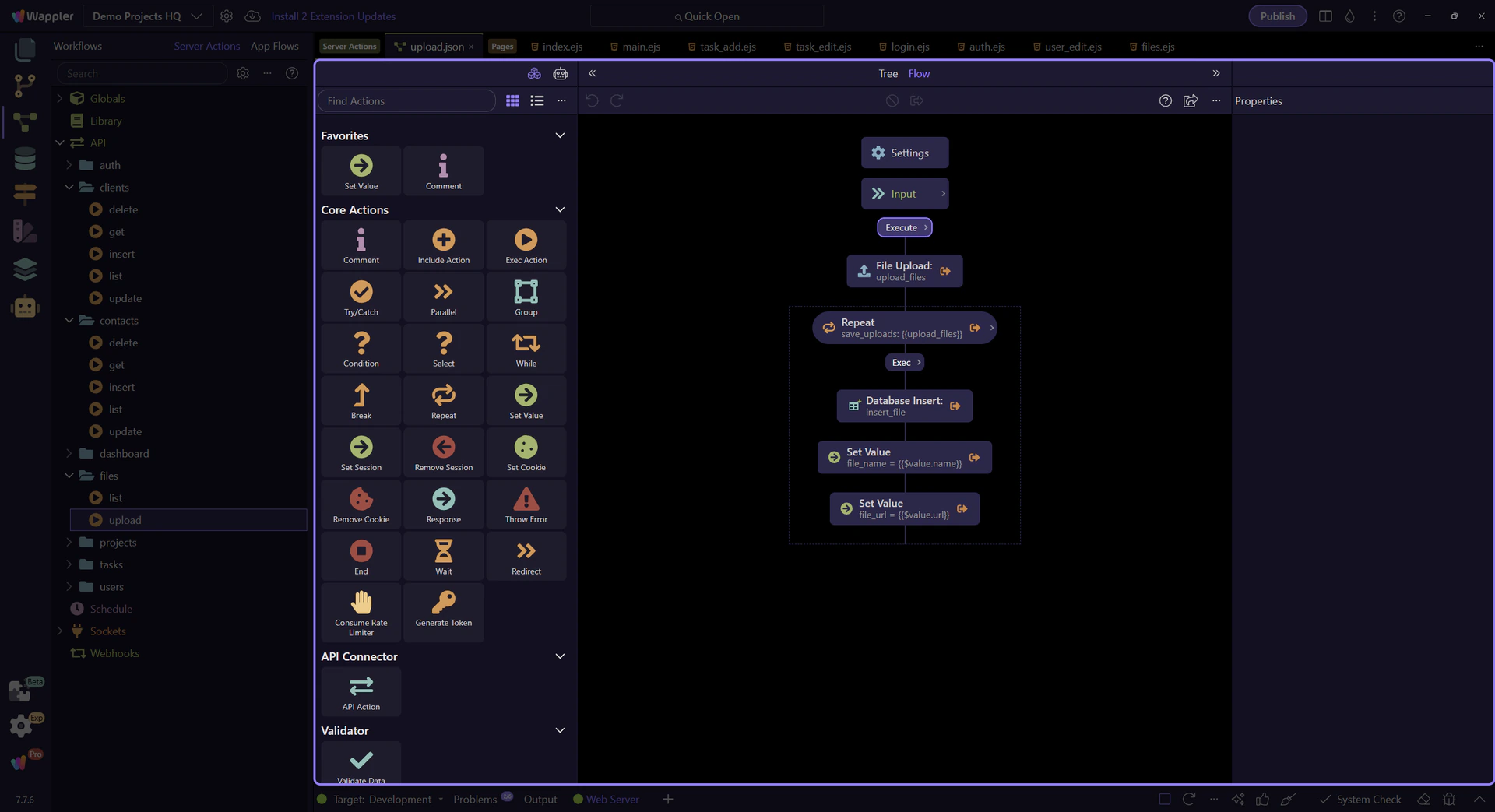
The repeat step shows where one request becomes many inserts
Section titled “The repeat step shows where one request becomes many inserts”save_uploads is the critical workflow node here. It iterates the upload_files output so one form submit can create one database row for every uploaded file instead of flattening the whole batch into a single record.
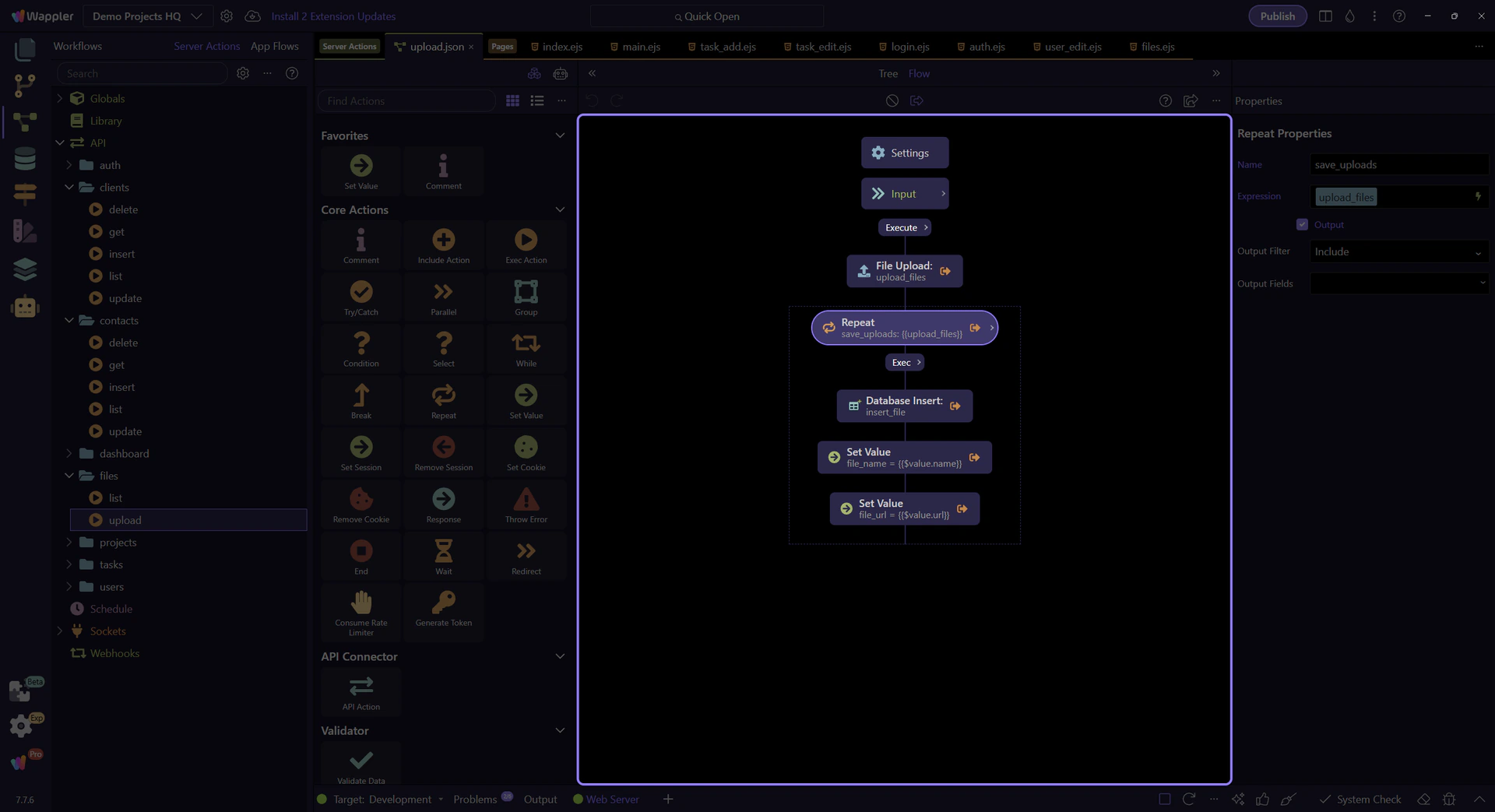
Each repeated iteration inserts one file record
Section titled “Each repeated iteration inserts one file record”Inside the repeat, insert_file maps the current uploaded item into projects_files columns such as filename, path, url, type, and size while reusing the posted project_id. That is the handoff from uploaded asset metadata to the project library table.
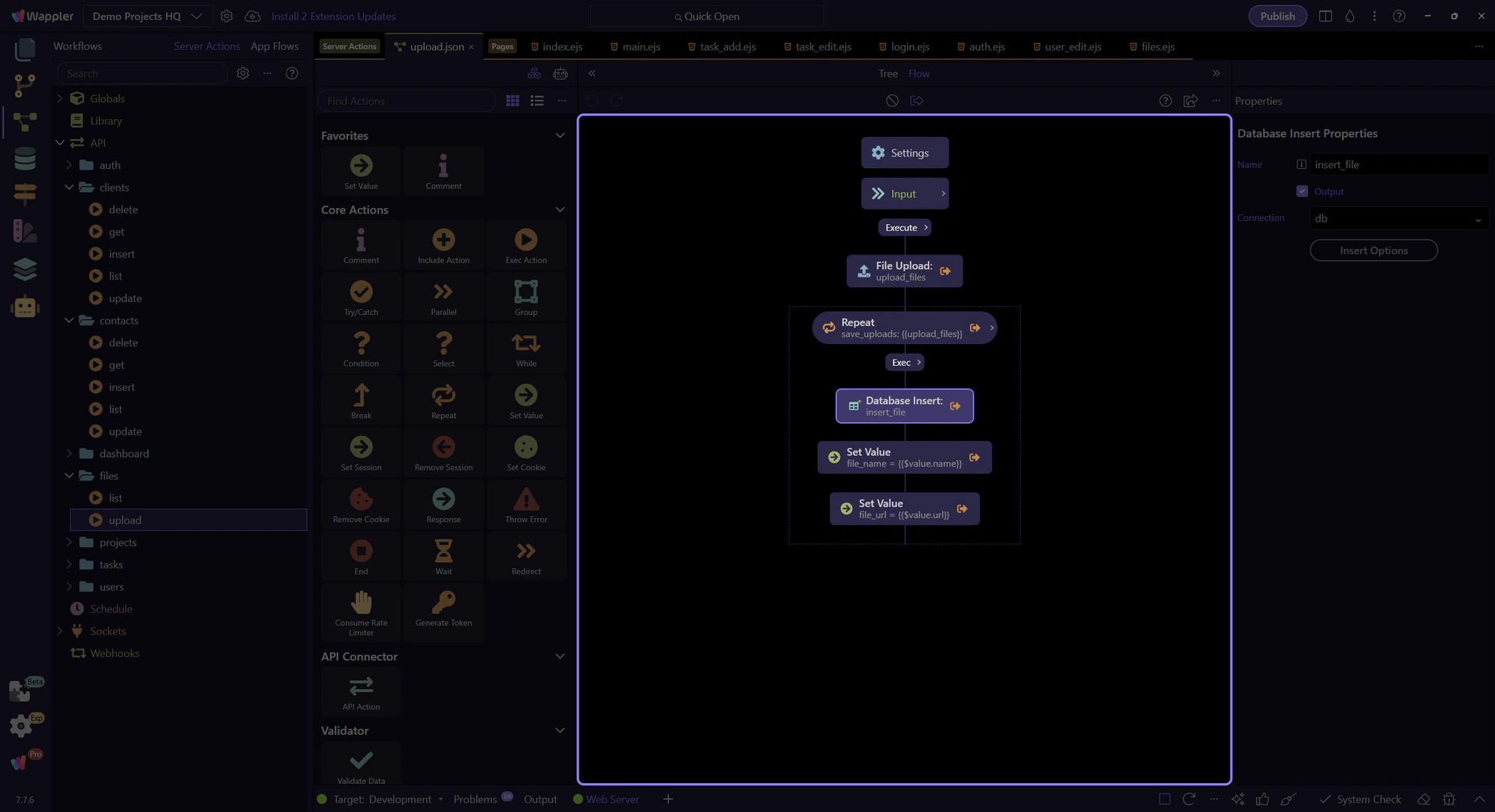
The SQL control exposes the persisted file metadata
Section titled “The SQL control exposes the persisted file metadata”The SQL control for insert_file makes the persistence contract concrete. Every repeated item writes one row to projects_files, carrying forward the project reference and the uploaded file metadata that came back from the upload step.

Conclusion
Section titled “Conclusion”The files upload flow stays understandable because the phases are explicit. The page collects project context and files, the action uploads them, the repeat step persists one row per file, and the page reloads the visible data when the request completes.