Routing (views, routes, internal links)
Understand Wappler’s modern hybrid routing: routes, layouts, content pages, and route-aware links.
Modern Wappler routing uses routes, layouts, and content pages
Section titled “Modern Wappler routing uses routes, layouts, and content pages”Use this bridge to understand where App Connect fits into modern Wappler routing. The recommended workflow is not inline dmx-route components. Instead, Routing Manager stores the generated route definitions, Pages Manager shows the routed layout and content files, and the layout renders the selected content page through dmx-view as partial content.
App Connect still matters in this flow, but in a different role: it powers the interactive page once the route has already selected the correct layout and content page. Internal links and route-aware components should align with the generated route map rather than reintroducing deprecated inline routing patterns.
Hybrid routing
Section titled “Hybrid routing”Use this as a focused routing bridge, then continue into route-aware pages, security, and server data.
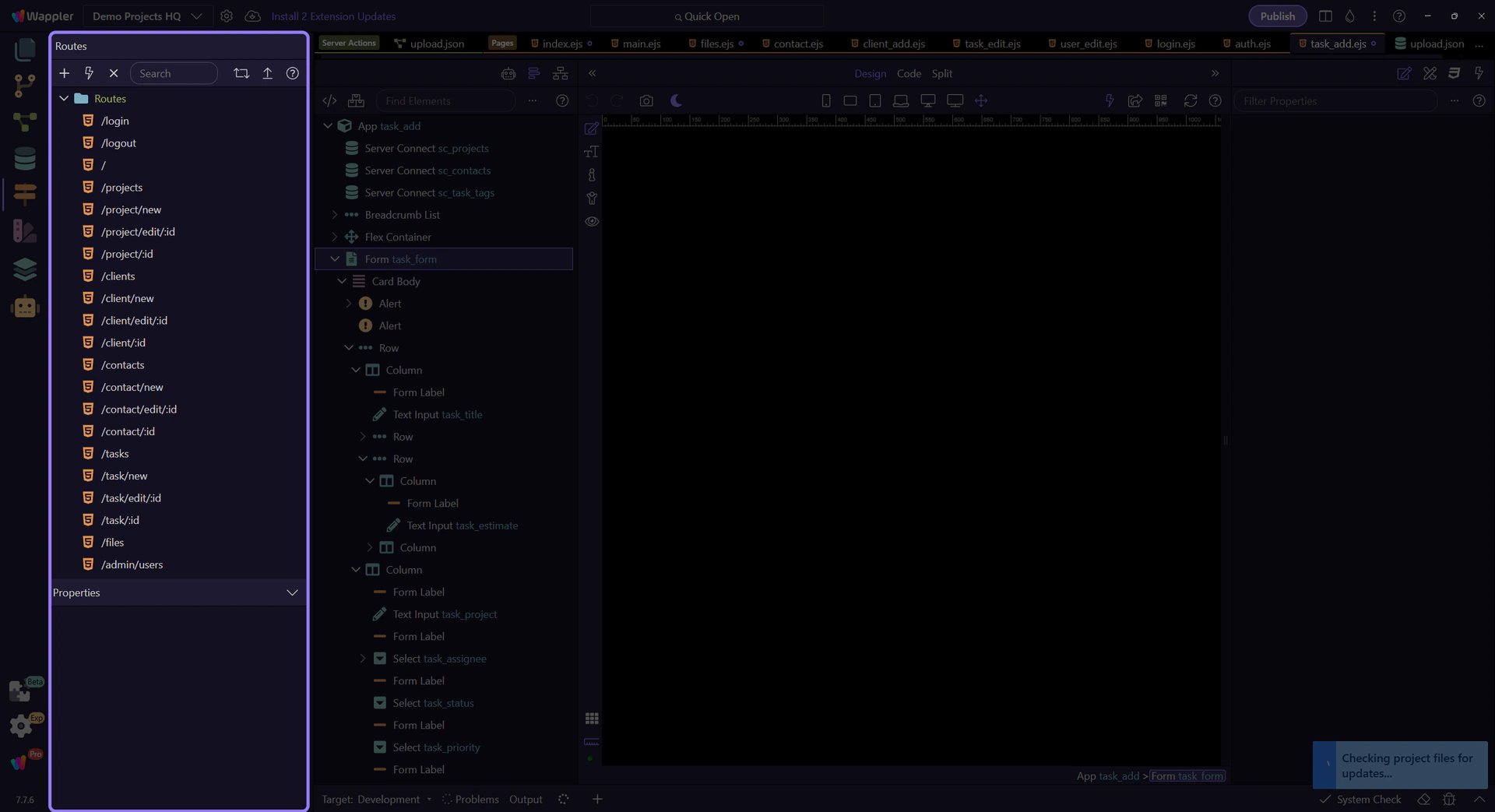
Start with the real Routing Manager map
Section titled “Start with the real Routing Manager map”Start with the live Routing Manager map in Demo Projects HQ. This is the source of truth for route-aware App Connect work, because links and routed content should follow the real generated route tree instead of reviving old inline dmx-route patterns.

Pages Manager overview
Section titled “Pages Manager overview”Keep the full Pages Manager surface in view before focusing on a specific node. This is the second half of the routing picture: the generated route map points to real layout and content files that live here.
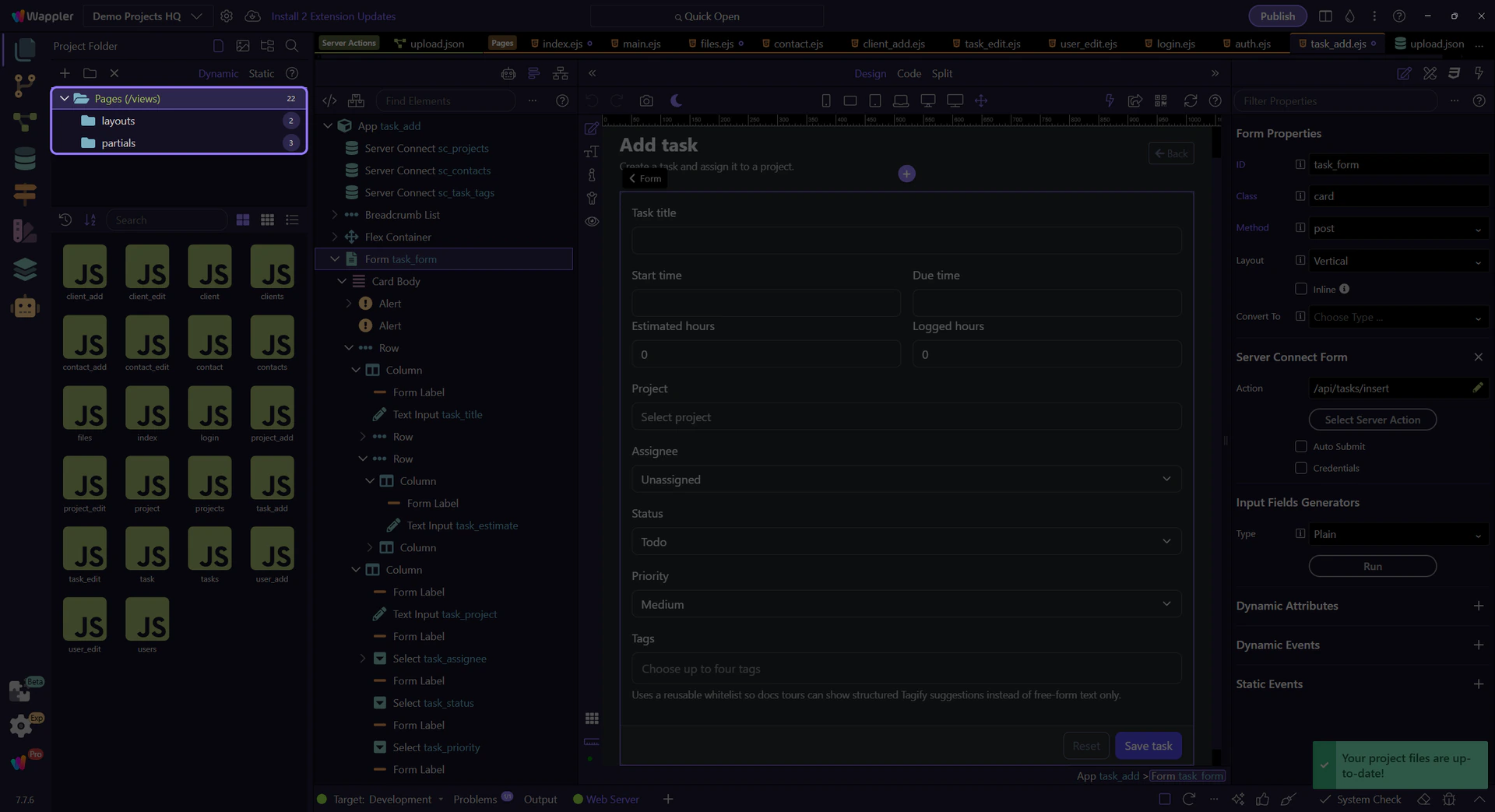
Pages Manager shows the routed files
Section titled “Pages Manager shows the routed files”After the route map is clear, switch to the real Pages Manager structure. In Demo Projects HQ, that is where the actual layout and content files behind those routes become visible and selectable.