Using Date Range Picker with Dynamic Values
With the Date Range Picker you can display date ranges, coming from a dynamic data source, such as a database query. This is useful for Detail Pages or Update Record pages, where you want to edit a re
We created our page and added the Date Range Picker:
Section titled “We created our page and added the Date Range Picker:”With the Date Range Picker you can display date ranges, coming from a dynamic data source, such as a database query. This is useful for Detail Pages or Update Record pages, where you want to edit a reservation for example.
We created our page and added the Date Range Picker:
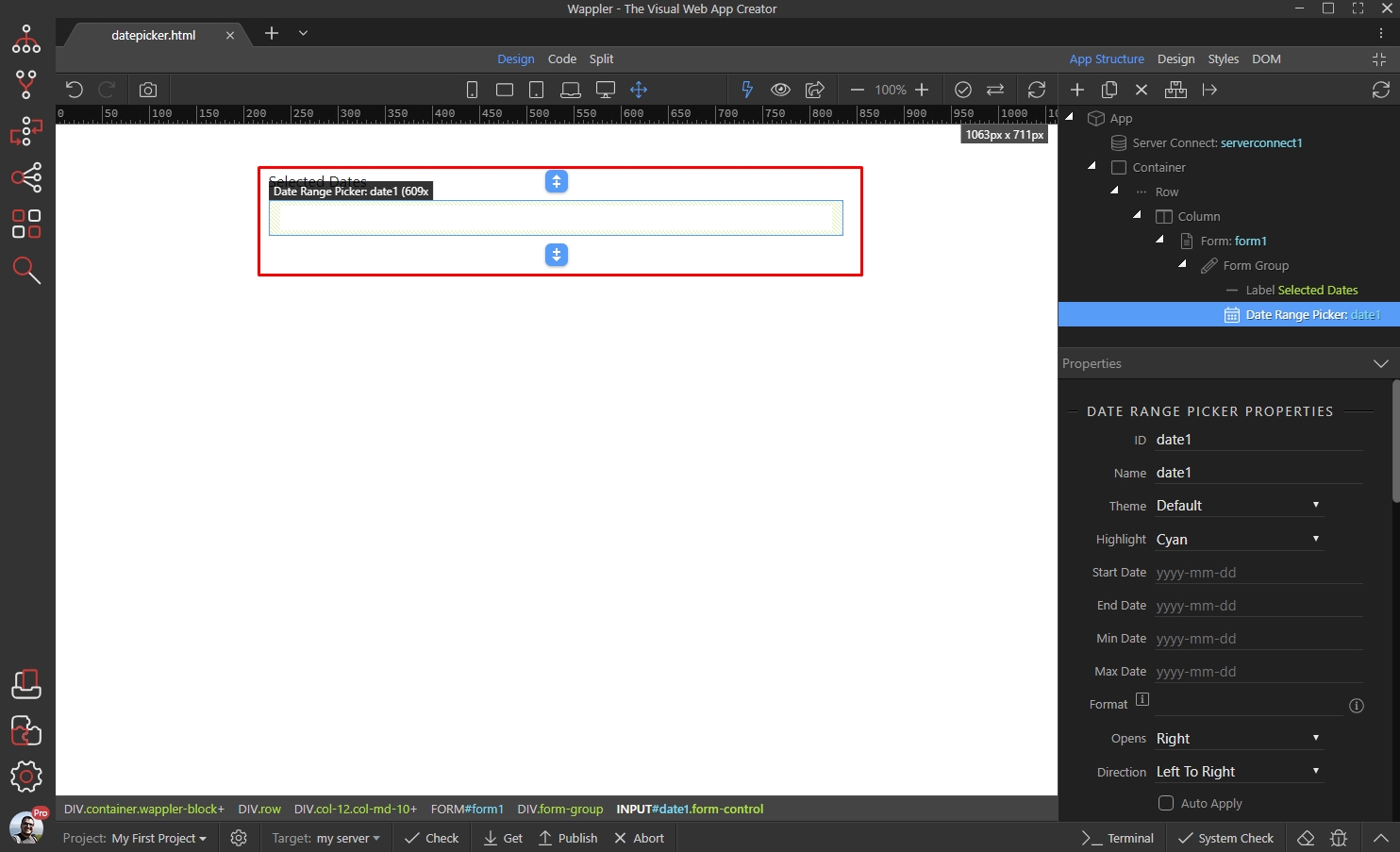
We also added a server connect component, which returns the start and end dates from a database:
Section titled “We also added a server connect component, which returns the start and end dates from a database:”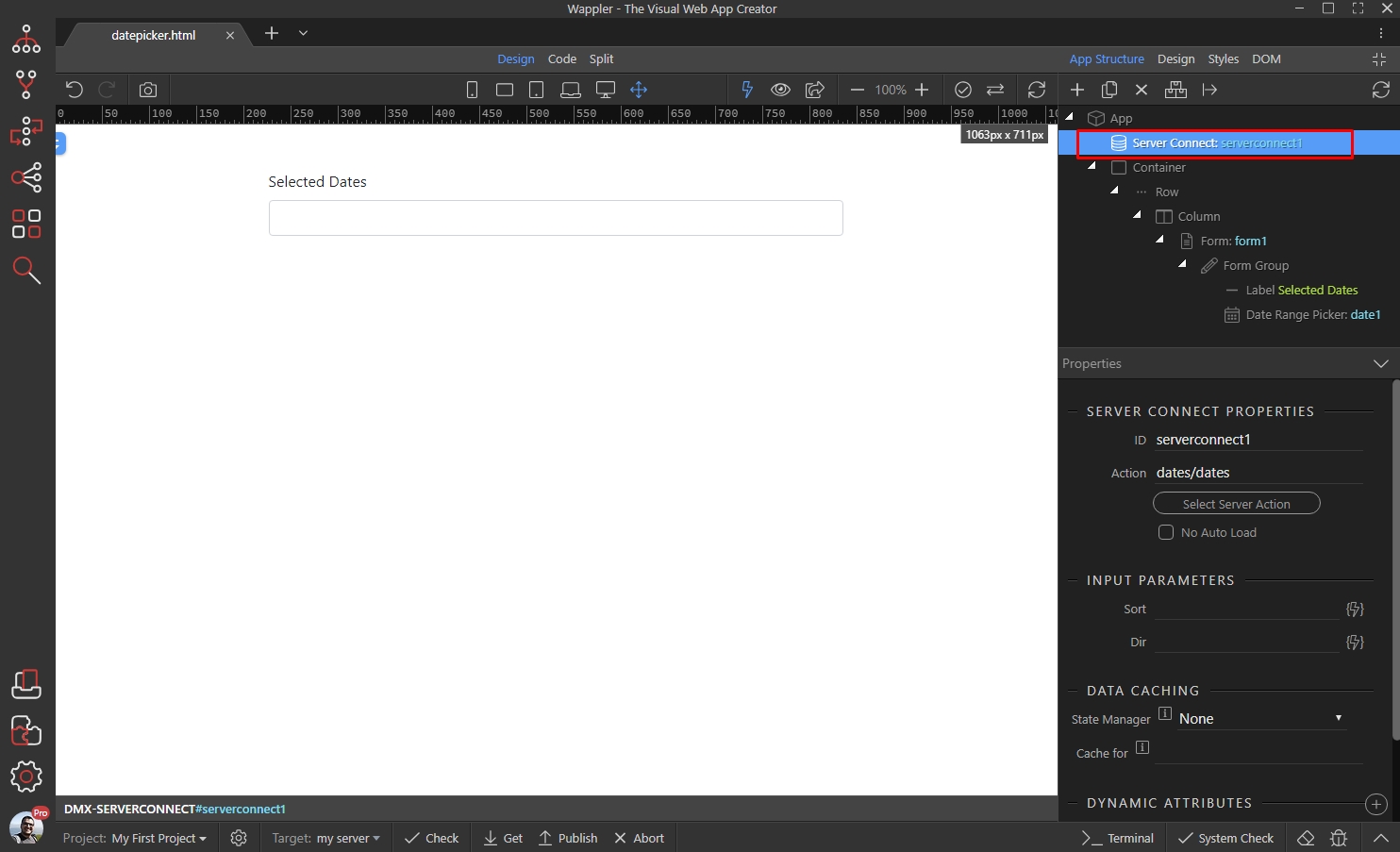
Select the date range picker and scroll down to the dynamic attributes. Add new:
Section titled “Select the date range picker and scroll down to the dynamic attributes. Add new:”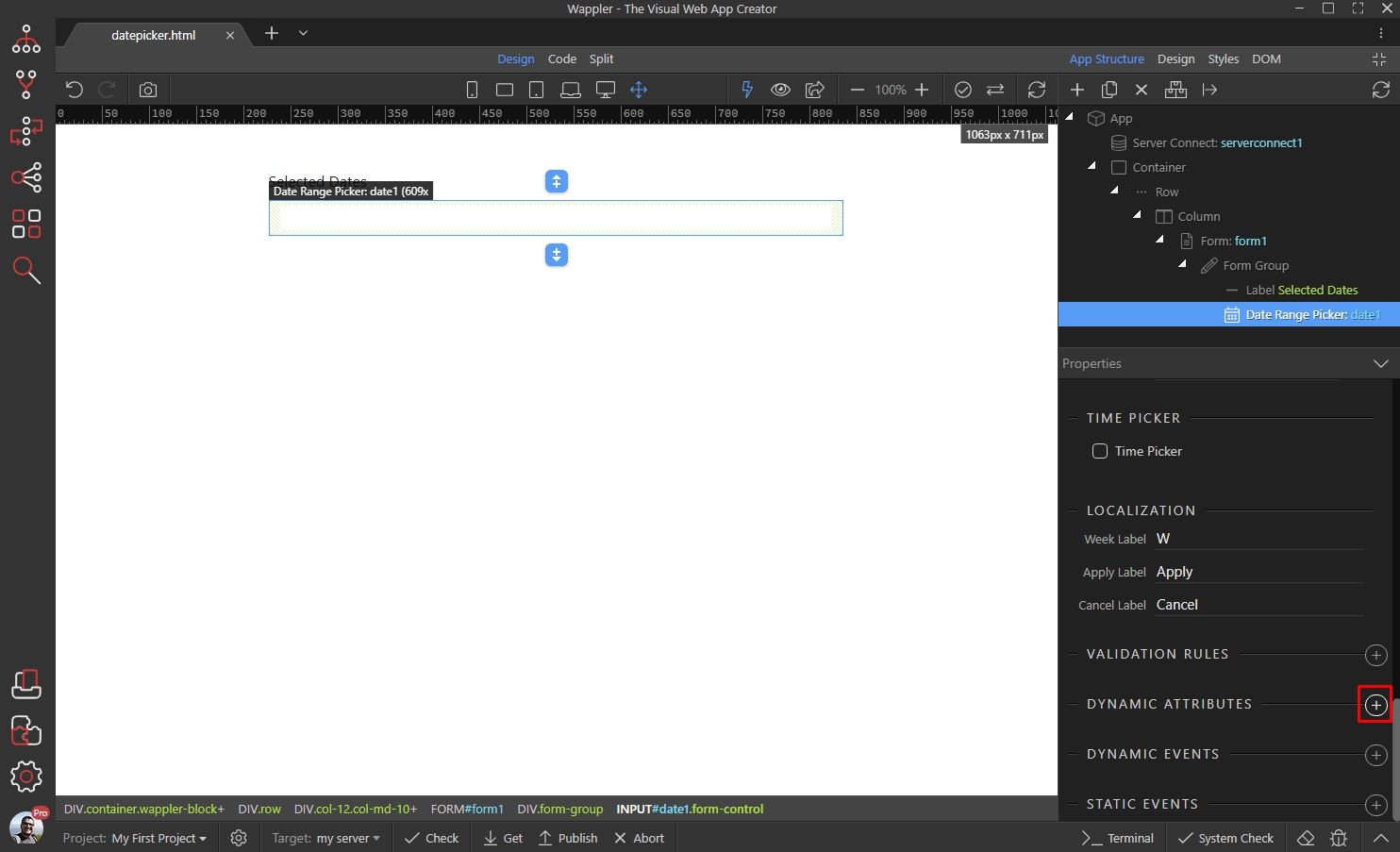
Open the Date Picker category and select Start Date. This is the start date of the range:
Section titled “Open the Date Picker category and select Start Date. This is the start date of the range:”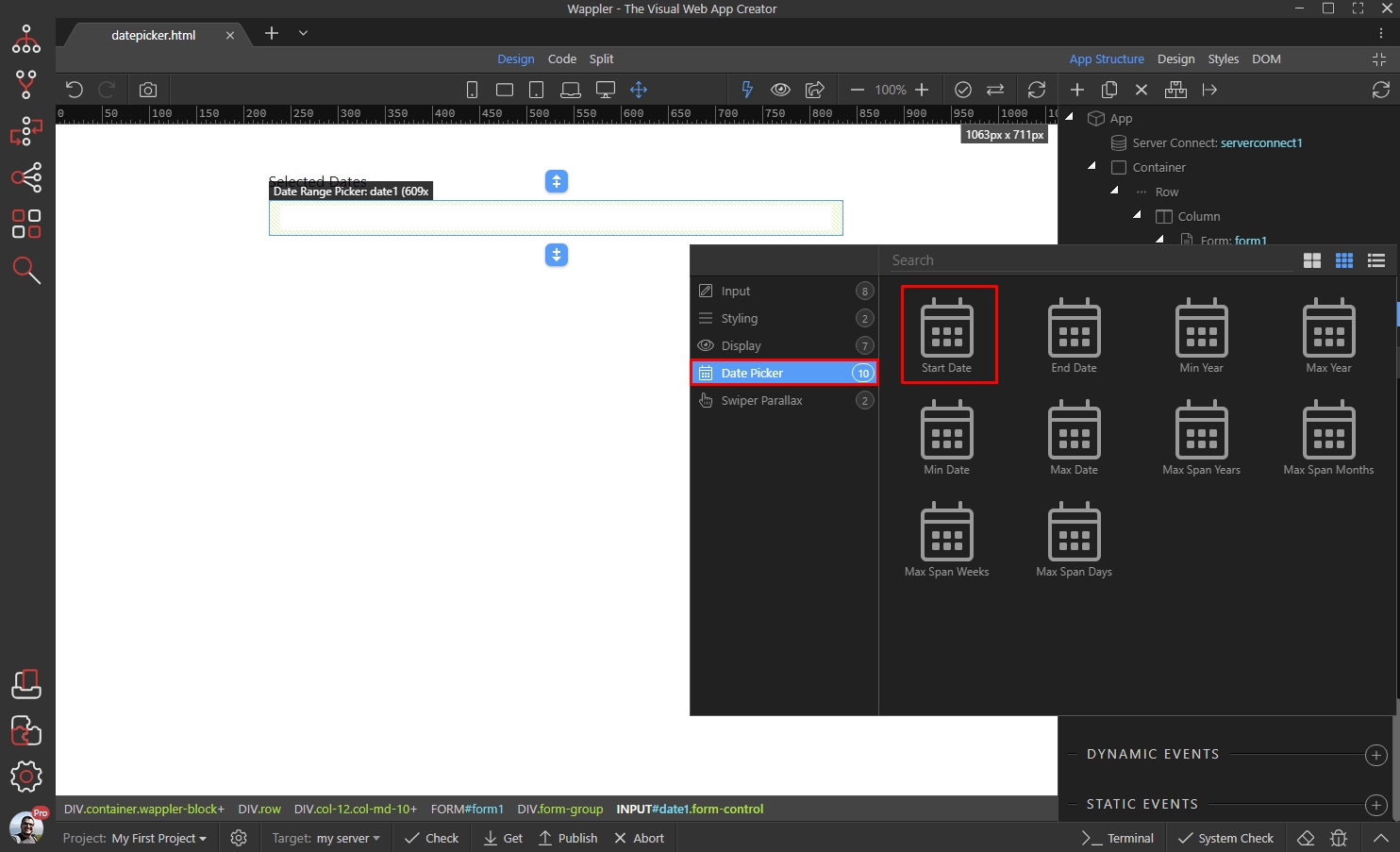
Click the dynamic data picker button, to select a dynamic value for the start date:
Section titled “Click the dynamic data picker button, to select a dynamic value for the start date:”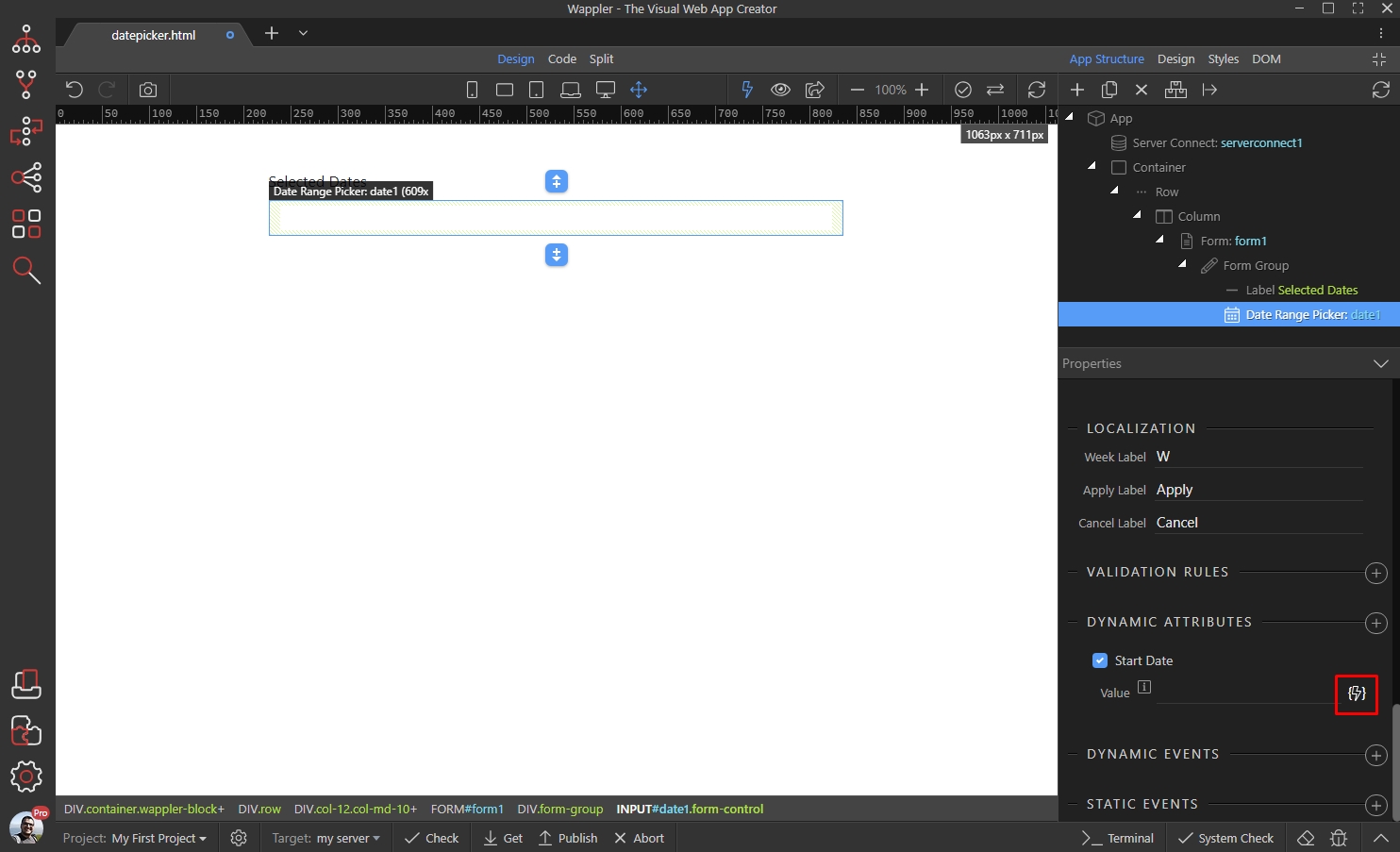
Step 6
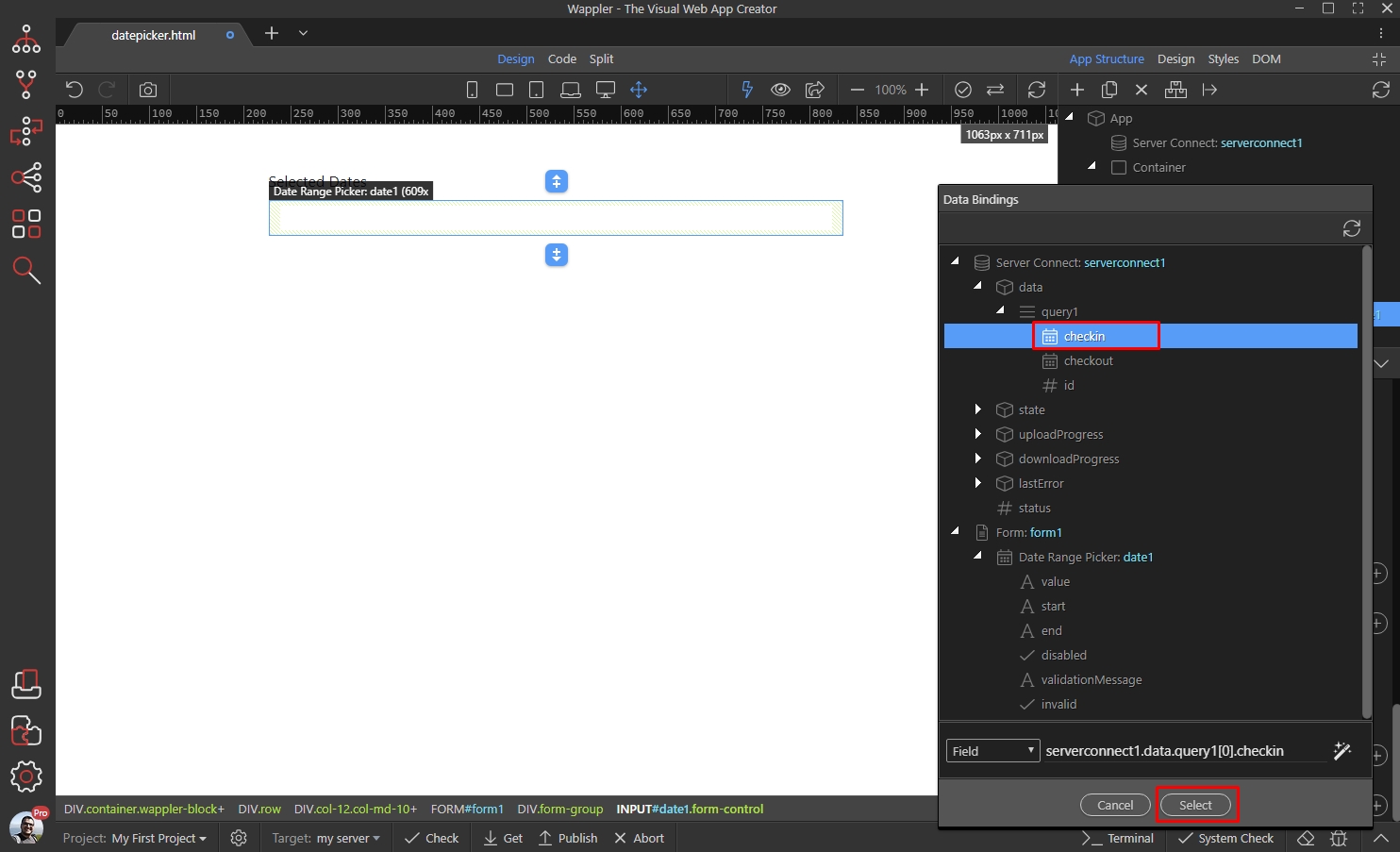
Section titled “Step 6”Select the start date binding, returned by your data source (database query) under the server connect component:
Now let’s add the end date of the range. Add new dynamic attribute:
Section titled “Now let’s add the end date of the range. Add new dynamic attribute:”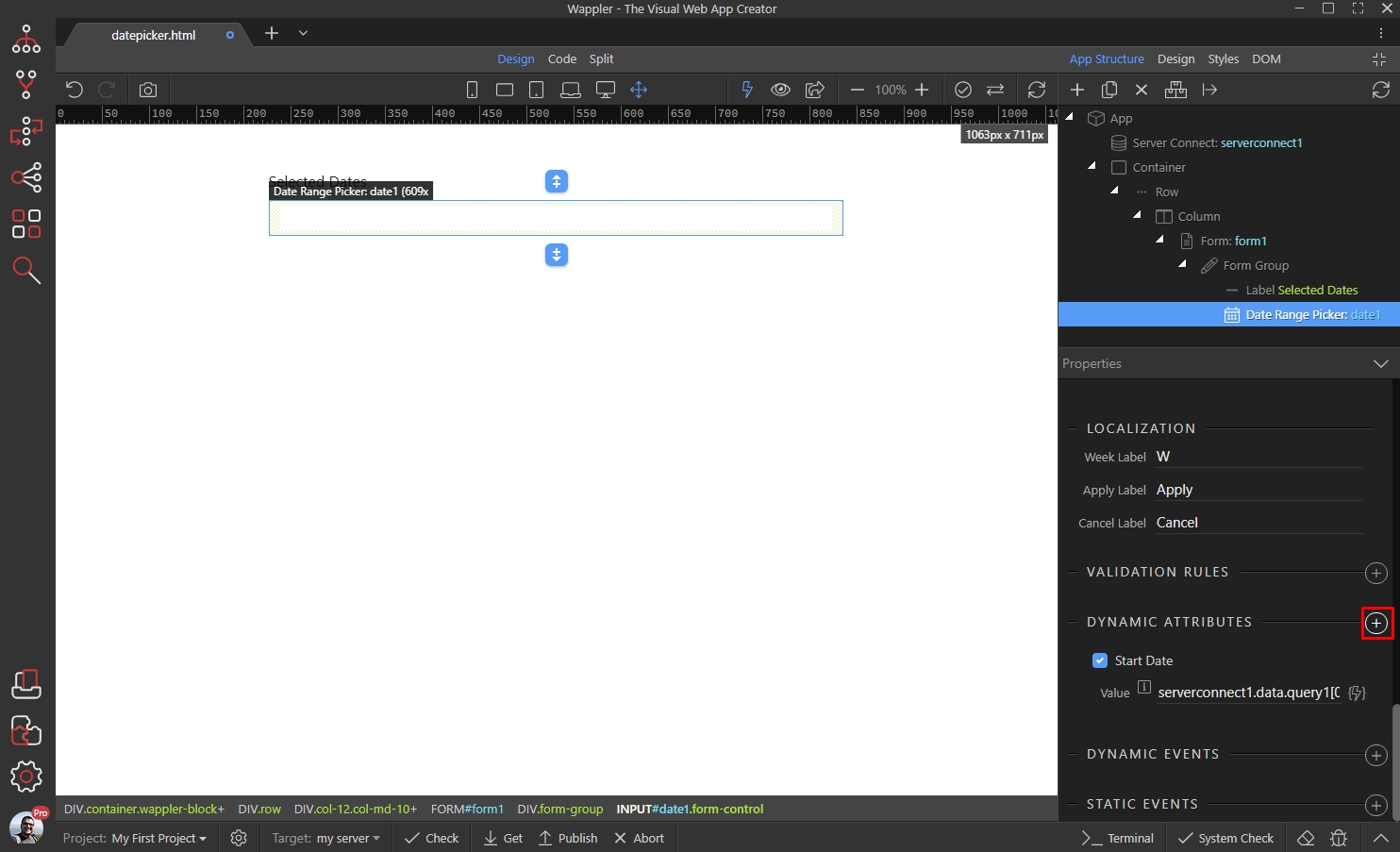
Open the Date Picker category and select End Date:
Section titled “Open the Date Picker category and select End Date:”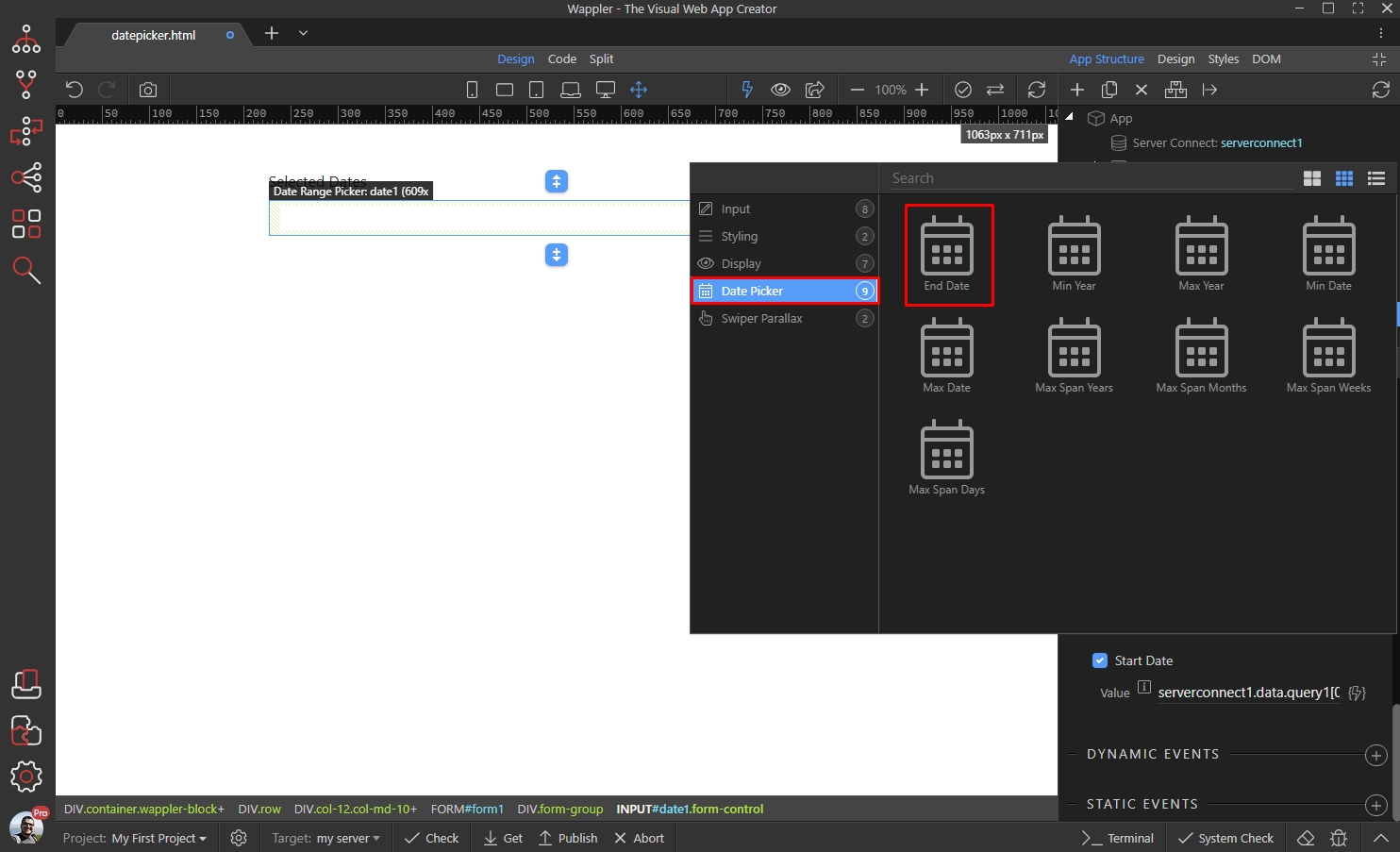
Click the dynamic data picker button, to select a dynamic value for the end date:
Section titled “Click the dynamic data picker button, to select a dynamic value for the end date:”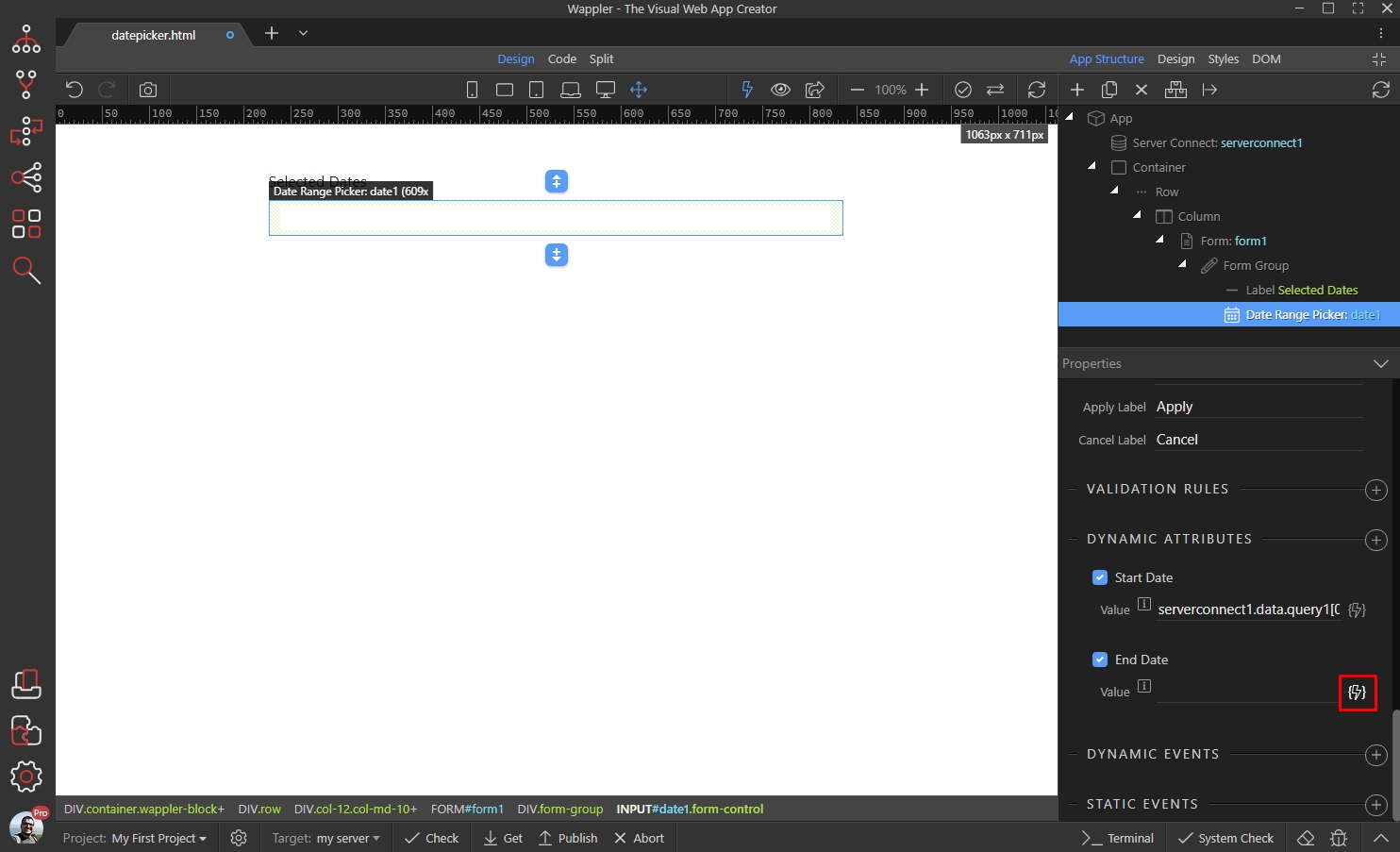
Step 10
Section titled “Step 10”Select the end date binding, returned by your data source (database query) under the server connect component:
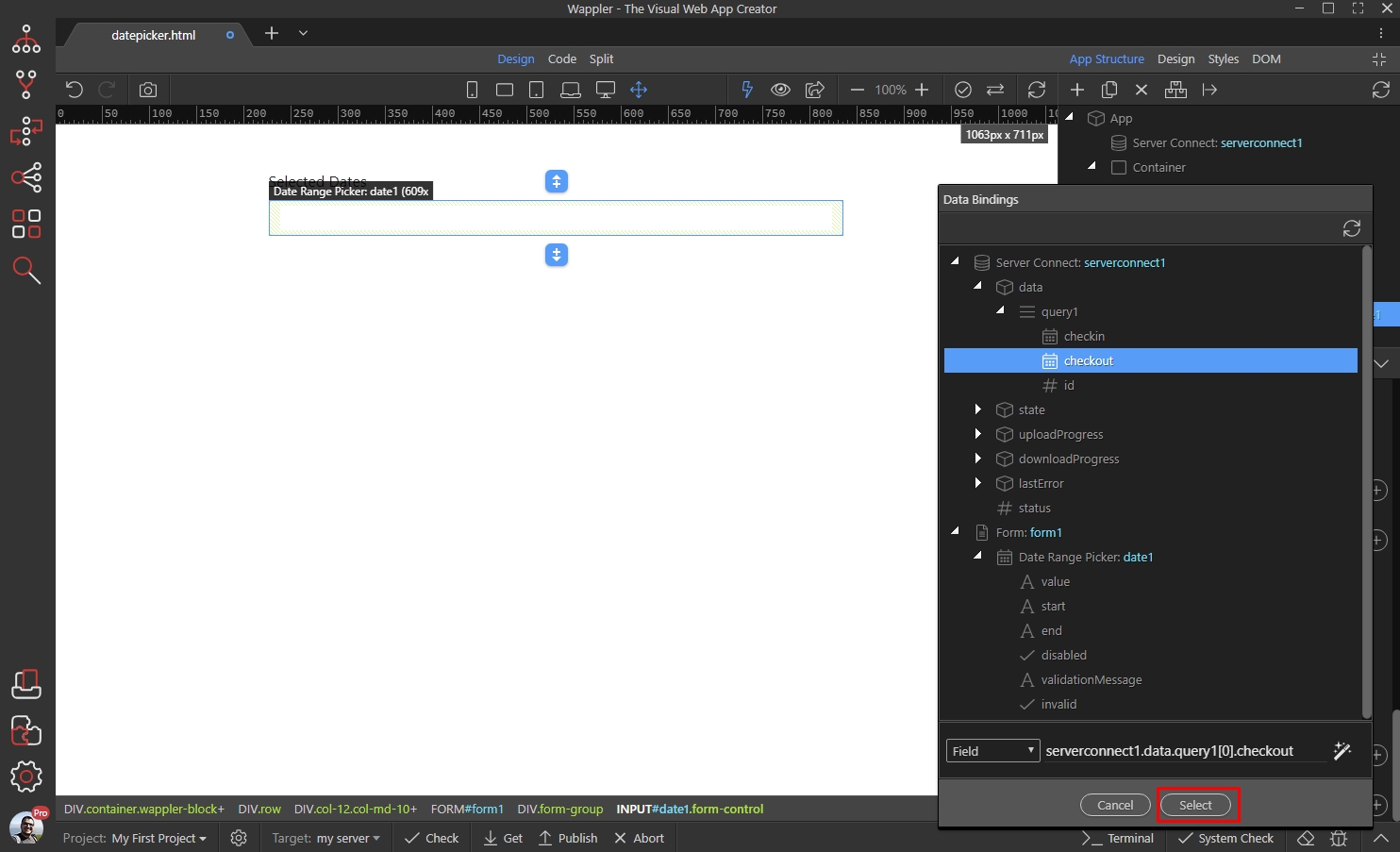
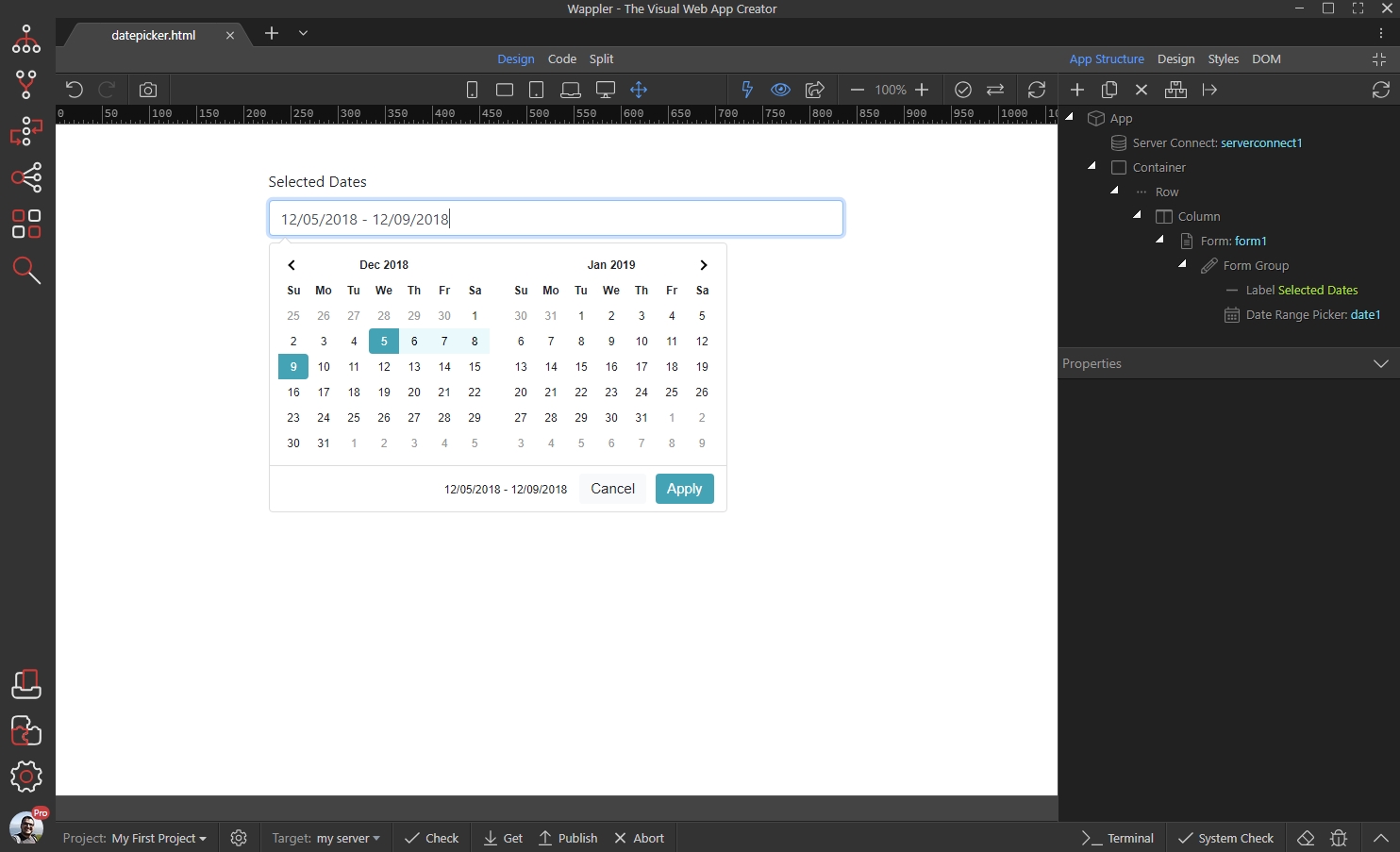
And you are done! The dynamic date range is now displayed in the Date Range Picker:
Section titled “And you are done! The dynamic date range is now displayed in the Date Range Picker:”