Git Manager: Branches and Merges
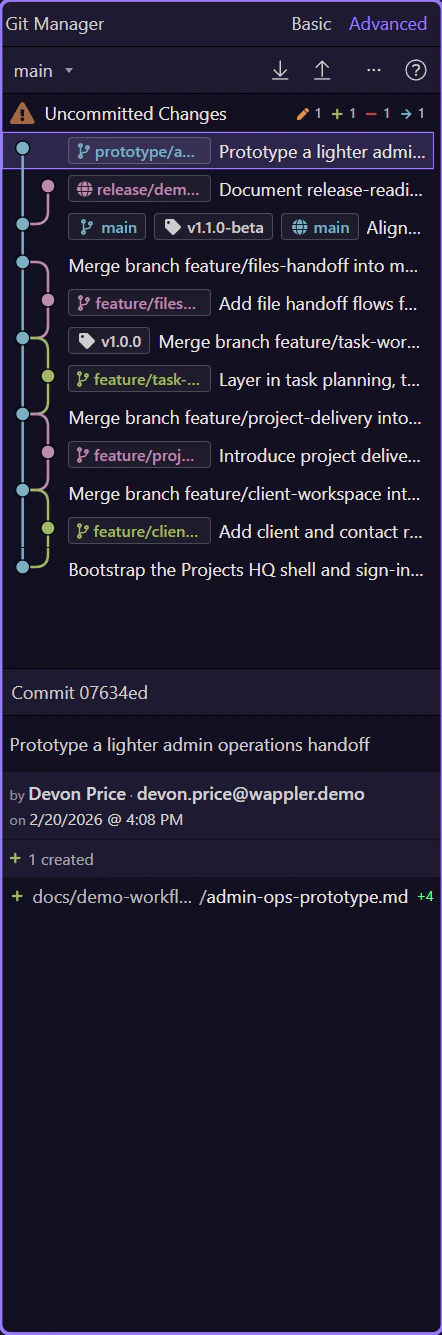
Work with local branches, remote-tracking branches, merges, and merge-resolution flow in the experimental Git Manager.
Demo Projects HQ is prepared to show real branch states
Section titled “Demo Projects HQ is prepared to show real branch states”This repository includes local feature branches, a prototype branch, and a remote-only branch so the experimental manager can show the branch cases teams actually hit: switching locally, creating tracking branches, merging work back, and understanding which refs are only on the remote.
The branch selector is the normal switching point
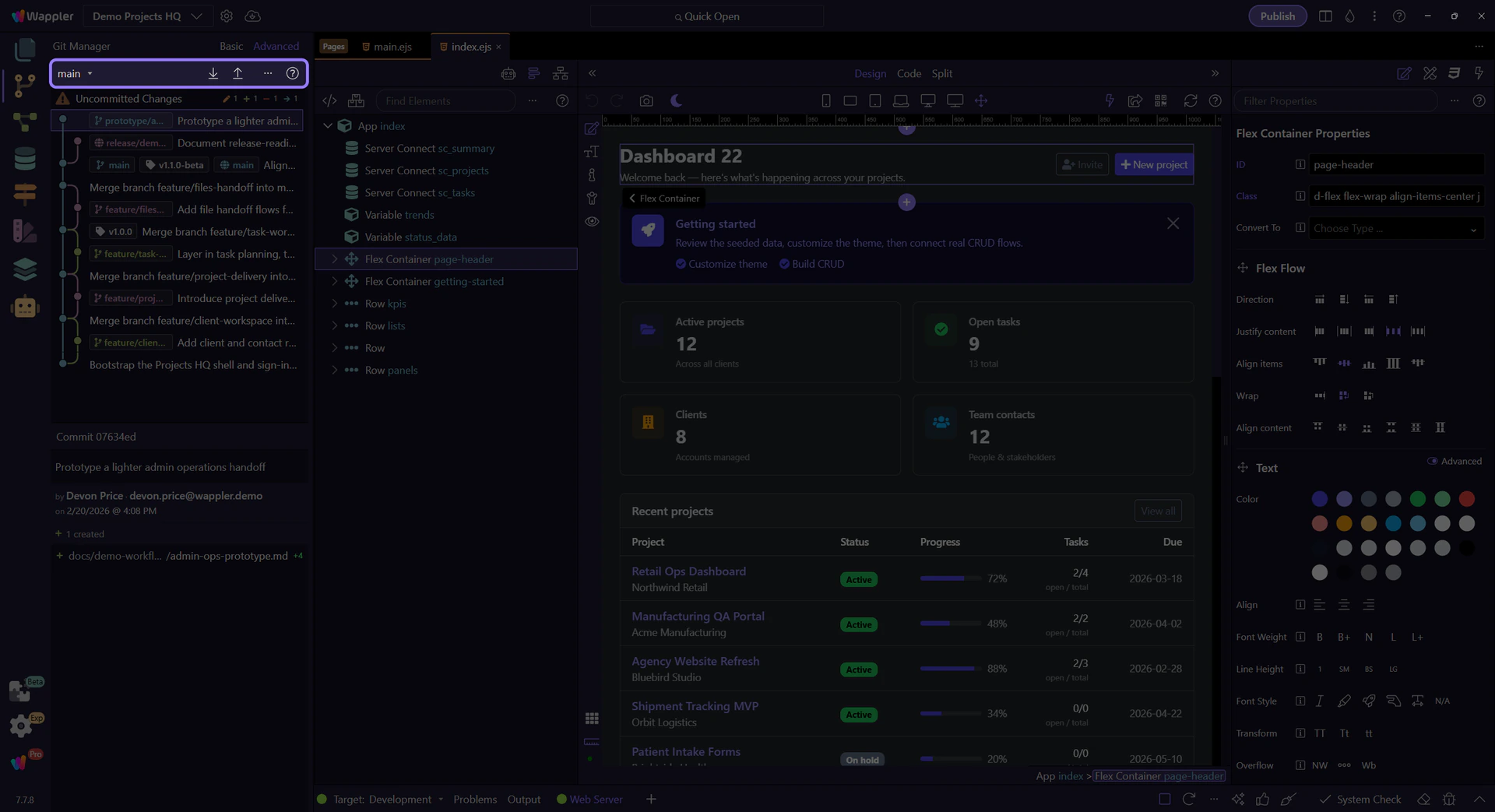
Section titled “The branch selector is the normal switching point”Use the branch selector in the toolbar to move between local branches. Git Manager treats branch switching as a real repository operation, not a cosmetic filter, so it refreshes repository state and can also account for project database migrations when a branch changes schema-related files.

A simple feature branch flow keeps unfinished work isolated
Section titled “A simple feature branch flow keeps unfinished work isolated”A lightweight team flow is to create one branch per feature or fix, commit only that work on the branch, and push it to the shared remote as progress builds. That lets teammates keep main stable while still reviewing or helping with the feature branch before it is merged.
History can be the branching point
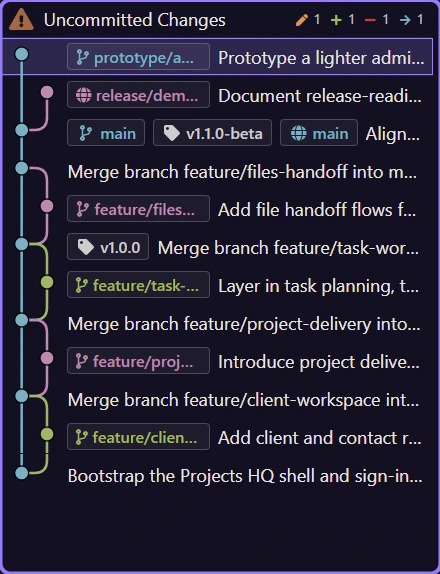
Section titled “History can be the branching point”In Advanced mode, history is not read-only. You can create a branch at a specific commit, which is much better than branching from HEAD when you need to spin off an experiment or rescue a clean point from earlier in the timeline.
Advanced view shows where branches diverge and rejoin
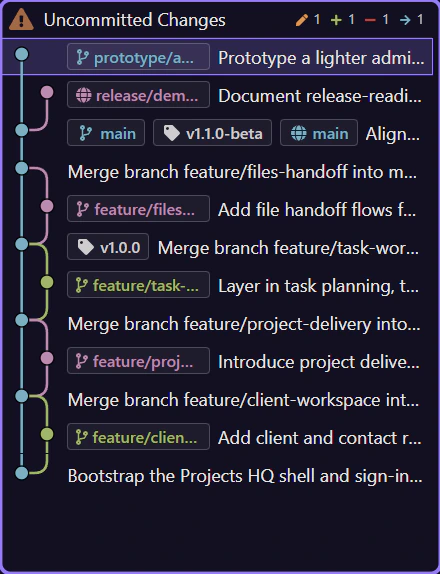
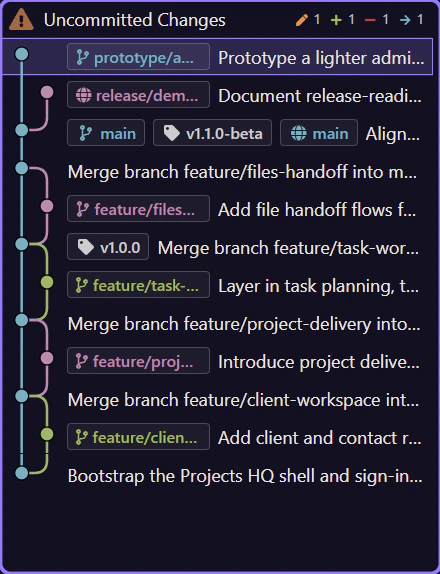
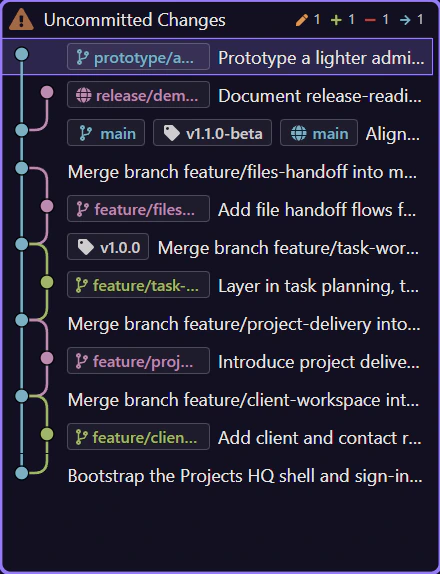
Section titled “Advanced view shows where branches diverge and rejoin”Switch to Advanced view when you need to understand the background of a merge. The graph lines and refs show where a feature branch split from the main line, which commits belong to it, and which refs are local versus remote-tracking. That context is what makes merge decisions feel deliberate instead of blind.
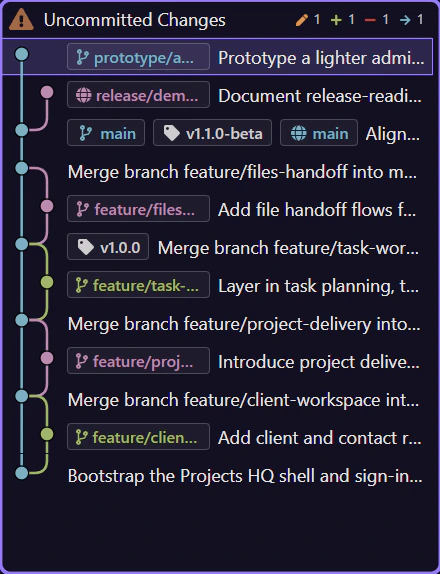
Branch and remote refs expose the real actions
Section titled “Branch and remote refs expose the real actions”Right-clicking a branch ref lets you check it out, merge it into the active branch, or delete it. Right-clicking a remote ref can create a local tracking branch. That keeps the toolbar focused on current state while history carries the branch-specific actions.
Merge state takes over the toolbar
Section titled “Merge state takes over the toolbar”When a merge is in progress, Git Manager makes that state explicit. Continue Merge and Abort Merge become the important controls, while branch switching and sync are disabled so you do not layer risky operations on top of an unresolved repository.

Conflicts are resolved from file state upward
Section titled “Conflicts are resolved from file state upward”Conflicted files expose resolve using mine and resolve using theirs actions. Continue Merge only enables when the conflict state is clear. That creates a visible ladder: resolve files first, then complete or abort the merge, then return to normal branch and remote work.
Continue with the next collaboration topic
Section titled “Continue with the next collaboration topic”Branching is only half the story. Continue with remotes if you want to understand collaboration, or recovery if you want the safest repair paths after a bad merge or wrong branch decision.