Git Manager: Quick Overview
Get a fast, accurate map of the new Git Manager: the two view modes, the adaptive toolbar, the history list, and the detail workspace.
Git Manager at a glance
Section titled “Git Manager at a glance”Think of Git Manager as a live repository view inside Wappler, not a single-purpose commit screen. In Demo Projects HQ you are looking at a repo that already has uncommitted changes, local branches, remote-tracking branches, and tags, so the UI can expose real decisions instead of empty-state placeholders.
Start in Basic view for the day-to-day reading
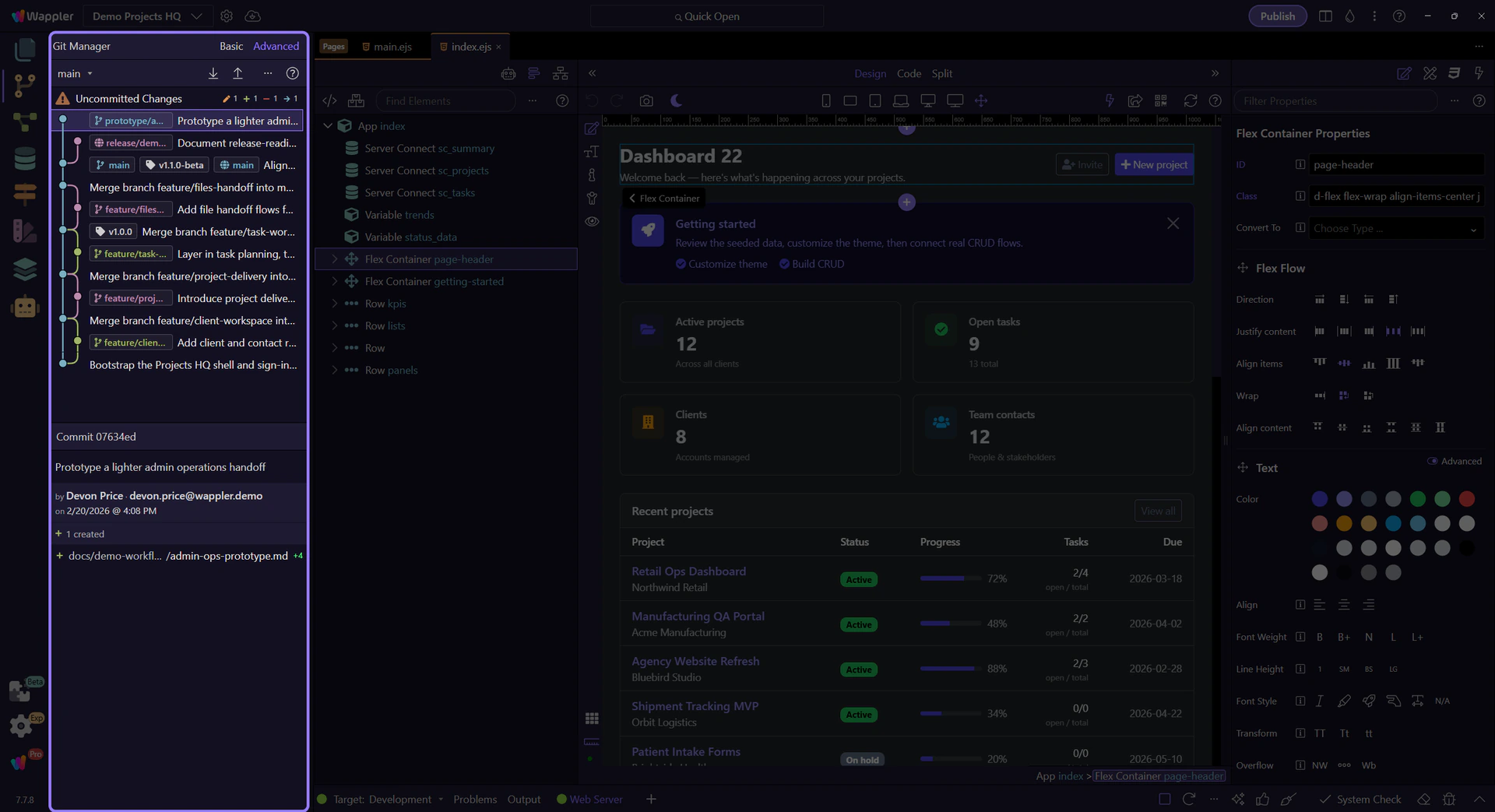
Section titled “Start in Basic view for the day-to-day reading”This step switches Git Manager to Basic view first. Basic is the short-path reading of the repository: a simpler history list, less branch structure on screen, and a cleaner route for everyday review, commit, and sync work when you do not need to reason about graph shape or ref placement.

Switch to Advanced when branch context matters
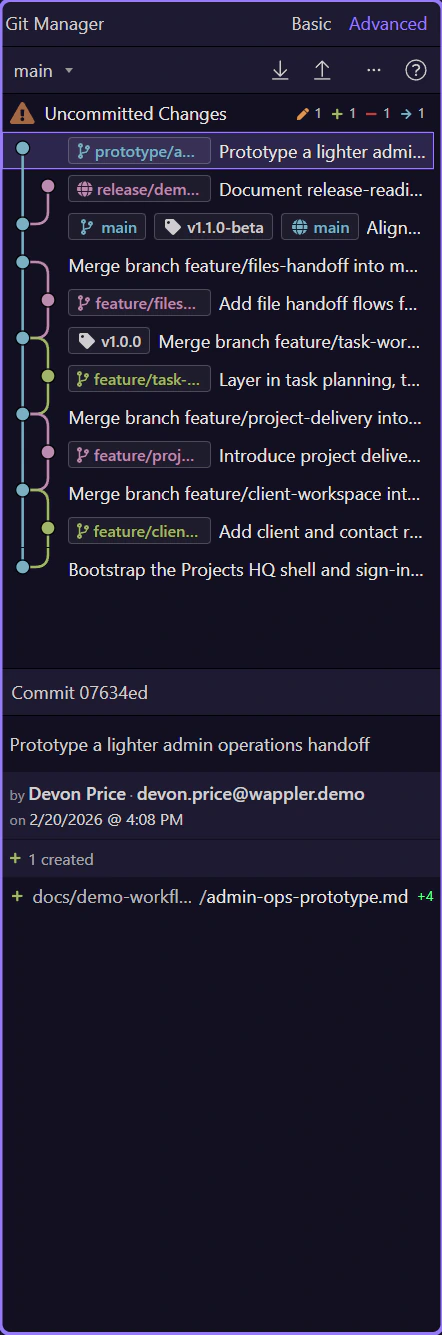
Section titled “Switch to Advanced when branch context matters”Now switch to Advanced view. Advanced reads the same repository with more structure on screen: graph lines, local and remote refs, tags, and stronger history-oriented context. Use it when you need to understand where work came from, how branches relate, or where a safe restore point sits in the broader history.

Advanced view adds history context, not a different repository
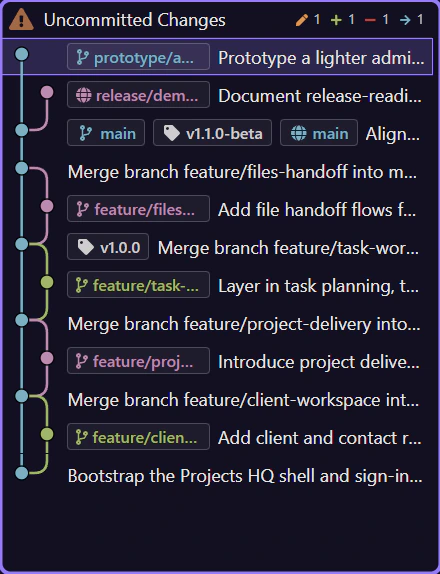
Section titled “Advanced view adds history context, not a different repository”With Advanced selected, the history list becomes a richer reading surface. The same commits are still here, but now the graph, refs, and extra commit context help you see feature-branch movement and merge direction instead of only reading a flat sequence of subjects.
The toolbar changes with repository state
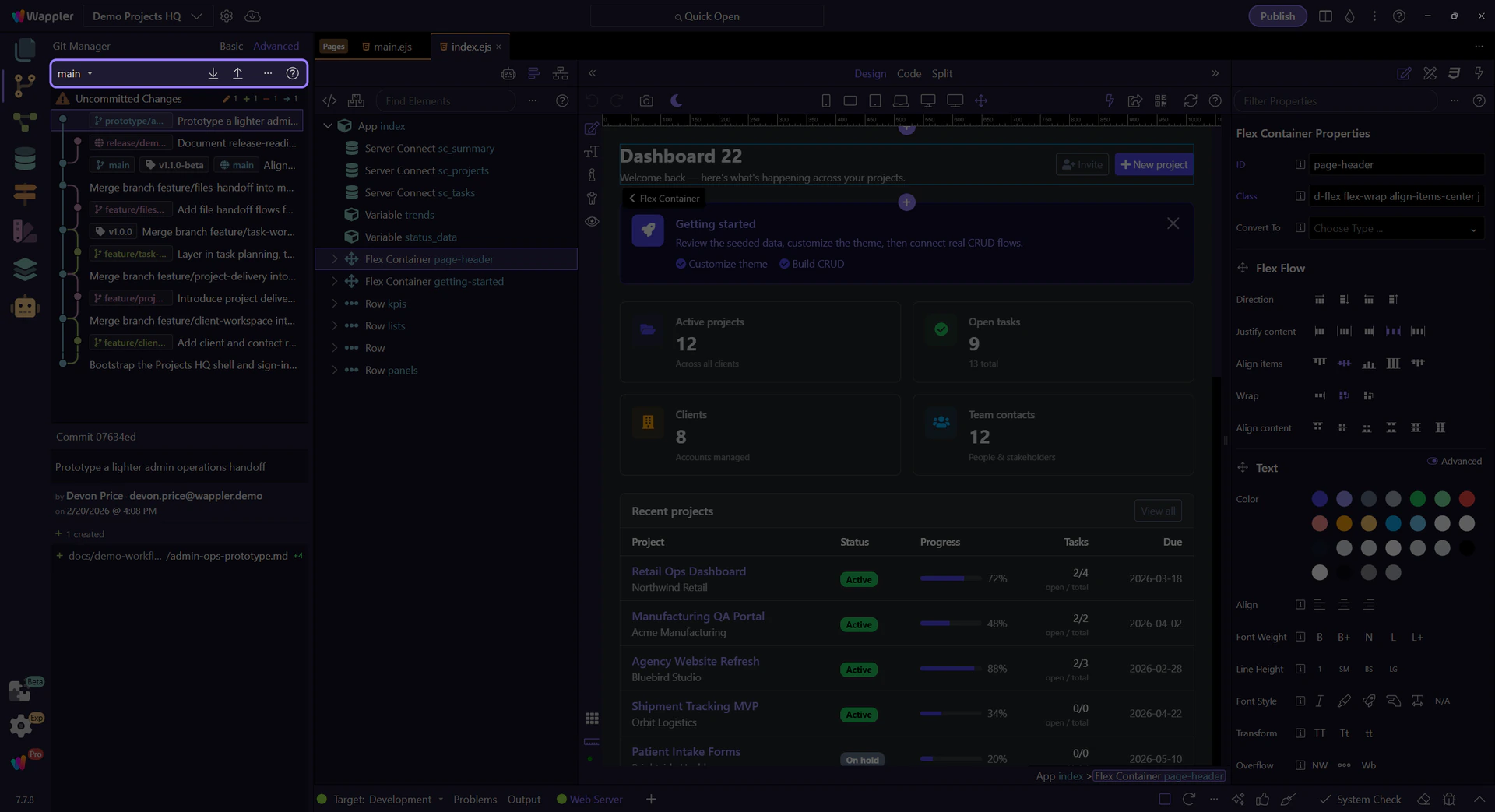
Section titled “The toolbar changes with repository state”The main toolbar always centers on your active branch, but the rest of it adapts. No remote means a Connect action. A configured remote reveals pull and push. An active merge hides the normal sync path and replaces it with Continue Merge and Abort Merge.
History starts with what needs attention now
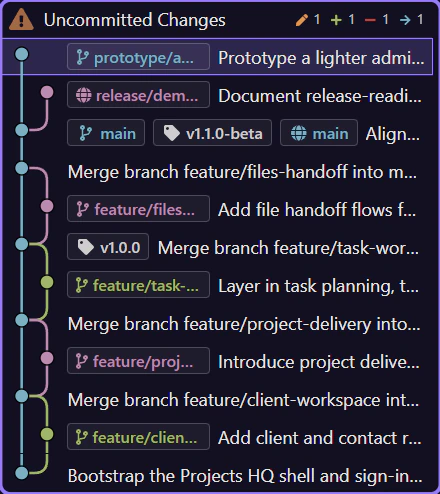
Section titled “History starts with what needs attention now”The main panel is not just old commits. When the working tree is dirty, Git Manager pins an Uncommitted Changes row above the history so you can move from today’s edits into the commit timeline without switching tools.
Selecting something changes the workspace
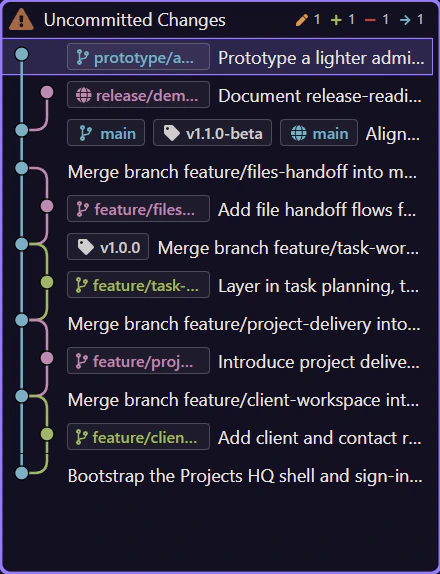
Section titled “Selecting something changes the workspace”Select Uncommitted Changes and the manager becomes a staging-and-commit workspace. Select a commit and the manager turns into an inspection view with message, author, changed files, and diff-oriented actions. The list and the detail workspace are designed to work as one flow.
Choose the next Git task
Section titled “Choose the next Git task”If the layout makes sense now, continue with the guide that matches the job you actually need to do.