Git Manager Reference
Reference tour for the experimental Git Manager: view modes, toolbar states, history behavior, detail workspaces, and special repository states.
Git Manager has three recurring surfaces
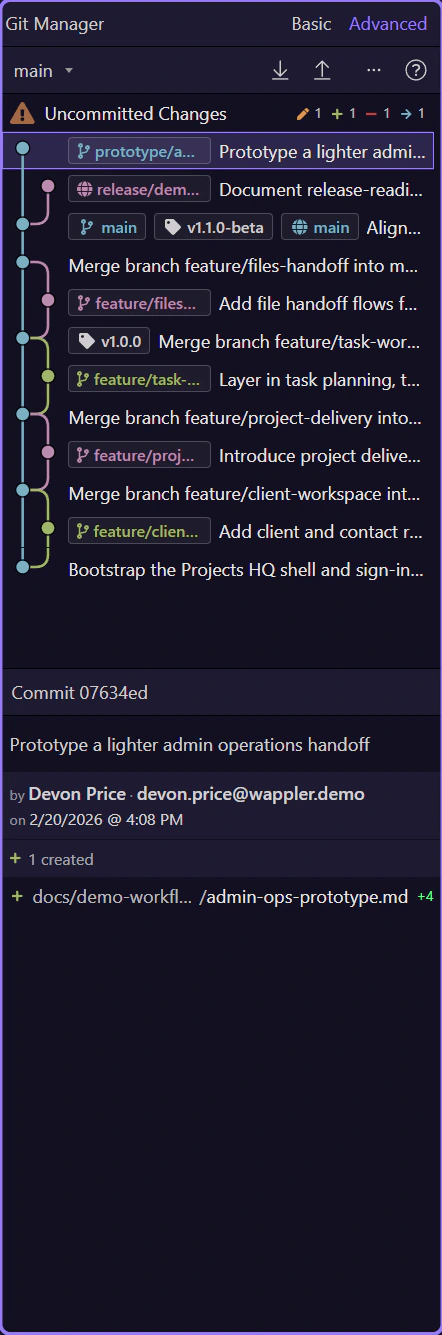
Section titled “Git Manager has three recurring surfaces”Read the manager in three layers: the title area chooses how much history structure you want, the main toolbar exposes repository operations, and the main panel moves between working-tree review and commit history. Once you see those three layers, the rest of the UI becomes predictable.
Basic view is the focused everyday reading
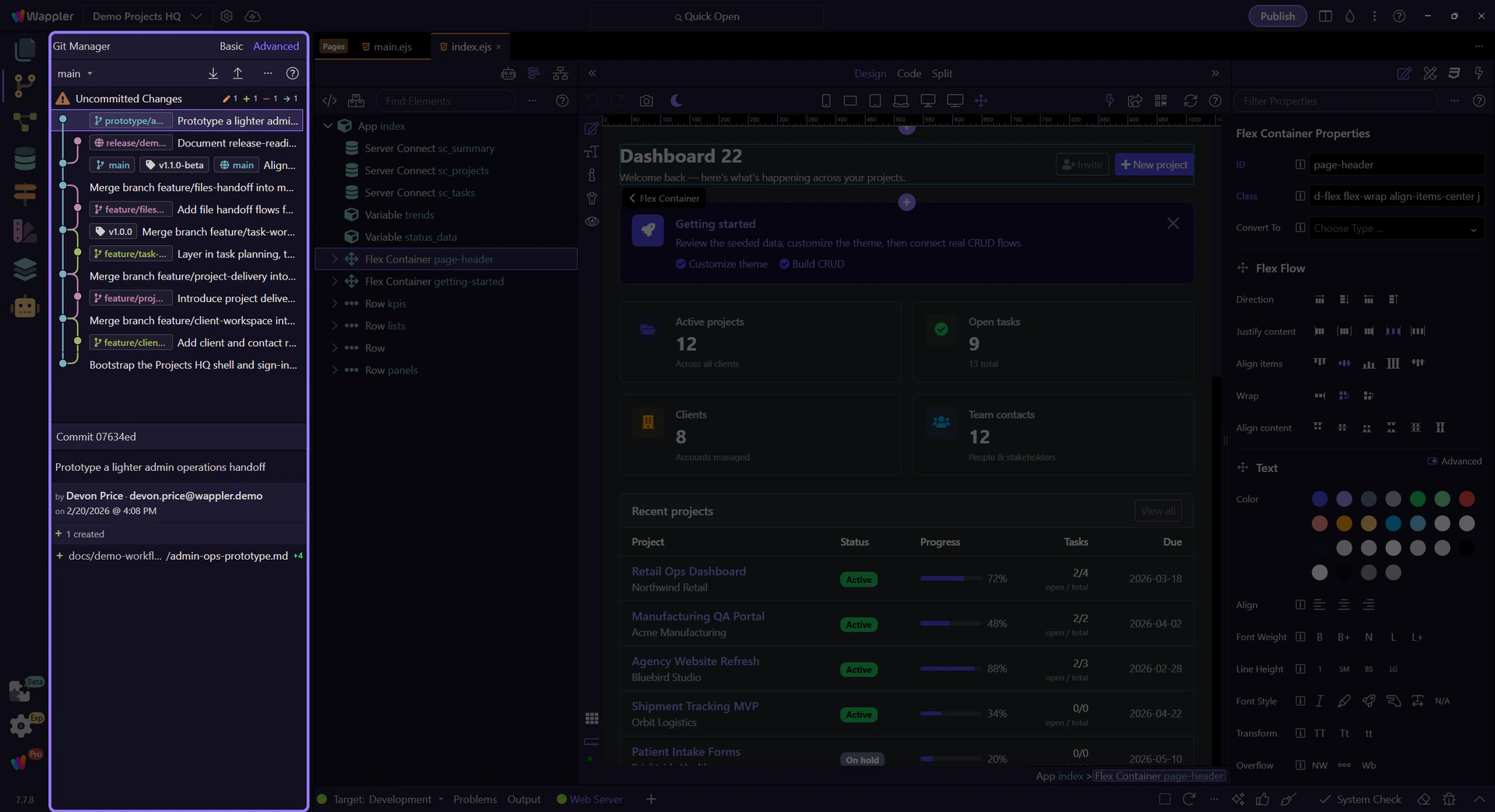
Section titled “Basic view is the focused everyday reading”This step switches Git Manager to Basic view so you can see its leaner reading mode first. Basic reduces visual branch structure and keeps the history easier to scan when the job is reviewing recent commits, checking the working tree, and moving through the normal commit-and-sync loop.

Advanced view exposes graph, refs, and richer history context
Section titled “Advanced view exposes graph, refs, and richer history context”Now switch to Advanced view. The repository has not changed, but the reading has: branch refs, remote refs, tags, and graph structure become visible so you can reason about merge direction, branch placement, and restore points with more confidence.

Advanced adds a branch-context filter for long histories
Section titled “Advanced adds a branch-context filter for long histories”Advanced mode also exposes a branch-context filter in the overflow menu so you can switch between all-branch history and the current branch only. That matters when the graph is informative but too busy for the specific question you are trying to answer.
Toolbar controls appear and disappear with repository state
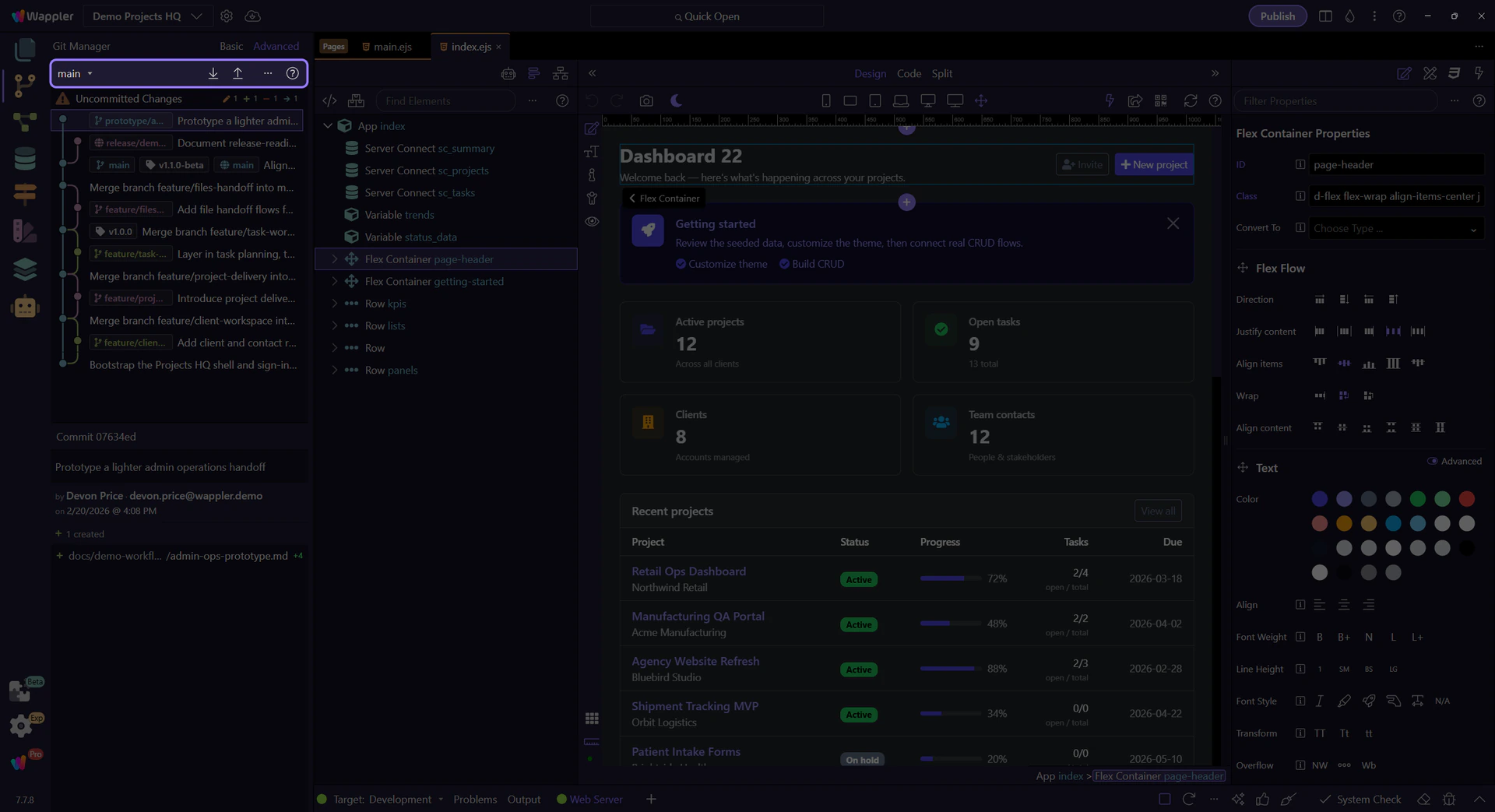
Section titled “Toolbar controls appear and disappear with repository state”The toolbar always reflects repository safety. It shows the active branch selector, reveals remote actions only when remotes exist, and swaps normal sync controls for Continue Merge and Abort Merge when the repository is inside a merge. Read the toolbar as current state, not just as buttons.

The overflow menu and Help are part of the manager model
Section titled “The overflow menu and Help are part of the manager model”Help starts the Git Manager docs path from inside the UI. The overflow menu always gives you Refresh, and in Advanced mode it also lets you switch between All Branches and Current Branch history views so long histories stay readable.

The history list mixes now and then on purpose
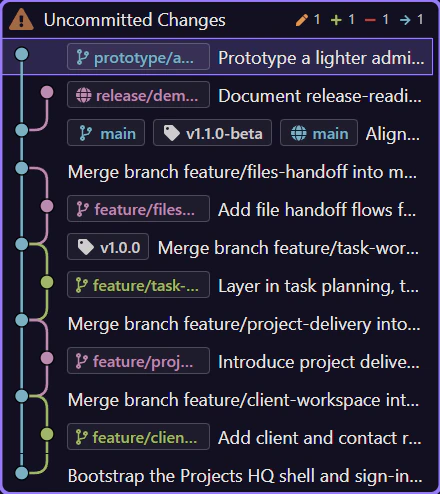
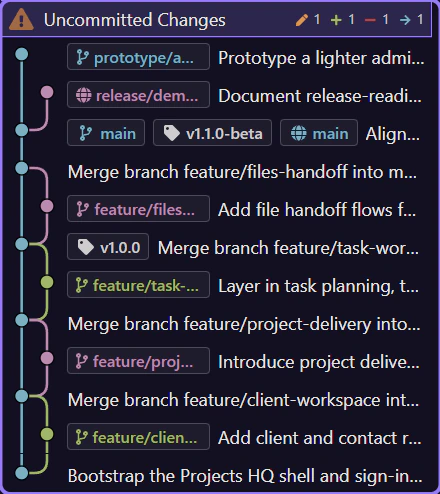
Section titled “The history list mixes now and then on purpose”Read the main list as two adjacent layers. The pinned Uncommitted Changes row answers what is different right now. The commit rows below answer what has already been recorded. In Advanced mode those same commit rows gain graph lines and refs, but the basic interaction stays the same: pick a row, then read the matching detail workspace.
Uncommitted files use a checkbox list, not the same selection model
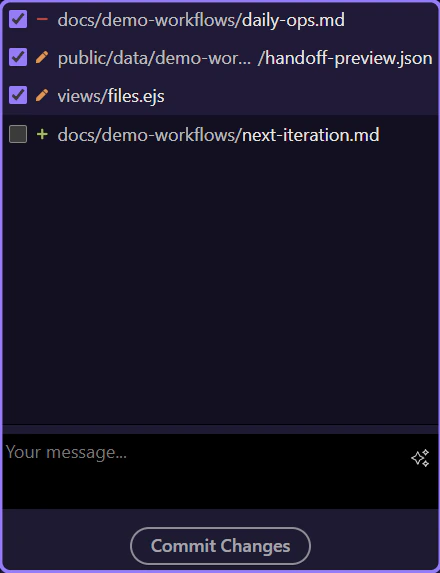
Section titled “Uncommitted files use a checkbox list, not the same selection model”When you select Uncommitted Changes, the lower file list switches to checkbox selection because the job here is staging. That list is built with the new wui-list control as well, but its interaction is intentionally different from the commit history: history rows change the active snapshot, while status rows decide which current files are included in the next commit.
Selection decides which detail workspace opens
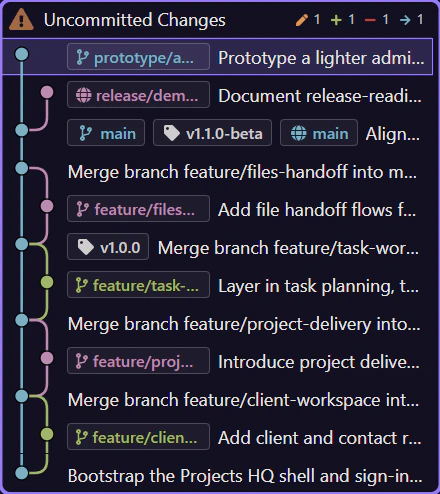
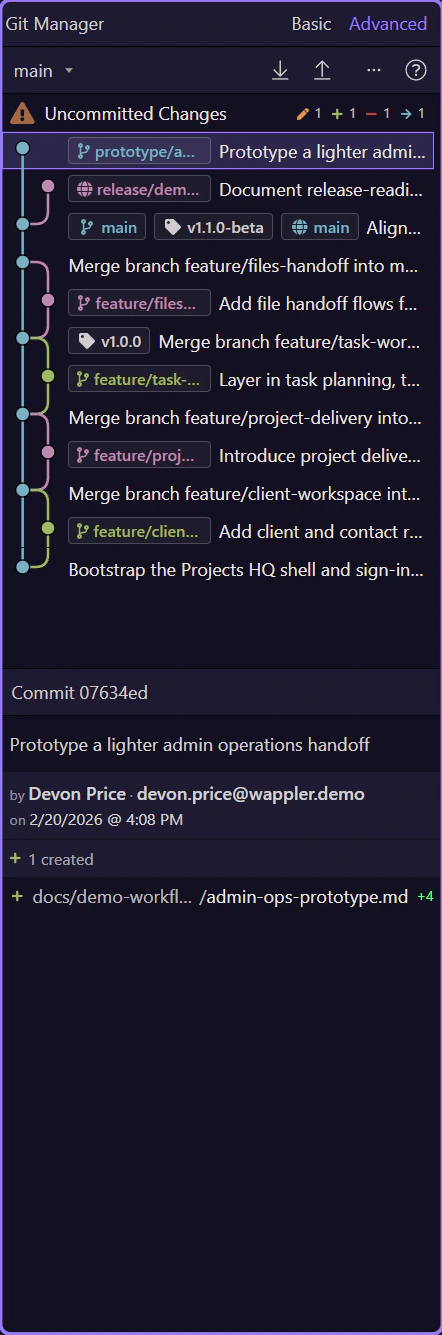
Section titled “Selection decides which detail workspace opens”Selection decides which detail workspace opens. Click Uncommitted Changes and the lower workspace becomes commit preparation: current file list, selection controls, discard actions, and the commit box. Click a specific commit row and the same area switches to inspection: commit message, author, totals, and the committed files shown below. The right-hand surface is meant to change with the row you selected.
The uncommitted preview has its own tools and commit box
Section titled “The uncommitted preview has its own tools and commit box”The uncommitted preview is operational, not historical. Its toolbar is about shaping the next commit with Select All, Select None, and Discard All, and the commit message box is where that reviewed selection becomes a named snapshot. Those controls disappear when you switch to a past commit because history inspection should not look like staging.

Context menus are where the manager becomes powerful
Section titled “Context menus are where the manager becomes powerful”Right-clicking commits, branch refs, tag refs, remote refs, or changed files exposes the actions that would clutter the toolbar: create branch here, create tag here, merge a branch, revert a commit, checkout a file, discard a change, or resolve conflicts. Advanced mode expands that toolbox further with commit checkout and reset.
Selected commits expose a summary strip and a read-only file list
Section titled “Selected commits expose a summary strip and a read-only file list”After you select a real commit, the preview changes from staging to inspection. The summary strip gives quick totals for the selected snapshot, and the committed file list underneath is a read-only wui-list used for diff-oriented inspection instead of checkbox staging. In Advanced mode, file rows also show insertion and deletion counts so the size of the change is visible at a glance.

Special states change the UI instead of hiding the problem
Section titled “Special states change the UI instead of hiding the problem”If a project is not yet a repository, Git Manager shows a Create Repository path instead of an empty list. If a merge is active, the manager disables branch switching and sync until the repository is safe again. The UI deliberately exposes those states so you know which class of action is safe.
Continue with a focused Git task
Section titled “Continue with a focused Git task”Now that you have the full map, the next useful change is to stop thinking about the whole manager at once and switch to the single workflow you actually need. Pick the focused tour that matches the Git task you want to perform next.