Removing Projects
As your Wappler project list grows, you may have the need to remove older projects. Please keep in mind that it is very easy to open a removed project from Wappler should you have the need to work on
As your Wappler project list grows, you may have the need to remove older projects.
Section titled “As your Wappler project list grows, you may have the need to remove older projects.”
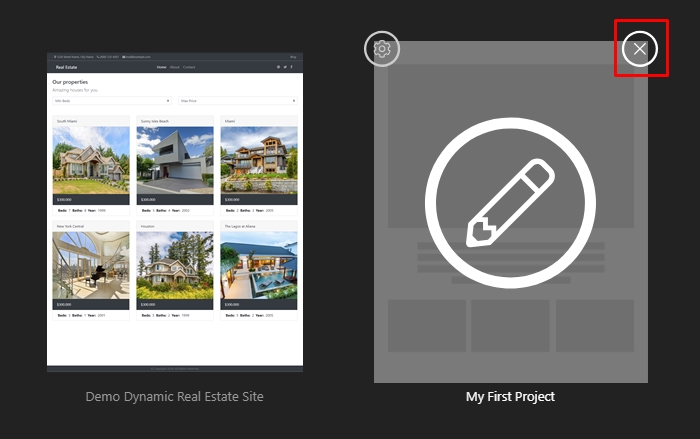
Step 1: You can remove the projects from the Project Manager by clicking the remove button which appears on hover:
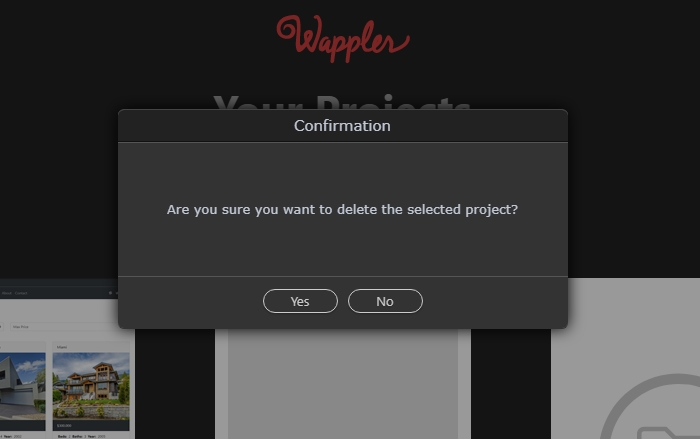
Step 2: A confirmation window will appear, just confirm that you want to remove this project from Wappler:
Section titled “Step 2: A confirmation window will appear, just confirm that you want to remove this project from Wappler:”
Step 2: A confirmation window will appear, just confirm that you want to remove this project from Wappler: