
Using the Publish Manager
Intro The Publish Manager allows you to publish your project - deploy files, database changes and commit to Git in a single step, from the easy to use publishing dialog. Publish Manager Options You ca
The Publish Manager allows you to publish your project - deploy files, database changes and commit to Git in a single step, from the easy to use publishing dialog.
Publish Manager Options
Section titled “Publish Manager Options”You can find the Publish Manager at the bottom panel of Wappler UI:
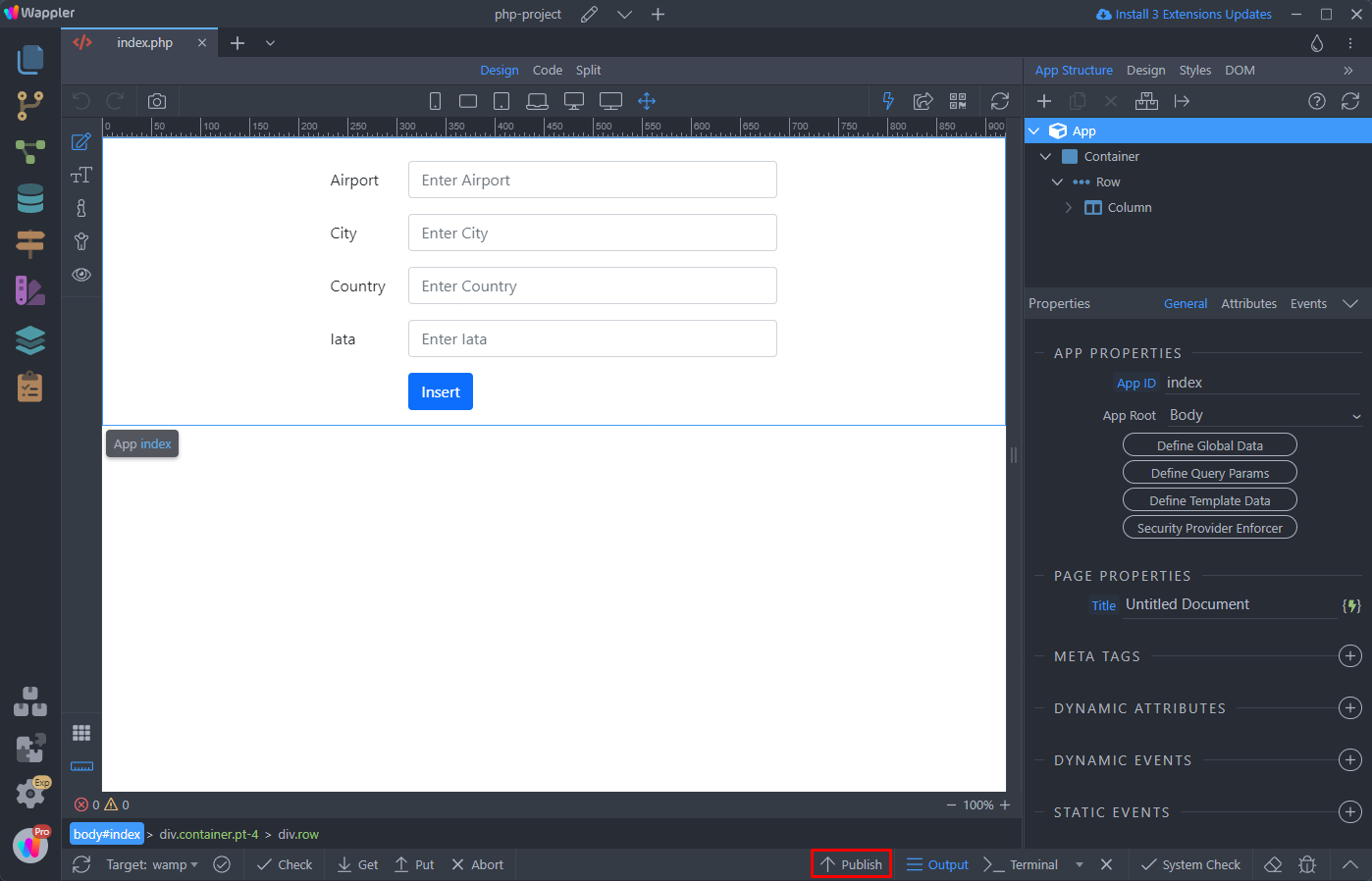
Clicking the Publish button will open the Publish Manager dialog:
Section titled “Clicking the Publish button will open the Publish Manager dialog:”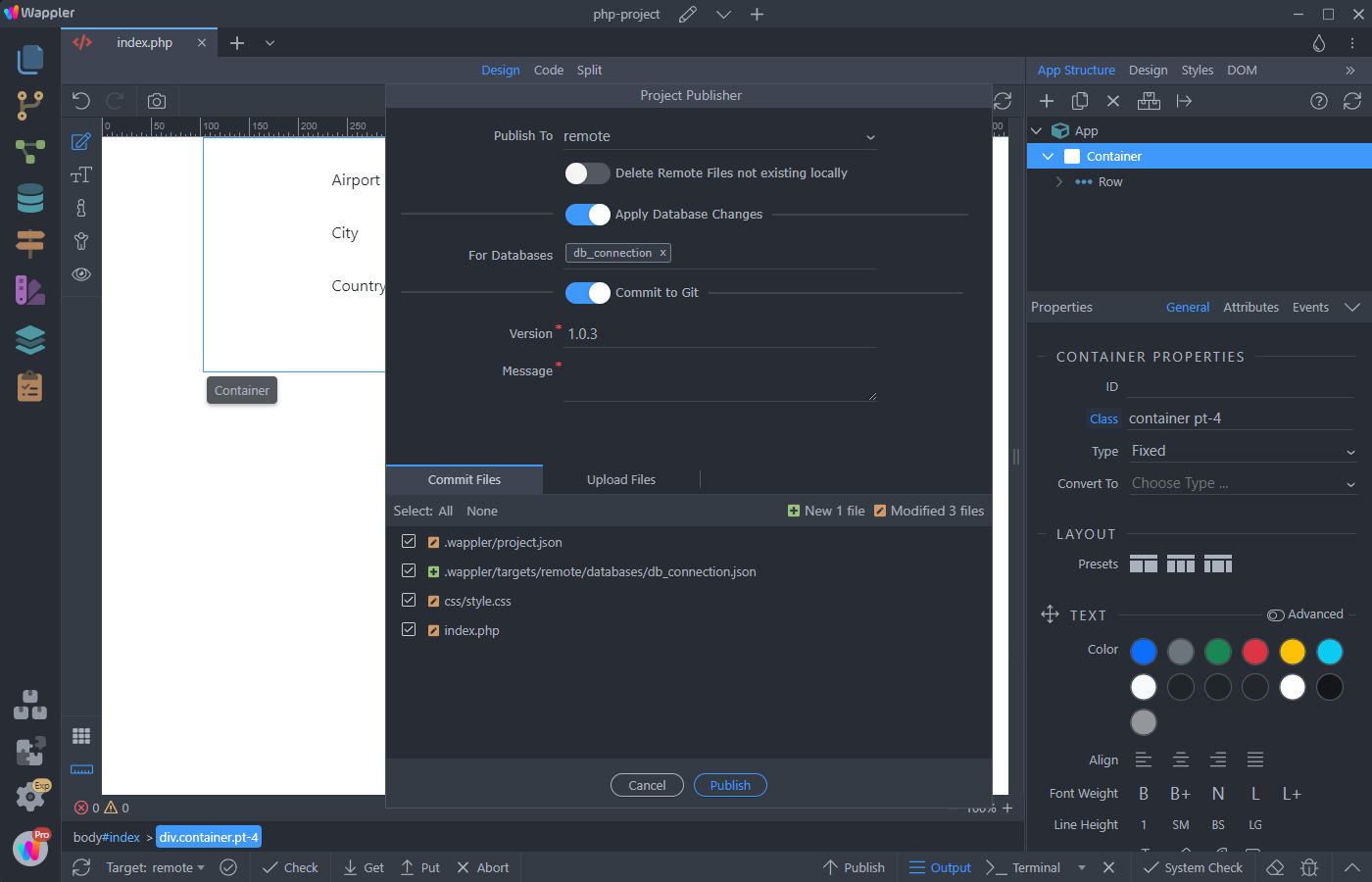
First, select the target you want to publish your project to:
Section titled “First, select the target you want to publish your project to:”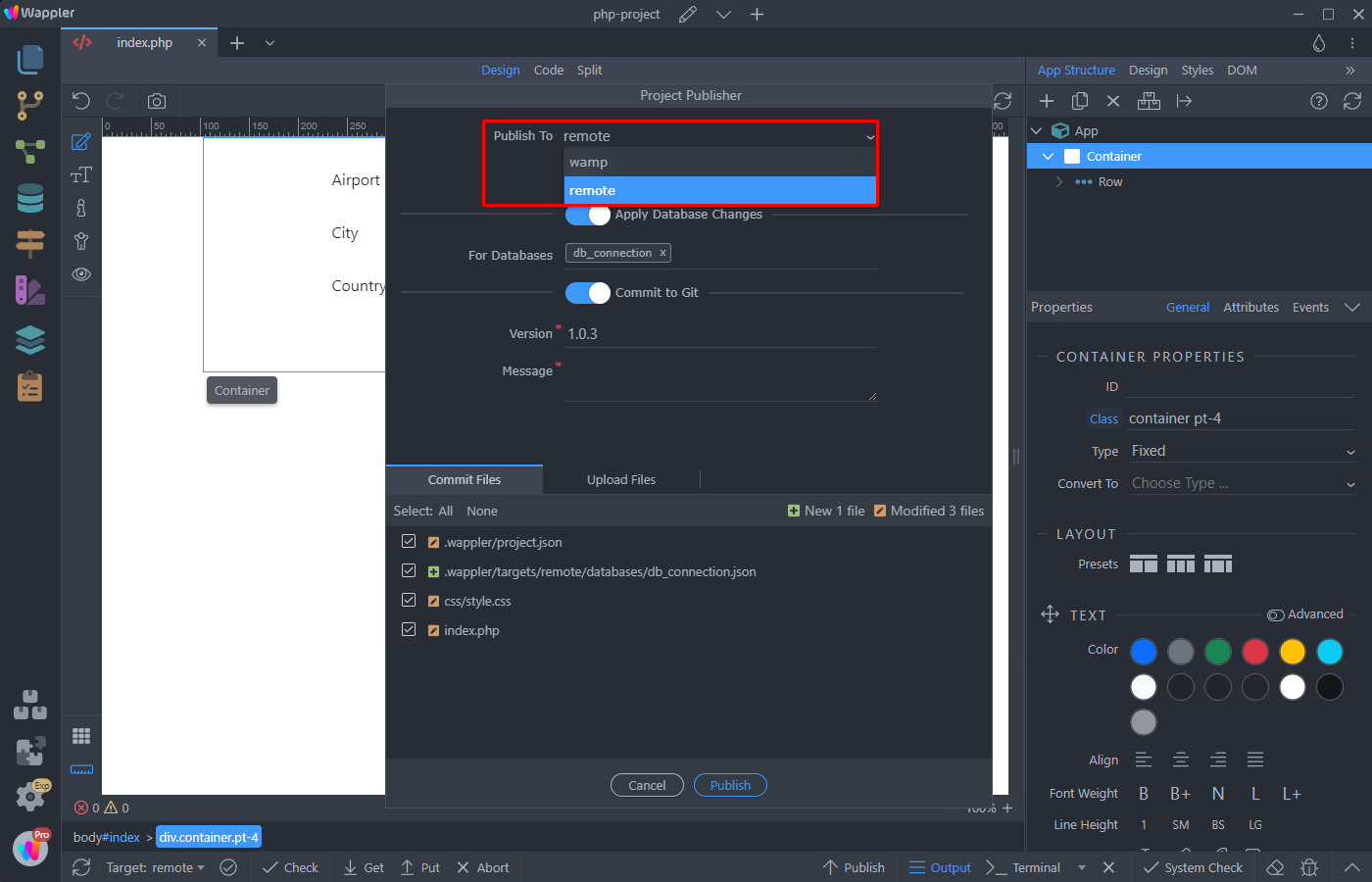
Step 6
Section titled “Step 6”Then you can choose to delete the files from remote server, that don't exist on your local target.
Note, that this option is only available for targets, using FTP connection:
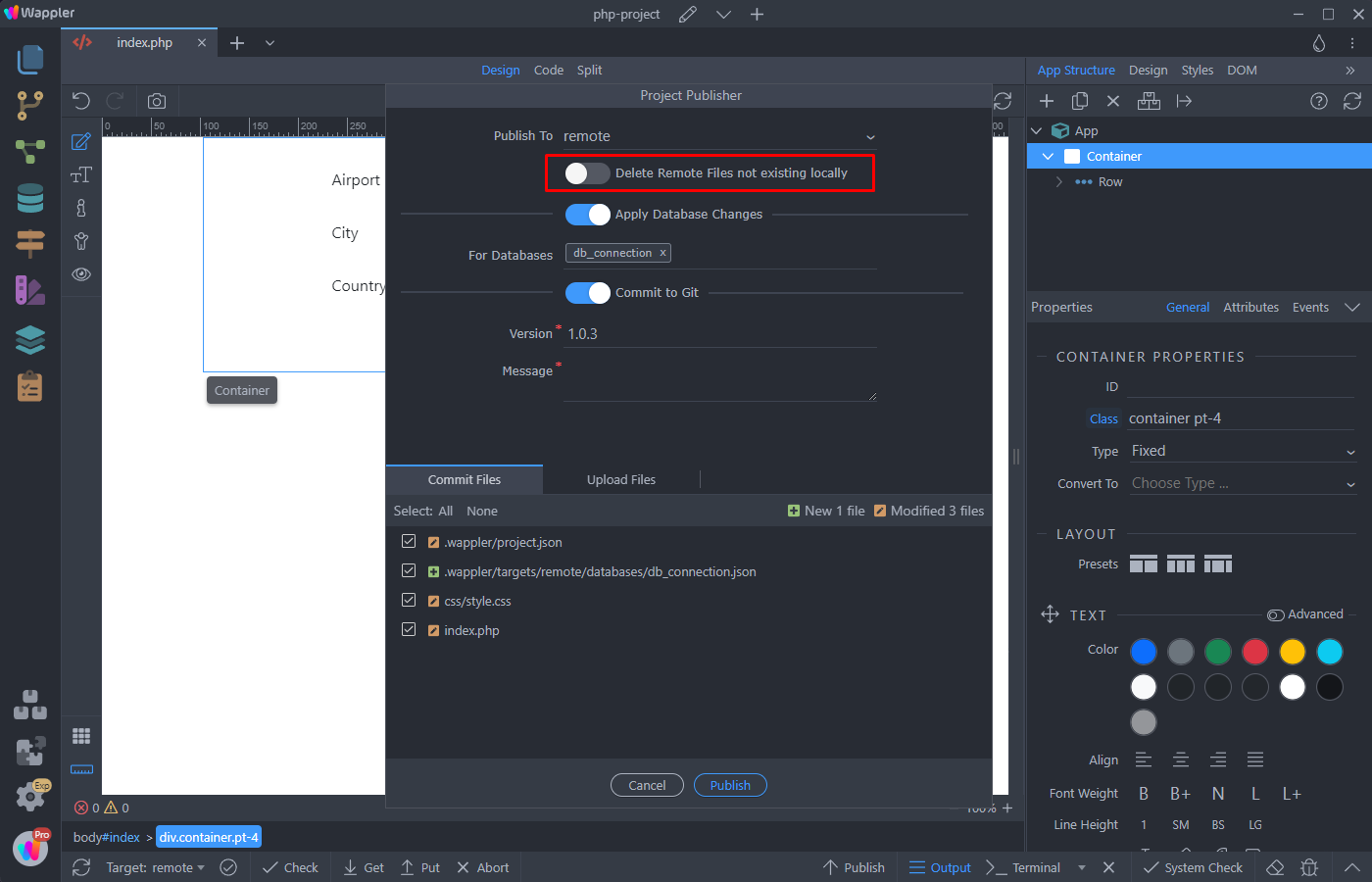
Step 7
Section titled “Step 7”You can apply any database changes directly to the selected target. Just select the database connection you want to apply changes to:
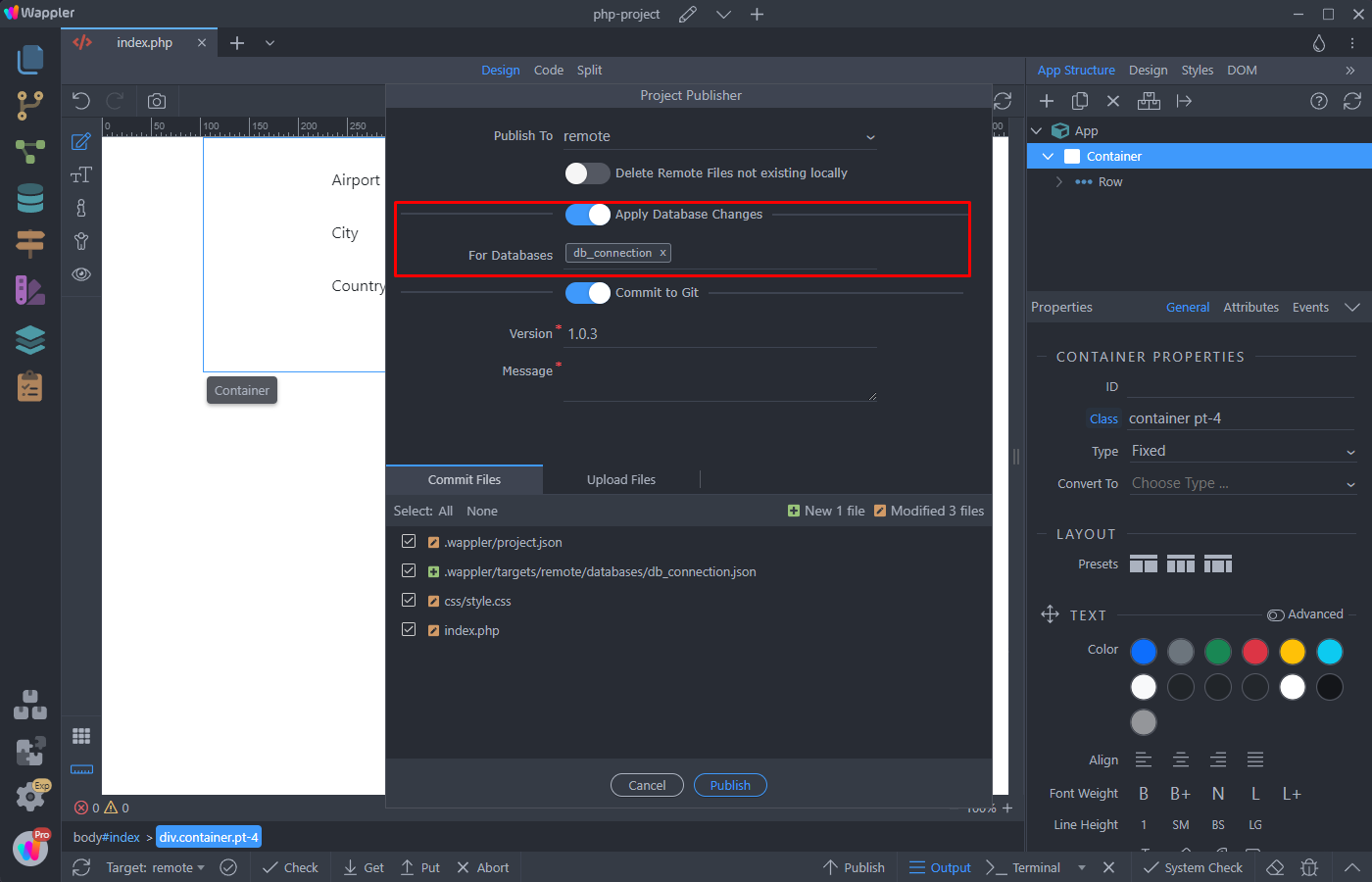
If you are using Git, then you can add a version, message and commit to the active Git branch:
Section titled “If you are using Git, then you can add a version, message and commit to the active Git branch:”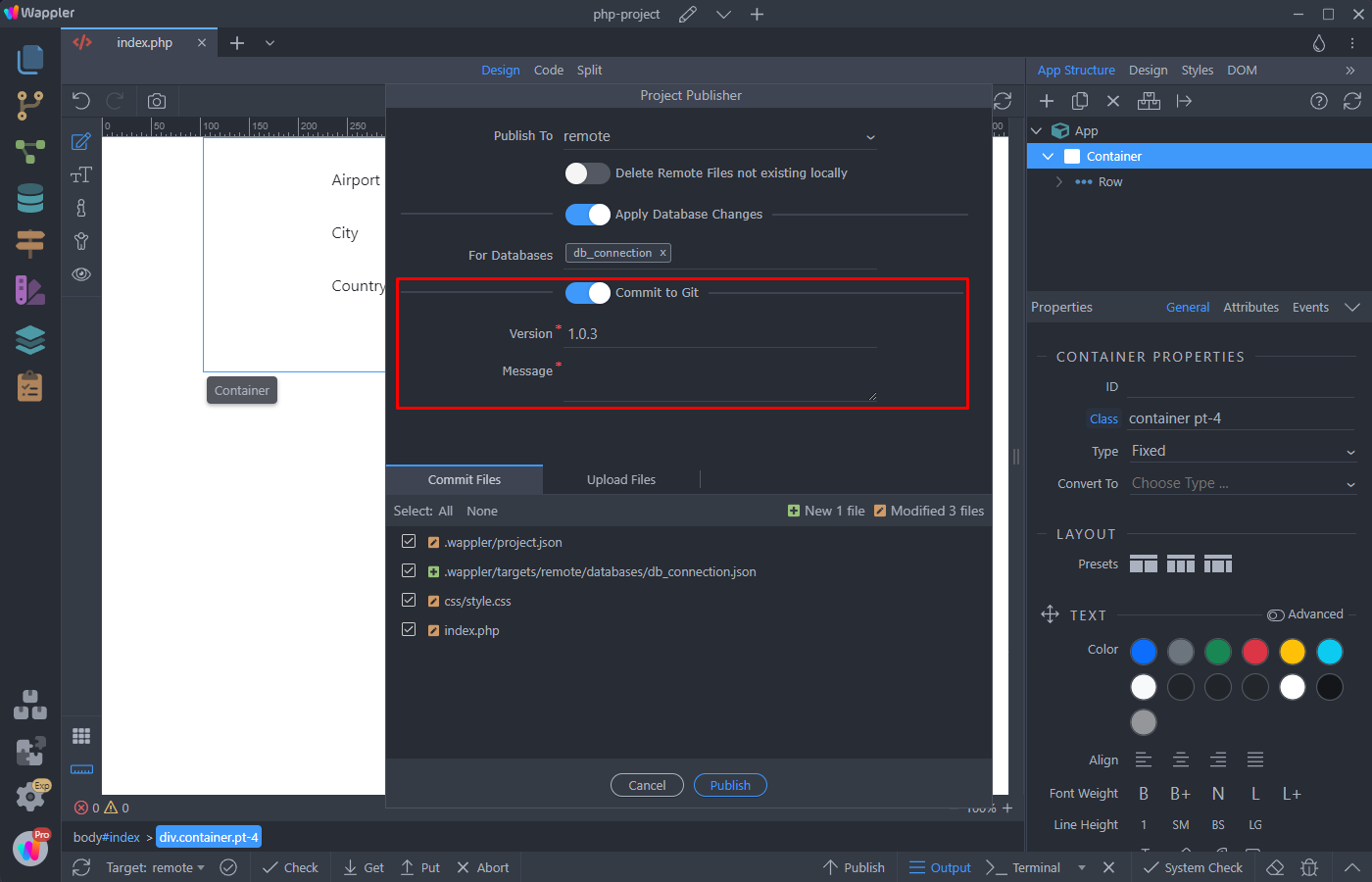
You can select which files to commit, just as in the Git Manager:
Section titled “You can select which files to commit, just as in the Git Manager:”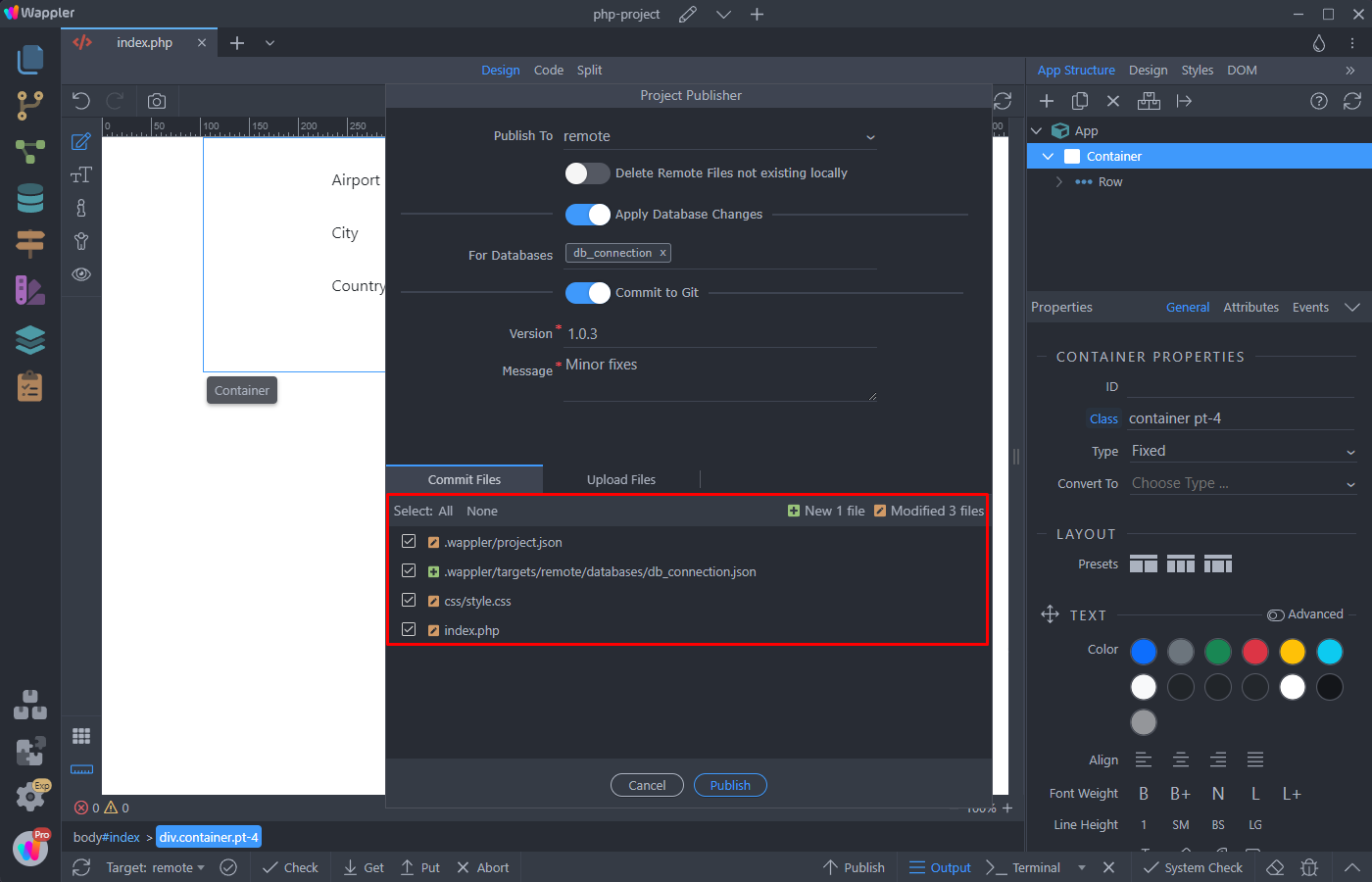
When using FTP, you can also select which files to upload:
Section titled “When using FTP, you can also select which files to upload:”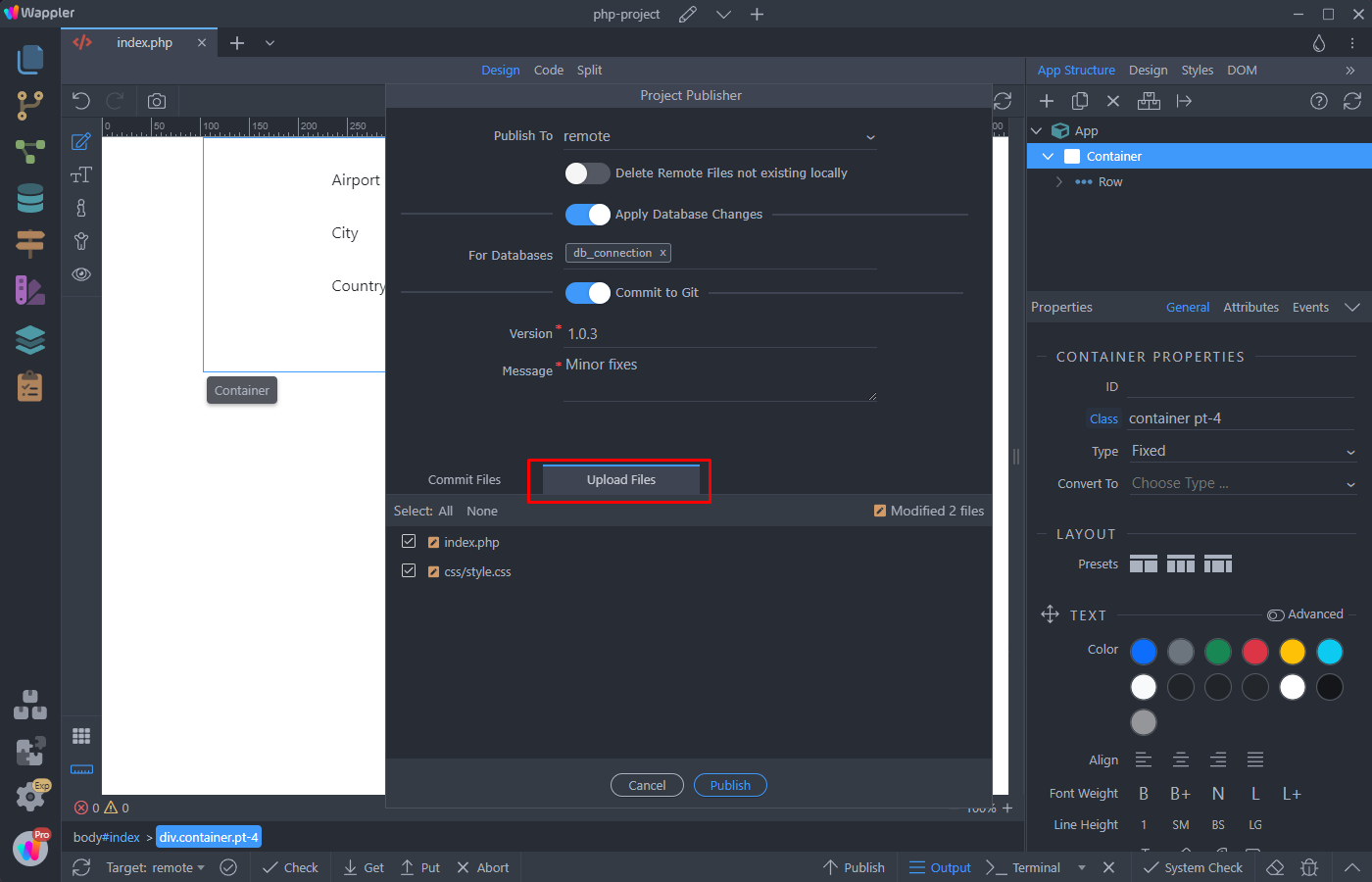
Click the Publish button in order to publish your project to the selected target:
Section titled “Click the Publish button in order to publish your project to the selected target:”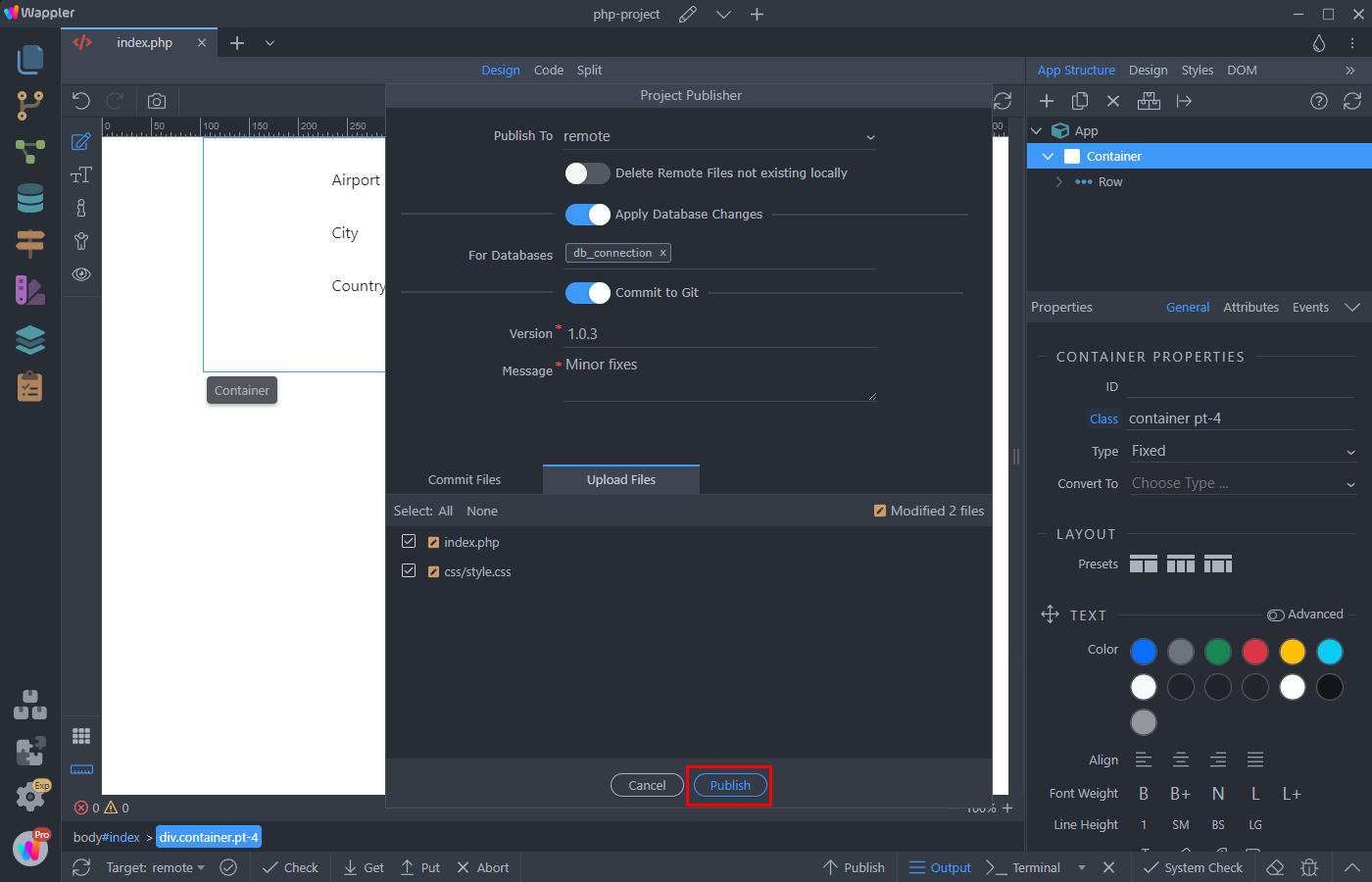
You can see the progress:
Section titled “You can see the progress:”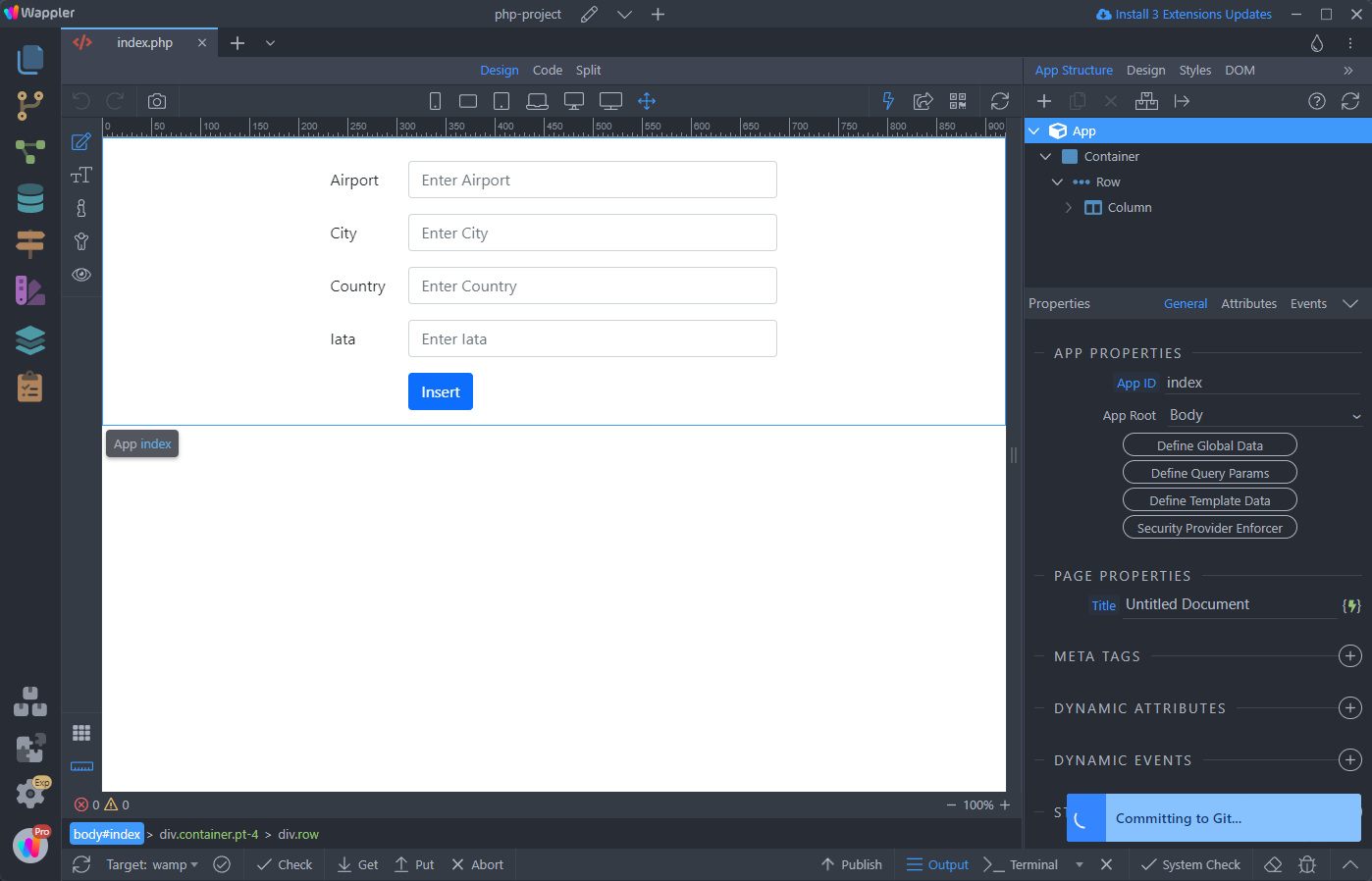
And you can find more detailed information about the publishing process in the bottom panel:
Section titled “And you can find more detailed information about the publishing process in the bottom panel:”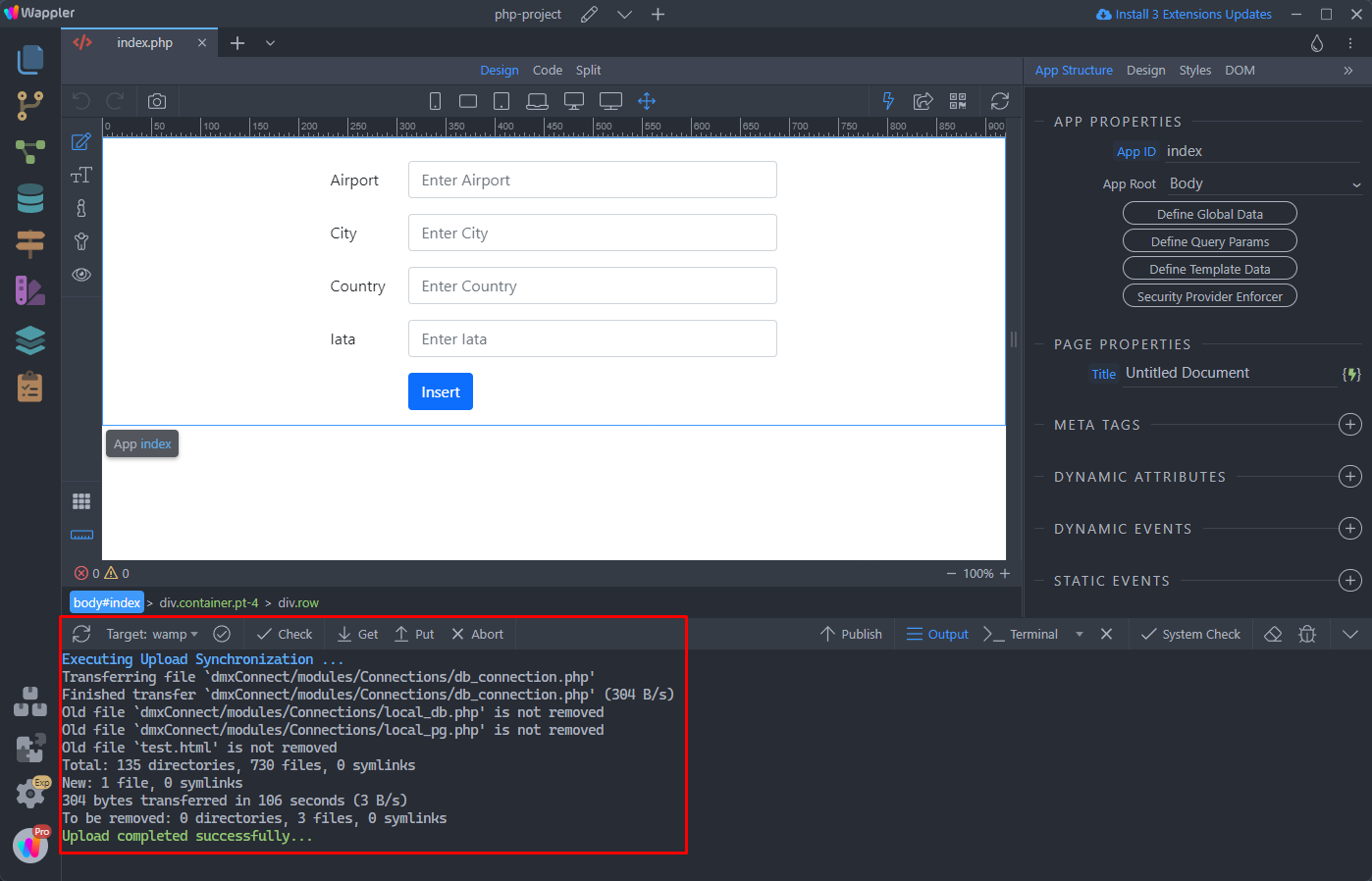
Step 14
Section titled “Step 14”That's how easy it is to use the Publish Manager in Wappler. Please let us know what do you think about a publish workflow like this.