
Manage SSH Keys with Resource Manager
Manage SSH keys, authorization, and SSH agent workflow in Resource Manager so deployment targets are reachable before publish.
Introduction
Section titled “Introduction”Use this tour when the hosting workflow is blocked less by server creation and more by access. The goal is to connect Resource Manager’s SSH key resources, authorization flow, and agent actions so the infrastructure path is reachable before publish or maintenance work begins.
SSH keys are part of the resource story
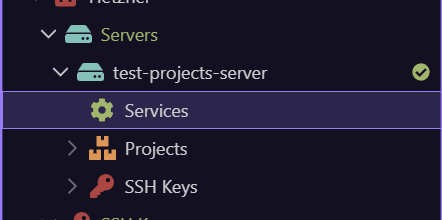
Section titled “SSH keys are part of the resource story”SSH keys are not just a local machine concern. In Resource Manager they sit alongside provider and server resources because access control is part of the same deployment path as the infrastructure itself.
Prepare the local key and agent state
Section titled “Prepare the local key and agent state”The Add New Key, Start SSH Agent, Stop SSH Agent, and Add To SSH Agent actions are about making sure the local side of the deployment path is ready. If the key is not available to the agent when it should be, later server actions and deployment work become fragile or manual.
Authorize and revoke keys at the server edge
Section titled “Authorize and revoke keys at the server edge”The Authorize SSH Key and Revoke SSH Key actions are the provider or server-side side of the same access story. They control whether the server trusts the key you prepared locally, which is why SSH key work belongs inside the operational Resource Manager flow rather than outside it.
Do this before publish and maintenance, not during
Section titled “Do this before publish and maintenance, not during”The main practical rule is sequencing. Resolve SSH access before the first serious publish, first server maintenance task, or first troubleshooting session. That keeps deployment work focused on the app and infrastructure state instead of collapsing into avoidable access fixes.
Next steps
Section titled “Next steps”Return to the Resource Manager hub when you are ready for the next panel subject. That keeps the Resource Manager access path sequential and avoids bouncing through unrelated follow-up tours.