Scheduling Actions with NodeJS
The Schedule options allow you to create actions that run at scheduled times. The scheduled actions run without the need of your page to be loaded in your browser. This is useful if you want to run da
The Schedule options allow you to create actions that run at scheduled times. The scheduled actions run without the need of your page to be loaded in your browser. This is useful if you want to run daily or hourly tasks. In our example we will show you how to clear the contents of a folder every day.
This option is only available for NodeJS projects.
Creating a Scheduled Action
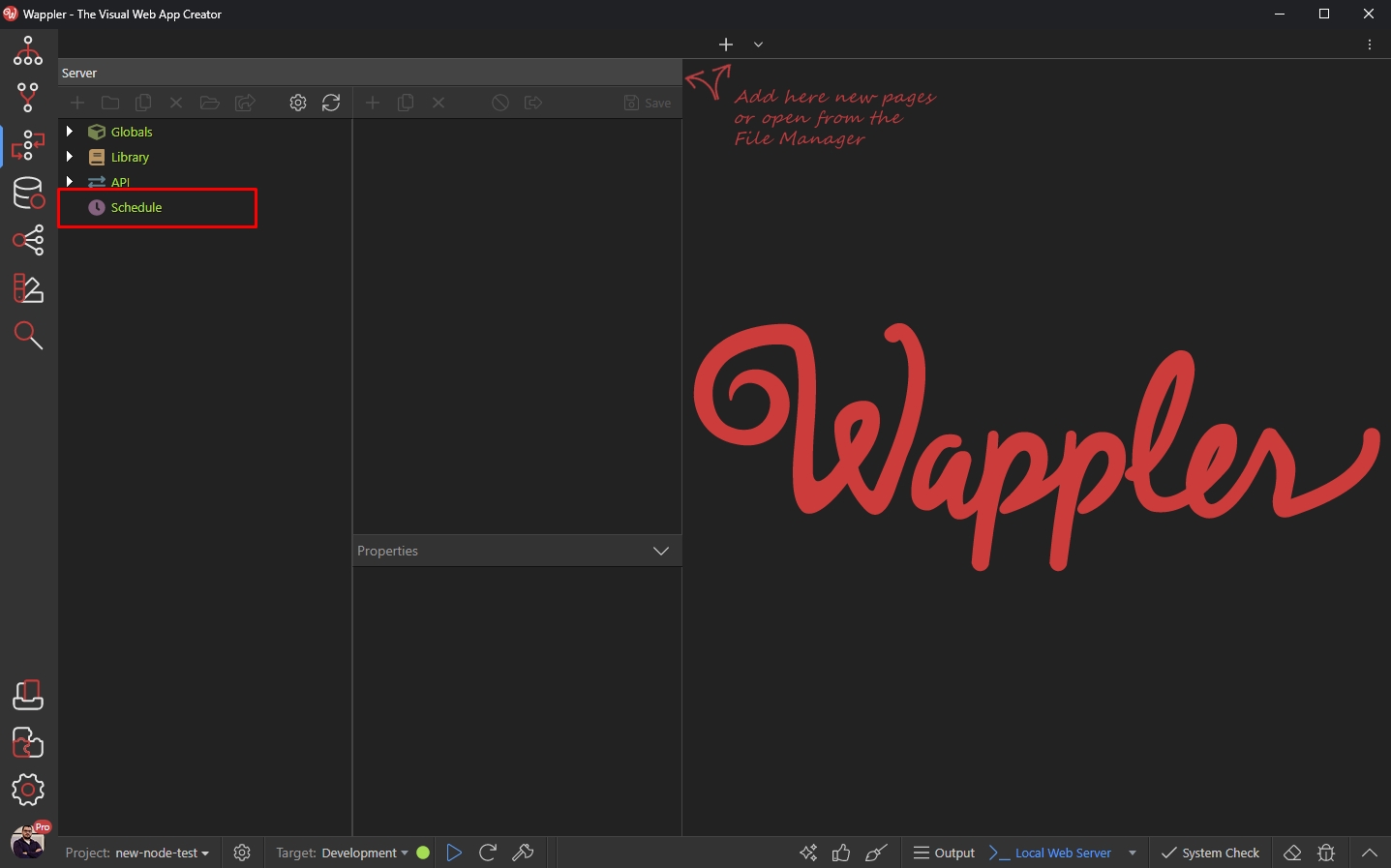
Section titled “Creating a Scheduled Action”First, right click Schedule in Server Connect panel:
And add a Scheduled Action:
Section titled “And add a Scheduled Action:”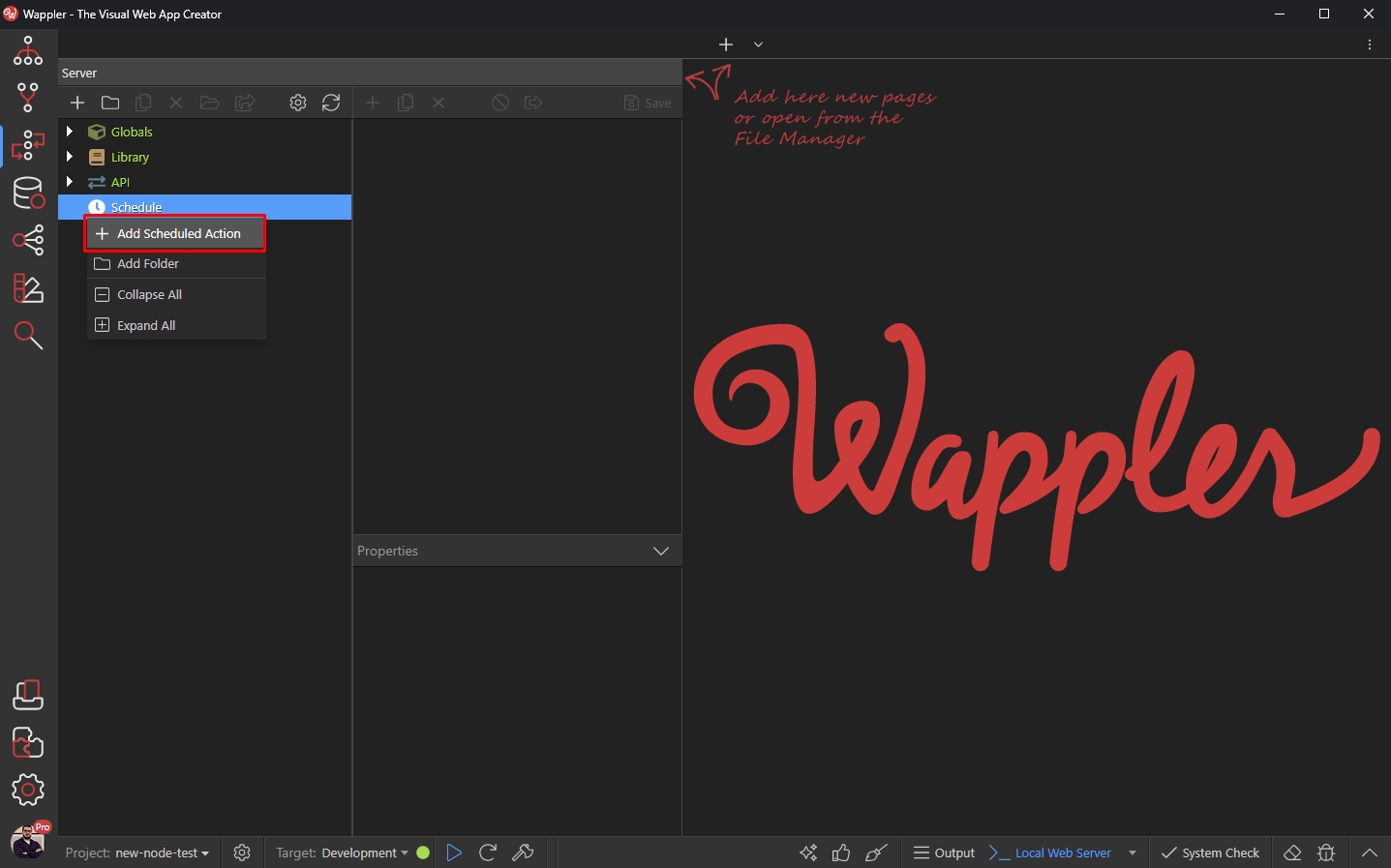
Add a name for you scheduled action:
Section titled “Add a name for you scheduled action:”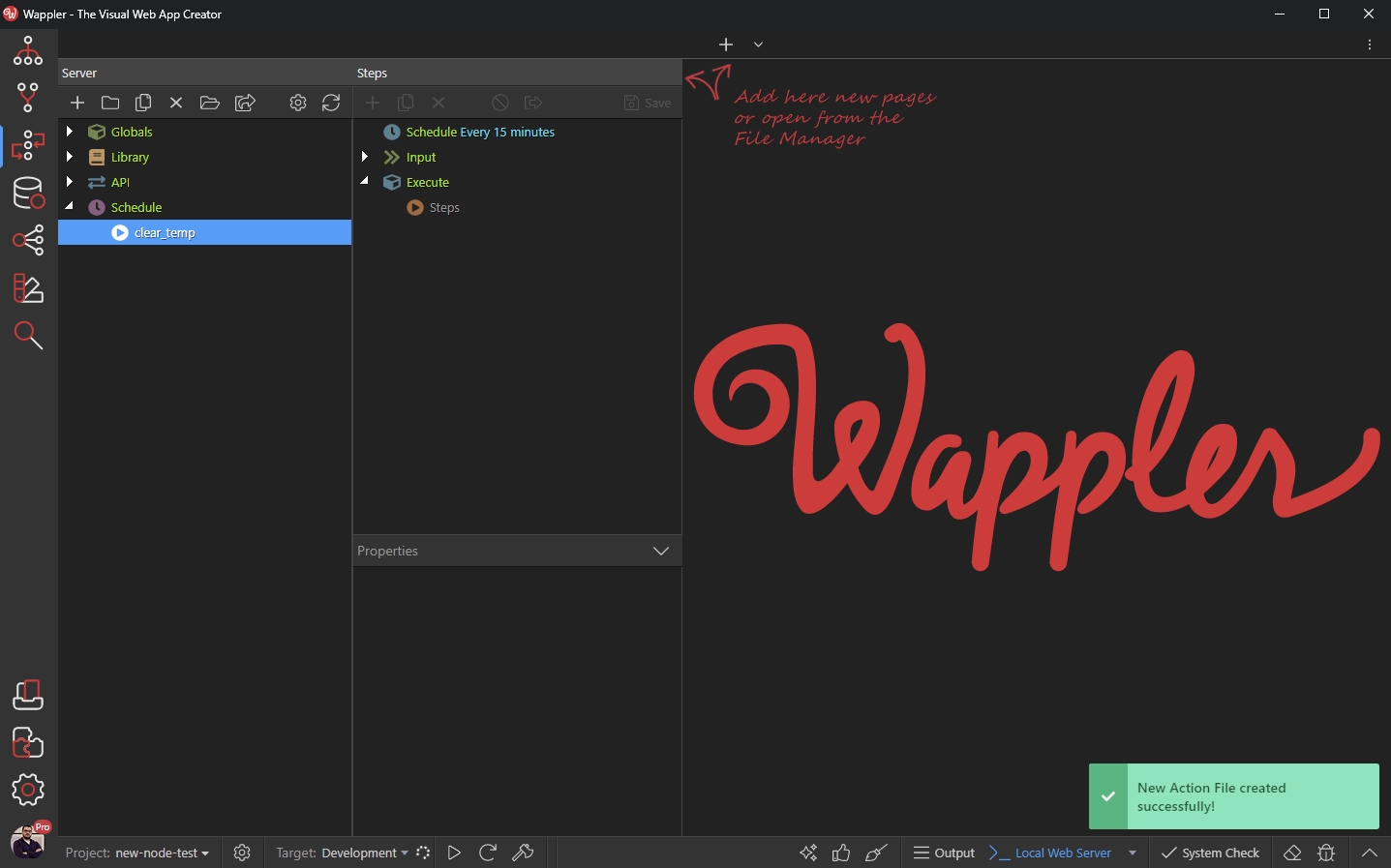
Adding Steps to the Scheduled Action
Section titled “Adding Steps to the Scheduled Action”Then we need to add the steps which should be executed. Right click steps:
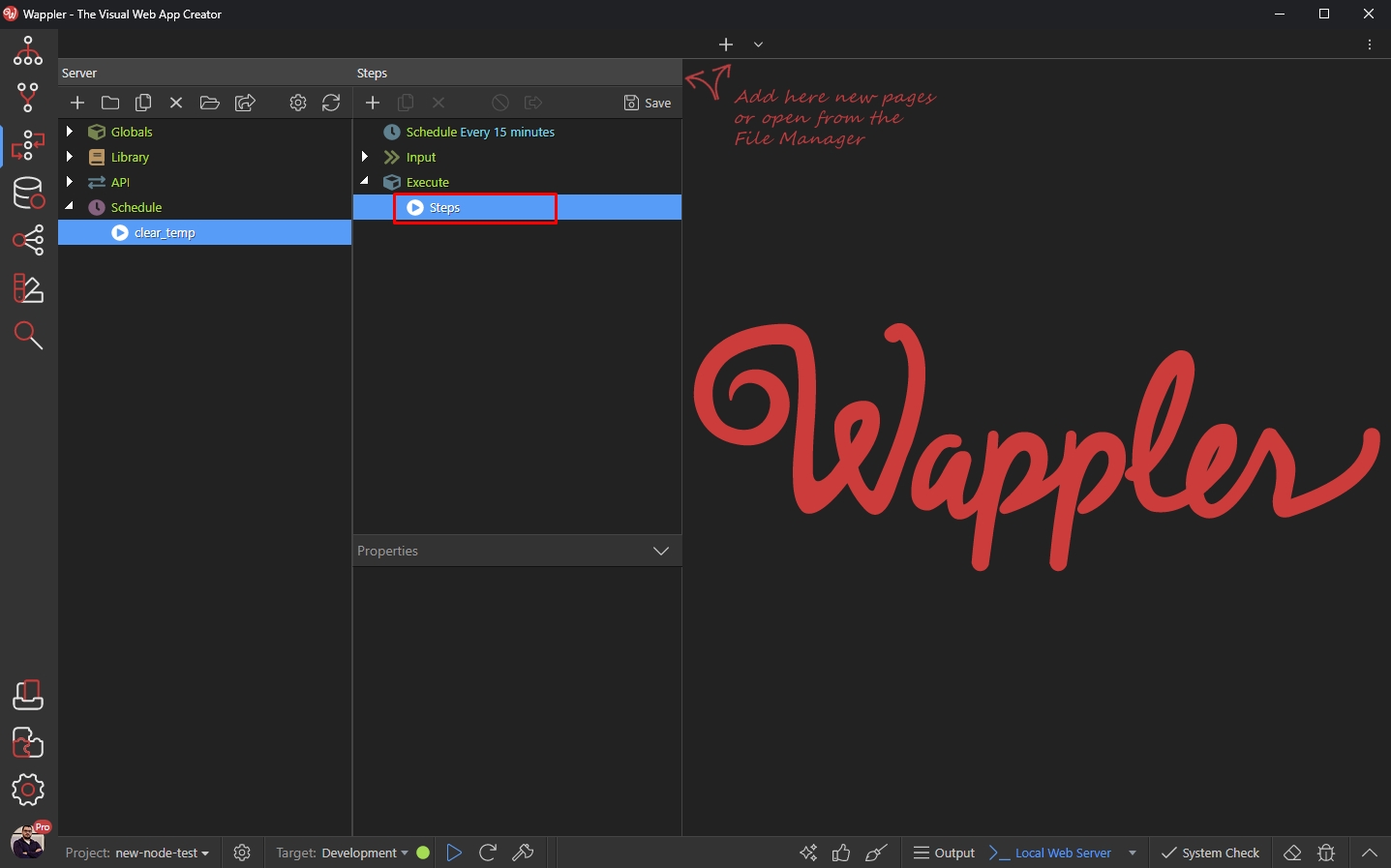
Under File Management we select Empty Folder:
Section titled “Under File Management we select Empty Folder:”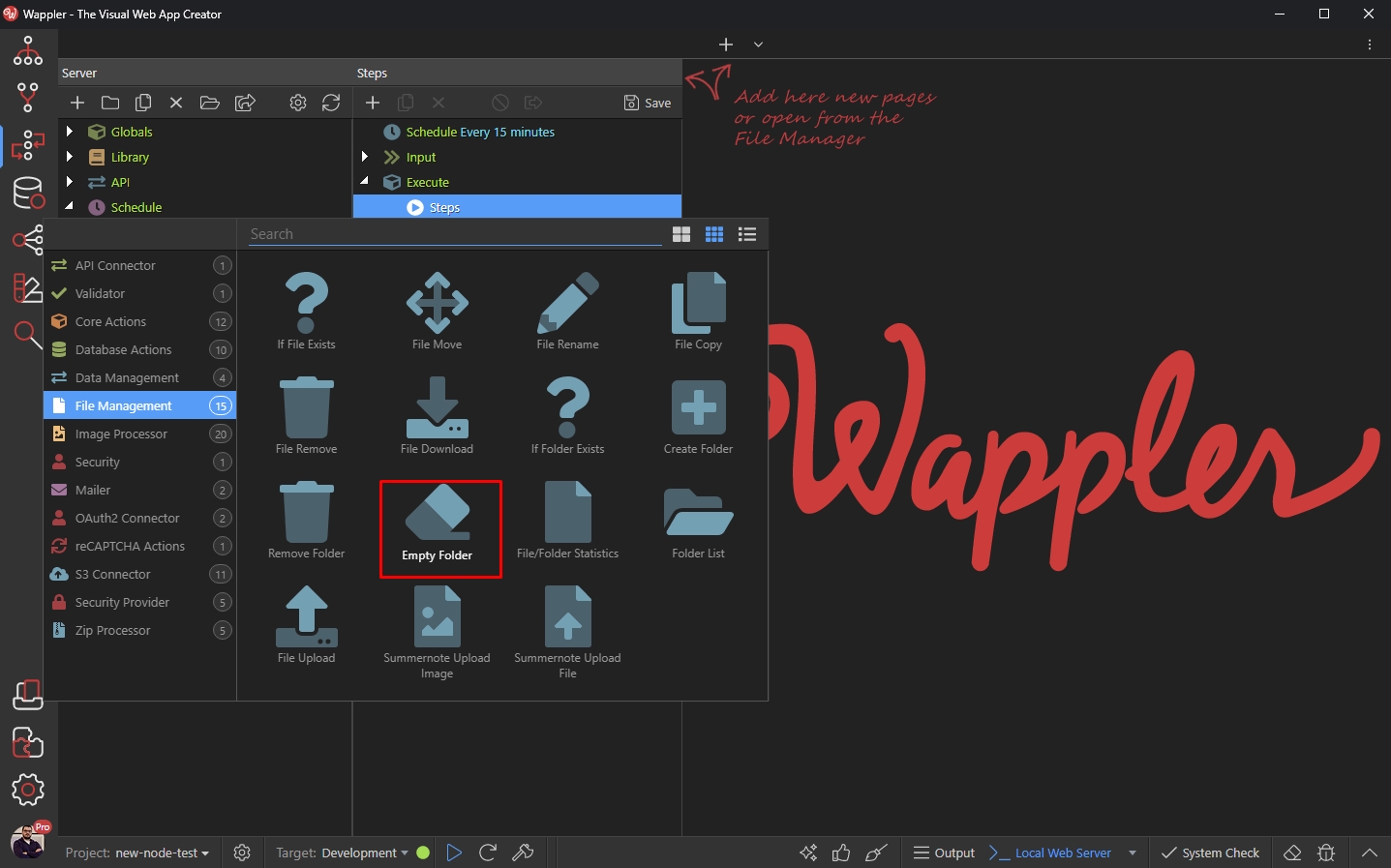
Select the folder which contents you want to clear:
Section titled “Select the folder which contents you want to clear:”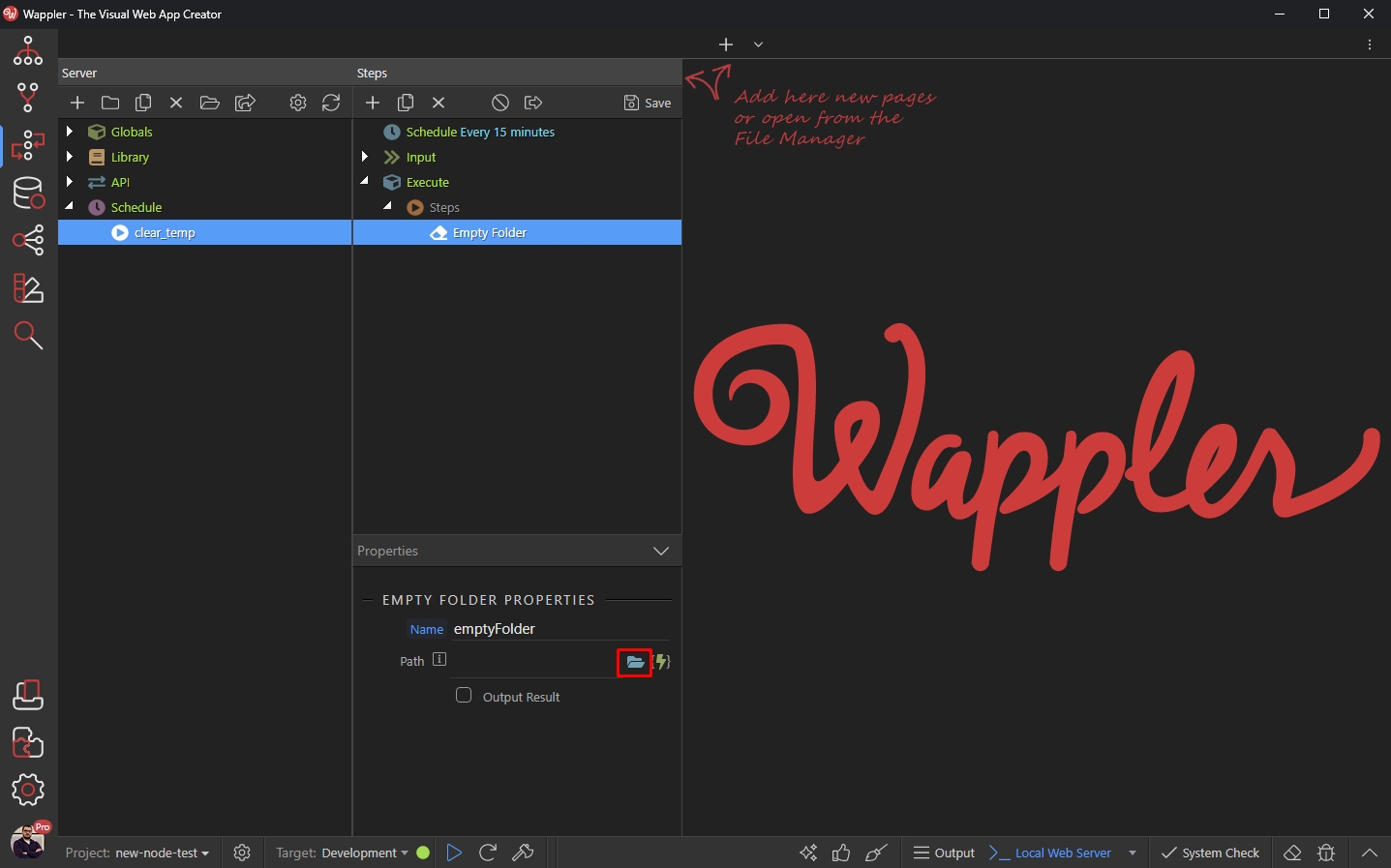
Browse to the folder and click Select:
Section titled “Browse to the folder and click Select:”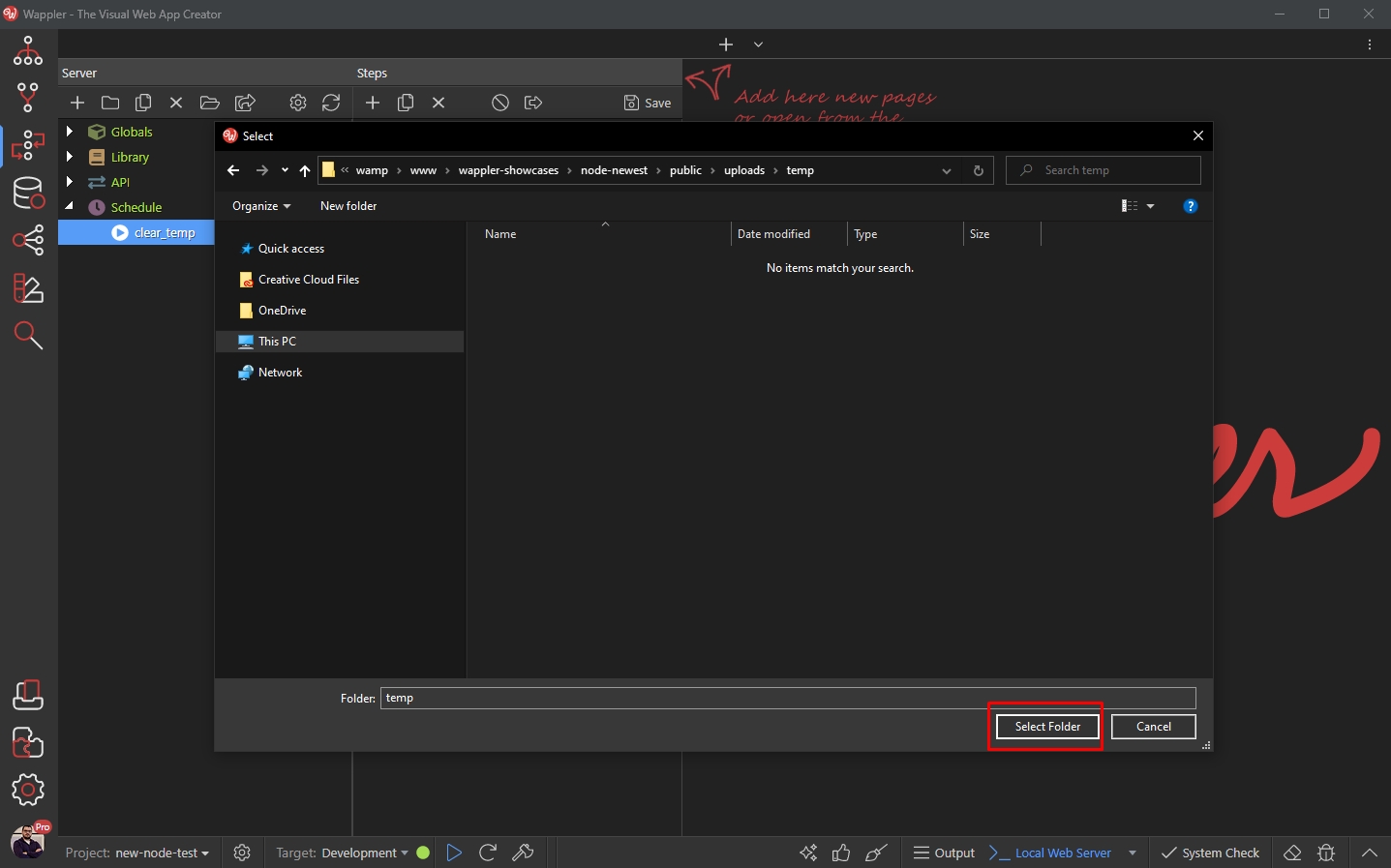
Set up Schedule
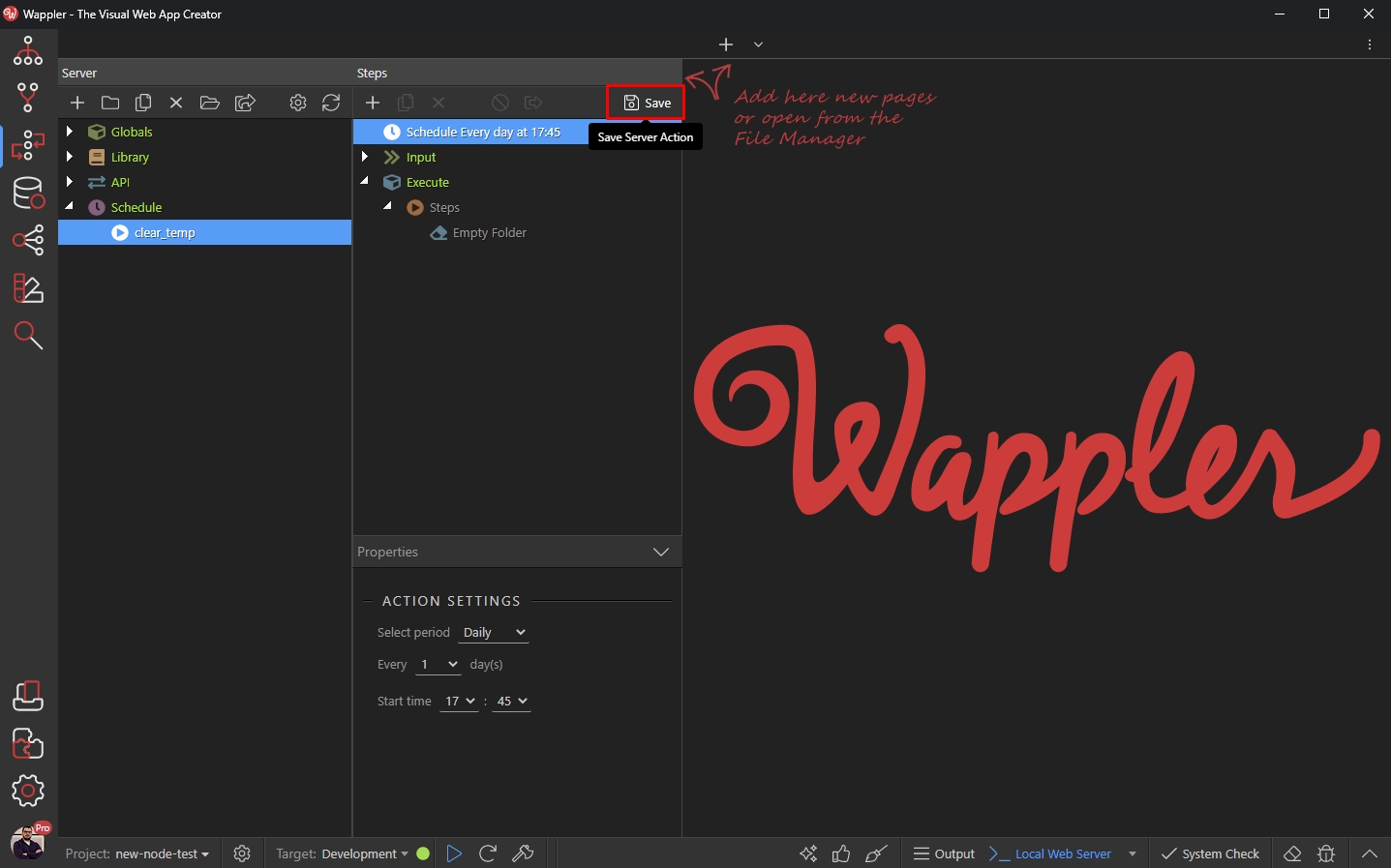
Section titled “Set up Schedule”Now, after we’ve set up the steps to be executed, we need to setup the schedule for this action.
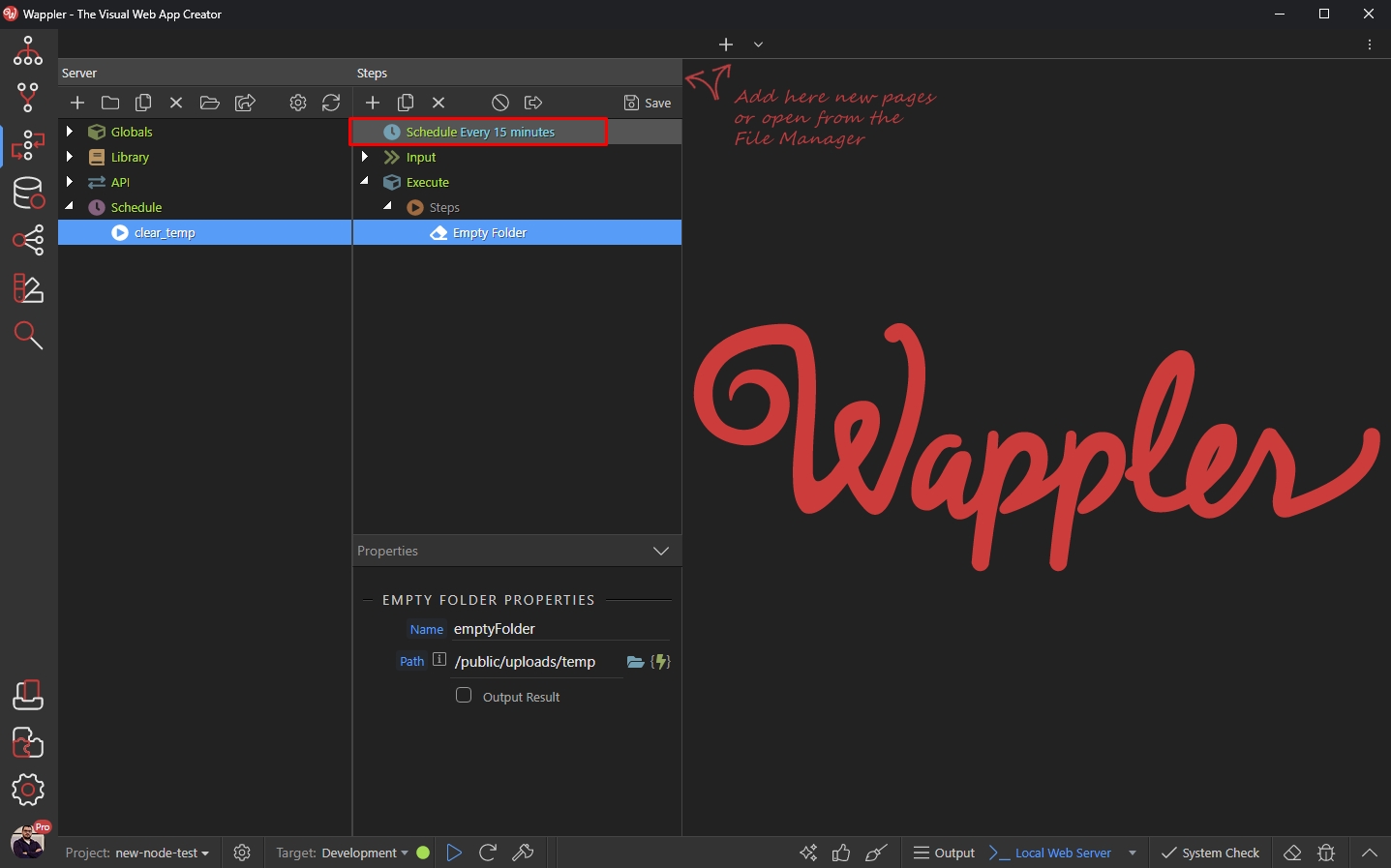
Click Schedule:
Step 13
Section titled “Step 13”The default Schedule Settings are set to Every 15 minutes. We’d like to set a different period - every day. Open the period menu:
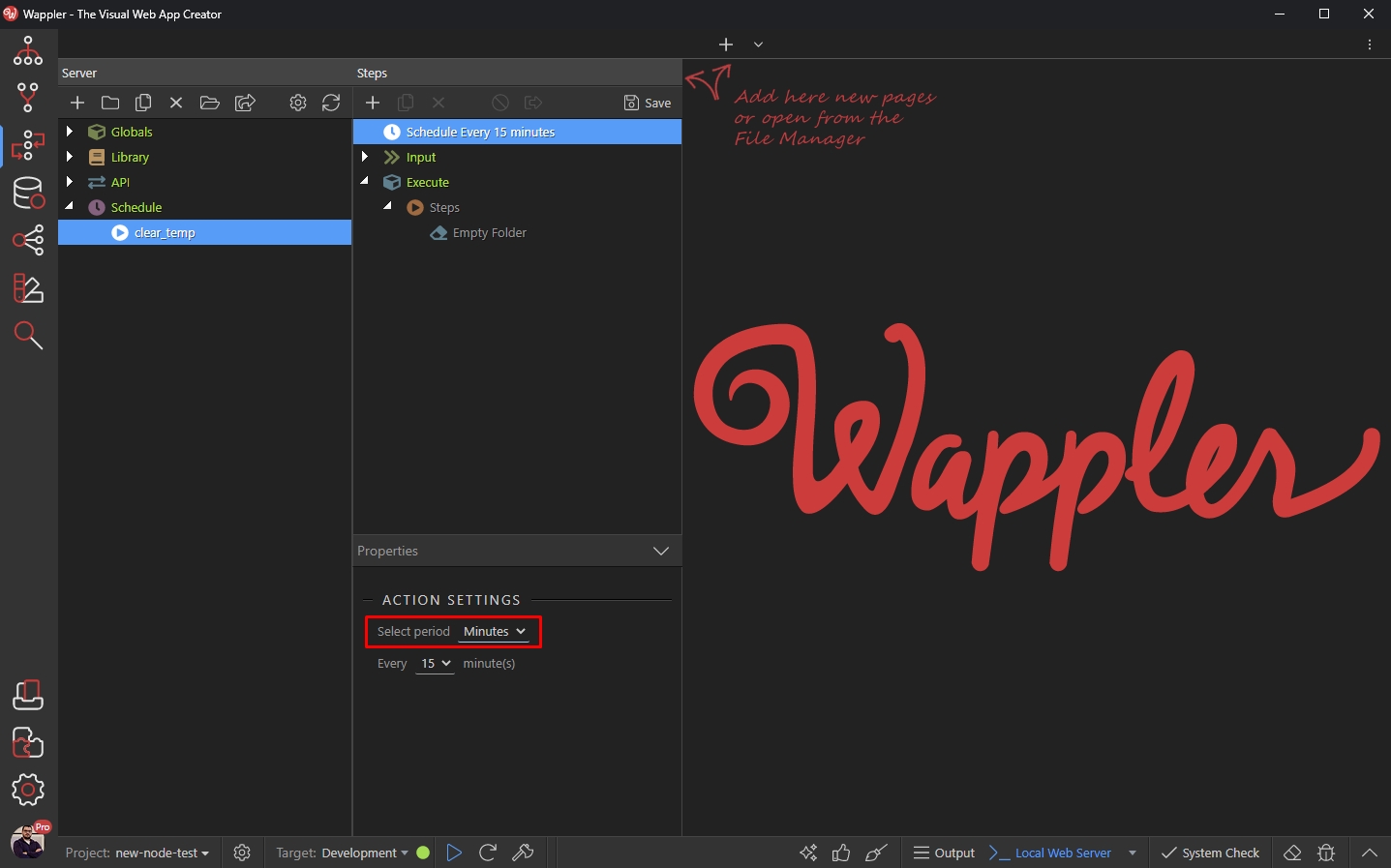
And select Daily:
Section titled “And select Daily:”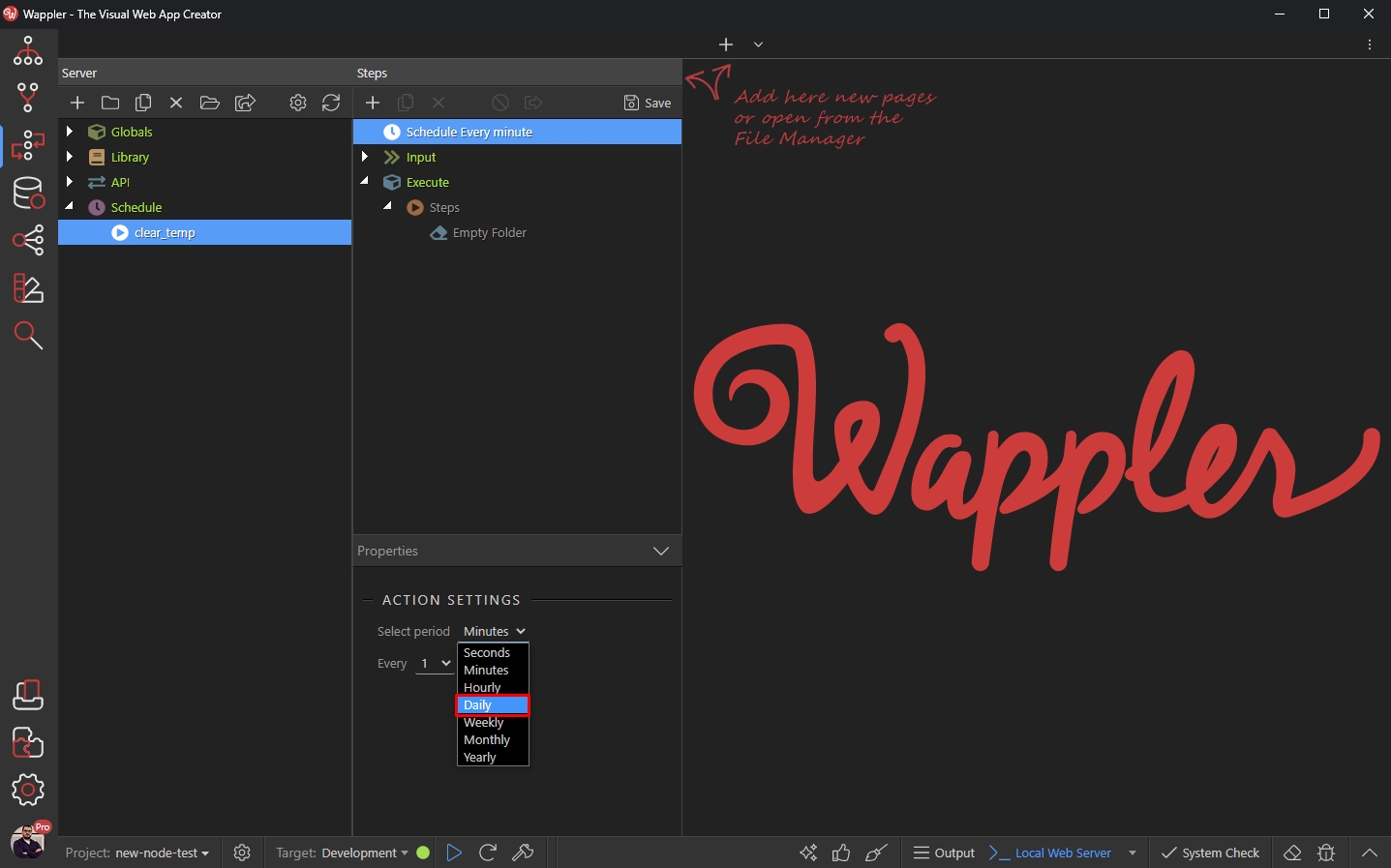
Select the interval - we set this to every 1 day. You can change this according to your needs:
Section titled “Select the interval - we set this to every 1 day. You can change this according to your needs:”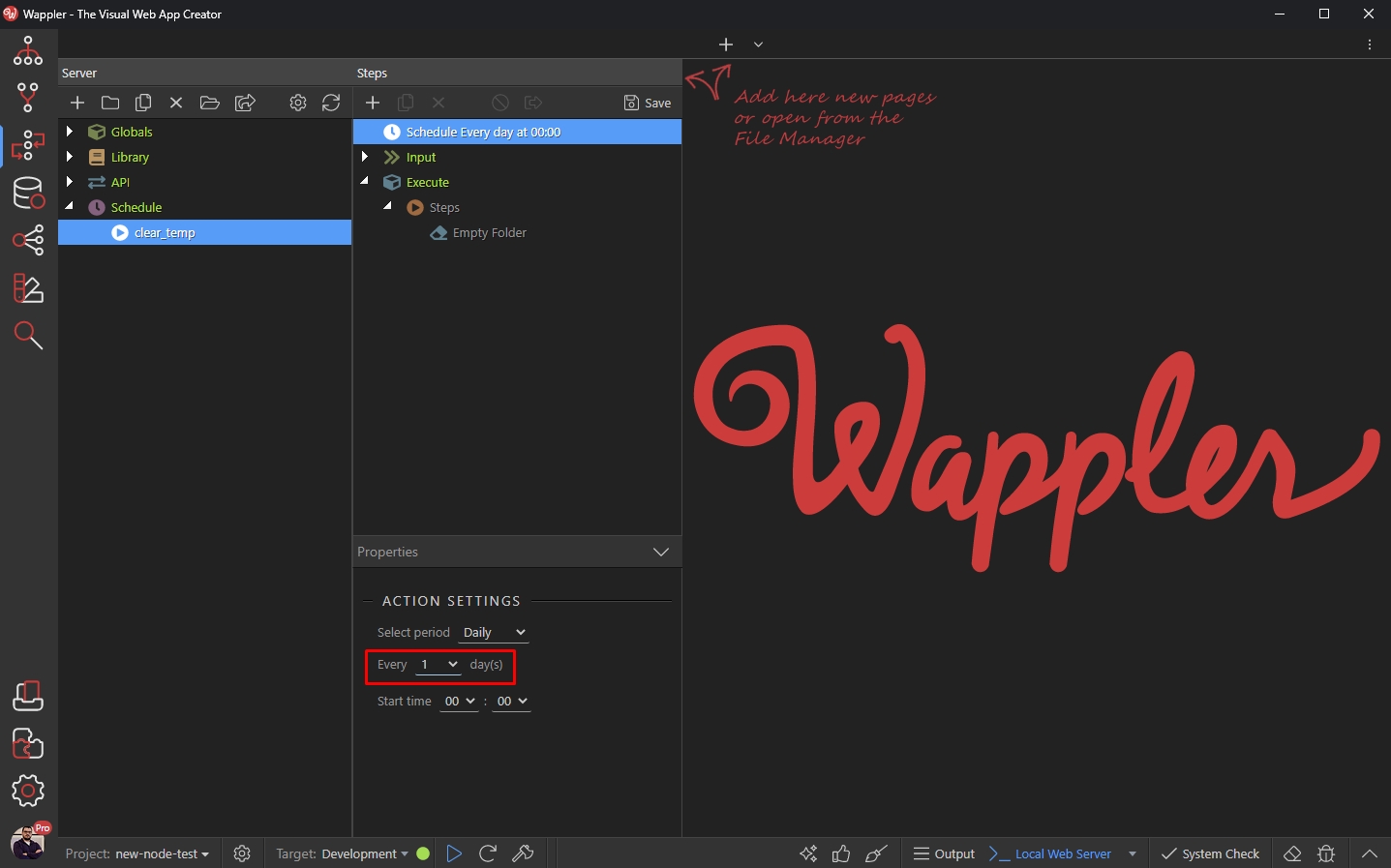
And then we set the time, when the action should be executed every day:
Section titled “And then we set the time, when the action should be executed every day:”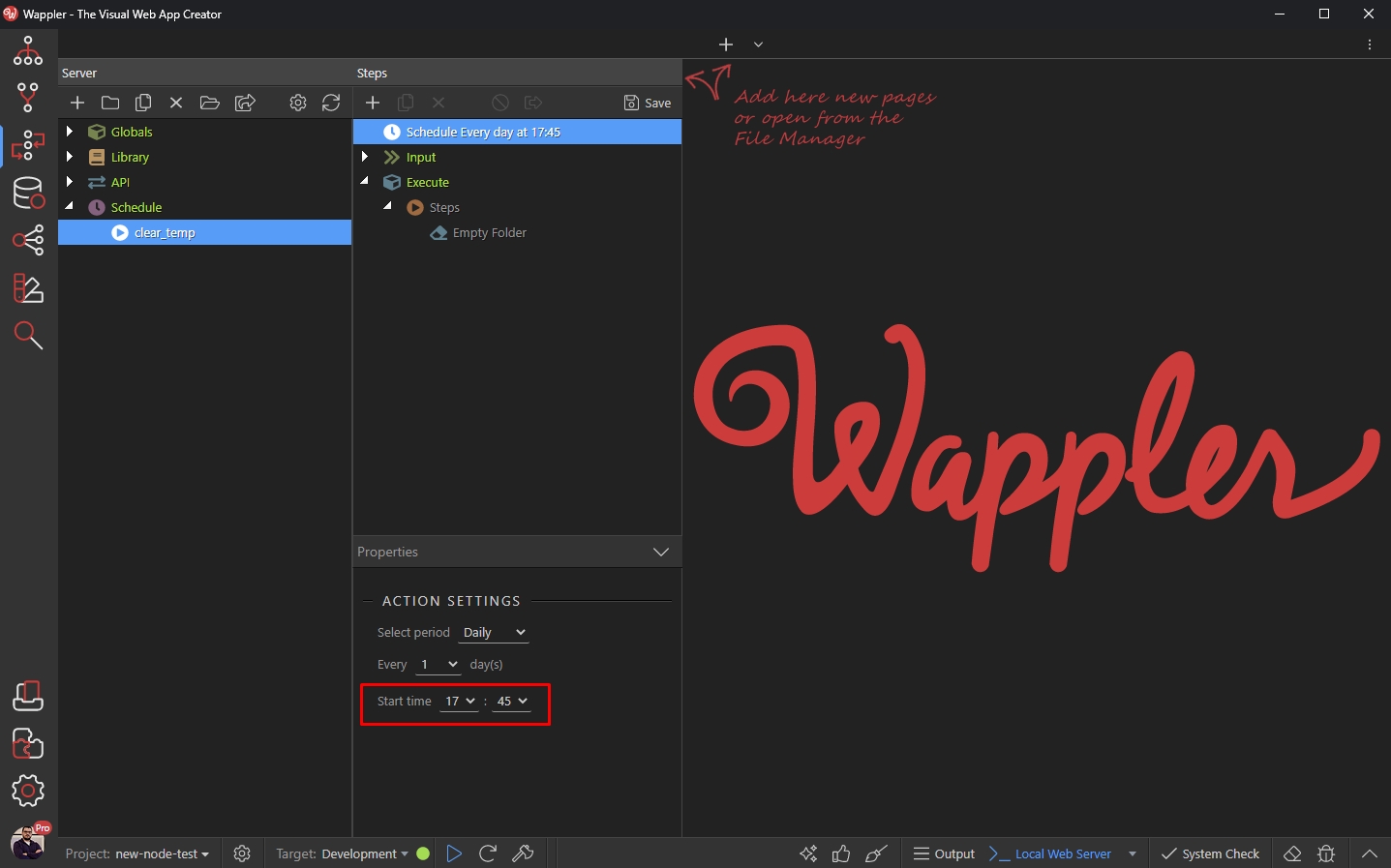
Click Save an you are done:
Section titled “Click Save an you are done:”