Custom Content for Tagify Lists
Intro You can add images to the Tagify select lists and tags, also you can add secondary text to the results in the select list. You can specify the images size and customize the secondary text. Custo
You can add images to the Tagify select lists and tags, also you can add secondary text to the results in the select list. You can specify the images size and customize the secondary text.
Custom Content
Section titled “Custom Content”The custom content can be added to your Tagify to enrich the standard select lists. In our example we will show you how to add avatars and emails to the users list.
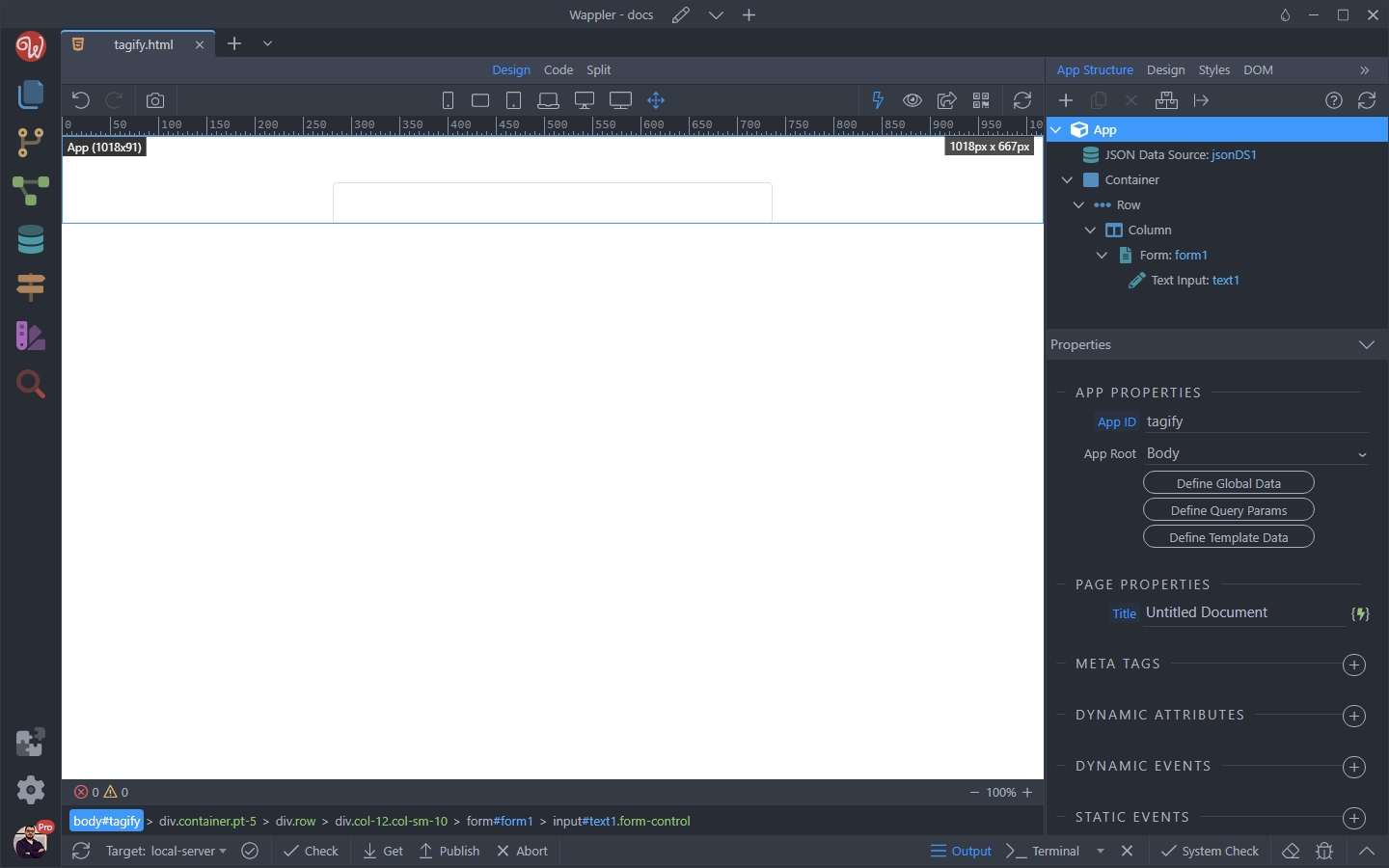
First let’s add Tagify on our page. We added a standard text field on the page:
Select the text field and open the Convert To menu:
Section titled “Select the text field and open the Convert To menu:”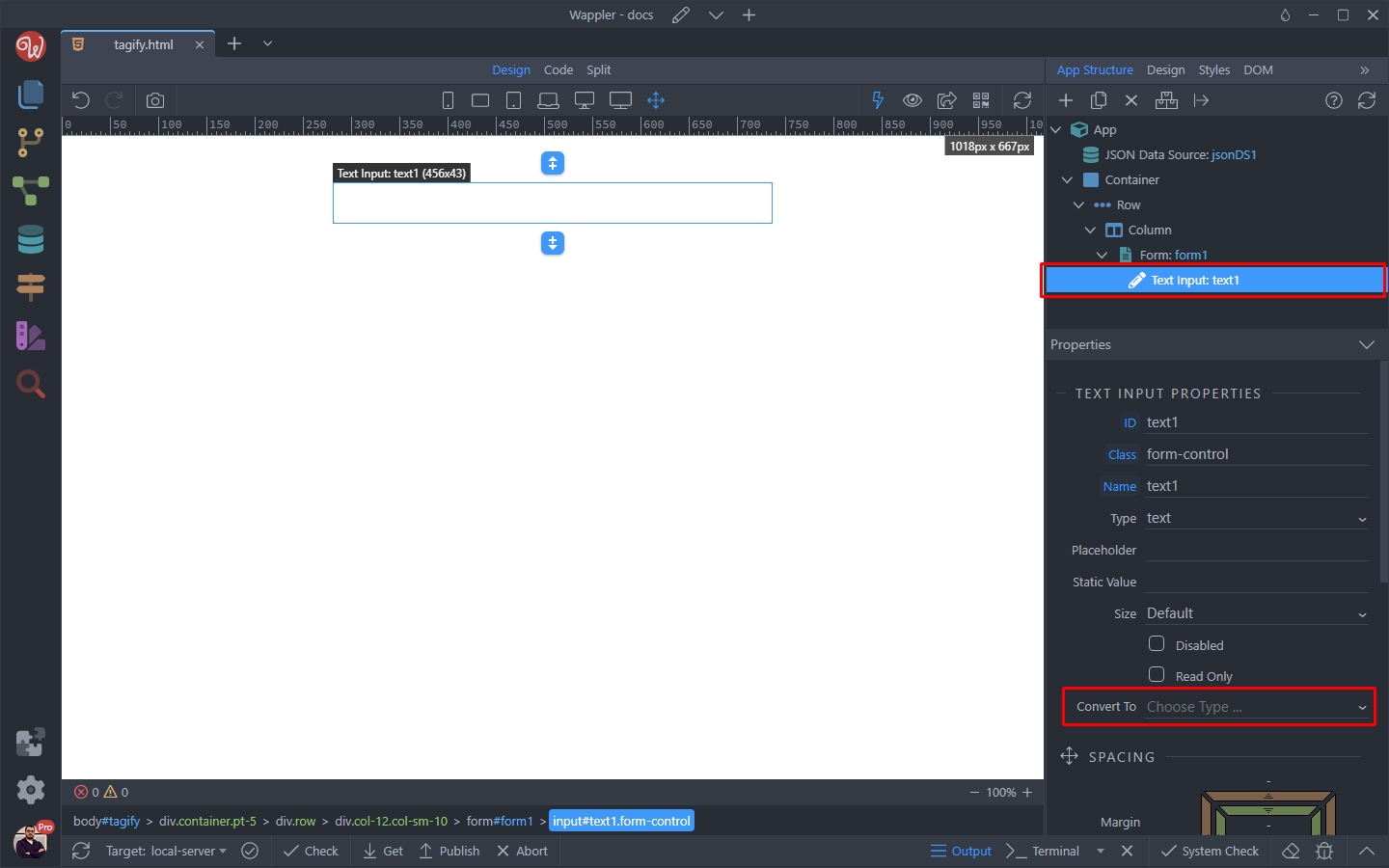
Select Tagify:
Section titled “Select Tagify:”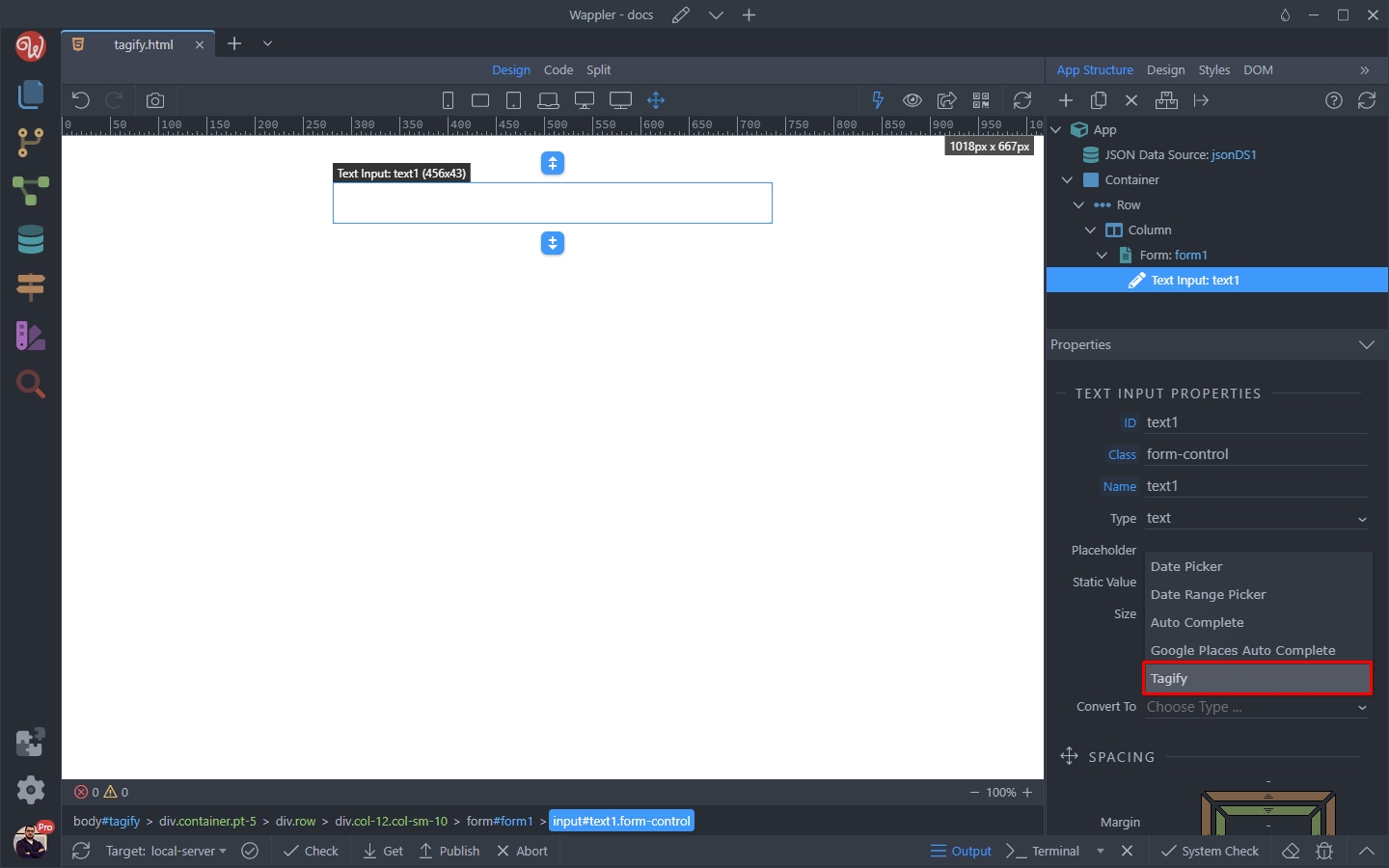
Then select your data source:
Section titled “Then select your data source:”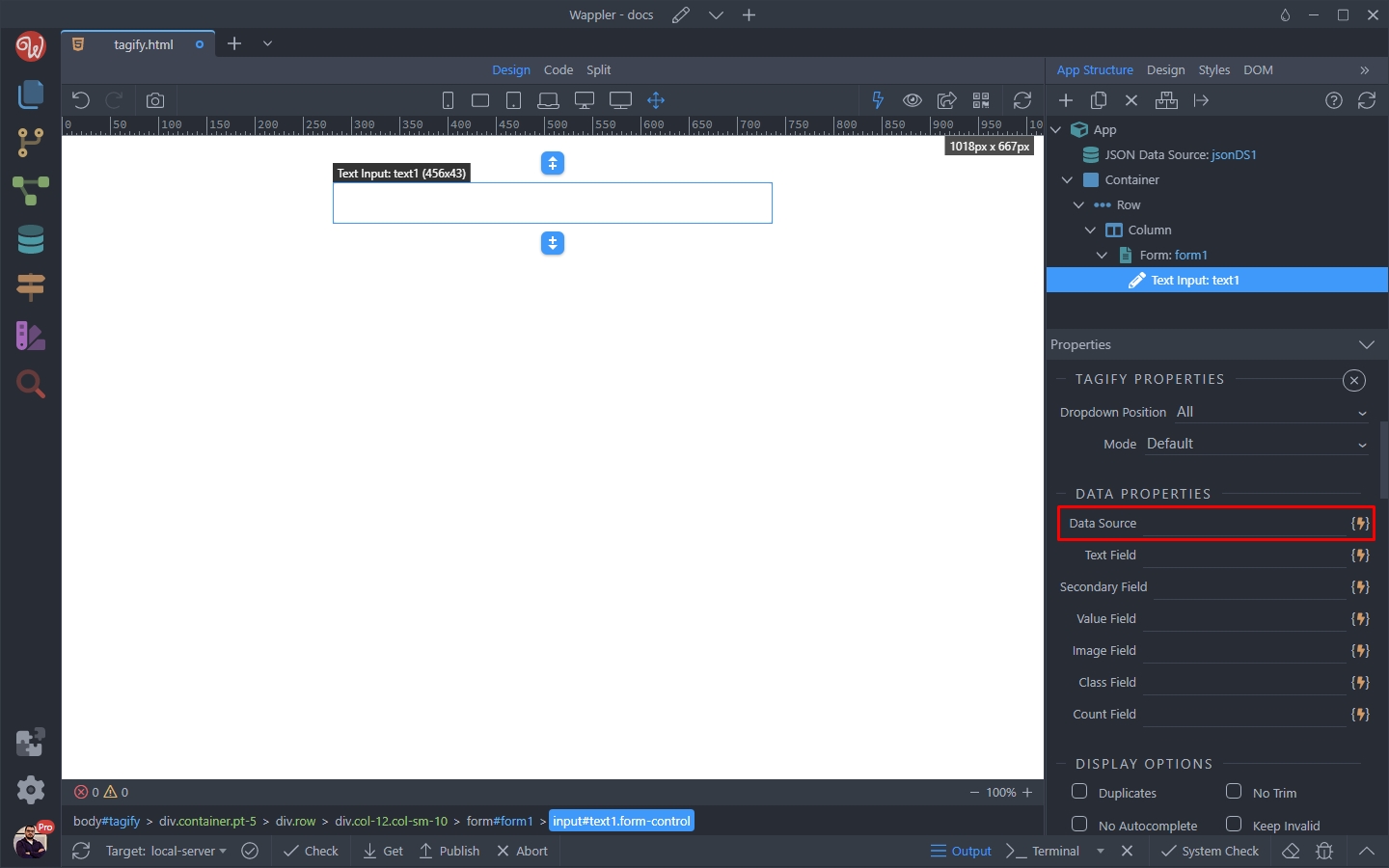
Step 7
Section titled “Step 7”In our case we are using a JSON data source, but this can be any data source - for example data from your database:
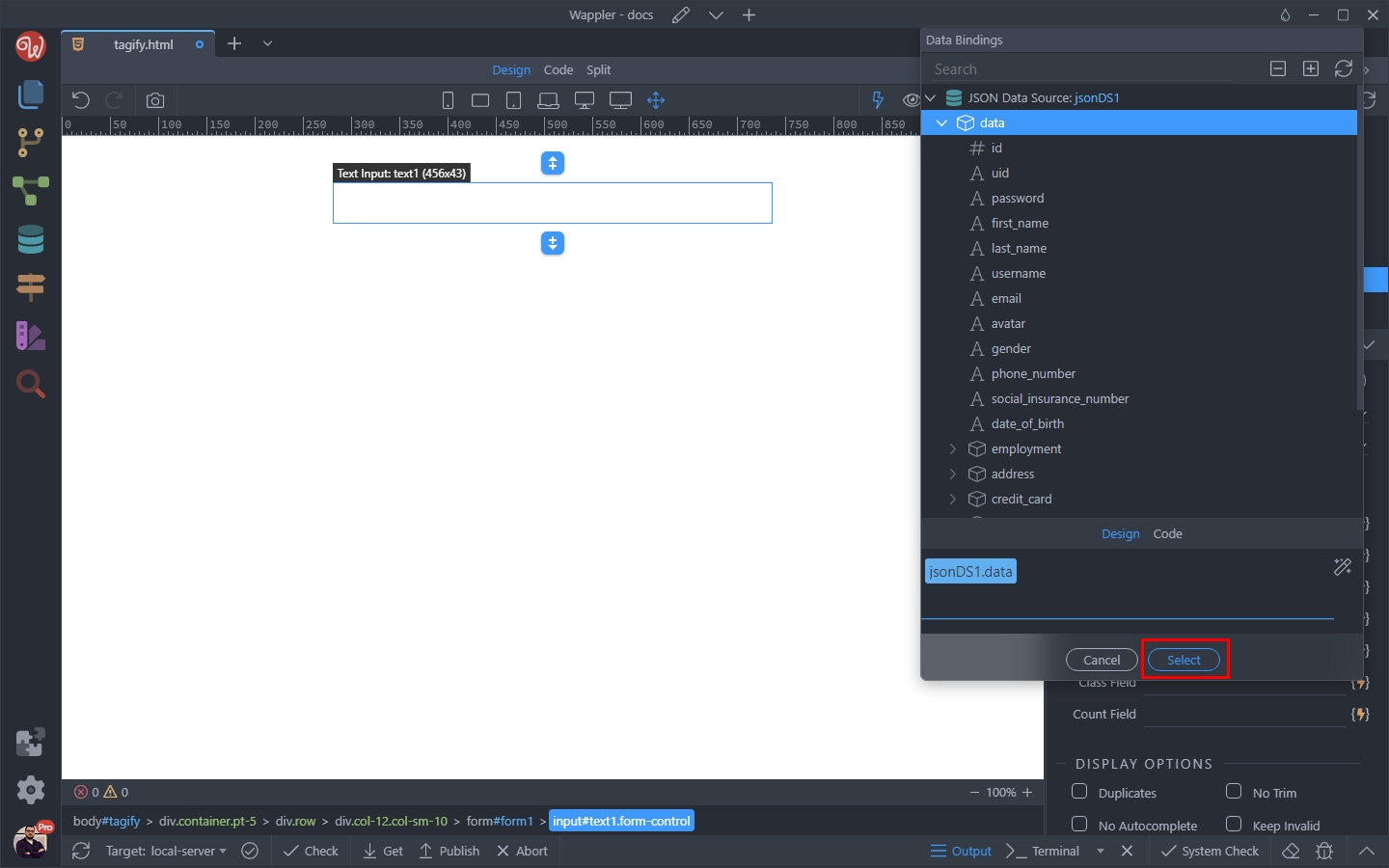
Then select the data for the Text Field - this is the text displayed to the user in the list and in the tag:
Section titled “Then select the data for the Text Field - this is the text displayed to the user in the list and in the tag:”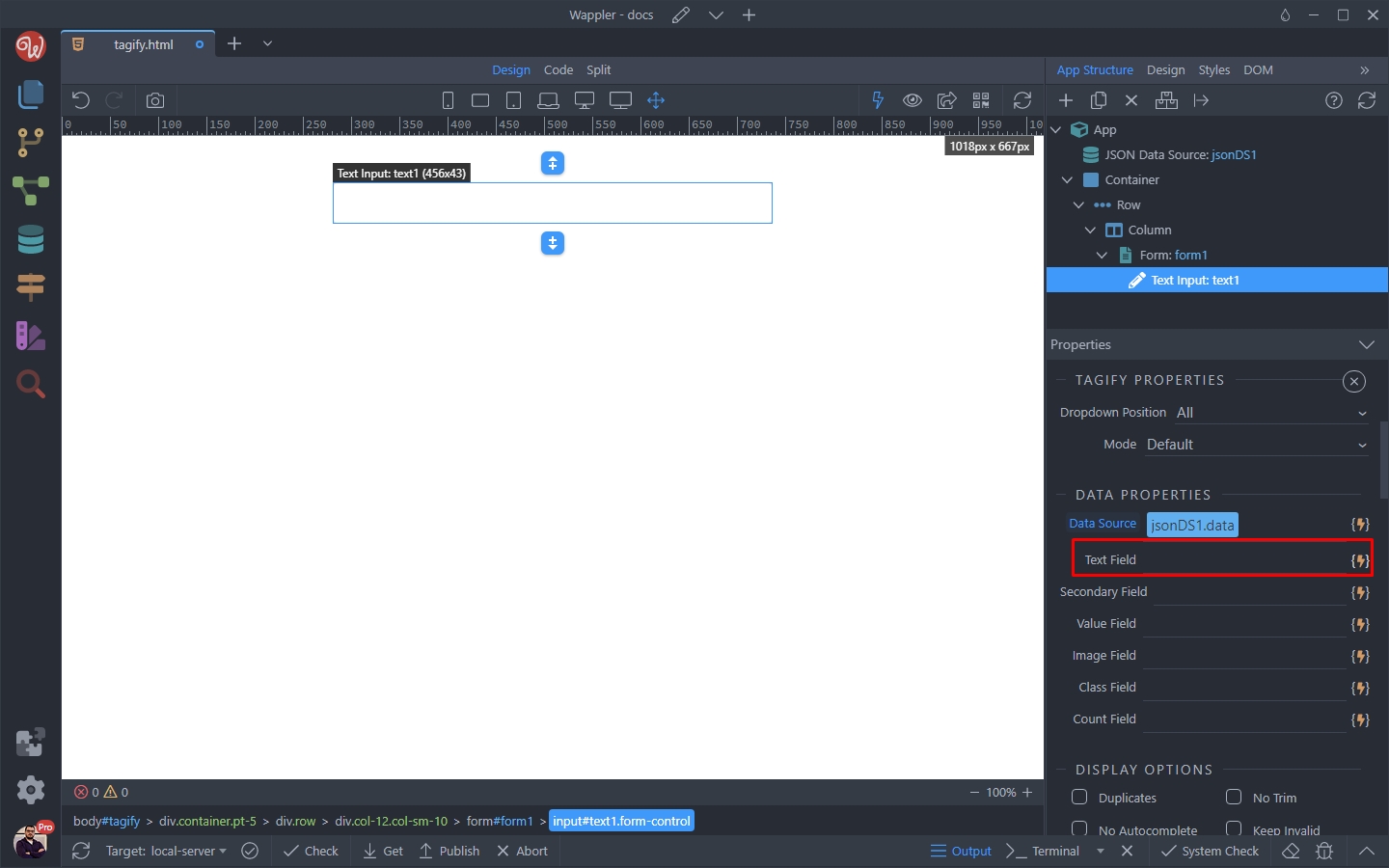
We select first name and last name from our data source:
Section titled “We select first name and last name from our data source:”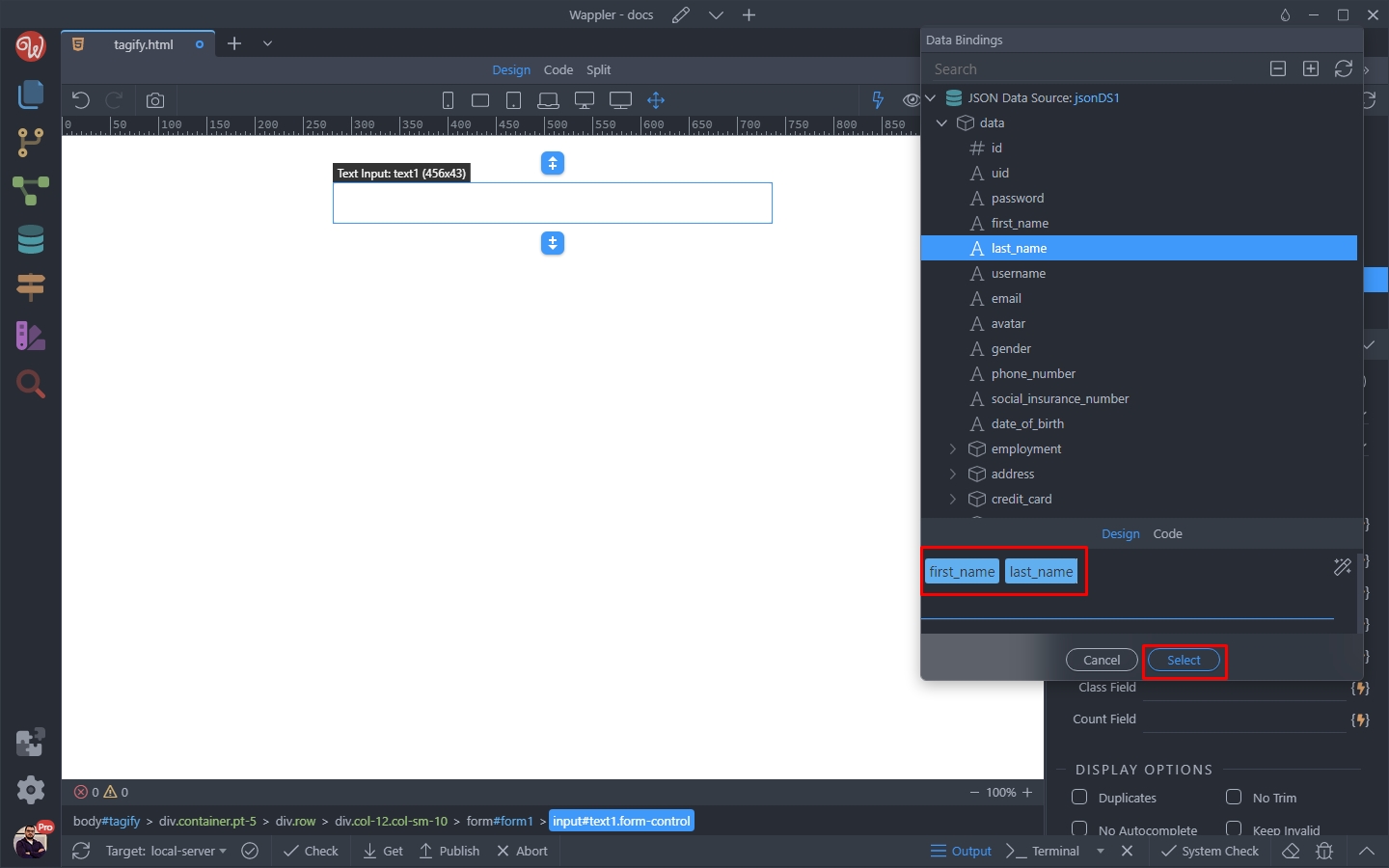
Step 10
Section titled “Step 10”The Secondary text will appear in the Tagify List under the Text we just selected. The secondary text is optional and not mandatory:
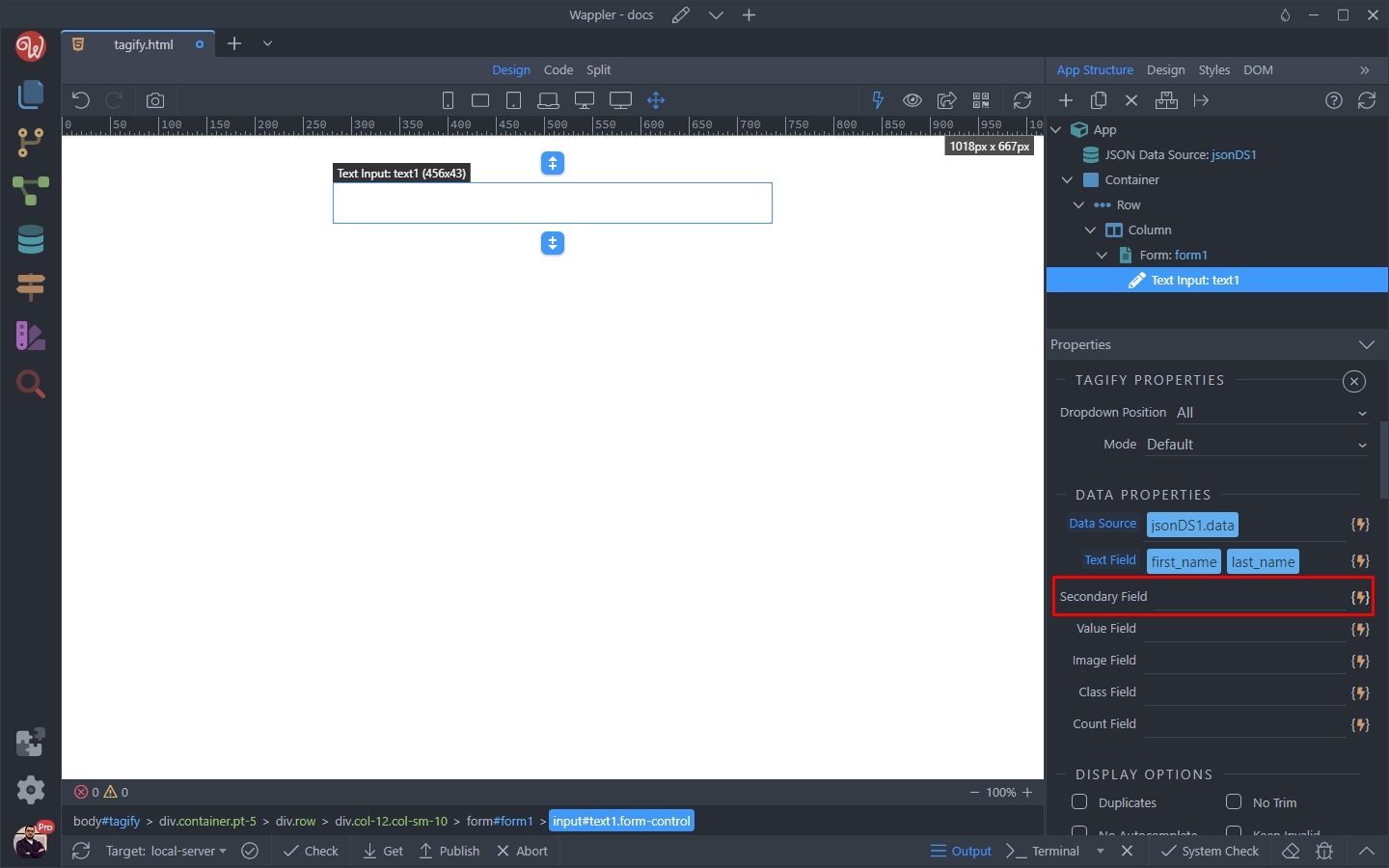
We select the user’s email as a secondary text:
Section titled “We select the user’s email as a secondary text:”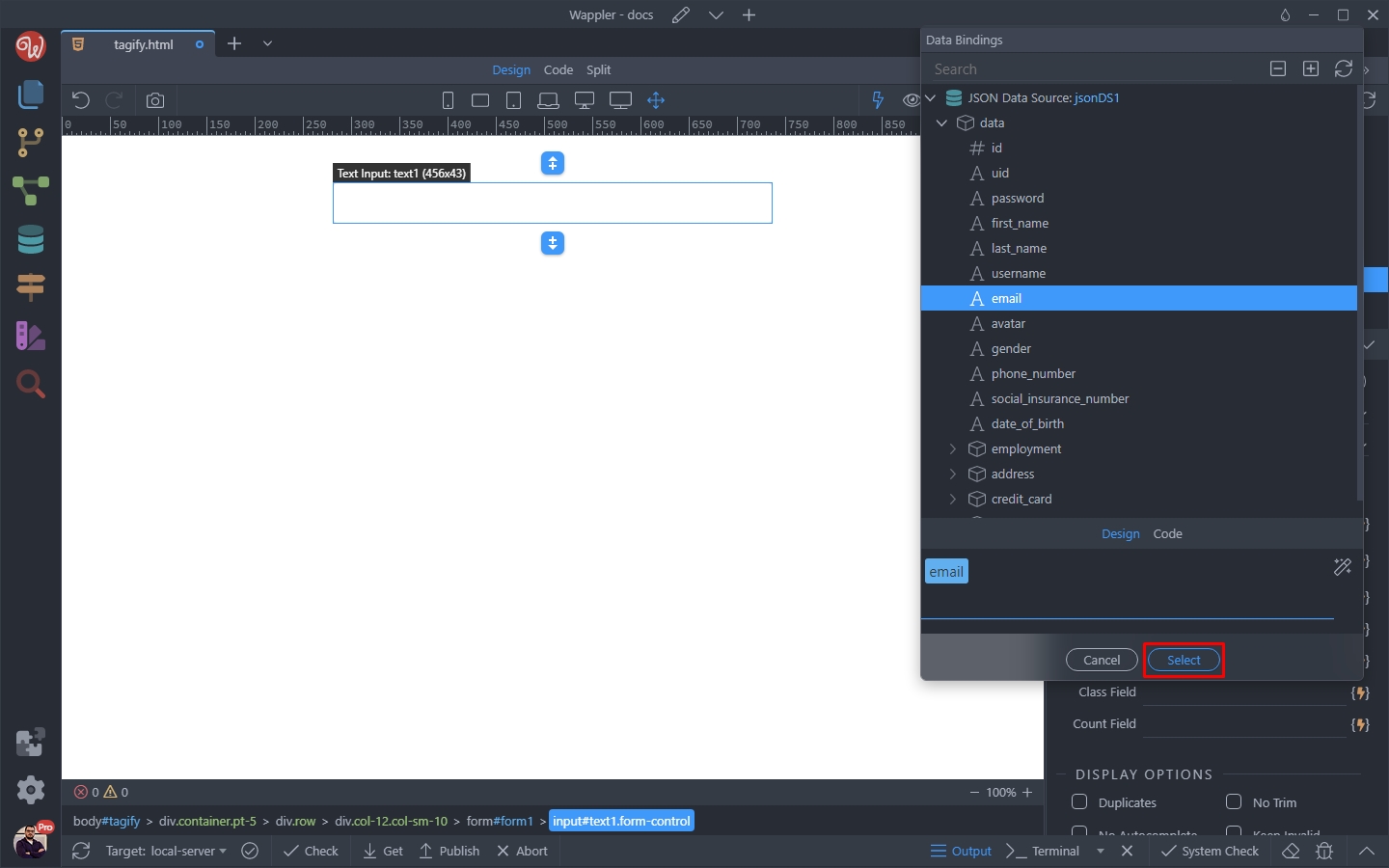
Step 12
Section titled “Step 12”Then select a value. This is the value you want to send when your form is submitted, usually an unique record id:
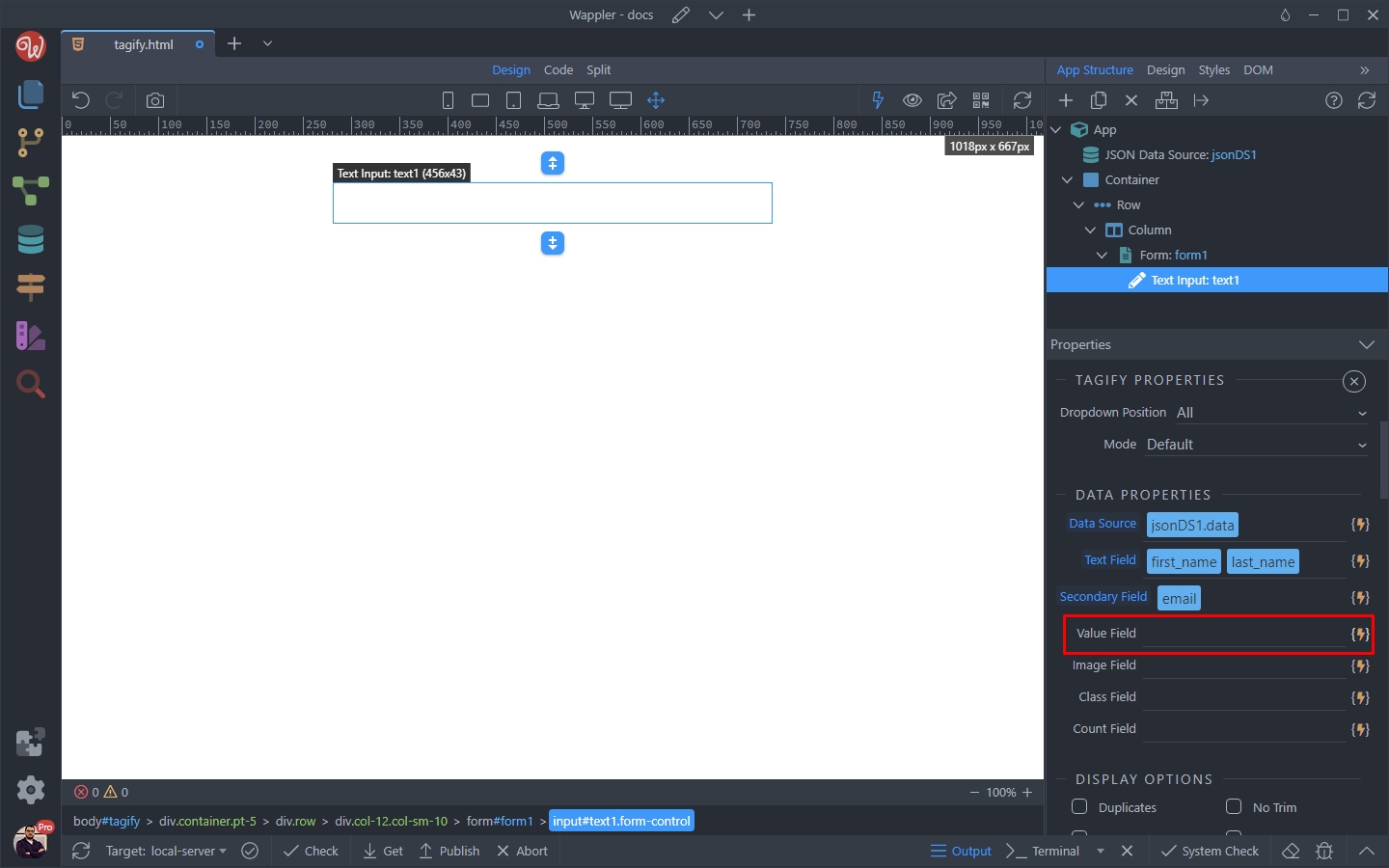
We select the id returned from our data source:
Section titled “We select the id returned from our data source:”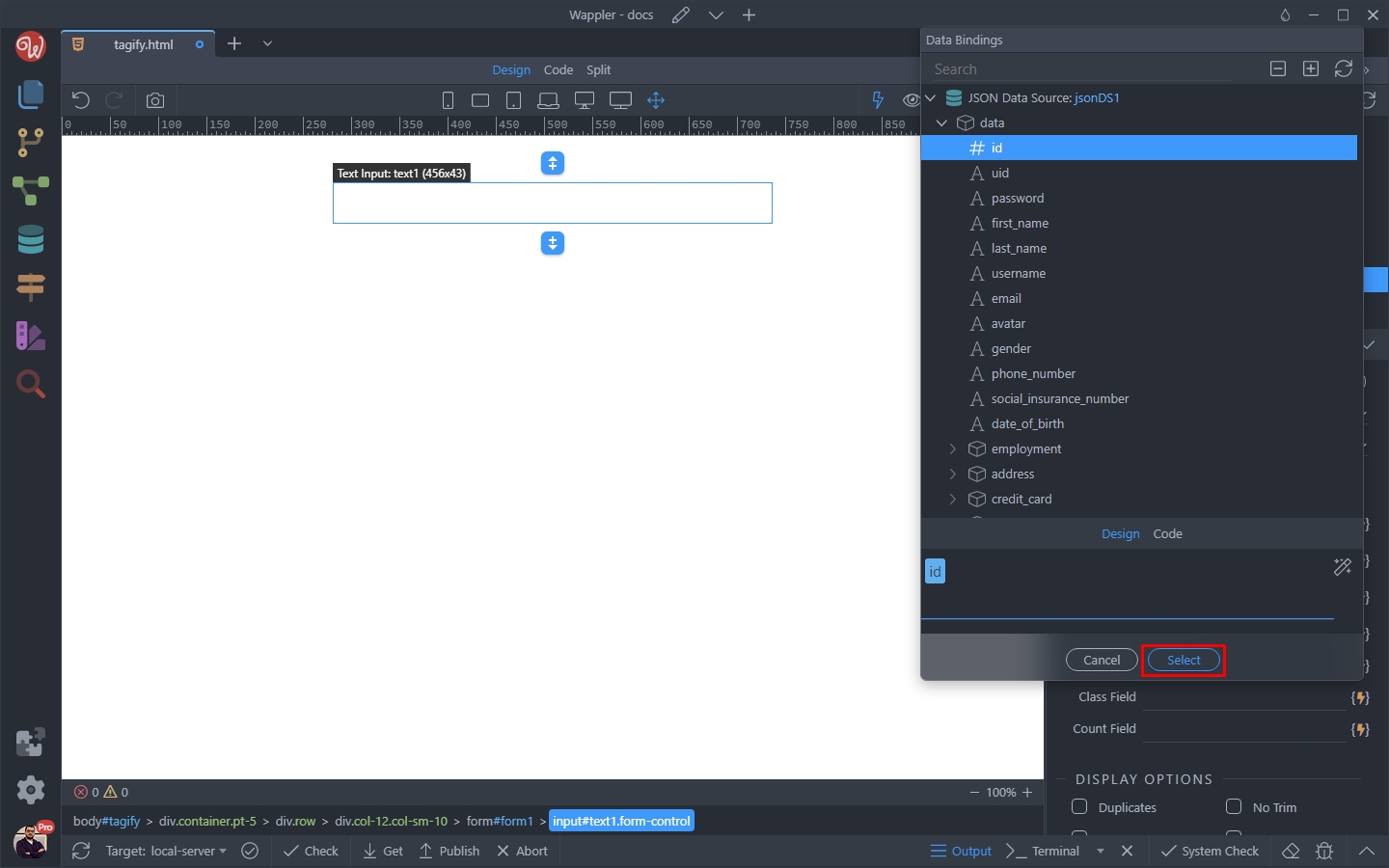
Step 14
Section titled “Step 14”And then we add the image. It will appear on the left side of the record in the list and in the tag inside the Tagify input:
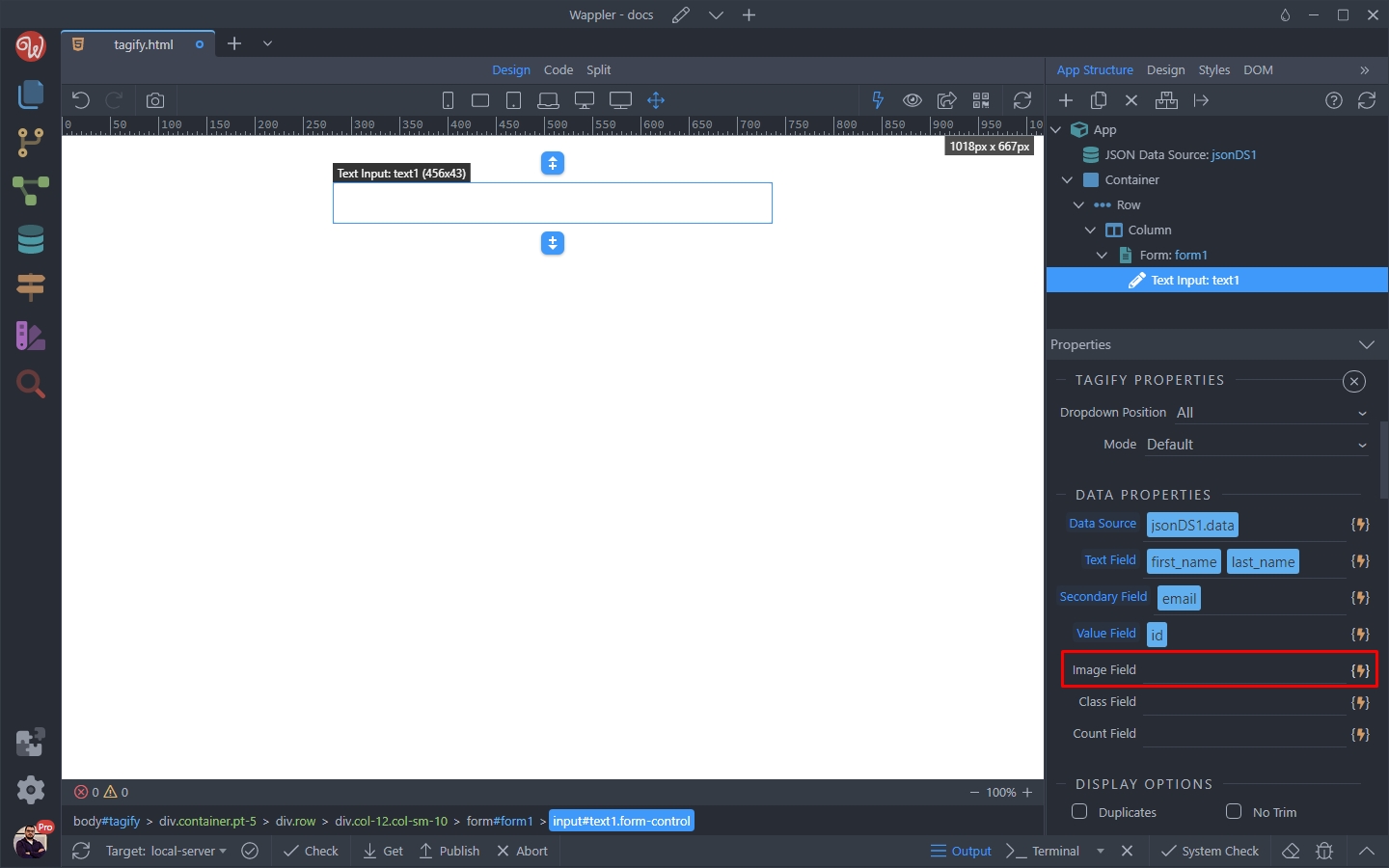
We select the avatar binding, returned by our data source:
Section titled “We select the avatar binding, returned by our data source:”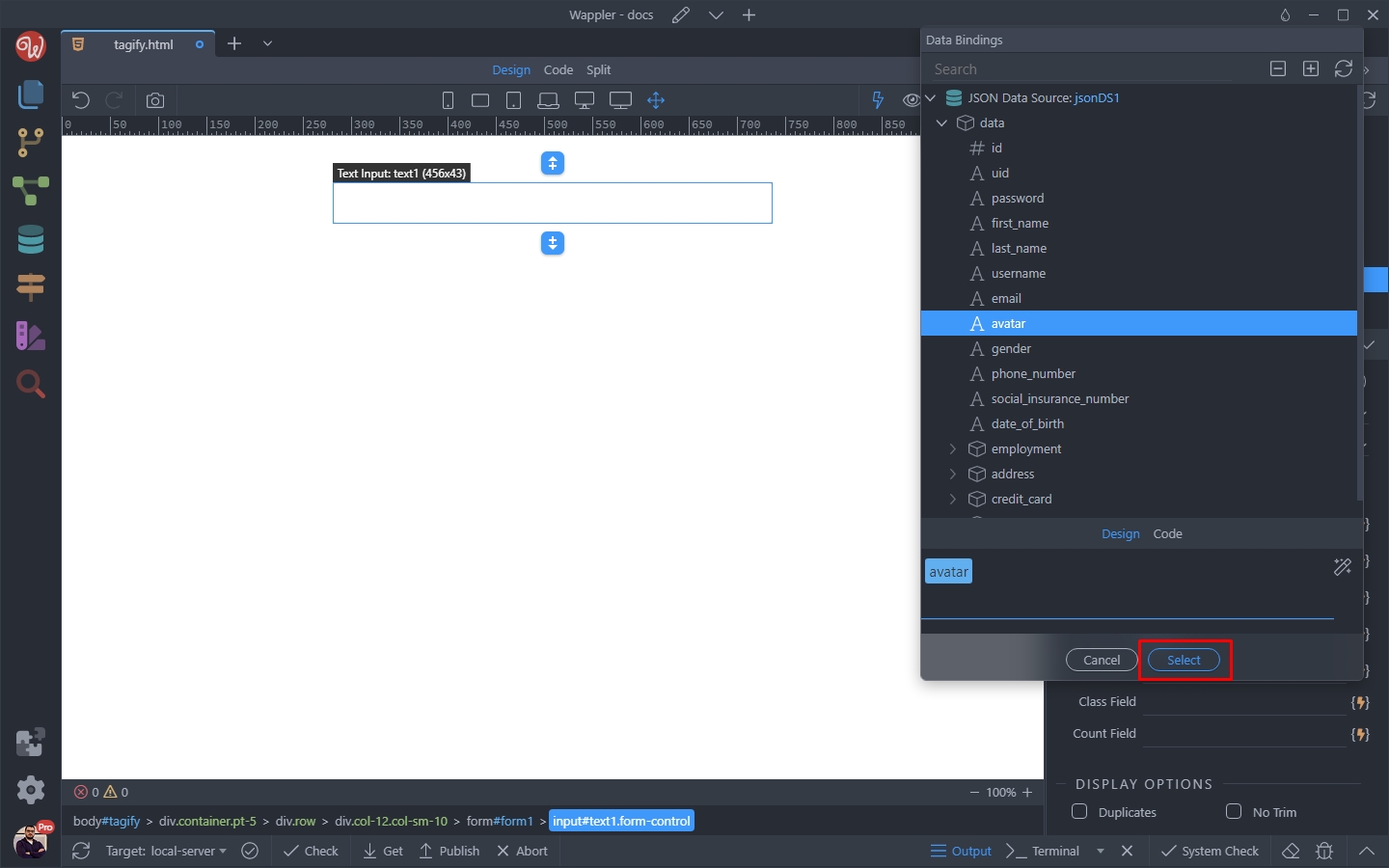
Let’s see the results. You can see the avatars and the second text we added:
Section titled “Let’s see the results. You can see the avatars and the second text we added:”
Customizing Images and Text
Section titled “Customizing Images and Text”You can customize the images and secondary text we just added. There are separate options for tags and dropdown list items.
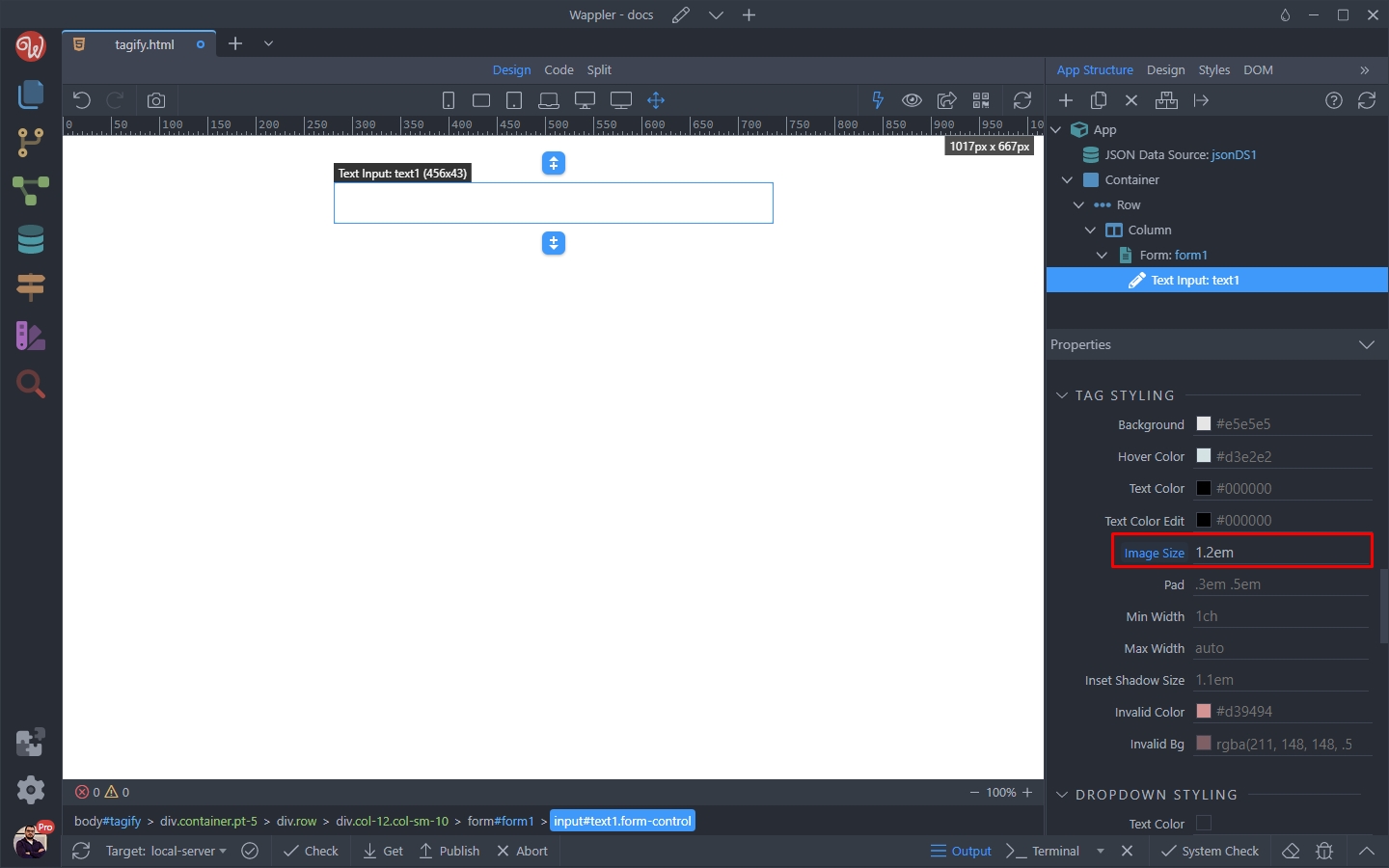
Scroll down the properties inspector until you reach the Tag Styling options.
Here you can change the default Image Size value:
Step 19
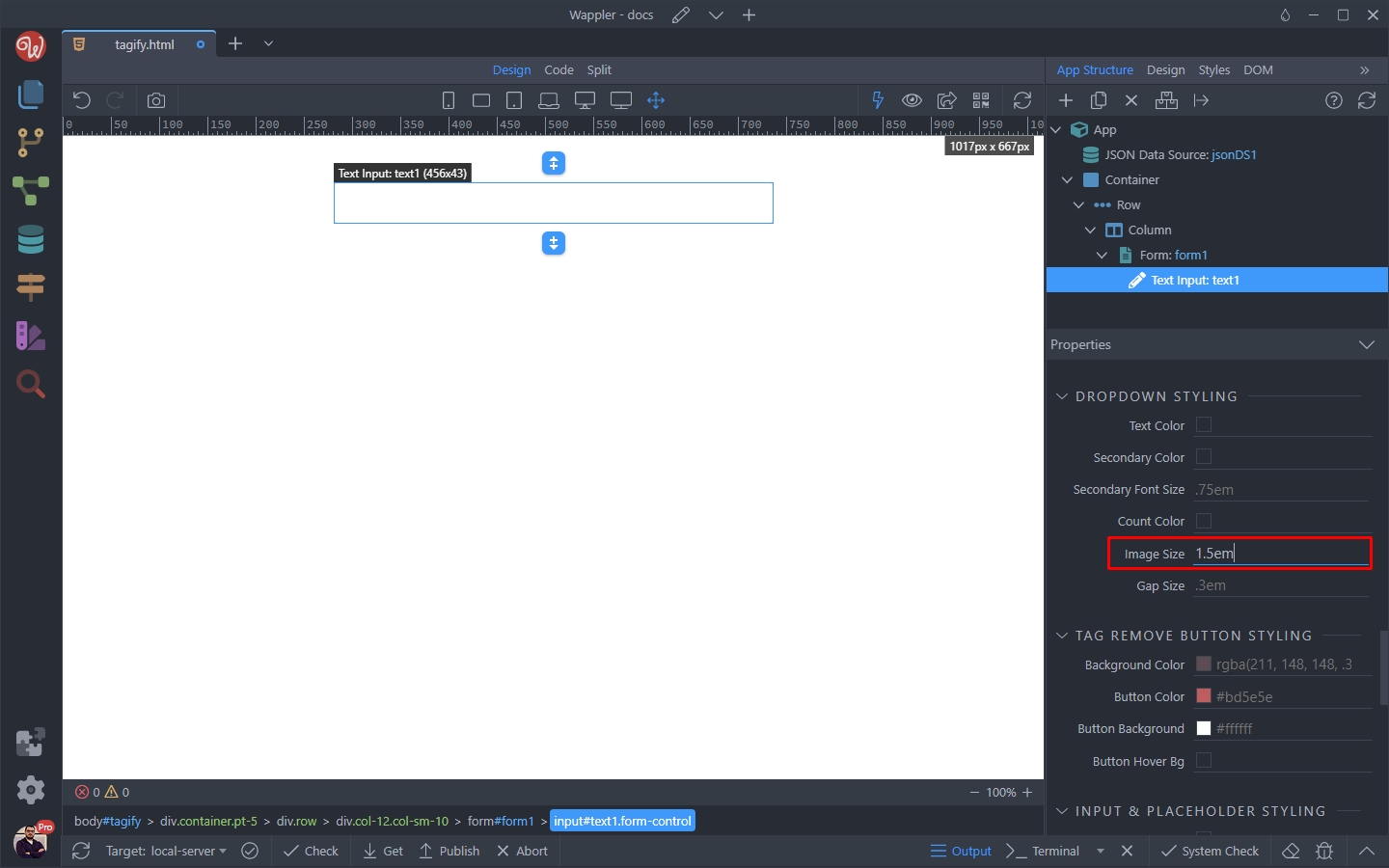
Section titled “Step 19”Scrolling further down you will find the Dropdown Styling options. Here you can change the default value for the image inside the dropdown list:
Also, you can change the size and color of the Secondary Text:
Section titled “Also, you can change the size and color of the Secondary Text:”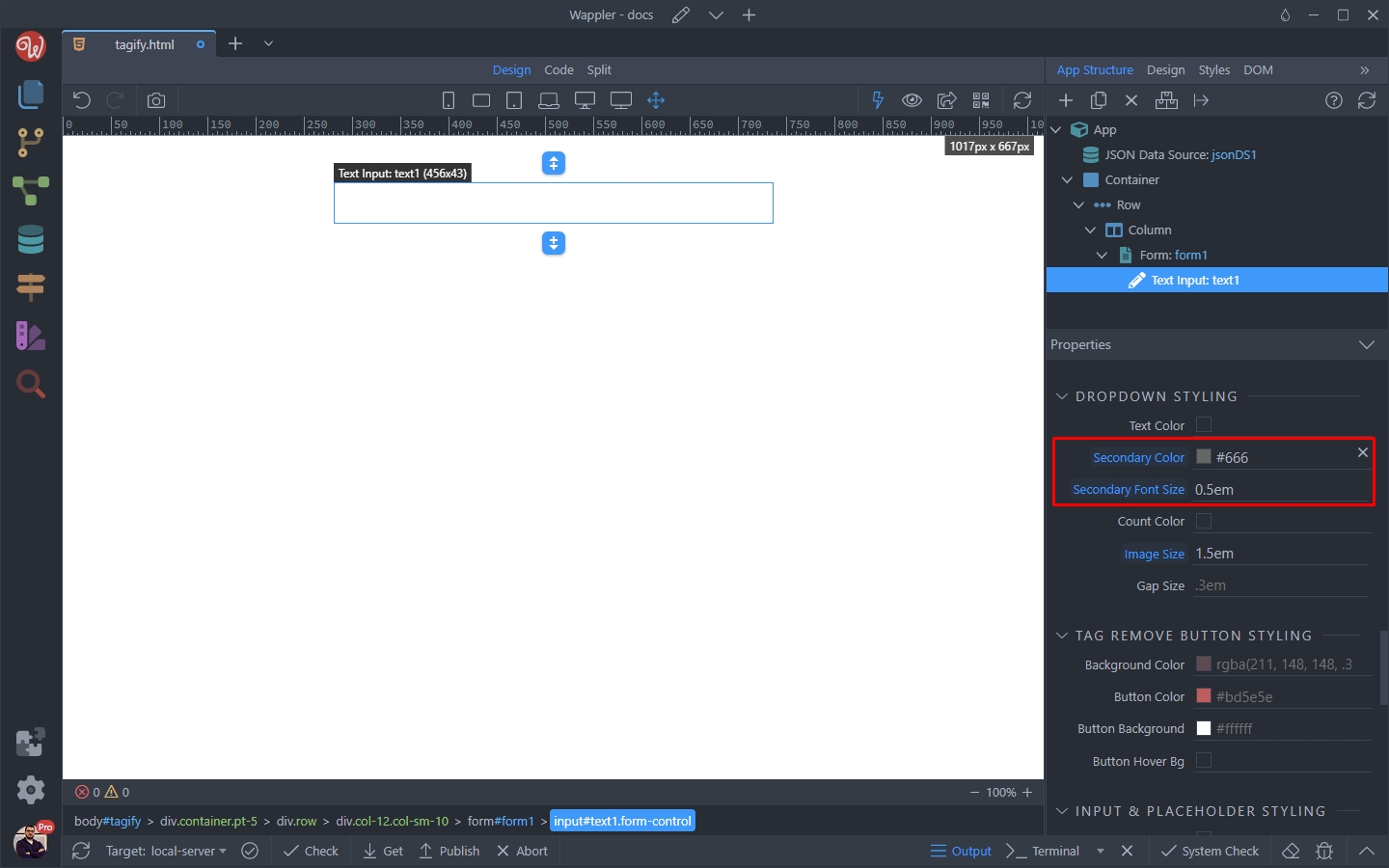
Step 21
Section titled “Step 21”You can see the results below. The avatars are bigger and the secondary text is smaller and in different color: