Authentication
The provider controls how
AI Manager signs in
AI Manager signs in
Wappler Options setup for AI providers, GitHub Copilot as the preferred default, and request-based versus token-based usage in AI Manager.
Use this tour when AI Manager is ready but the account and provider choice is still fuzzy. In Wappler, provider setup is a foundation choice: it decides how the manager authenticates, which models can be listed, and how usage is accounted for before you even send the first serious prompt.
AI Manager reads the configured chat provider from Wappler Options. The important model is that provider setup does not live inside each AI task. It lives in the global Options dialog, under AI Settings, and that single choice affects model availability, account behavior, and how the manager reconnects after options change.
This Options dialog is where Wappler keeps the global AI configuration surface. The AI Settings section inside it is the place you revisit when you need to connect a provider, switch providers, or confirm which provider family AI Manager should use.
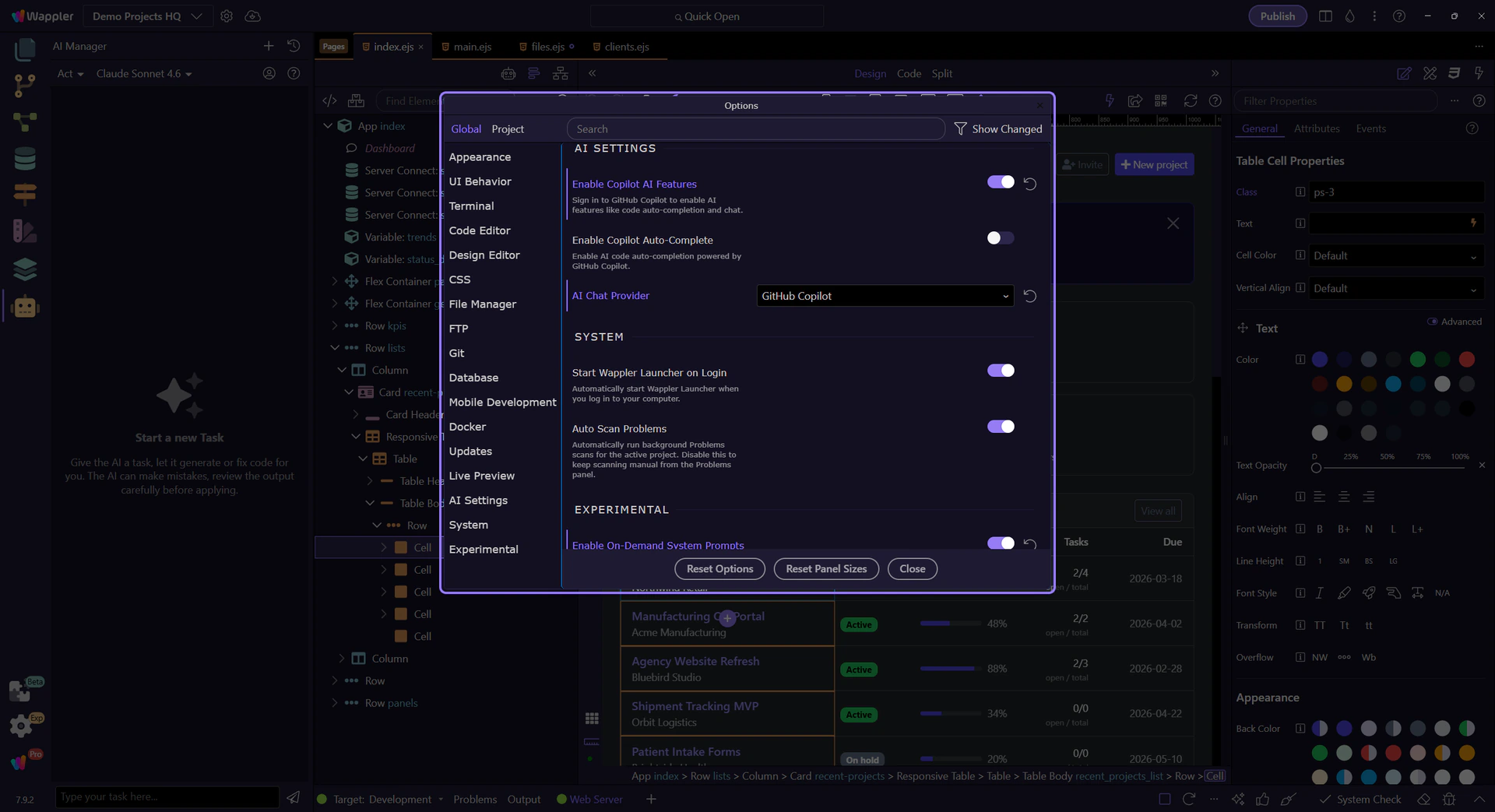
For most users, GitHub Copilot is the easiest default because the provider choice is straightforward, the sign-in and entitlement flow is simpler, and the transition into AI-assisted Wappler work is low friction. In practice, this is the provider you will usually pick first in the AI Chat Provider option before deciding whether another provider is worth the extra setup.
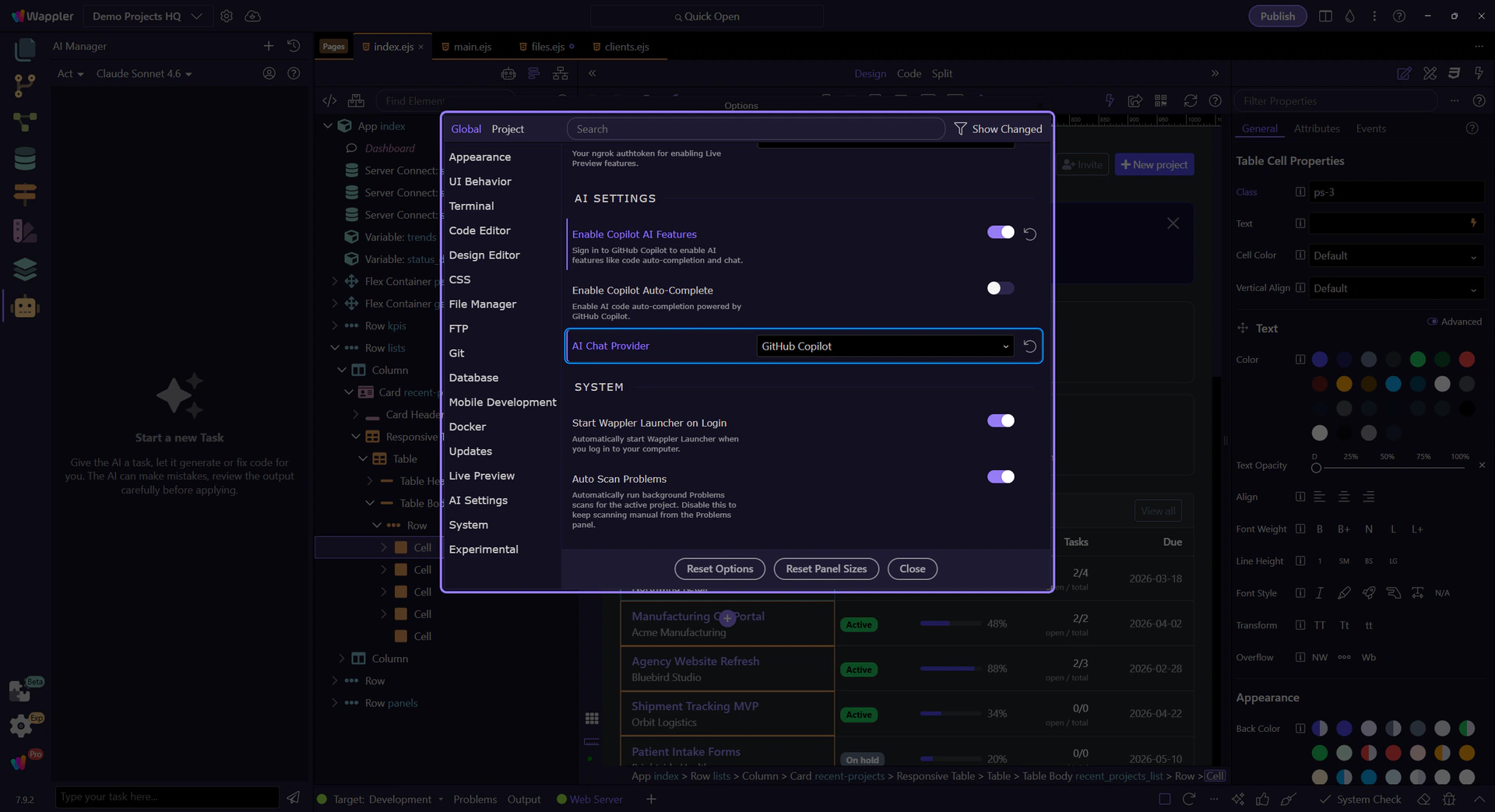
GitHub Copilot is often experienced as a request-based service, while other providers are commonly consumed through API tokens and metered model usage. That line is getting blurrier because GitHub is also moving toward token-based accounting in more places. The useful habit is not to optimize for billing jargon alone. Optimize for the workflow where Wappler can keep requests focused, reduce wasted context, and use the provider efficiently for the actual task.
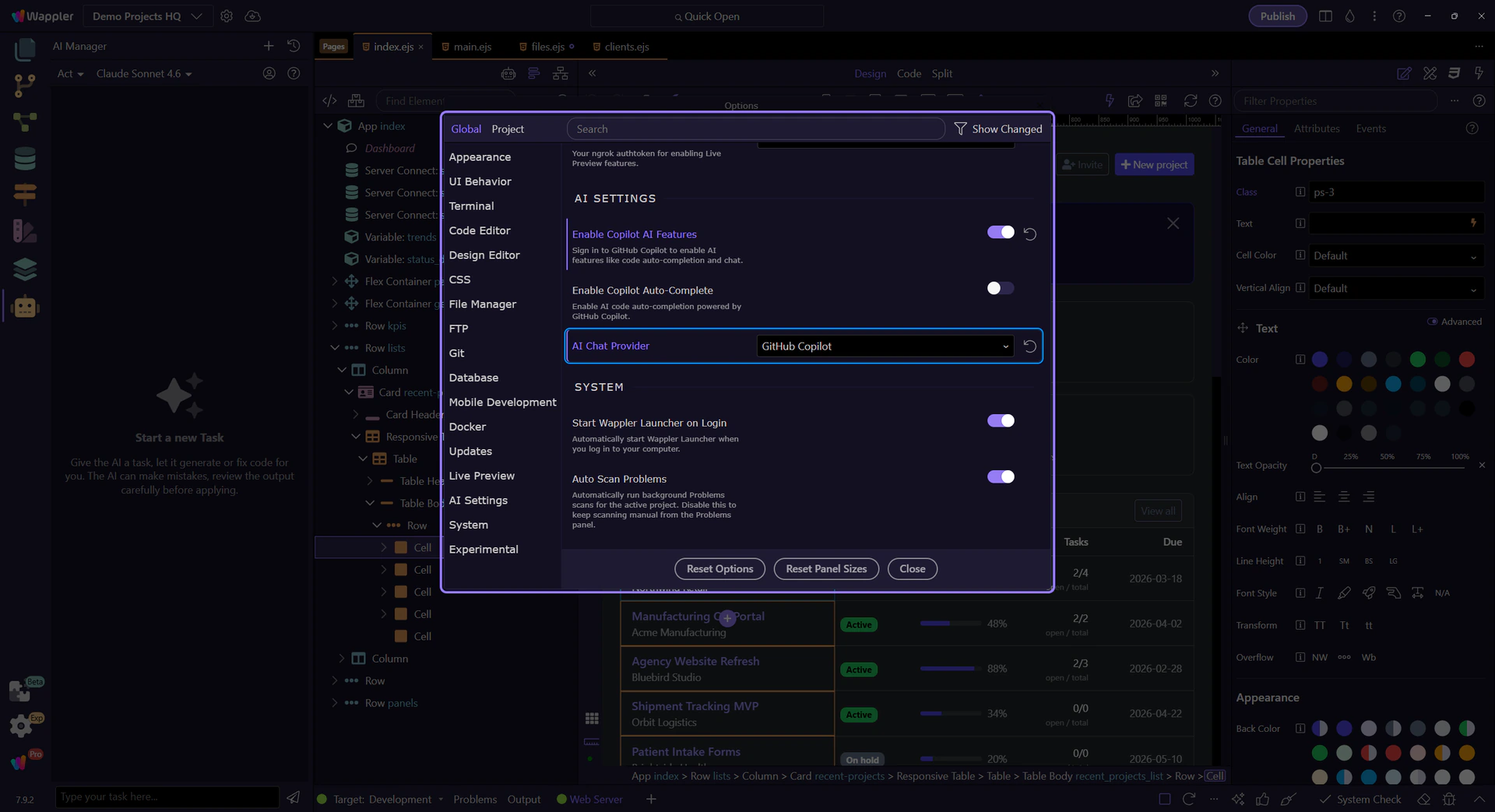
Copilot is the preferred starting point, but Wappler should still show the wider provider landscape clearly. Some teams need a specific Claude or GPT family, some need direct API ownership, and some need provider policies that match company rules. The right move is to pick the provider that fits the team, then keep Wappler as the place that optimizes how that provider is used.
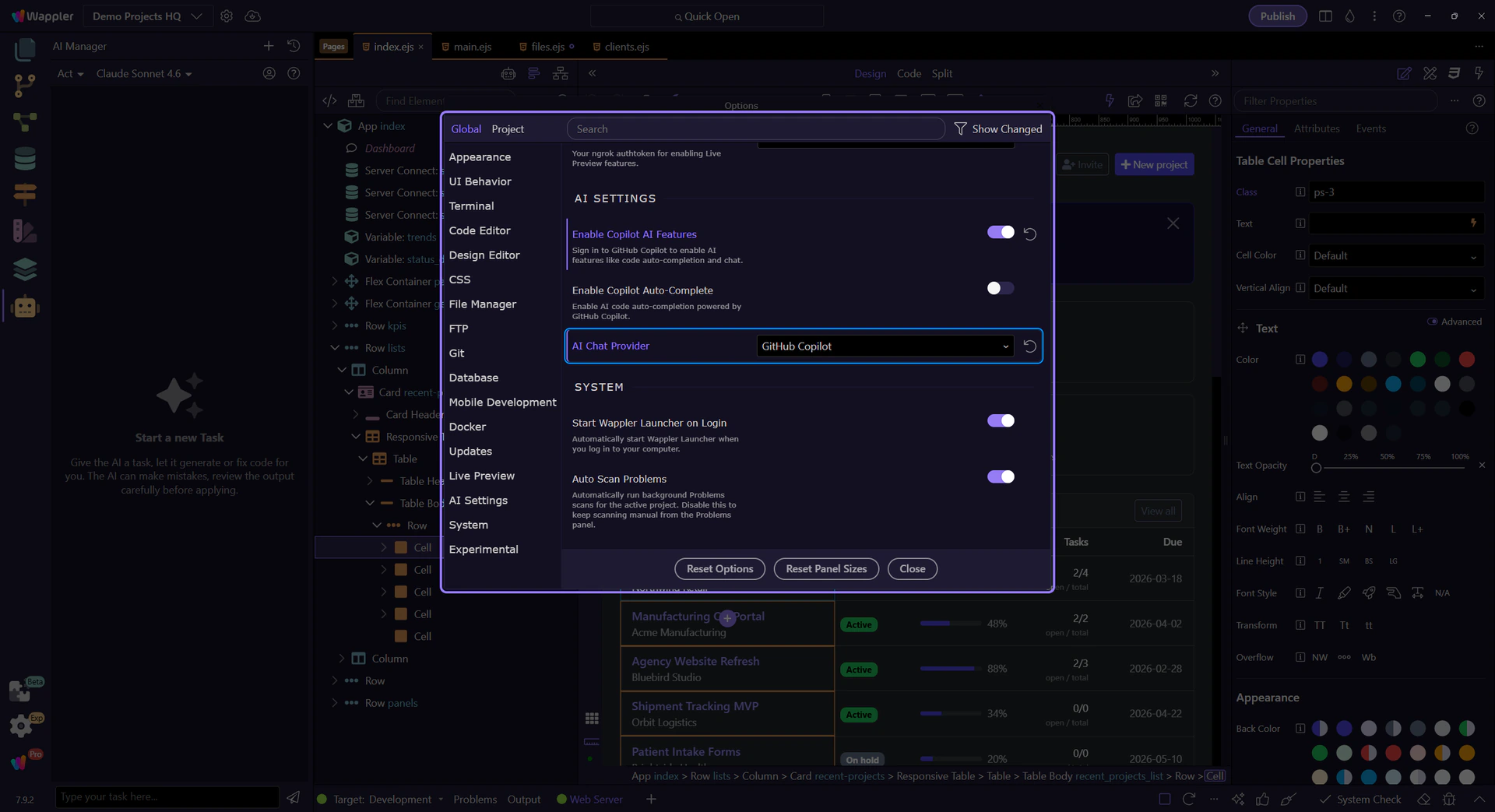
Advance once to close the Options dialog so the tour can return to AI Manager for the next handoff step.
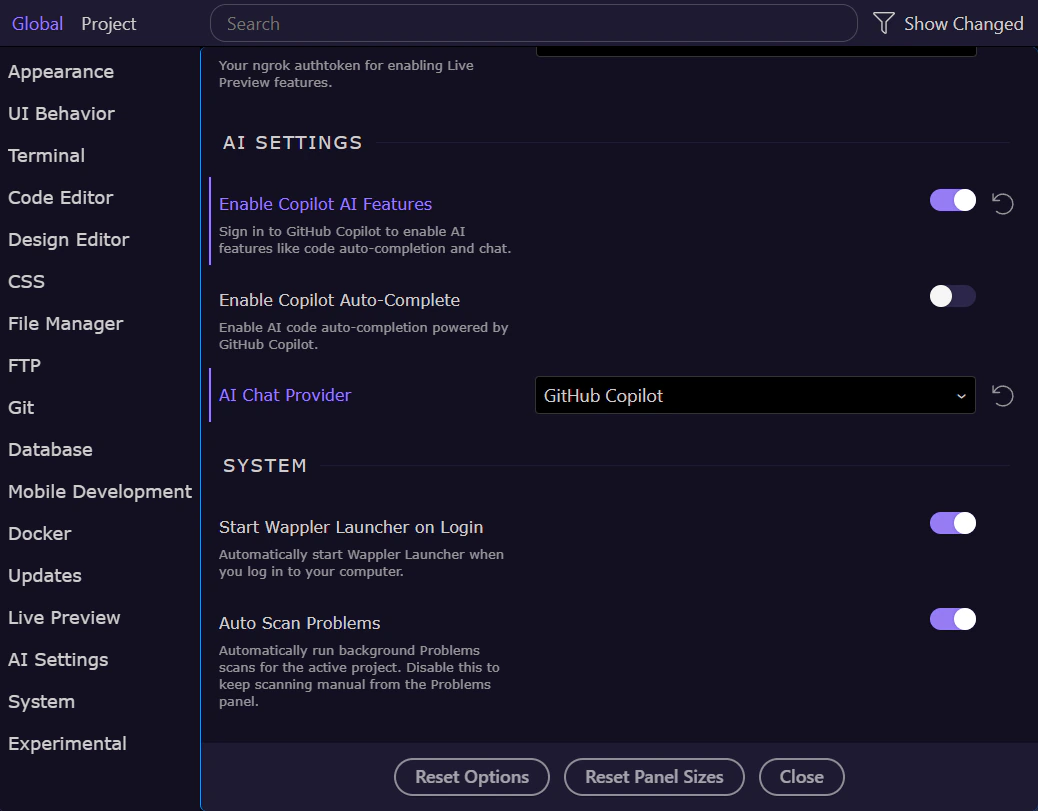
Provider setup gets the AI Manager online. The next decision is model choice inside the manager itself: which model is best for design judgment, which is best for programming and orchestration, and when it makes sense to switch between them within one feature workflow.