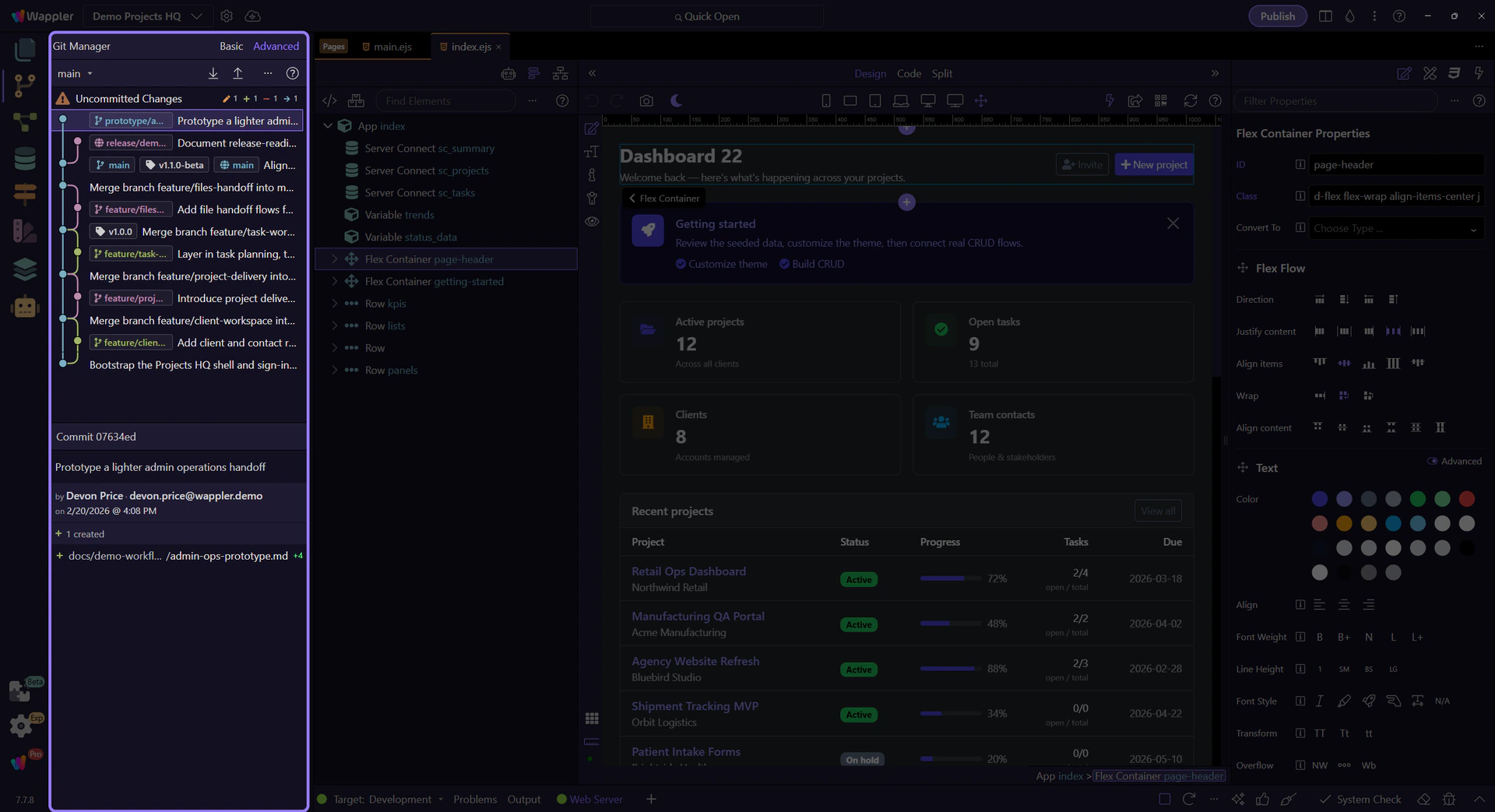
Git Manager Overview
Use this overview menu to choose the Git Manager guide that matches how deep you want to go.
Start with the Git Manager guide that matches your job
Section titled “Start with the Git Manager guide that matches your job”The new Git Manager is no longer just a commit helper. It is a repo cockpit with view modes, history inspection, branch and remote operations, and recovery tools. Pick the path that matches what you need right now.
Git Manager guides
Section titled “Git Manager guides”First steps
Git Manager: Quick Overview
Get a fast, accurate map of the new Git Manager: the two view modes, the adaptive toolbar, the history list, and the detail workspace.
Git Manager: Daily Workflow
Use the experimental Git Manager for the normal daily loop: review changes, prepare a commit, switch safely, and sync when your local history is ready.
Deep dives
Git Manager: History and Details
Understand how Git Manager represents uncommitted changes, commit history, refs, and commit details in Basic and Advanced view.
Git Manager Reference
Reference tour for the experimental Git Manager: view modes, toolbar states, history behavior, detail workspaces, and special repository states.
Git Manager: Working Styles
Use Git Manager in simple solo backup mode or team feature-branch mode, and understand the lightweight Git flow behind each approach.
Task-focused guides
Git Manager: Branches and Merges
Work with local branches, remote-tracking branches, merges, and merge-resolution flow in the experimental Git Manager.
Git Manager: Remotes and Sync
Connect remotes, understand toolbar state changes, and use pull and push safely from Git Manager.
Git Manager: Recovery and Undo
Guide to recovering uncommitted work, commit history, tags, and conflicts safely in Git Manager.
Git Manager Recipes
Use this recipe menu when you already know the Git job you need to do next: commit, inspect history, branch, sync, or recover safely.
Go to