Inserting Common HTML Tags
In order to insert common HTML Tags, such as div, span, article, aside etc. you need to switch to DOM Tree panel as App Structure panel is used to display only components. We will show you how add a s
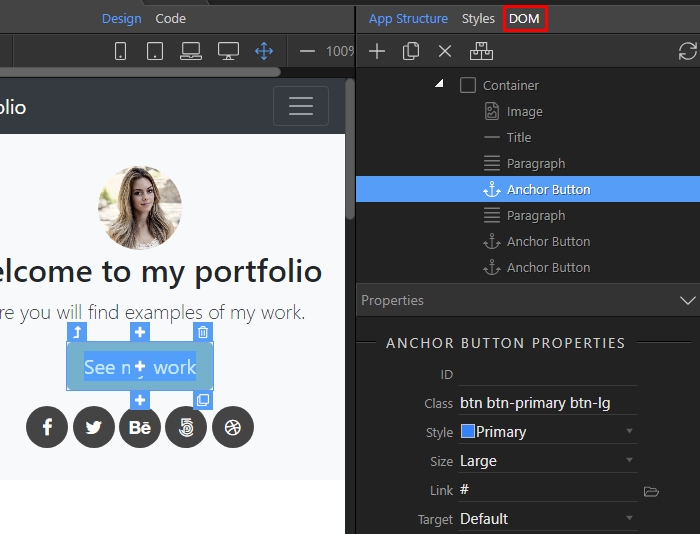
First, select the button in design view, and click the DOM Tree button:
Section titled “First, select the button in design view, and click the DOM Tree button:”In order to insert common HTML Tags, such as div, span, article, aside etc. you need to switch to DOM Tree panel as App Structure panel is used to display only components. We will show you how add a span inside a button, then add some text and assign a class to it.
First, select the button in design view, and click the DOM Tree button:
You will see your element highlighted in the tree:
Section titled “You will see your element highlighted in the tree:”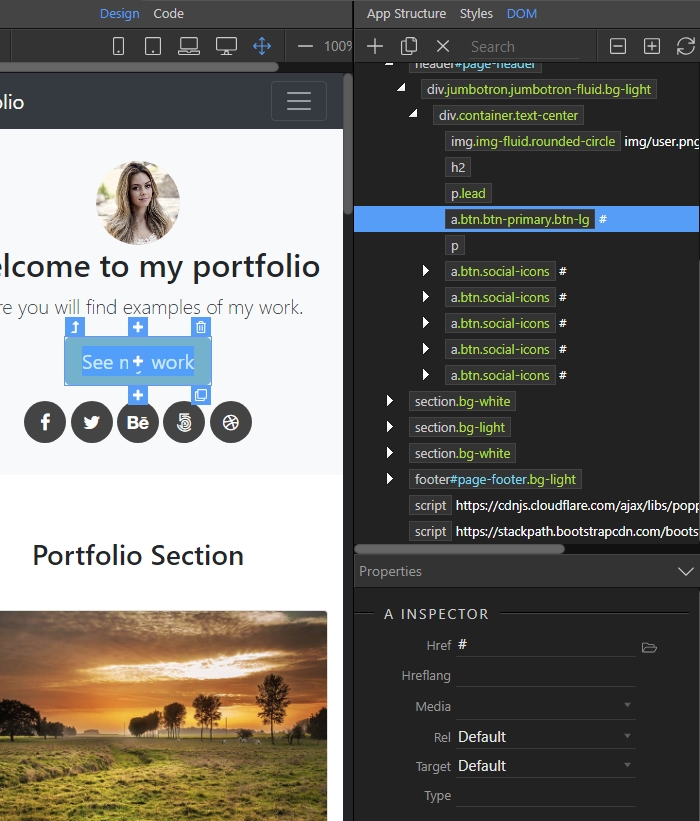
Right click it, select Insert inside (1) and open the Styles and Semantics category (2):
Section titled “Right click it, select Insert inside (1) and open the Styles and Semantics category (2):”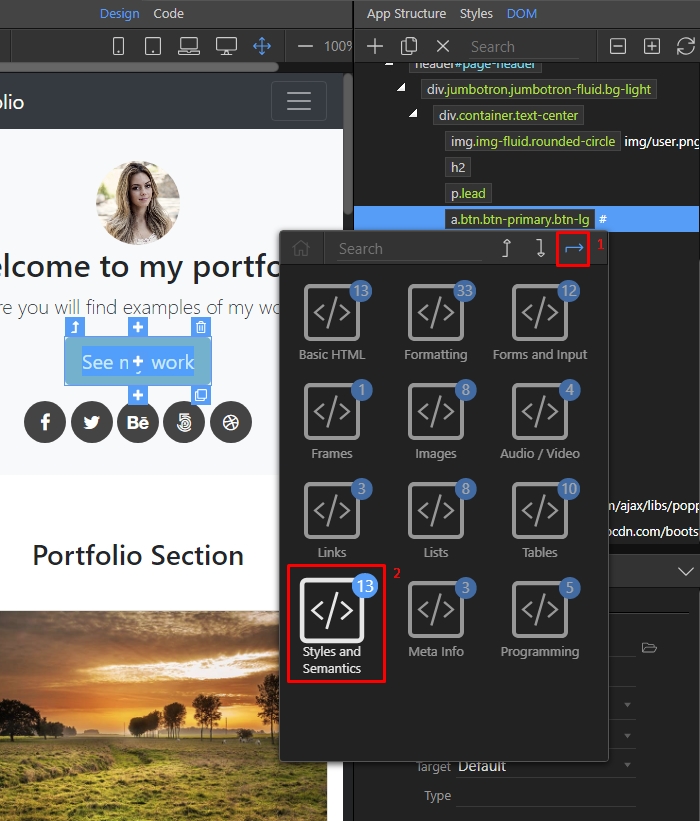
Select span:
Section titled “Select span:”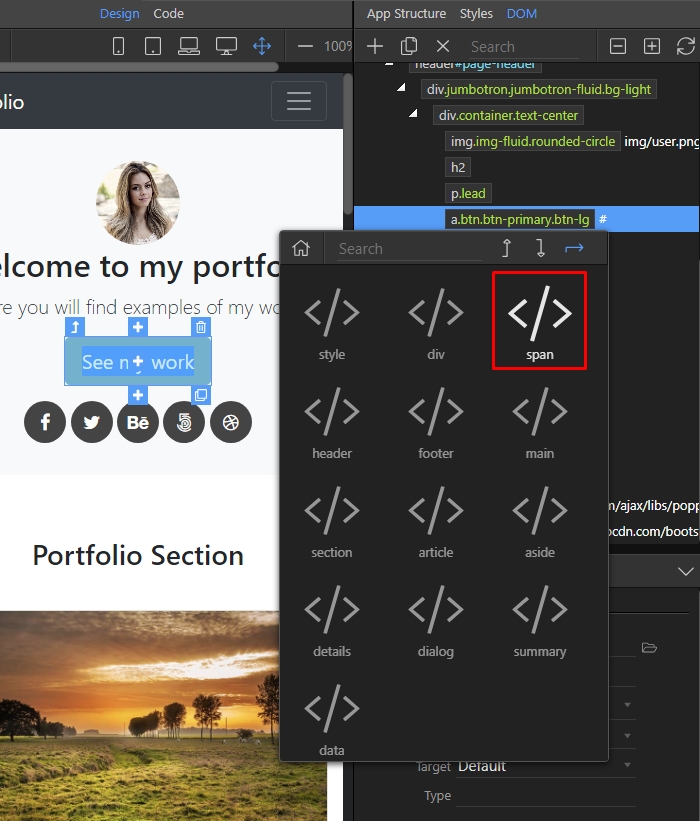
Step 5
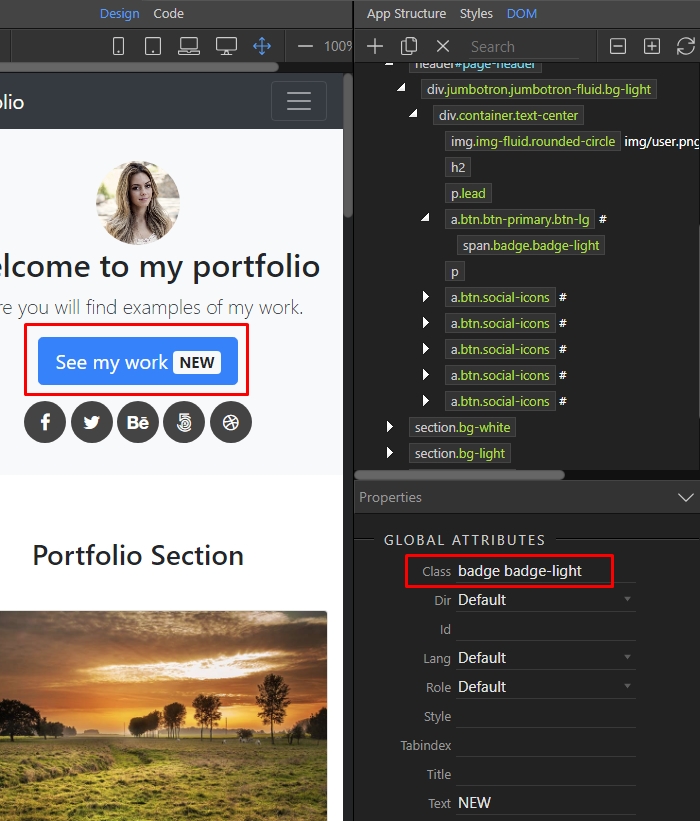
Section titled “Step 5”In the DOM Tree click on the span tag and in the Properties Inspector, in the Text field enter the content you want to show inside it:
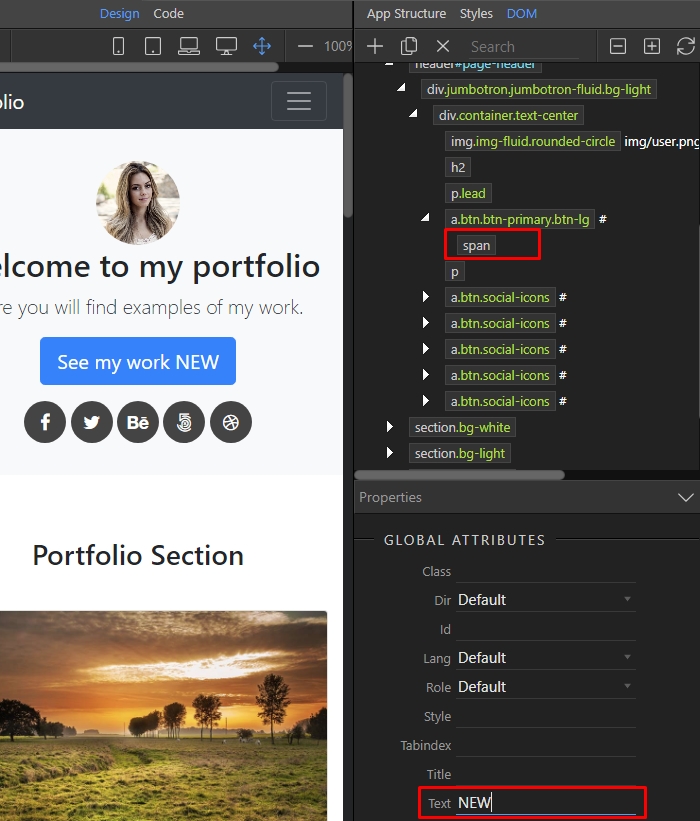
Then add a class if you need to style it further. You can see your changes immediately in Design View:
Section titled “Then add a class if you need to style it further. You can see your changes immediately in Design View:”