
Git Powers - Going back in time
With the latest update of Wappler, we have polished our git integration based on your feedback. Now you can more easily go back in time by resetting history or just get an old version by doing checkou
With the latest update of Wappler, we have polished our git integration based on your feedback.
Section titled “With the latest update of Wappler, we have polished our git integration based on your feedback.”With the latest update of Wappler, we have polished our git integration based on your feedback.
Now you can more easily go back in time by resetting history or just get an old version by doing checkout
Also you can see easily now the specific changes in any previous commit
Going back in time with Git
Section titled “Going back in time with Git”So you have made a new huge change and done a few commits about it, but seems it broke a lot of your previous work. And you have committed the new changes, so you want to go back in time to a previous commit.
This can now be done easy in Wappler, you have two options.
1. Reset to a specific history point
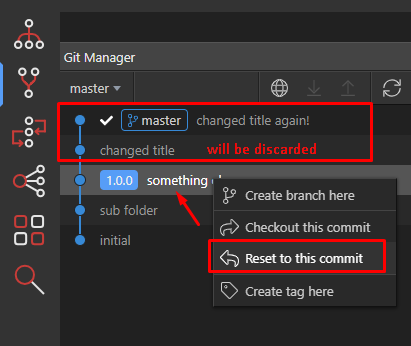
Section titled “1. Reset to a specific history point”Doing a reset will restore your files to the state they were at the selected history point.
Use with care as all other history commits after it will be discarded and this will become the new top
point in your git commit history.
Example:
a confirmation dialog will appear:
Section titled “a confirmation dialog will appear:”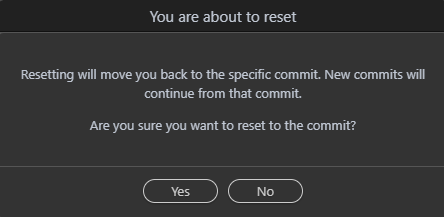
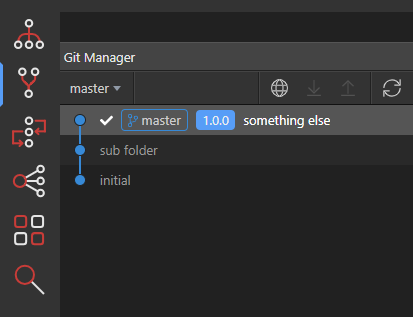
Now the history is reset and all files are restored to that point:
Section titled “Now the history is reset and all files are restored to that point:”If you had changes to your working copy, you will be prompted if you wish to Keep or Discard them.
It is advisable to discard them so you have a clean old copy.
Now the history is reset and all files are restored to that point:
2. Checkout a specific history point
Section titled “2. Checkout a specific history point”The other possibility is instead of trowing away all the history to just get a copy of an old history point by just doing a checkout. Then you can just commit it to your history top, without loosing any history.
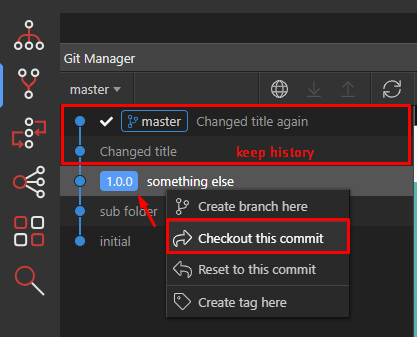
A confirmation again will appear:
Section titled “A confirmation again will appear:”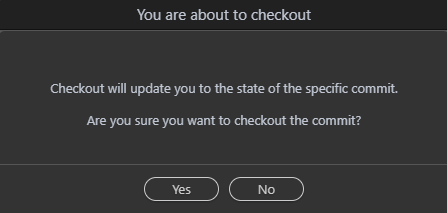
Step 8
Section titled “Step 8”Again if you had changes to your working copy, you will be prompted if you wish to Keep or Discard them. It is advisable to discard them so you have a clean old copy.
Now all the files from the specific history point is just being extracted and your current files replaced.
So you can just commit again.
Diving into your History
Section titled “Diving into your History”History can be really interesting and often you want to dive into it and see what has happened when exactly. With Wappler’s Git implementation you have quite a few choices.
Inspect file changes in History
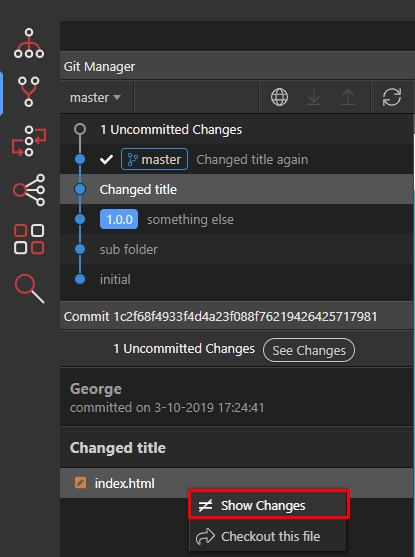
Section titled “Inspect file changes in History”Are you curious what changed of a specific file at specific history commit point? Now you can easily see the changes.
Just select the history point, the file your want to see the changes, call the context menu by right clicking, and choose “Show changes” :
A file code diff view will appear in Wappler, showing you the exact difference:
Section titled “A file code diff view will appear in Wappler, showing you the exact difference:”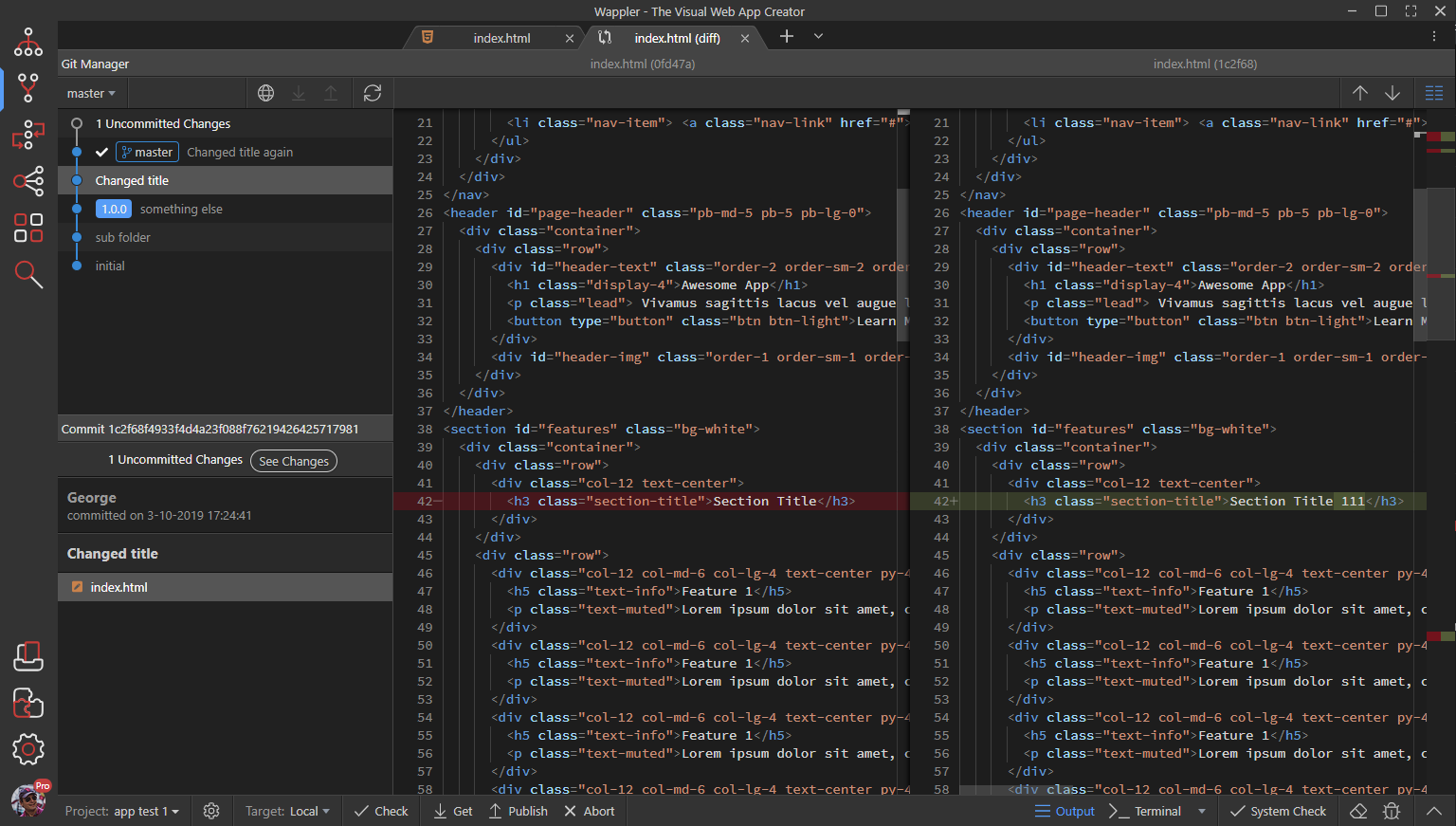
Getting a copy of an old file
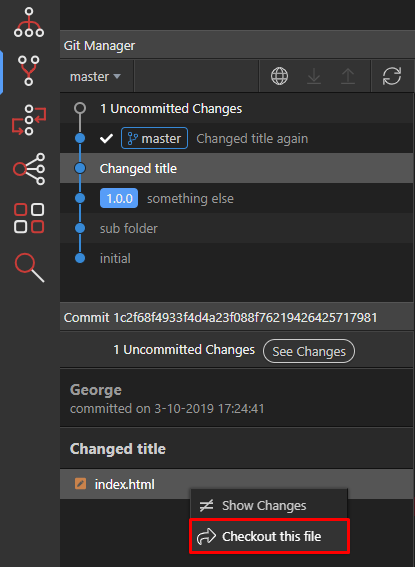
Section titled “Getting a copy of an old file”If you just need to get a copy of an old file from history - you can again just select the history point, right click and select checkout file. This will extract the file from history and replace any current version.
You can commit again with your own changes.
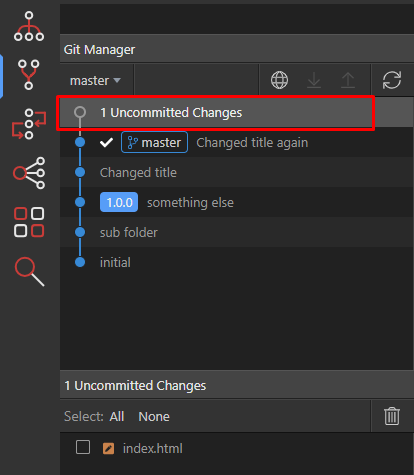
Inspecting uncommitted changes
Section titled “Inspecting uncommitted changes”If you have made some changes but before committing them you want to inspect them exactly, now there is also a “Show changes” context menu for uncommitted changes:
