
Format currency in table cells
A worked example of formatting each product price through the Text binding picker.
Format a numeric price for display while keeping the underlying value numeric.
Also called: format price, format currency, currency table, number format.
Before you begin
Section titled “Before you begin”- A repeated table with a numeric price field. Repeat table rows and bind data provides the example.
Select a price cell
Section titled “Select a price cell”Select the price cell inside productRows. Under Dynamic Attributes, its Inner Text Value should be price, referring to the current repeat item. Keep the row heading and the table heading separate from this selected cell.

Open the binding picker
Section titled “Open the binding picker”Open the picker beside the price cell’s Inner Text Value and select the price expression. Open Data Formatter. In the formatter tree, right-click price and choose Numeric → Format Currency. If numeric formatters are unavailable, confirm the sample array has numeric prices such as 12.5, without quotes. For API data, check its declared numeric output type too.

Set symbol and decimal places
Section titled “Set symbol and decimal places”Check Format Currency’s parameters: Unit is $, Separator is ., Delimiter is ,, and Precision is 2. These are the defaults shown for this example. Click Select in Data Formatter to return to the binding picker. Switch that picker to Code and confirm price.formatCurrency('$', '.', ',', 2), then click Select again to apply it to the cell. Formatting changes the displayed string, not the record’s numeric price.
<td dmx-text="price.formatCurrency('$', '.', ',', 2)"></td>

Check all three prices
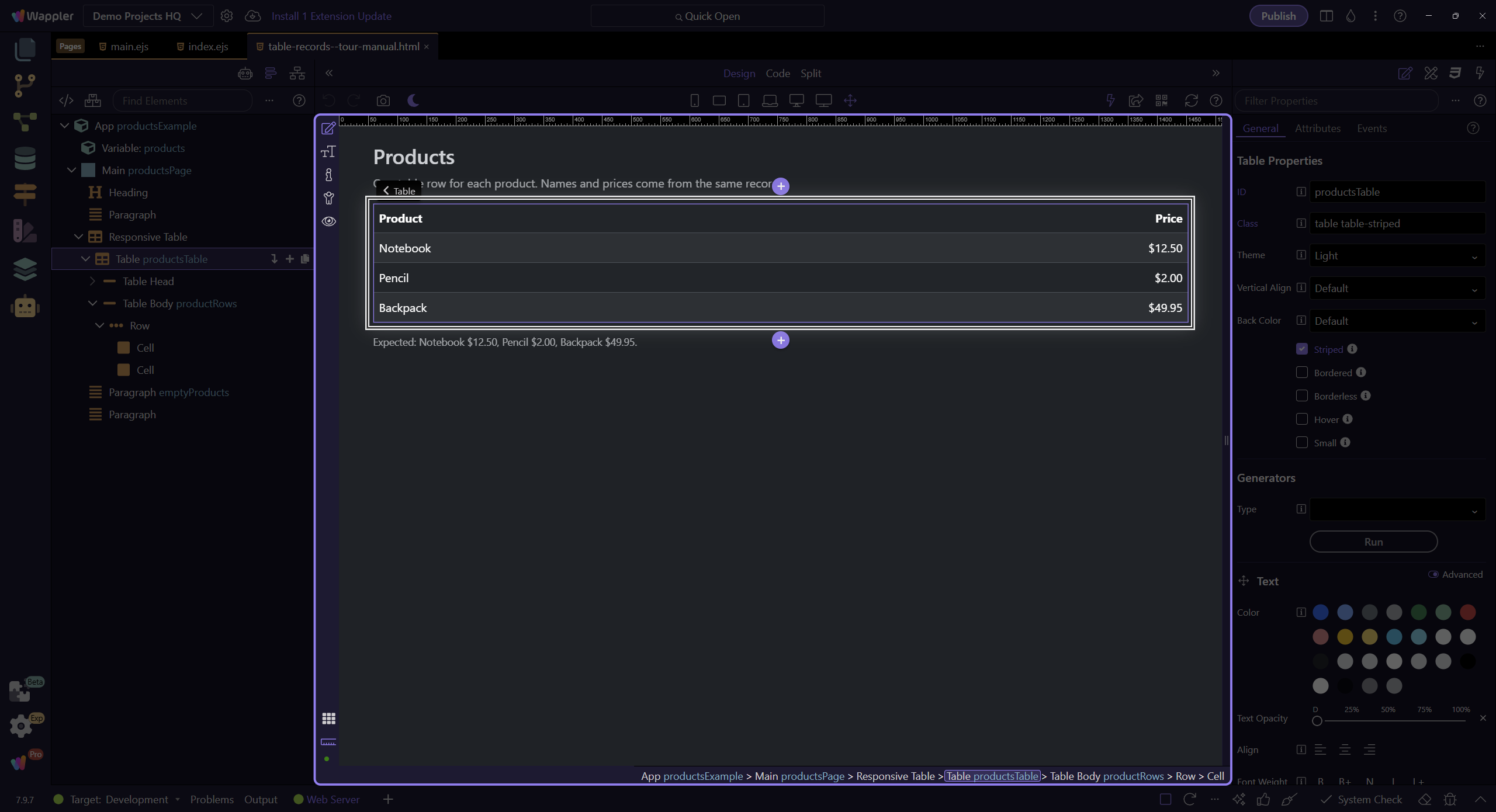
Section titled “Check all three prices”Save and Preview. Confirm that Pencil displays $2.00, not $2, and that Backpack displays $49.95. If you see a formatter error, check for null or text values in the data before formatting. Use the raw price for sorting or arithmetic.
Check your result
Section titled “Check your result”The sample displays $12.50, $2.00 and $49.95. The records still contain numeric prices; sorting and calculations can use those original numbers.