Show or Hide Elements Conditionally
Intro You can show or hide elements on your page conditionally, i.e. when a specific condition is met. There are two ways of doing in Wappler - using a conditional region and using the dynamic show an
You can show or hide elements on your page conditionally, i.e. when a specific condition is met. There are two ways of doing in Wappler - using a conditional region and using the dynamic show and hide attributes. In this tutorial we will explain how to use both methods and what are the differenced.
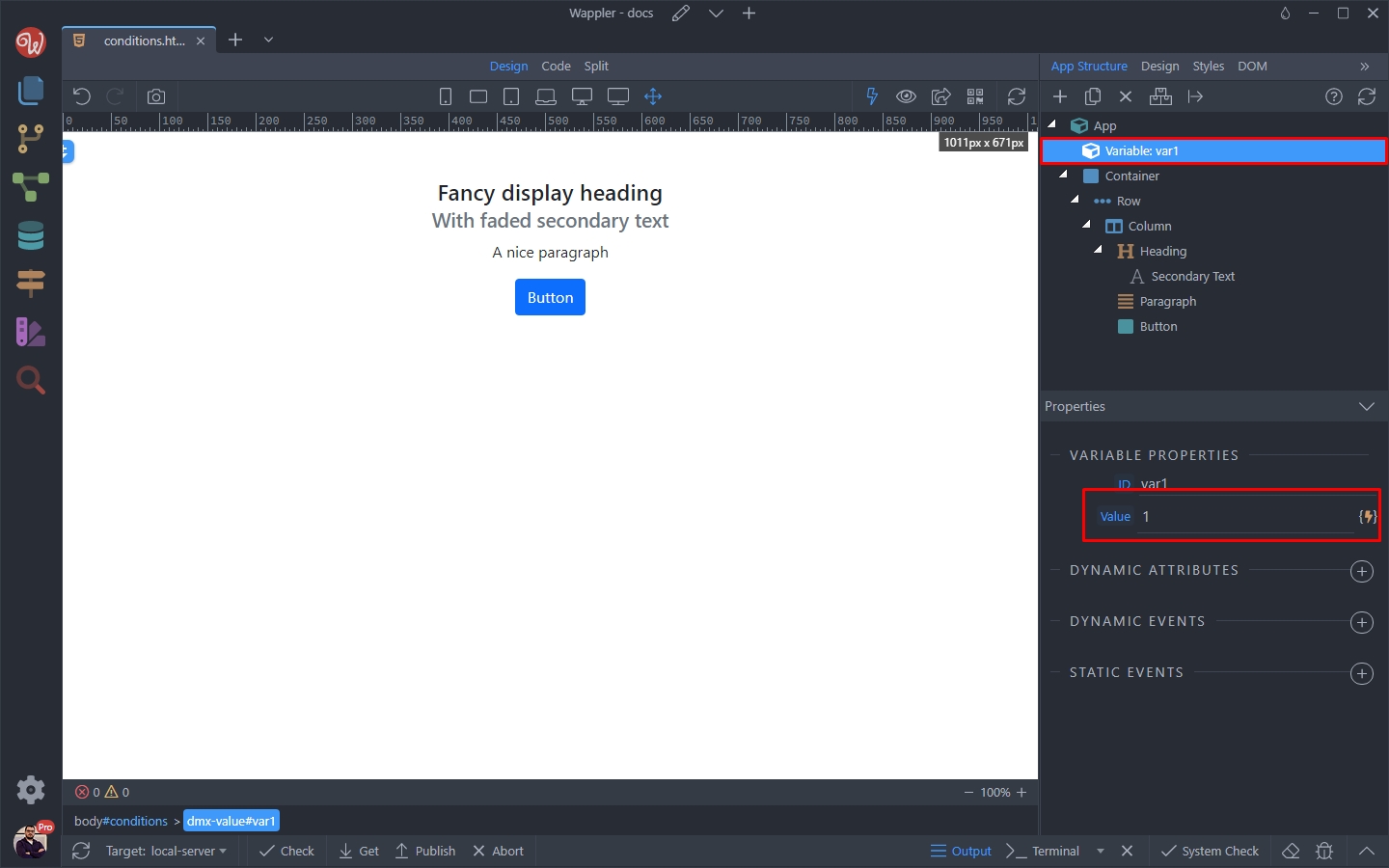
We have a variable on our page, and we want to show or hide an element based on its value:
The element we want to show and hide is a simple column in the layout:
Section titled “The element we want to show and hide is a simple column in the layout:”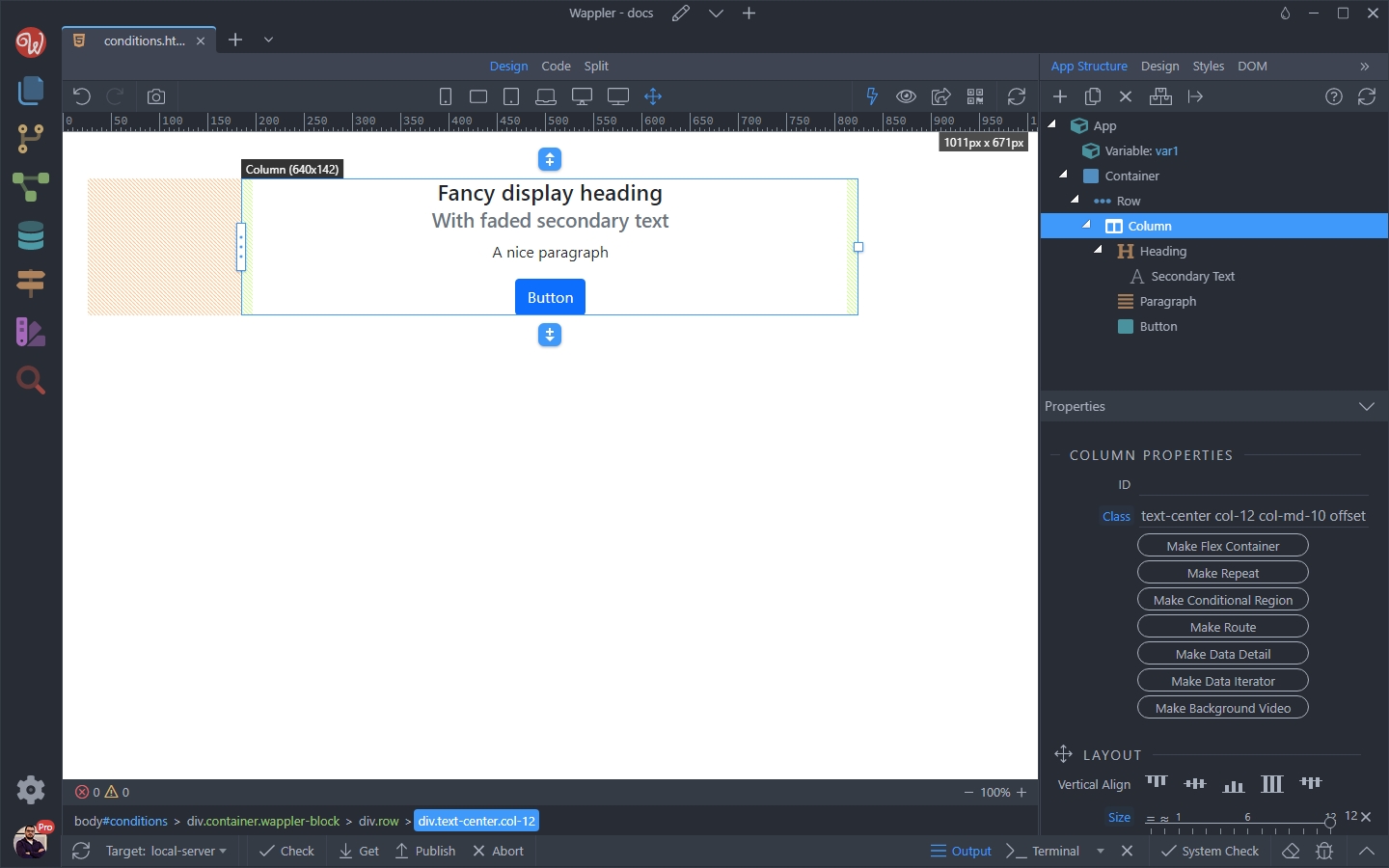
Show/Hide Dynamic Attributes
Section titled “Show/Hide Dynamic Attributes”The show and hide dynamic attributes allow you to change the visibility of the element.
show - will show the element when the condition is met
hide - will hide the element when the condition is met
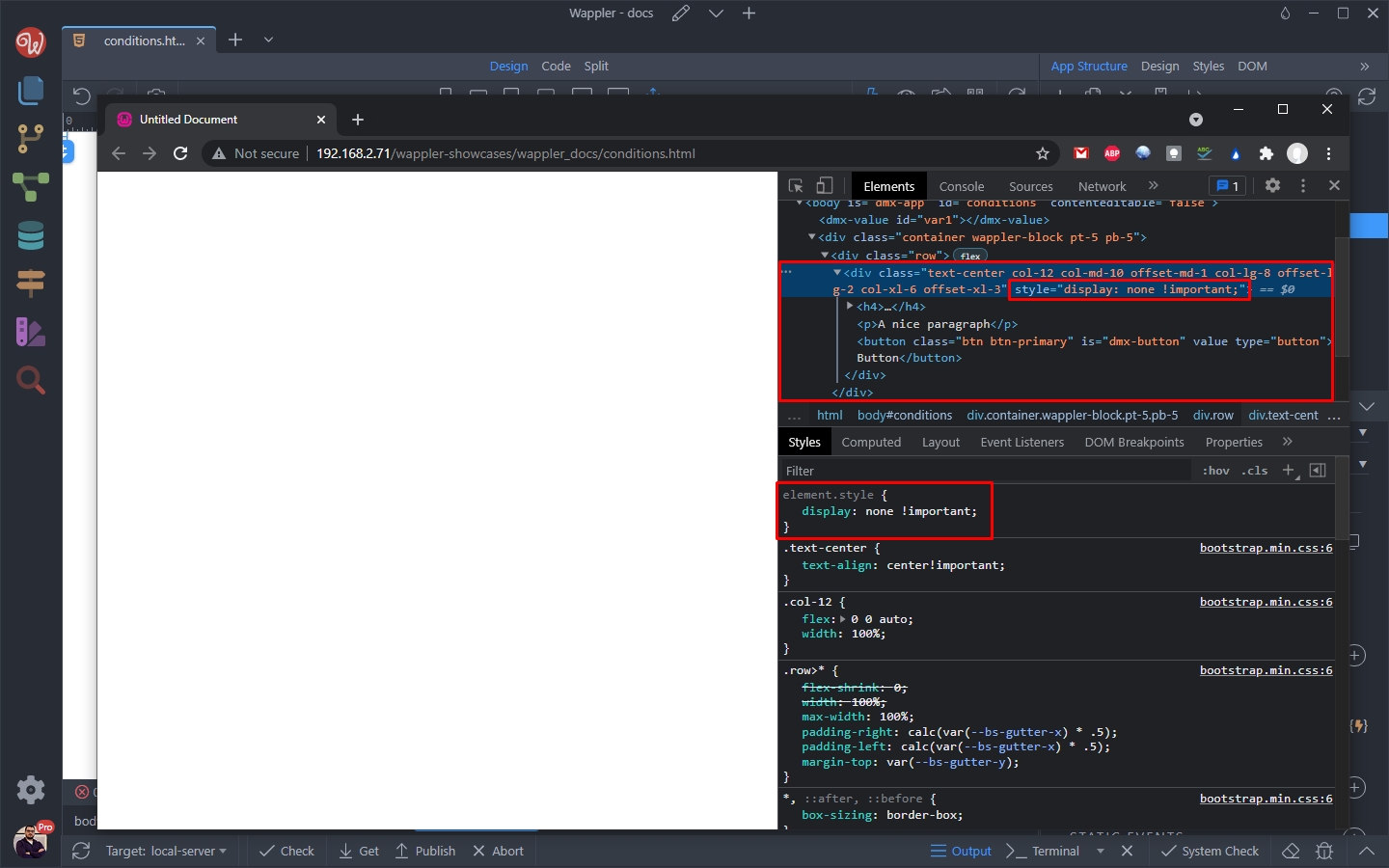
When using the show/hide dynamic attributes the element is not removed from the DOM, it’s just hidden by applying a display: none to it. Use them if you want to toggle the visibility of the element often.
First we select the column and add a new dynamic attribute:
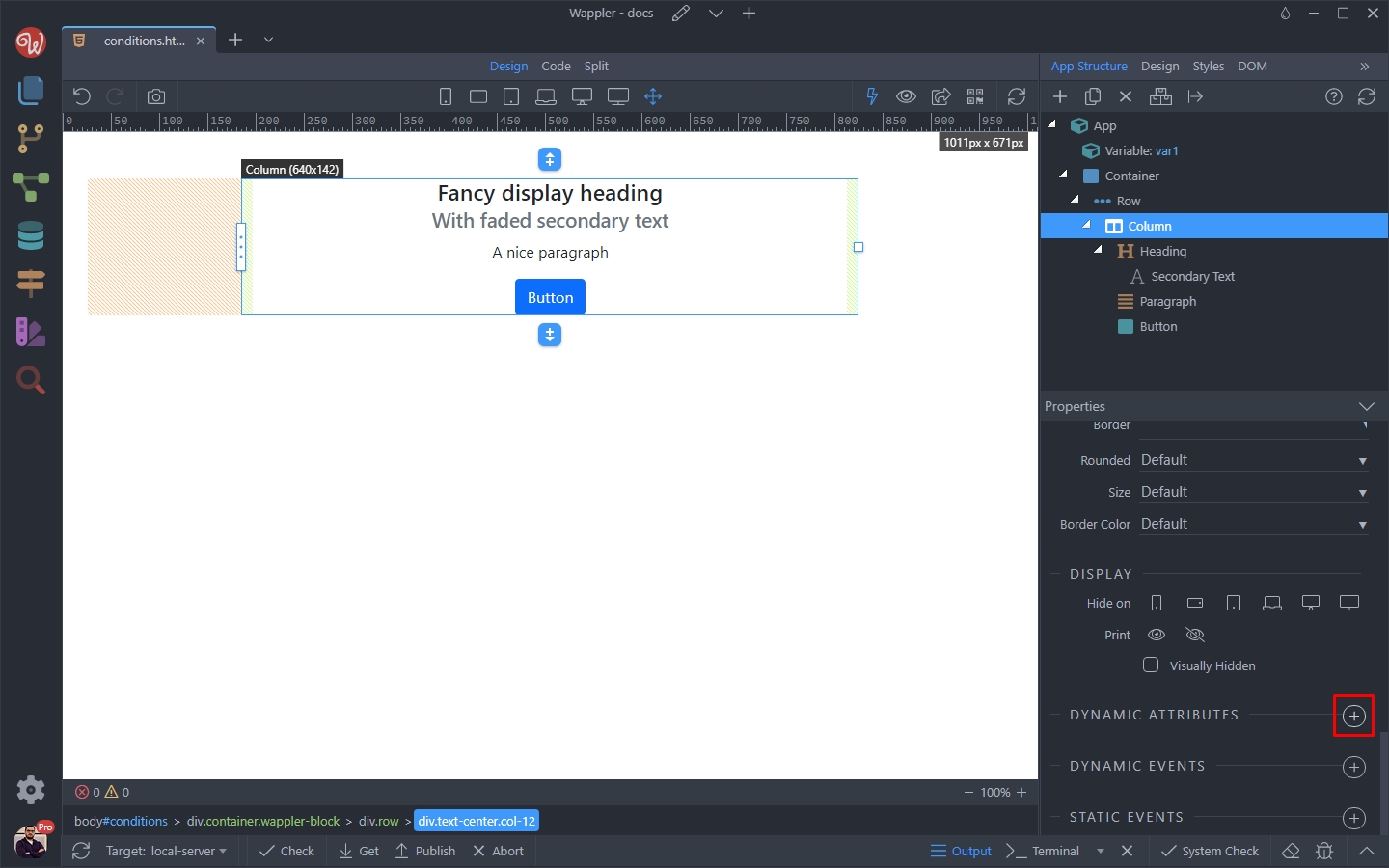
Select Display > Show:
Section titled “Select Display > Show:”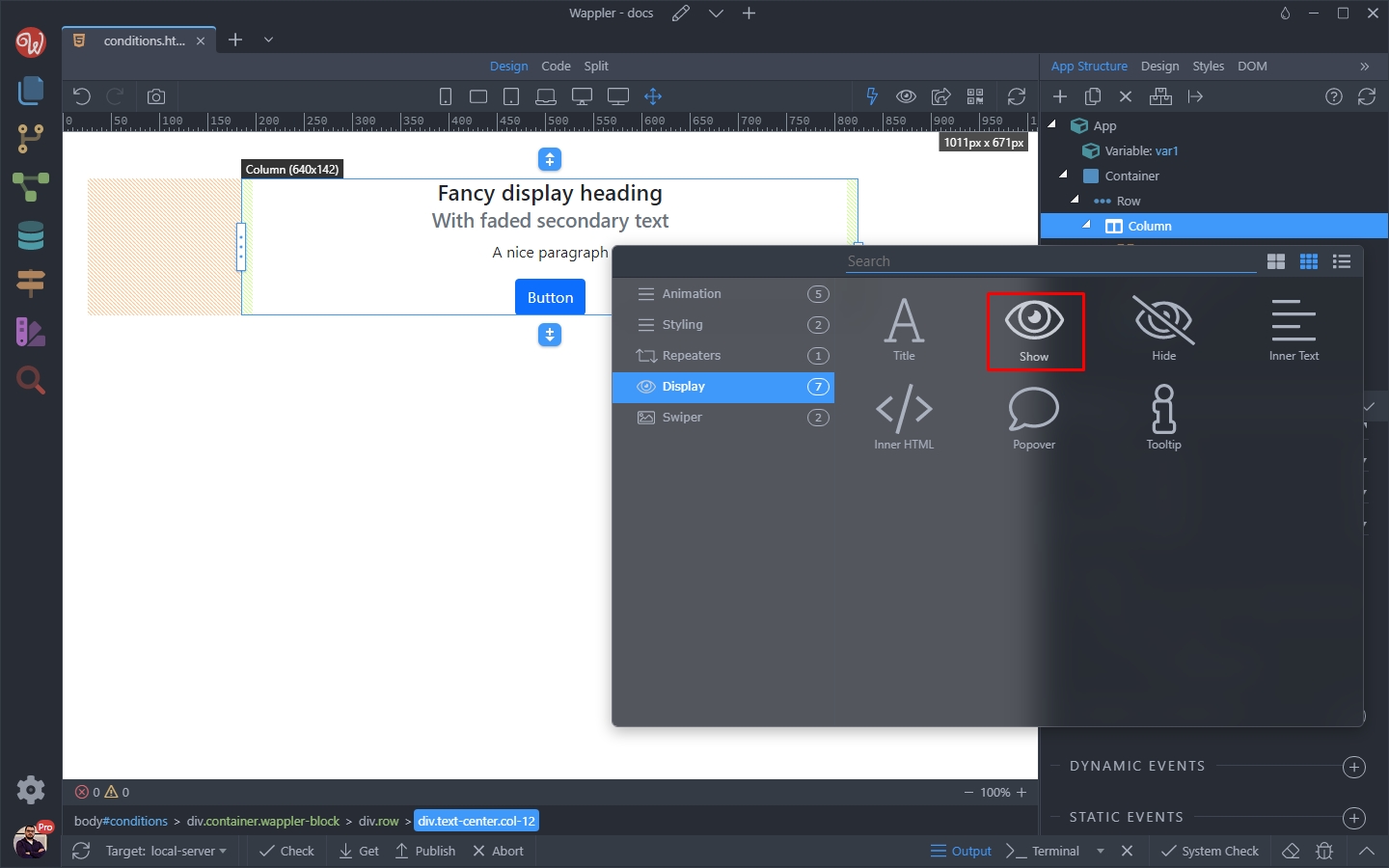
And click the dynamic data picker:
Section titled “And click the dynamic data picker:”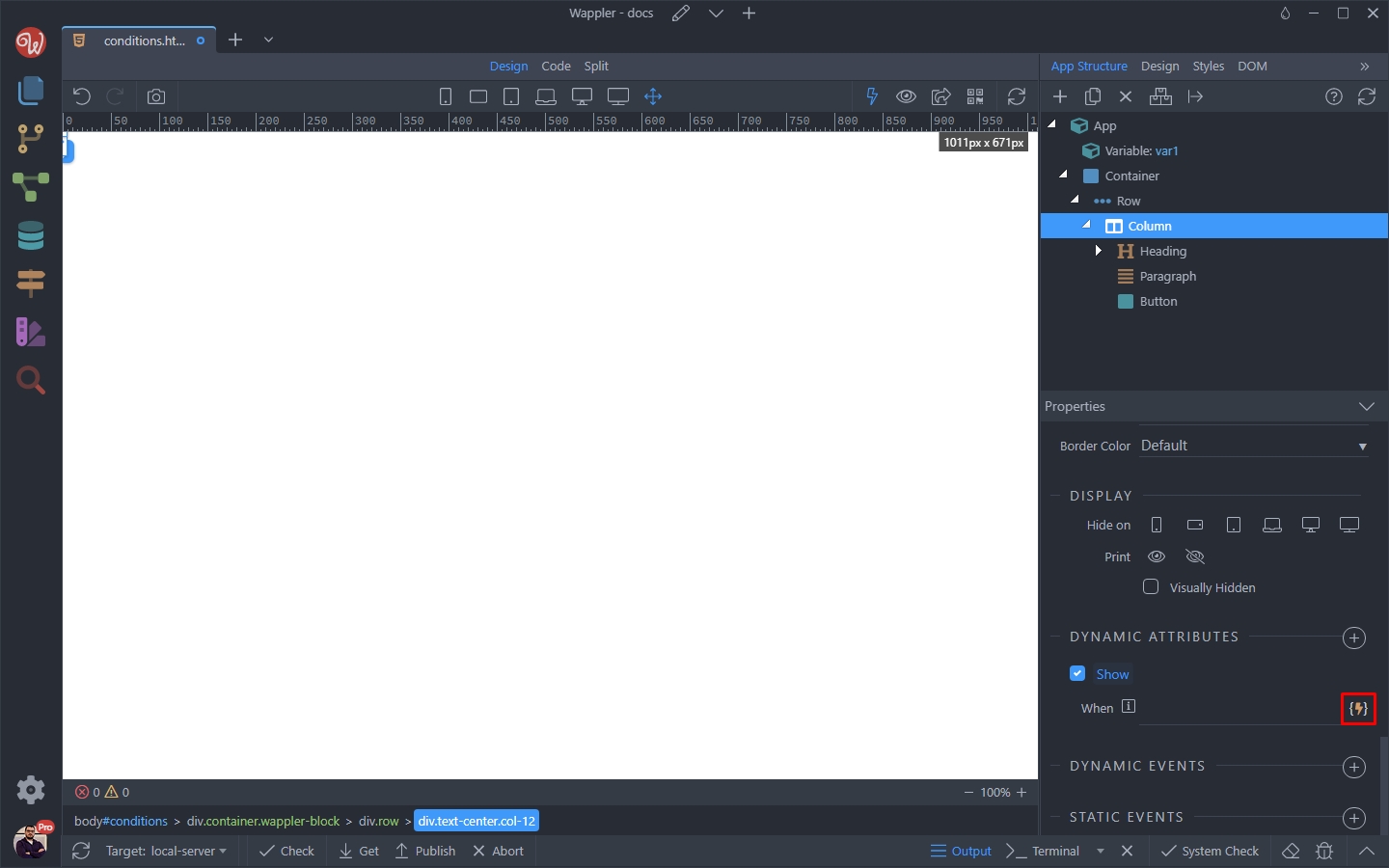
Step 8
Section titled “Step 8”We want to show the element when the variable value equals 2. So select the variable value and click the data formatter icon:
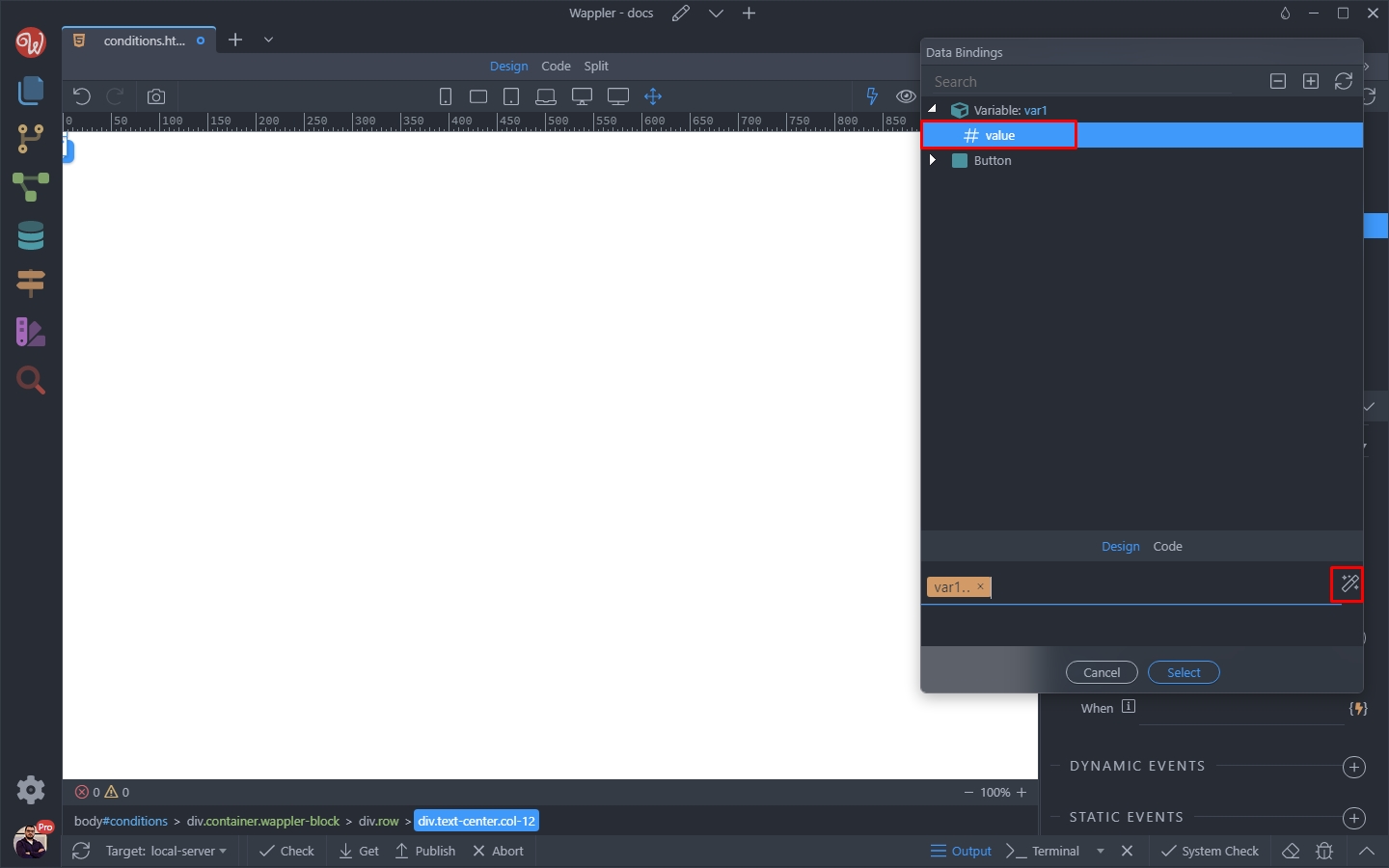
Right click the expression and select operations:
Section titled “Right click the expression and select operations:”
Select equals ==
Section titled “Select equals ==”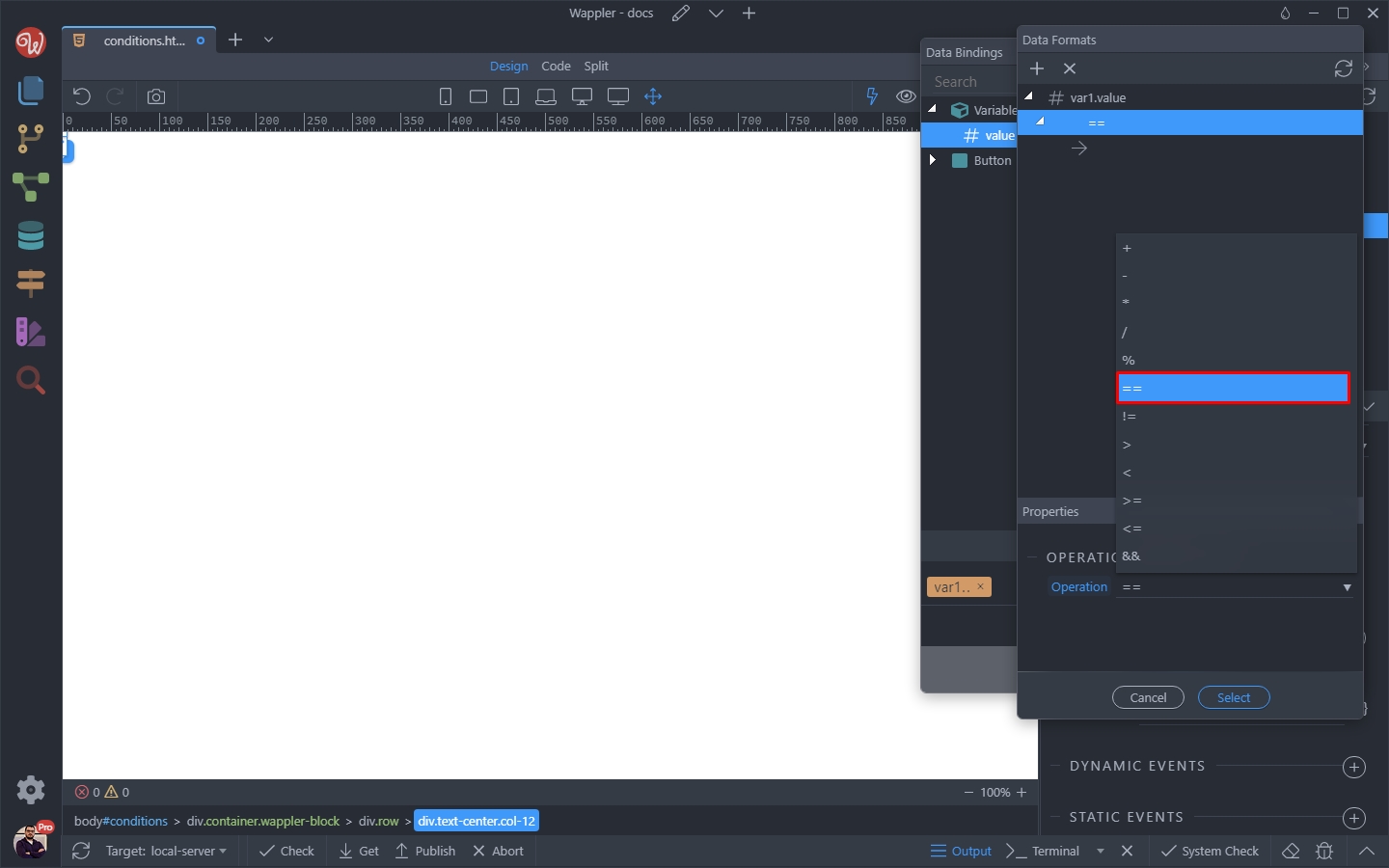
And enter 2:
Section titled “And enter 2:”
Click Select:
Section titled “Click Select:”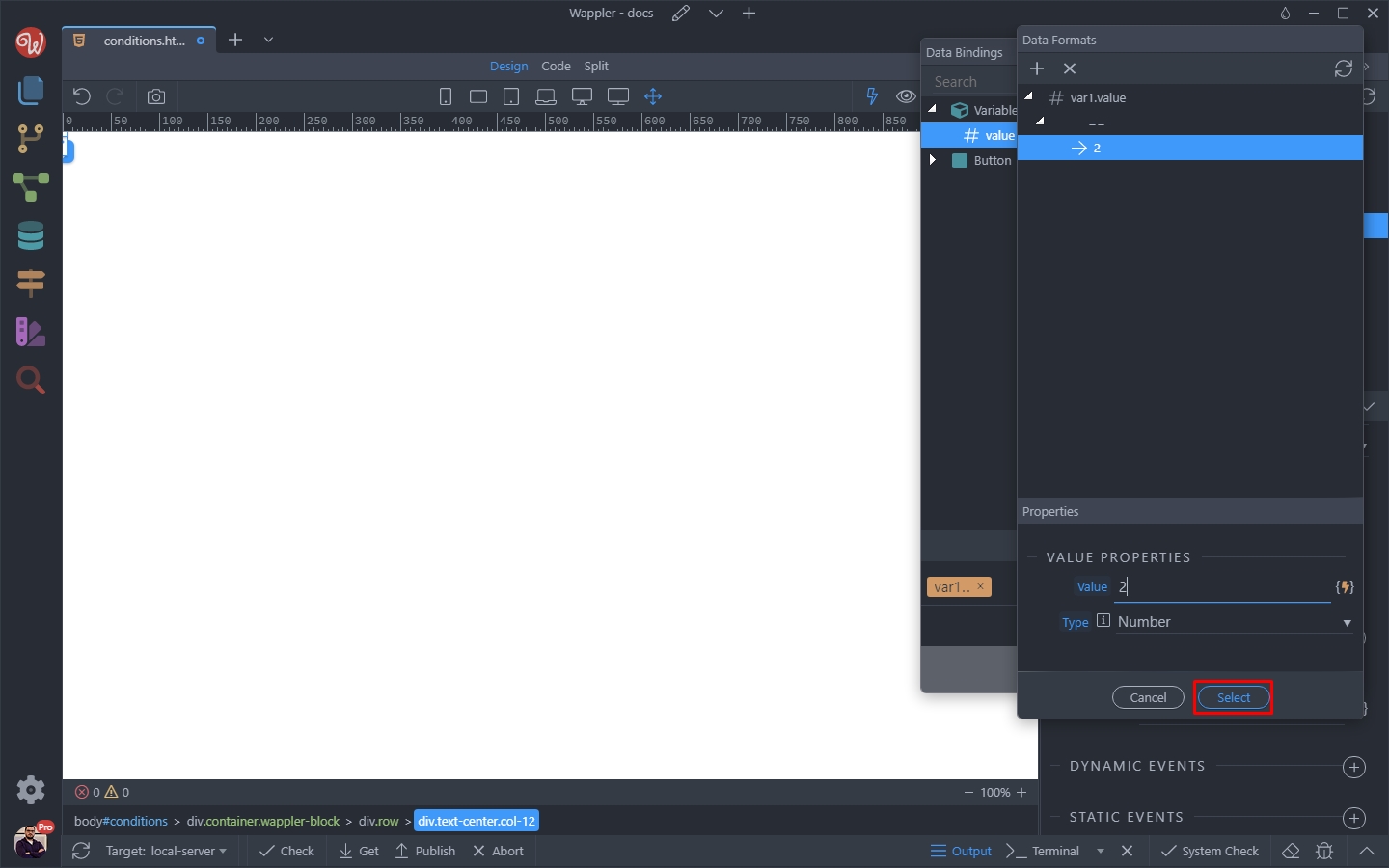
And then click Select again to apply the condition:
Section titled “And then click Select again to apply the condition:”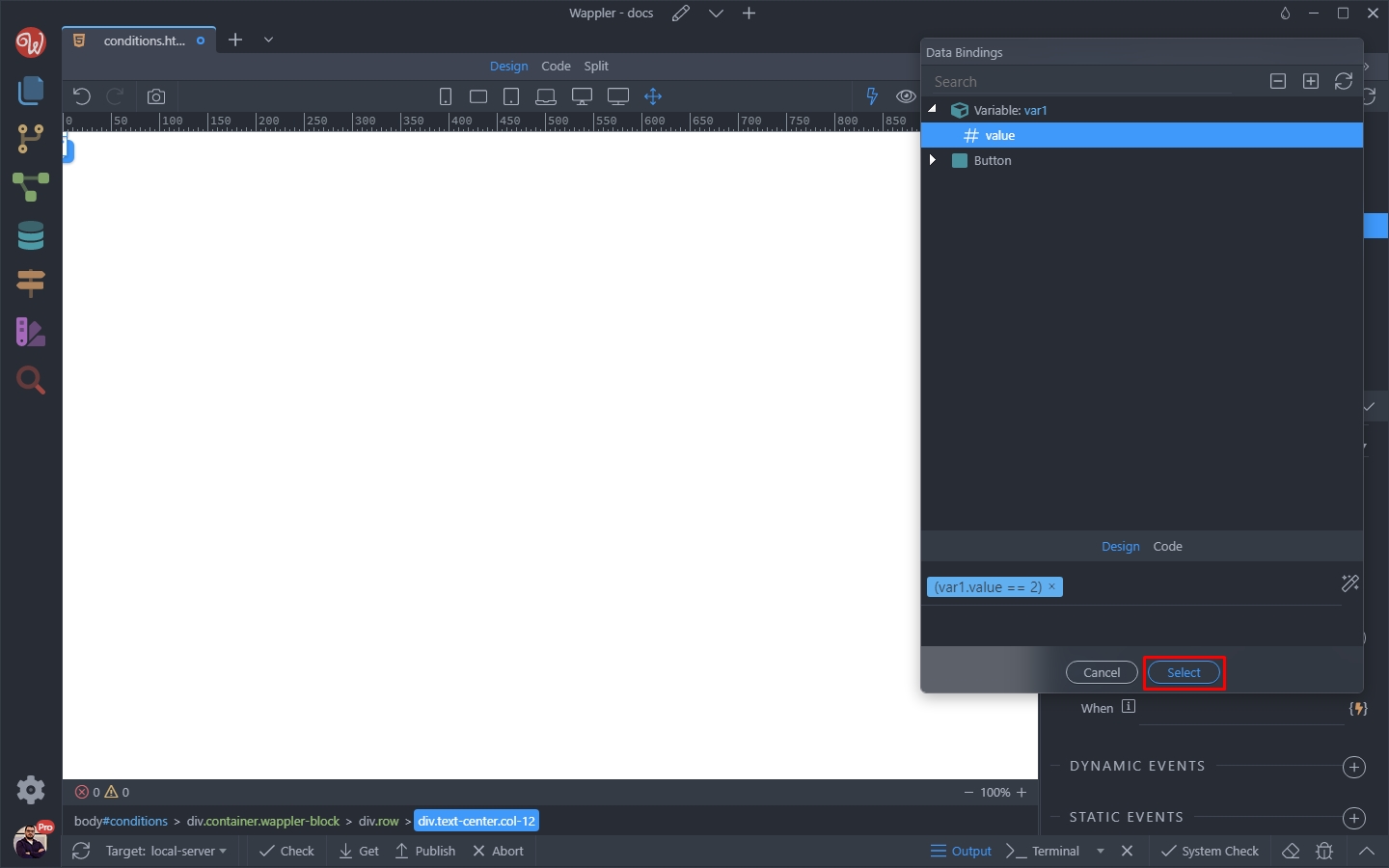
Step 14
Section titled “Step 14”Save your page and preview it in the browser.
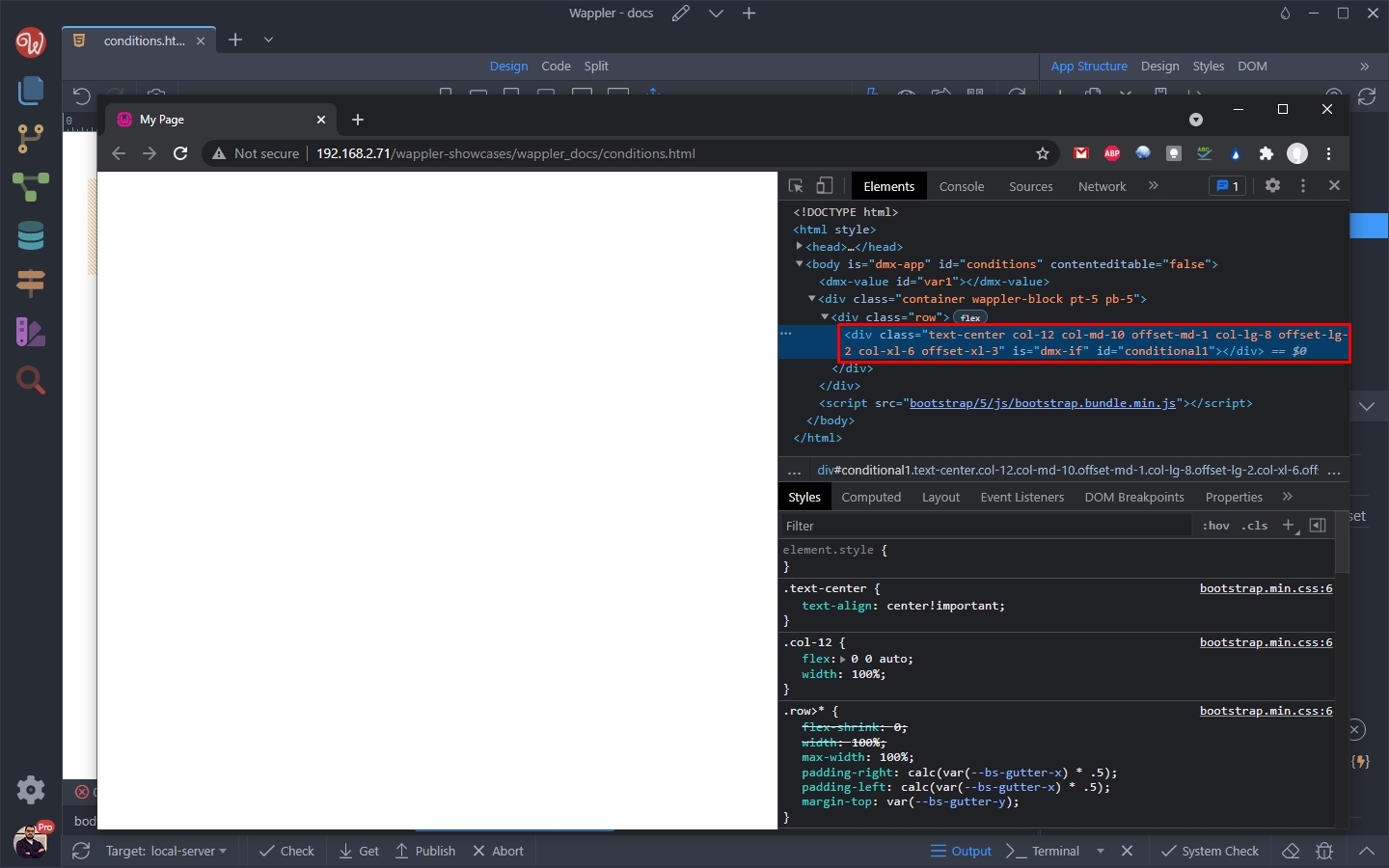
As our condition is not met, the column will be hidden. You can inspect the page using the browser dev tools and see that it’s not being removed from the DOM, just hidden using display: none; CSS rule:
Conditional Region
Section titled “Conditional Region”The conditional region will compile and render its content when the condition is met.
When using a conditional region its content is not rendered in the DOM when the condition is not met. Use the conditional regions when the visibility is not toggled often - for example if you only check it on page load.
You can either add the conditional region from the Elements Picker dialog:
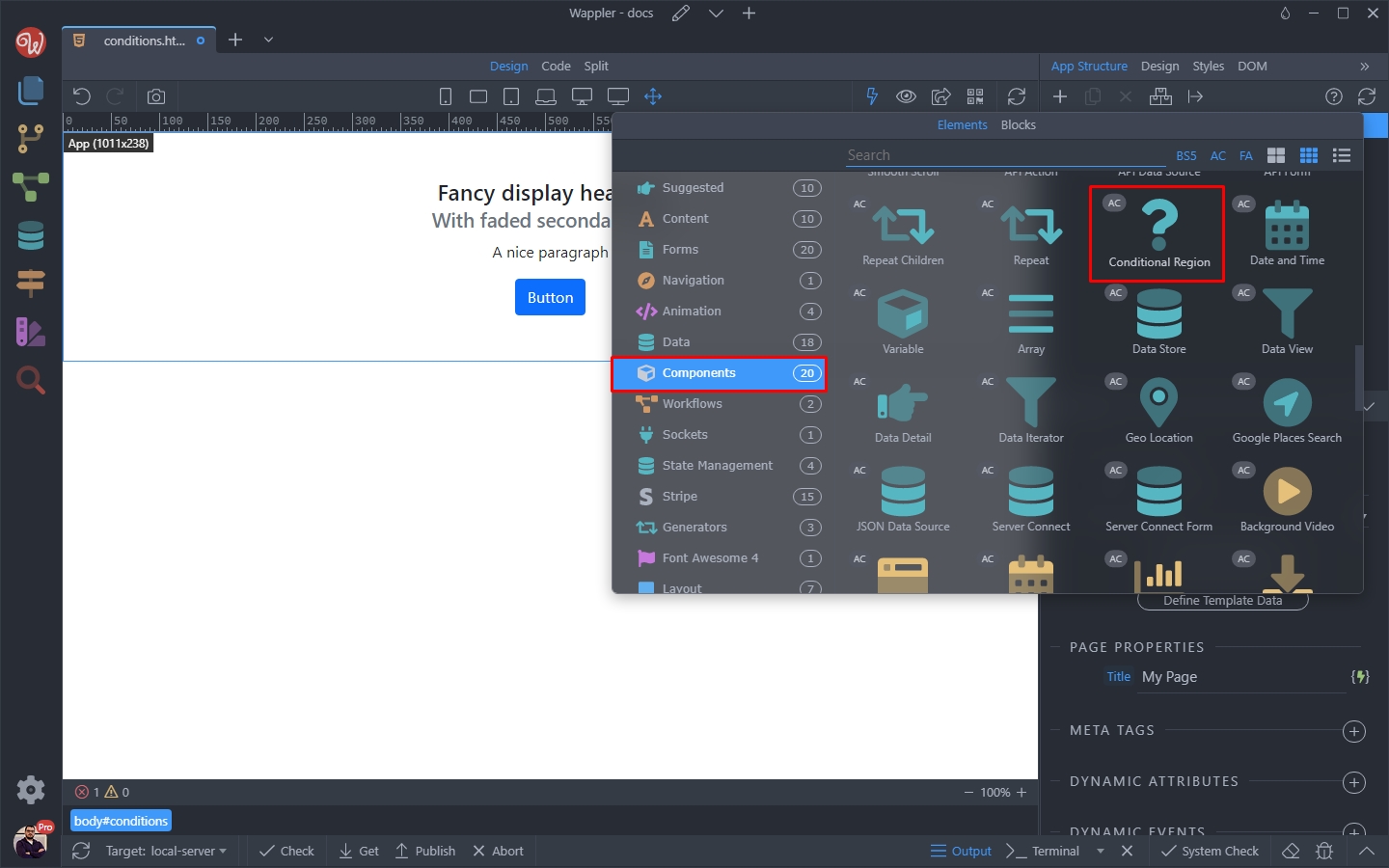
Or just convert your column to a conditional region. So click the Make Conditional Region button:
Section titled “Or just convert your column to a conditional region. So click the Make Conditional Region button:”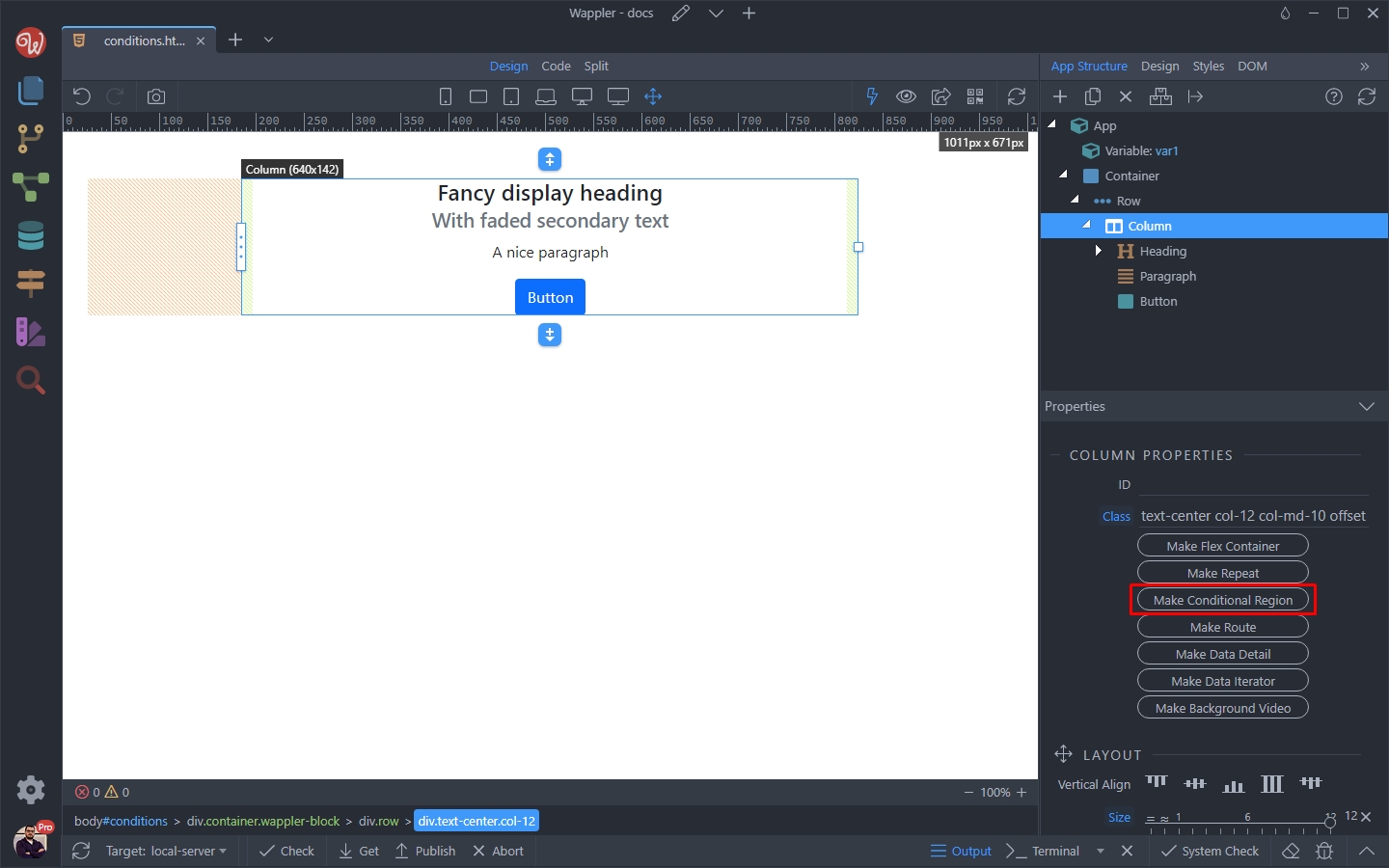
And click the dynamic data picker to select the condition:
Section titled “And click the dynamic data picker to select the condition:”
Step 19
Section titled “Step 19”We want to show the element when the variable value equals 2. So select the variable value and click the data formatter icon:
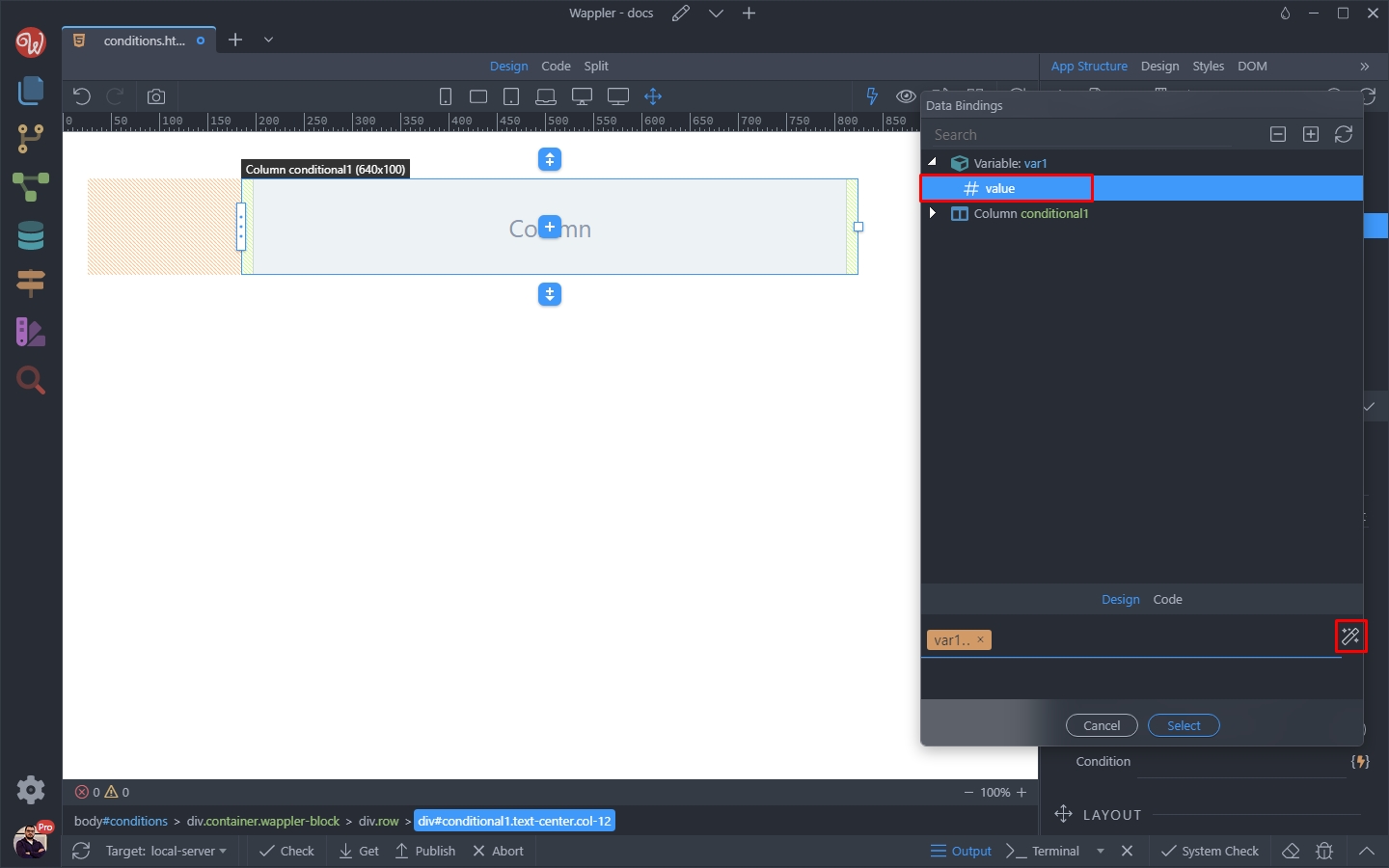
Right click the expression and select operations:
Section titled “Right click the expression and select operations:”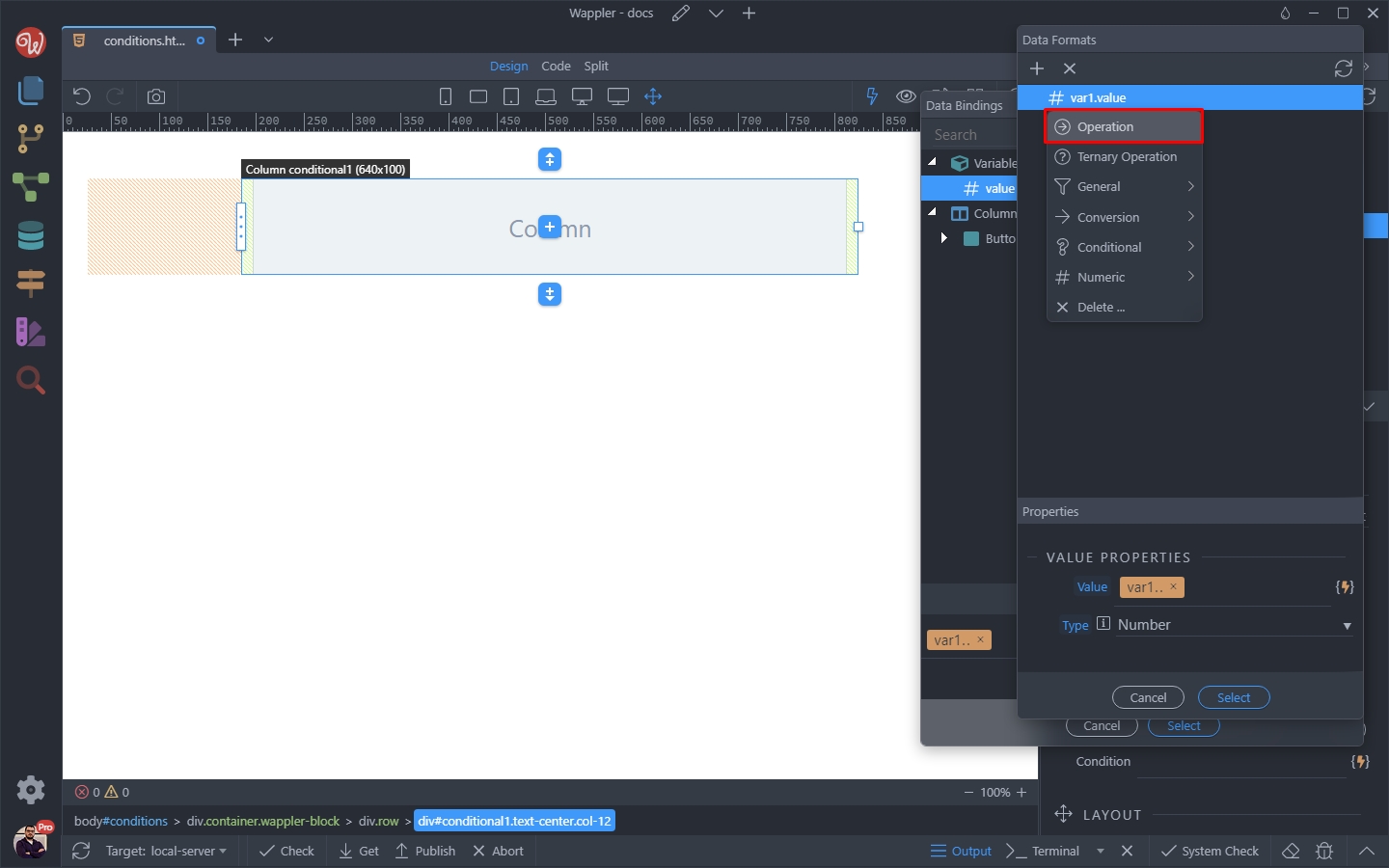
Select equals ==
Section titled “Select equals ==”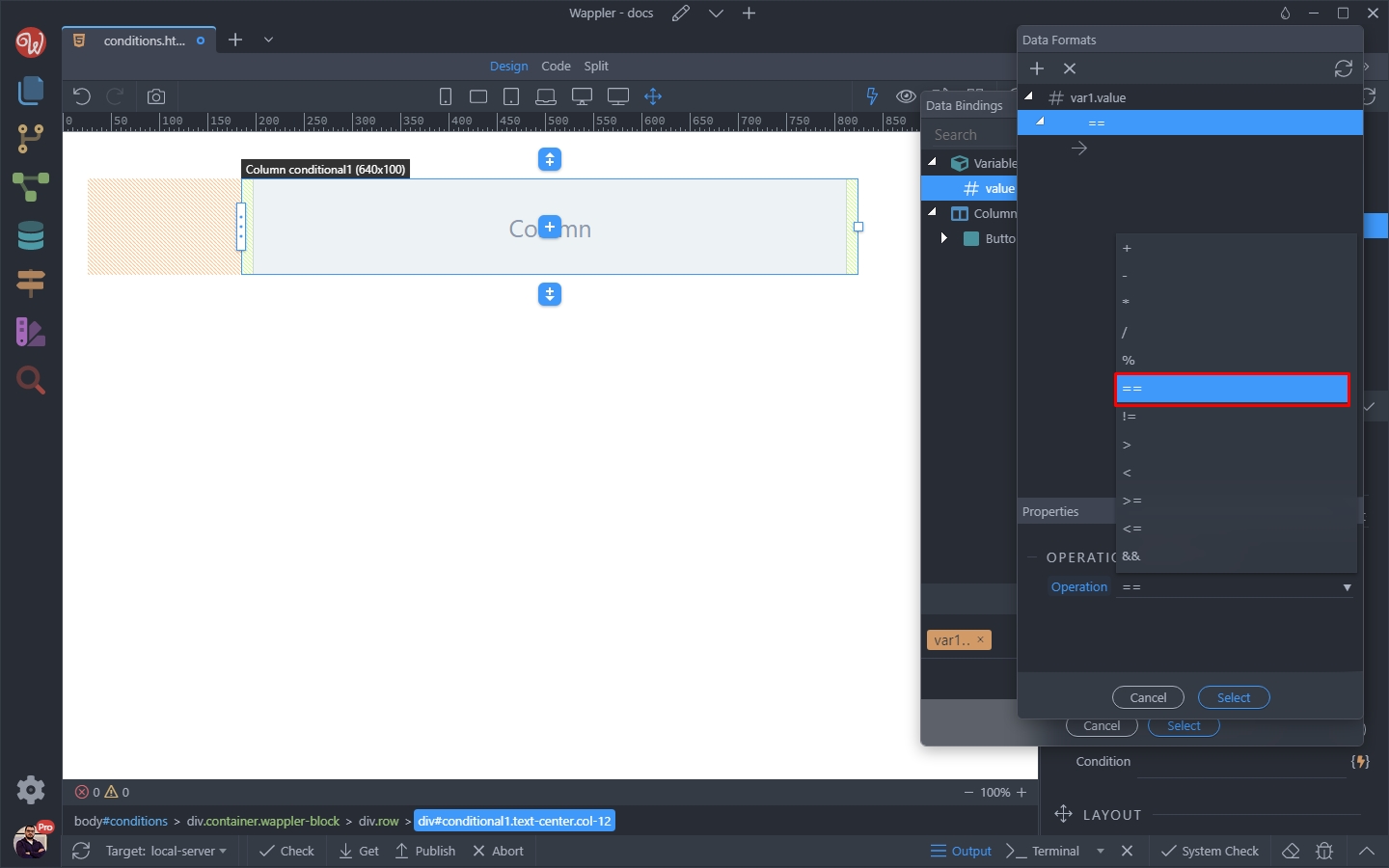
Enter 2 and click the Select button:
Section titled “Enter 2 and click the Select button:”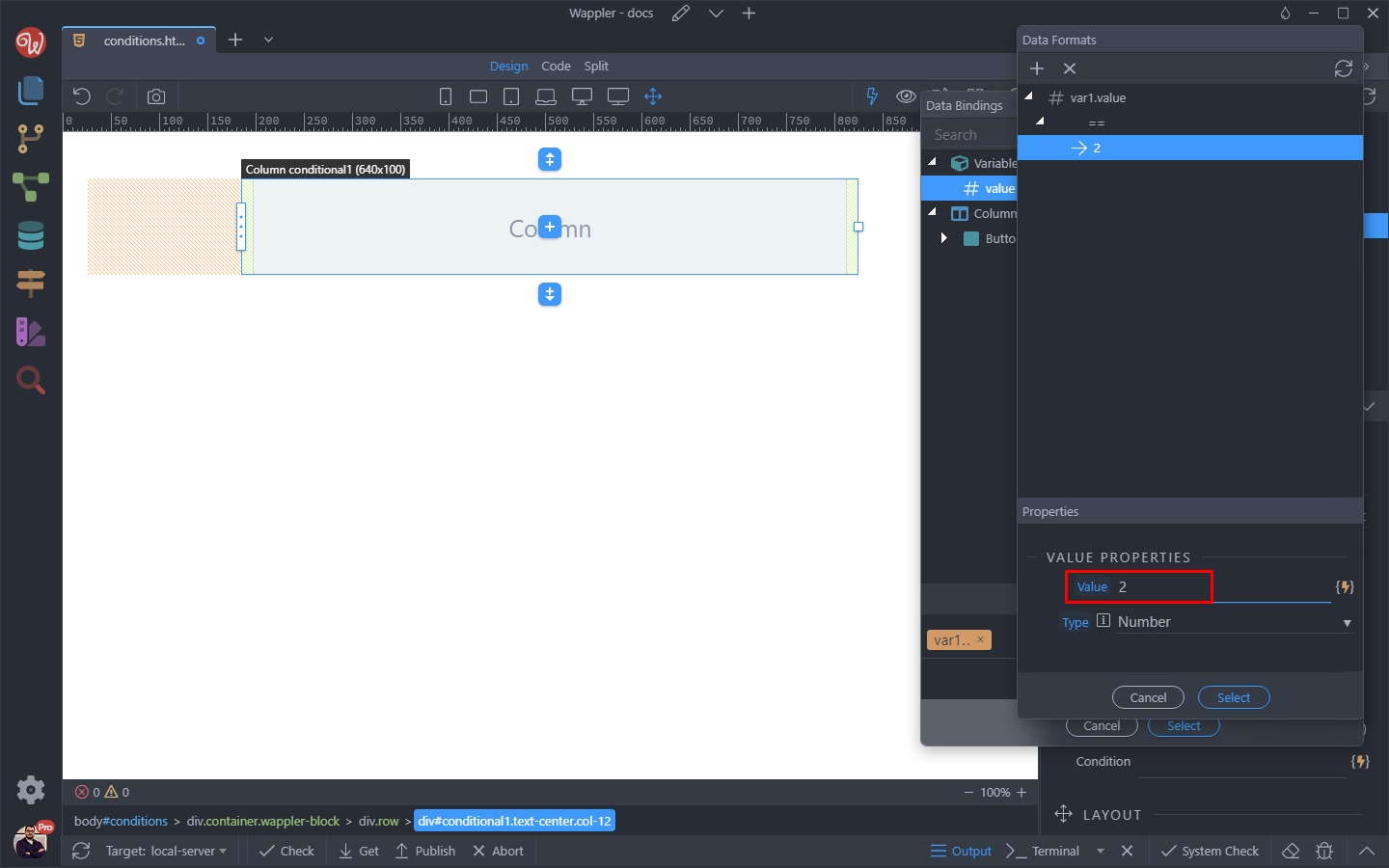
And then click Select again to apply the condition:
Section titled “And then click Select again to apply the condition:”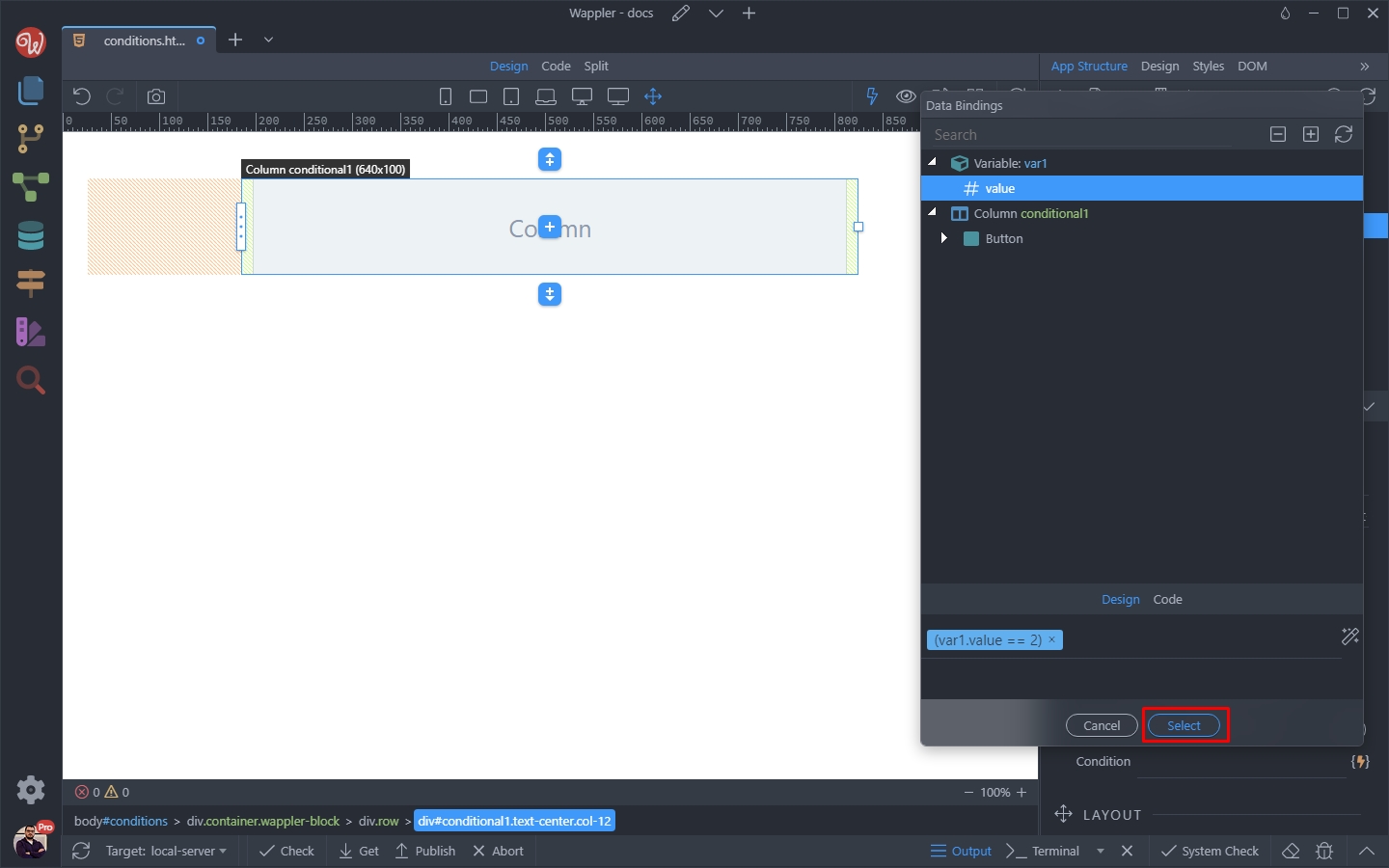
Step 24
Section titled “Step 24”Save your page and preview it in the browser.
As our condition is not met, the contents of the conditional region will not be rendered in the browser. You can inspect the page using the browser dev tools and see that the contents are not being added to the DOM at all: