
Accordion
Use accordions to organize content into collapsible sections with smooth navigation.
Accordion structure
Section titled “Accordion structure”An accordion is a container plus collapsible panels. The panels can be linked to the accordion so only one is open at a time.
Accordion example
Section titled “Accordion example”This accordion example is best understood as a reusable layout pattern rather than a single widget on the page. Watch how related sections are grouped into one container, how each header controls reveal and collapse behavior, and why accordions work well when you need dense content without forcing a long scrolling page.
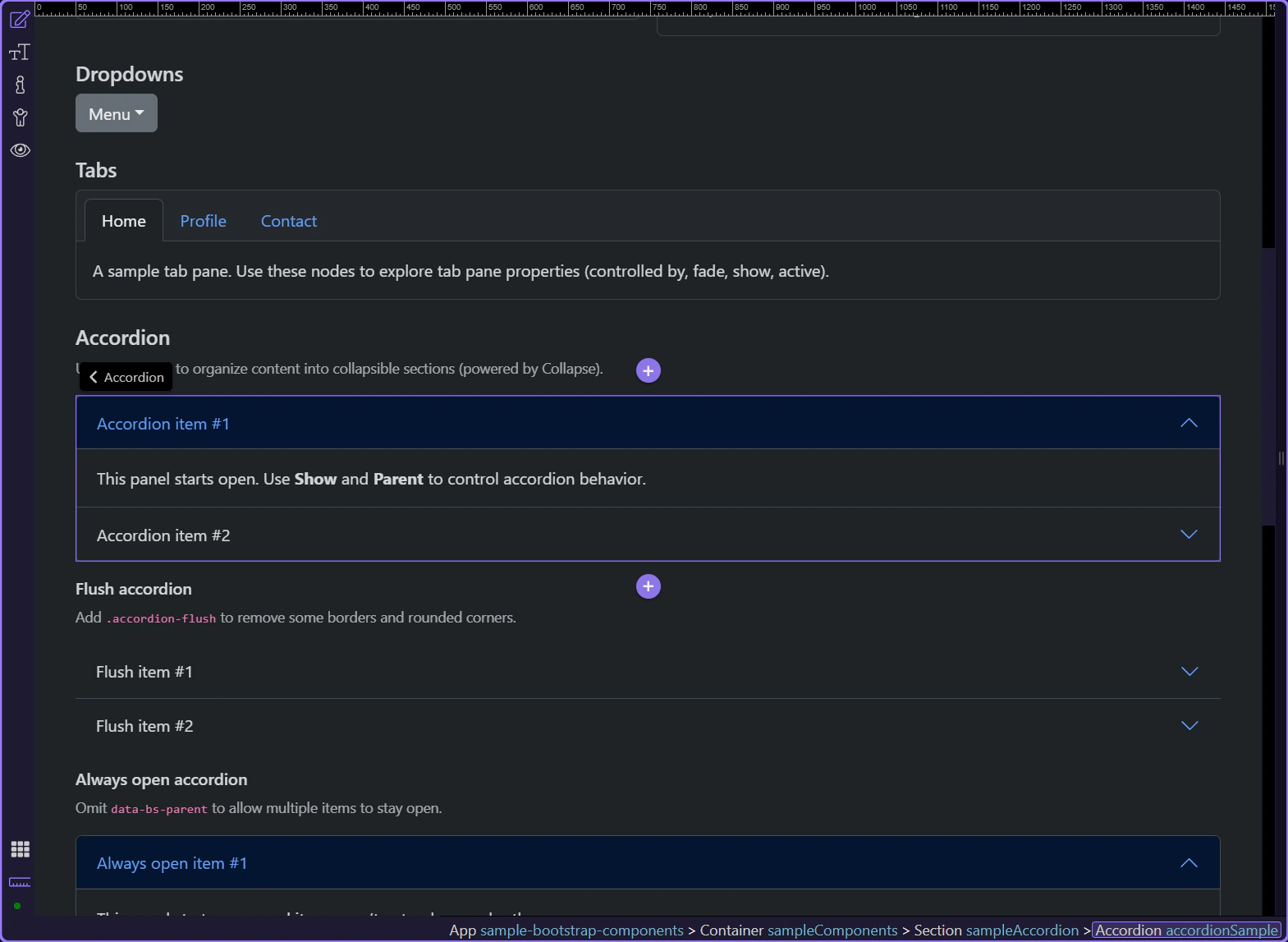
Collapsible panel
Section titled “Collapsible panel”Let’s explore a collapsible panel and how its initial expanded state is controlled.
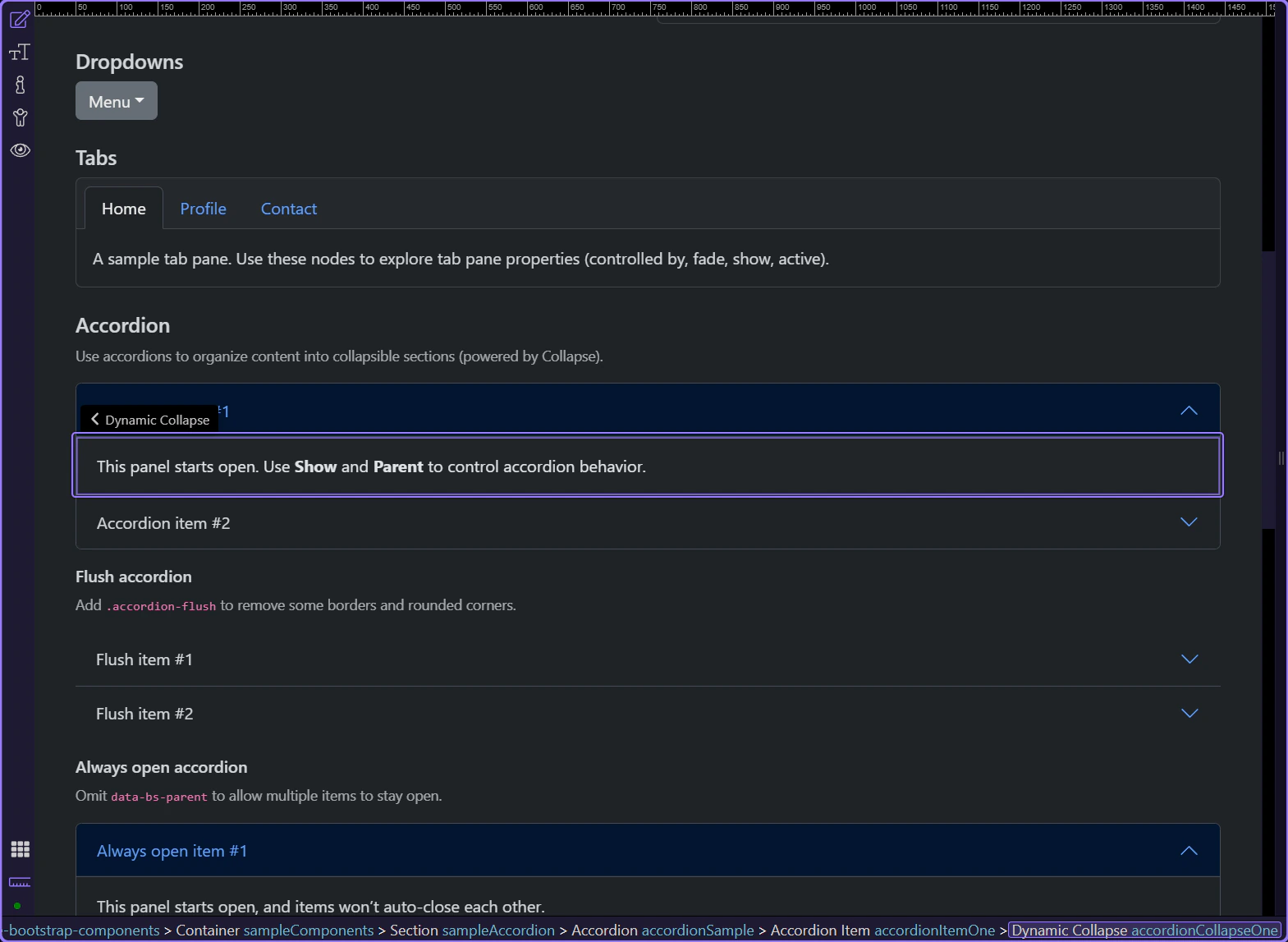
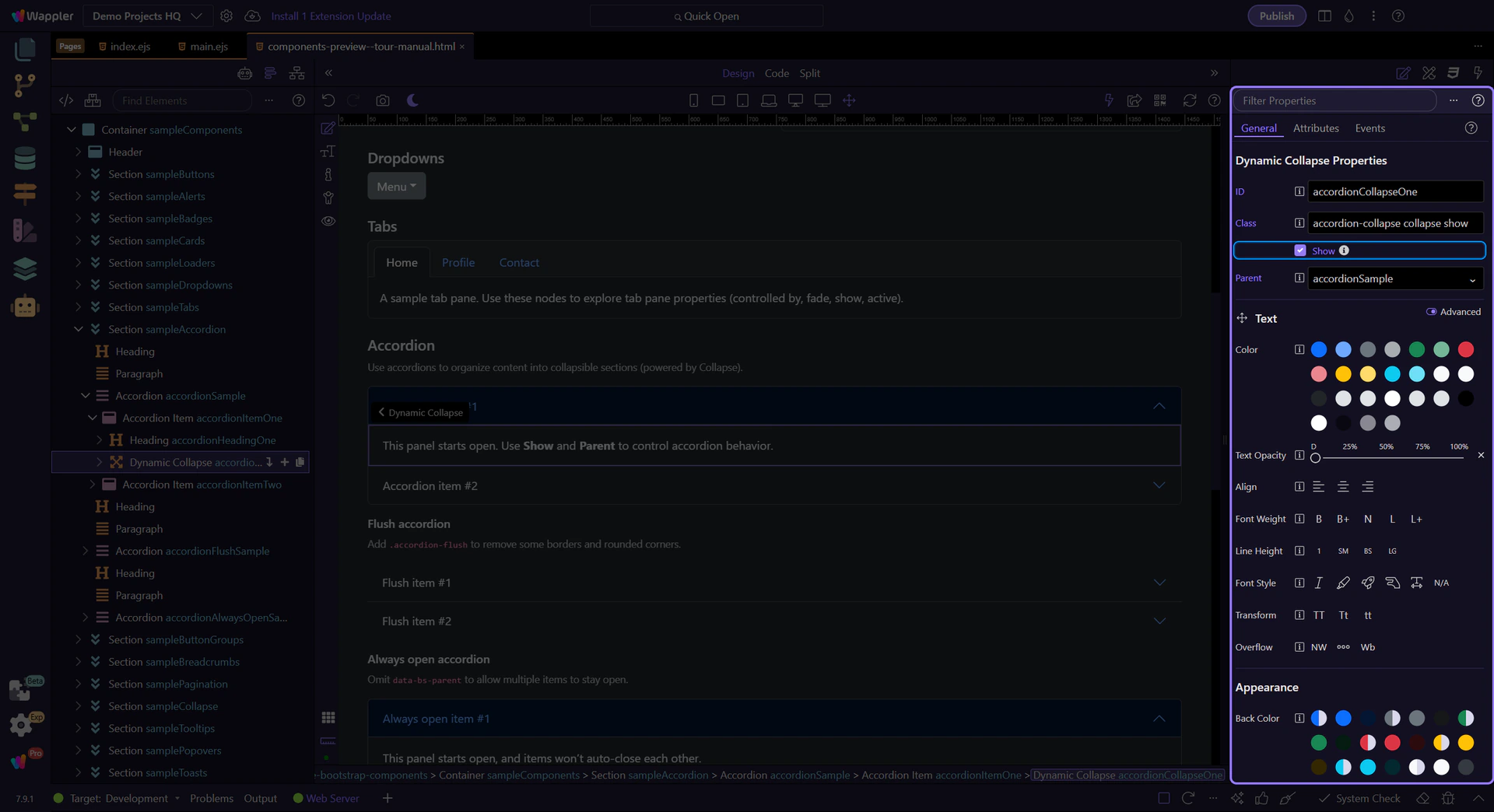
Collapse: Show
Section titled “Collapse: Show”Use Show to control whether the panel starts expanded.
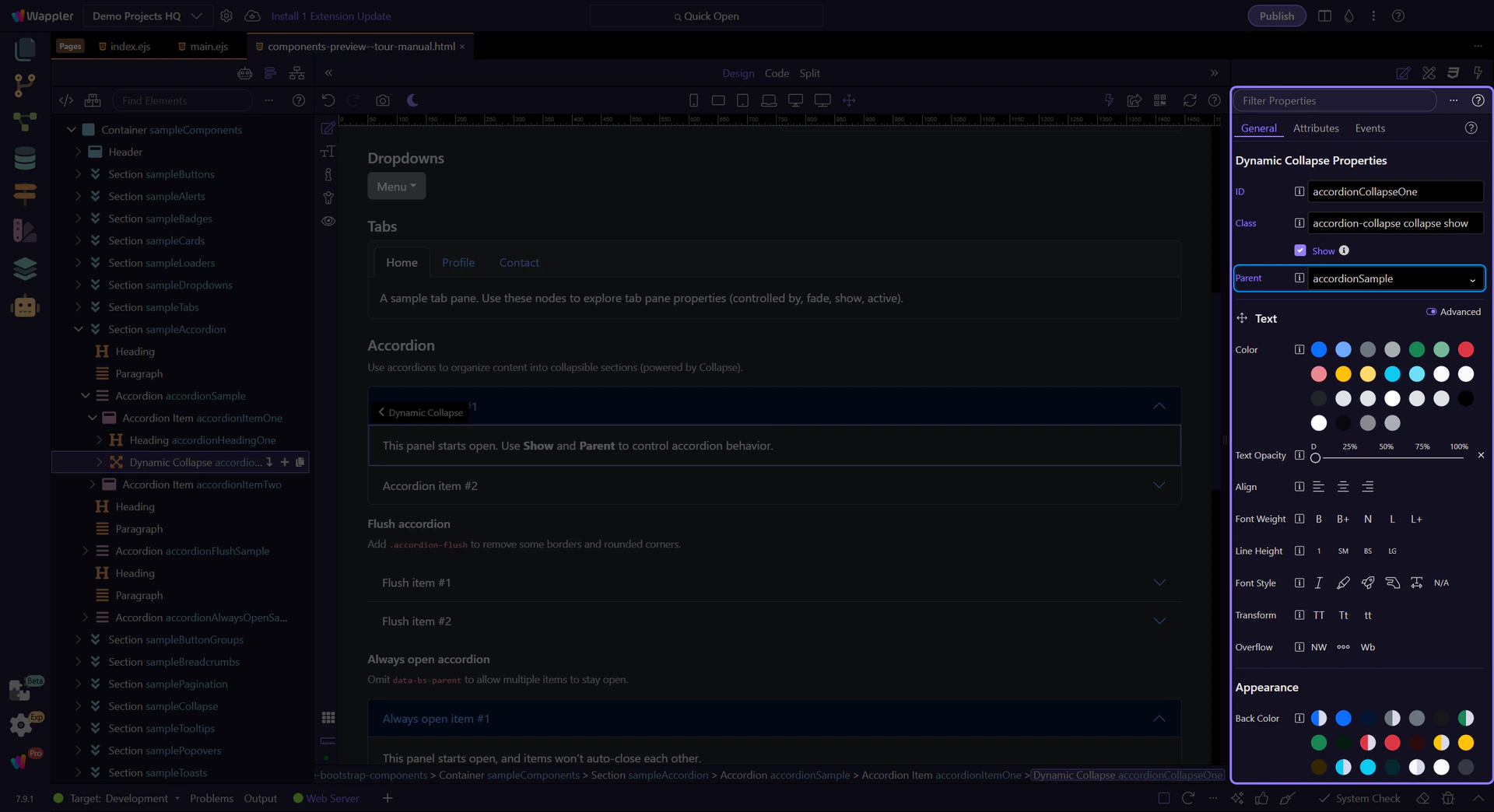
Collapse: Parent
Section titled “Collapse: Parent”Use Parent to link the panel to the accordion container. This is what makes it behave like an accordion (one open at a time).
Accordion variants
Section titled “Accordion variants”Bootstrap accordions support variants like flush styling and always open behavior.
Flush accordion
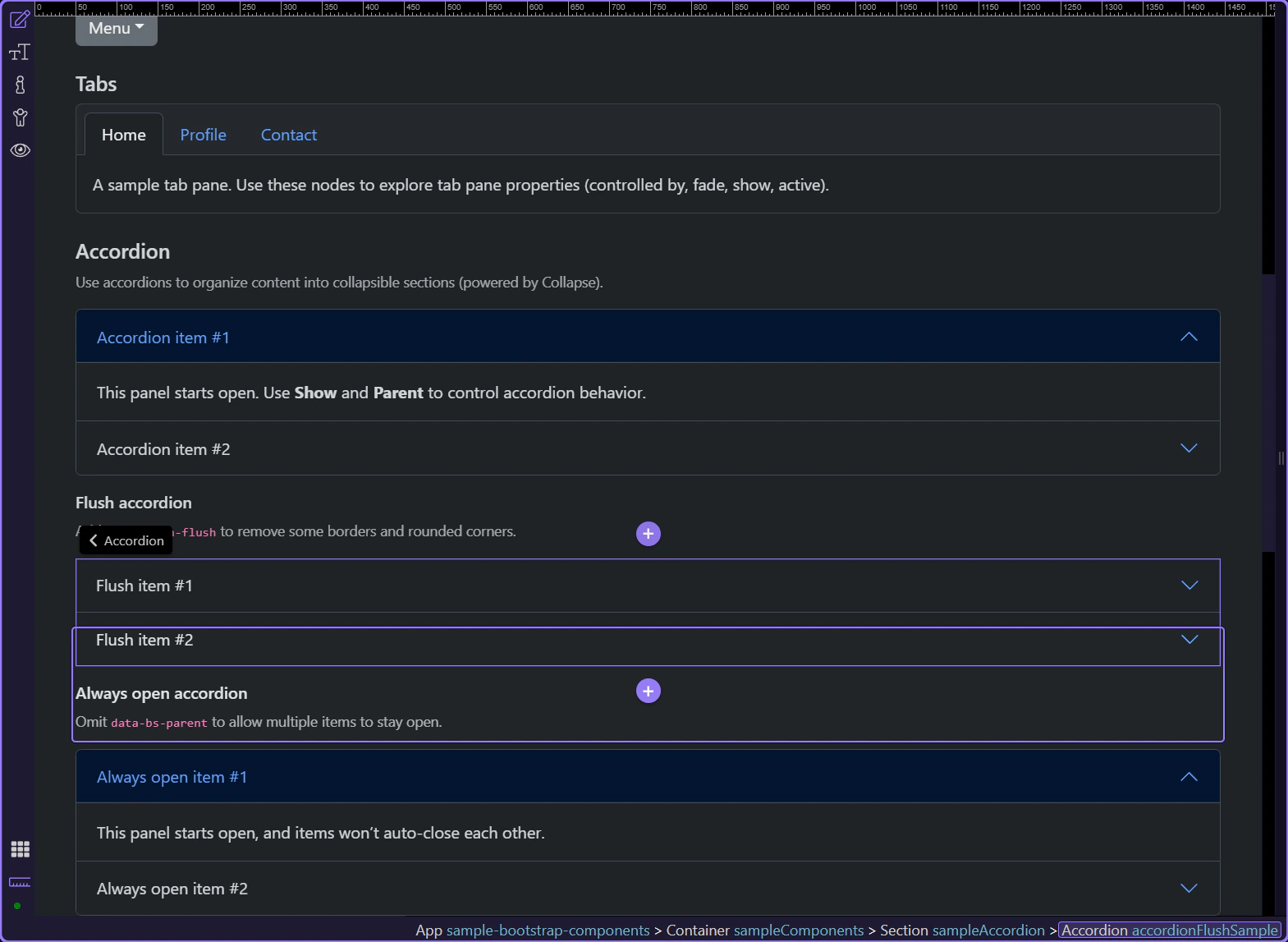
Section titled “Flush accordion”Add the .accordion-flush class to the accordion container to remove some borders and rounded corners, rendering it edge-to-edge with its parent.
Always open accordion
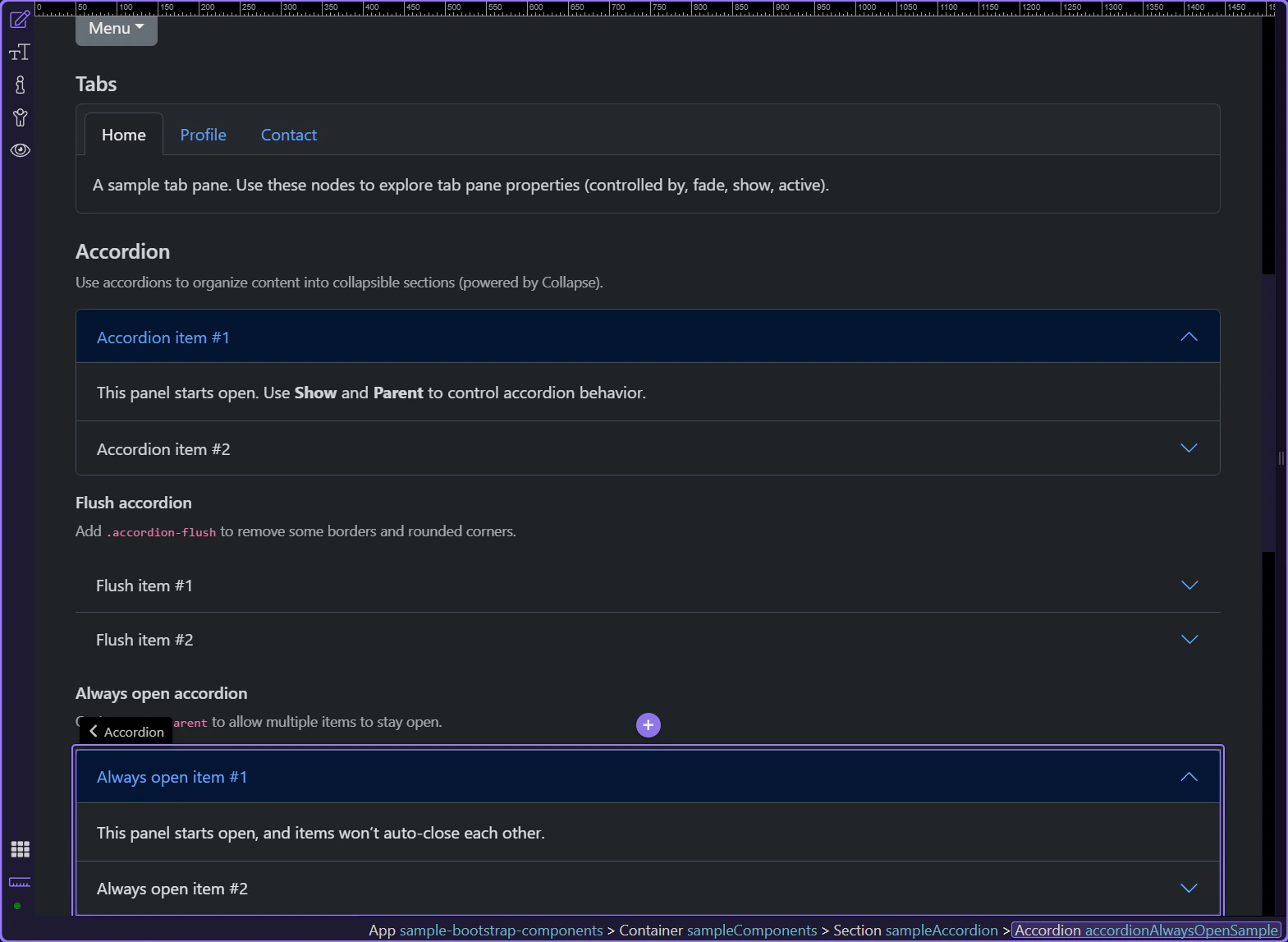
Section titled “Always open accordion”To allow multiple items to stay open, omit the parent reference on each collapse panel (no data-bs-parent).
Collapse: Parent (optional)
Section titled “Collapse: Parent (optional)”In the always-open variant, the collapse panel stays independent because the Parent reference is omitted. Confirm that this collapse item is selected in Properties and note that there is no accordion parent binding forcing single-open behavior.

Next steps
Section titled “Next steps”Continue with other Components tours or return to the Components menu.