
Borders & rounding
Use border utilities for rounding, borders, and subtle separators in your UI.
Border utilities
Section titled “Border utilities”Borders are great for subtle separation, emphasis, and shape. Borders & rounding are shared across many Bootstrap components, so you can apply them consistently.
Card example
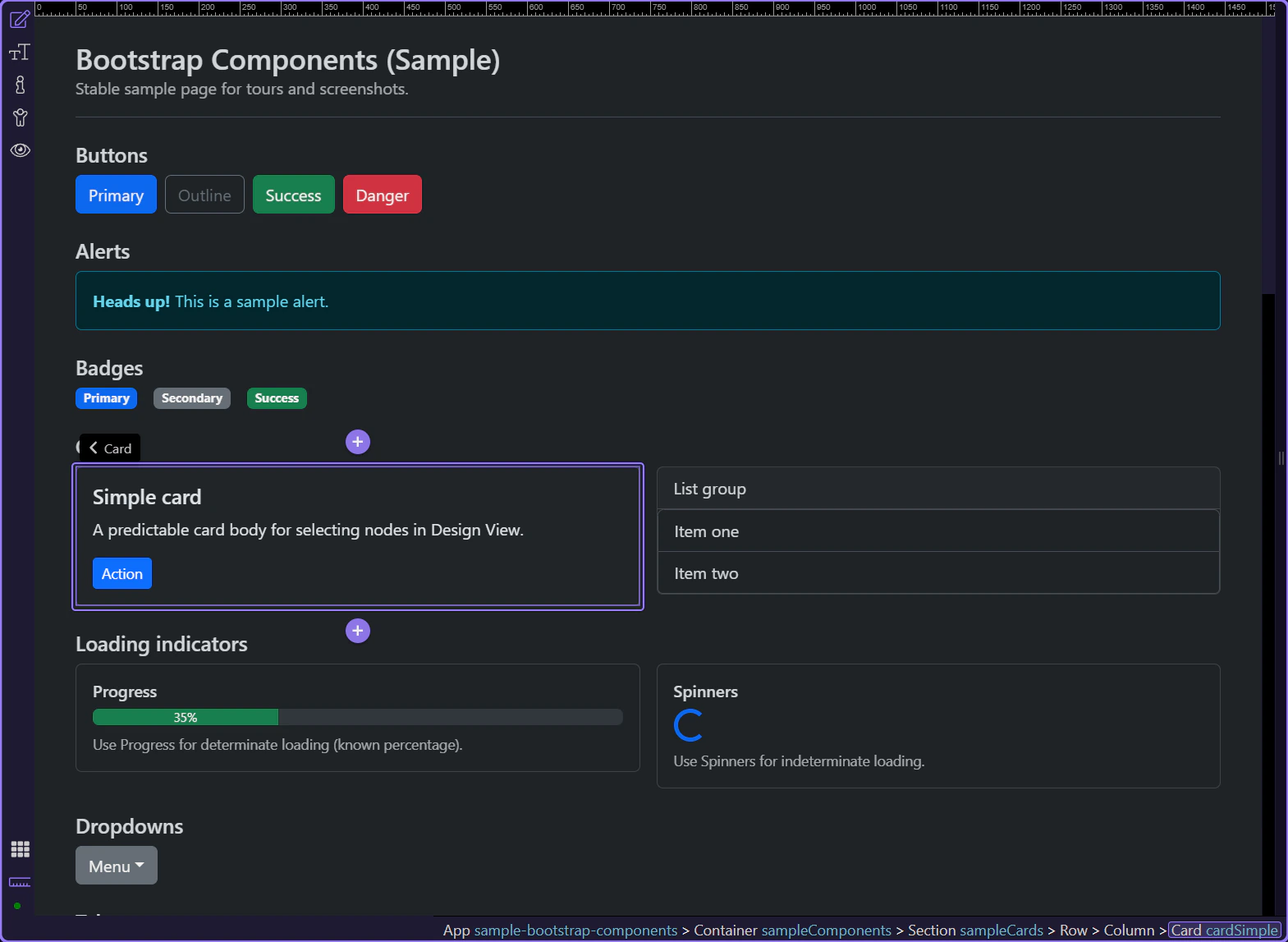
Section titled “Card example”Cards are a good way to review shared Border and rounding utilities, since they often need subtle separation and shape. The card is selected so Border utilities are visible in Properties.
Border & rounding
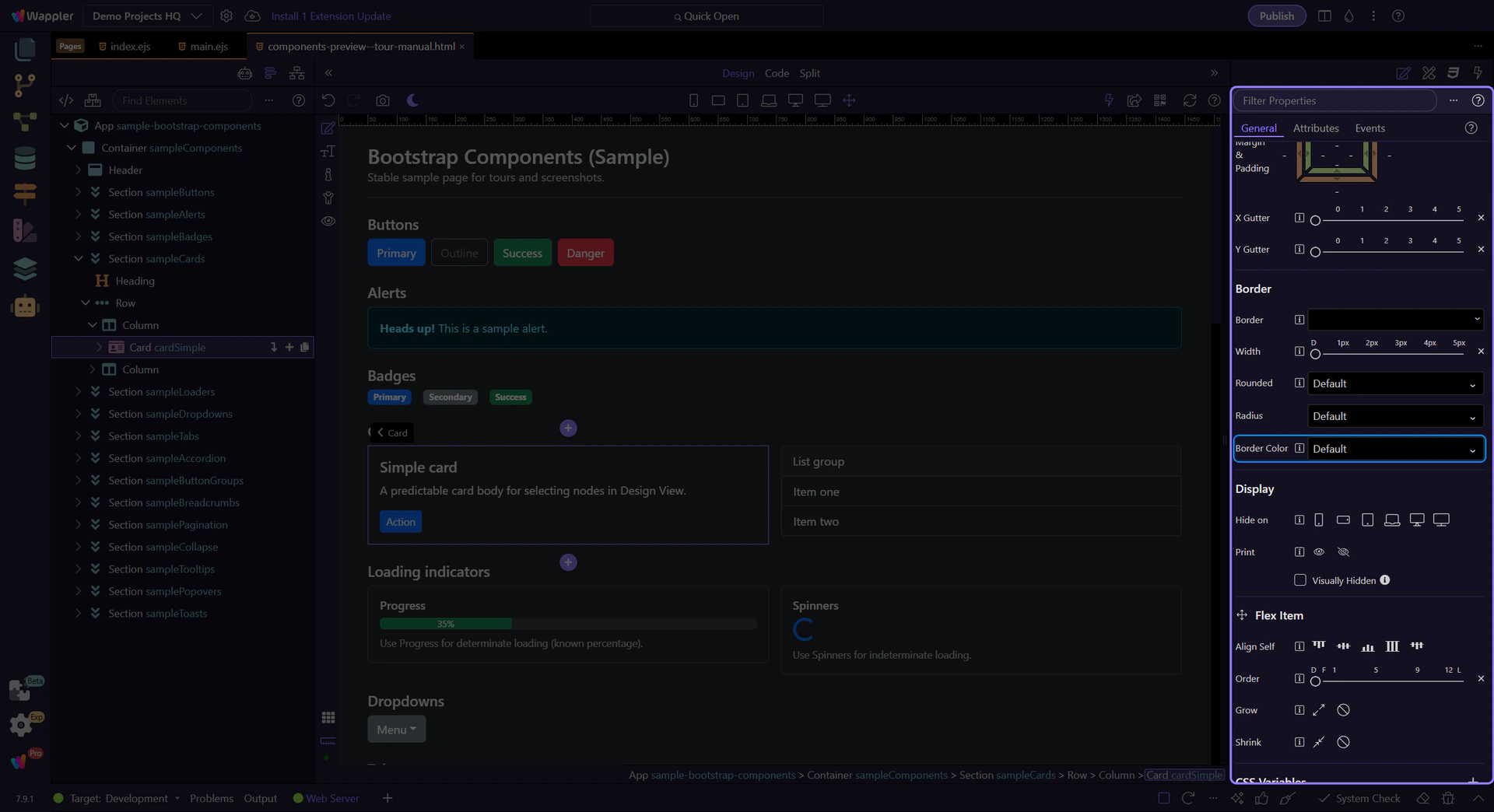
Section titled “Border & rounding”Use the Border group to toggle borders and choose rounding/radius. Pair this with color and spacing to quickly style components.
tip: This maps to Bootstrap classes like
border,border-0,rounded-*, andborder-*-subtle.
Next steps
Section titled “Next steps”Next, learn responsive display and flex item utilities.