Creating a Stripe Buy Button
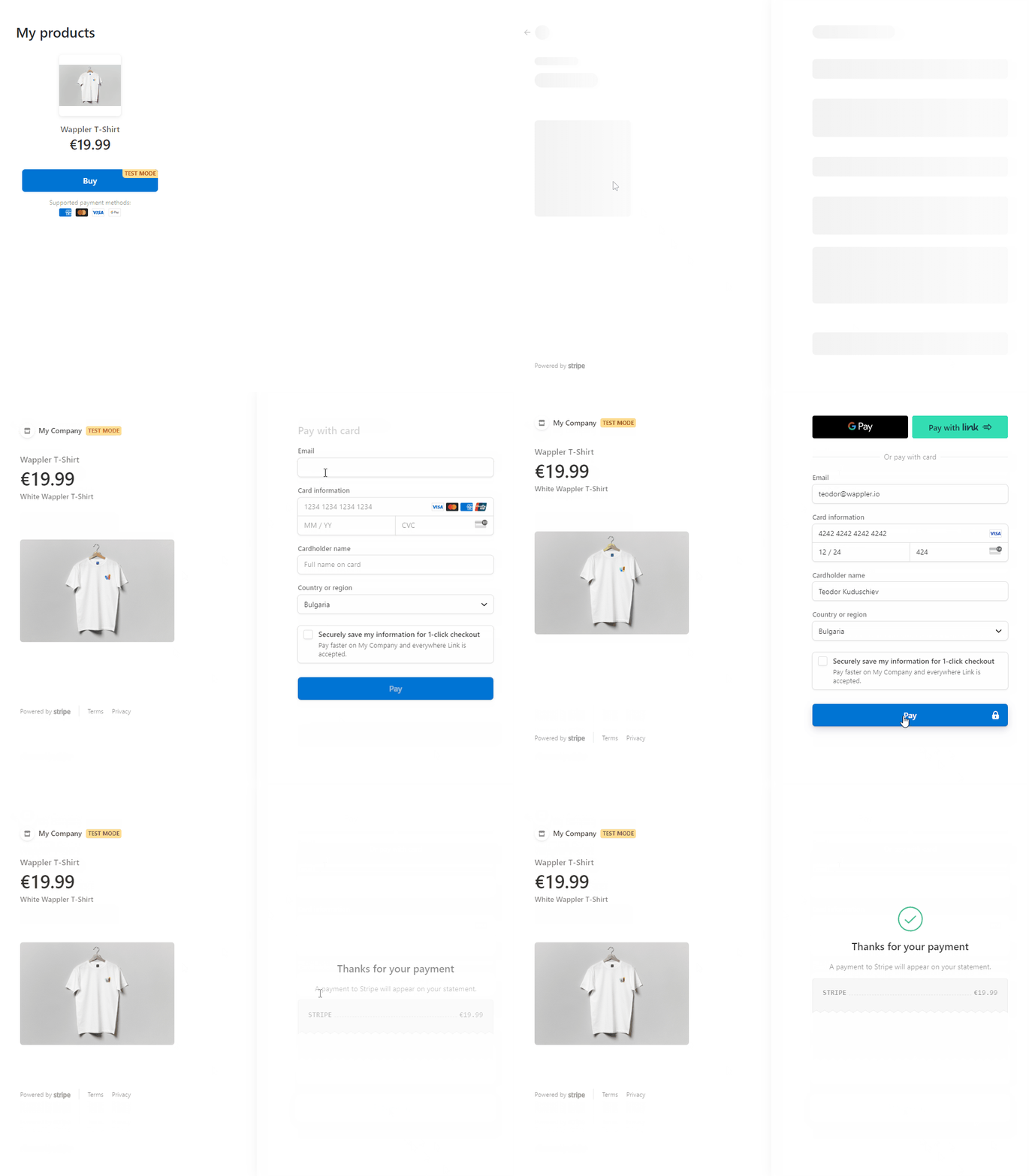
Intro You can create a customizable buy button to sell a product, subscription, or accept a payment on your website. The Buy Button redirects customers to a Stripe-hosted payment page. The Stripe buy
You can create a customizable buy button to sell a product, subscription, or accept a payment on your website. The Buy Button redirects customers to a Stripe-hosted payment page.
The Stripe buy button makes it easy to integrate secure payment options into online platforms for selling products or subscriptions with fixed prices.
Buy Button
Section titled “Buy Button”The buy button requires you to have products set up in your Stripe account. You can create, access and edit the products and pricing on your Stripe dashboard.
Payment Link Setup
Section titled “Payment Link Setup”The first thing you need is to setup a payment link. Start by by creating a new link where you can decide which products to sell and customize the checkout UI.
On the create payment link page select the payment type, in our case we select Payment or Subscription, then select your product from the list:

Adjust the options as per your requirements and click the Create Link button:
Section titled “Adjust the options as per your requirements and click the Create Link button:”
Buy Button Setup
Section titled “Buy Button Setup”On the next page click Buy Button:

Setup the layout, language and text of the payment button":
Section titled “Setup the layout, language and text of the payment button":”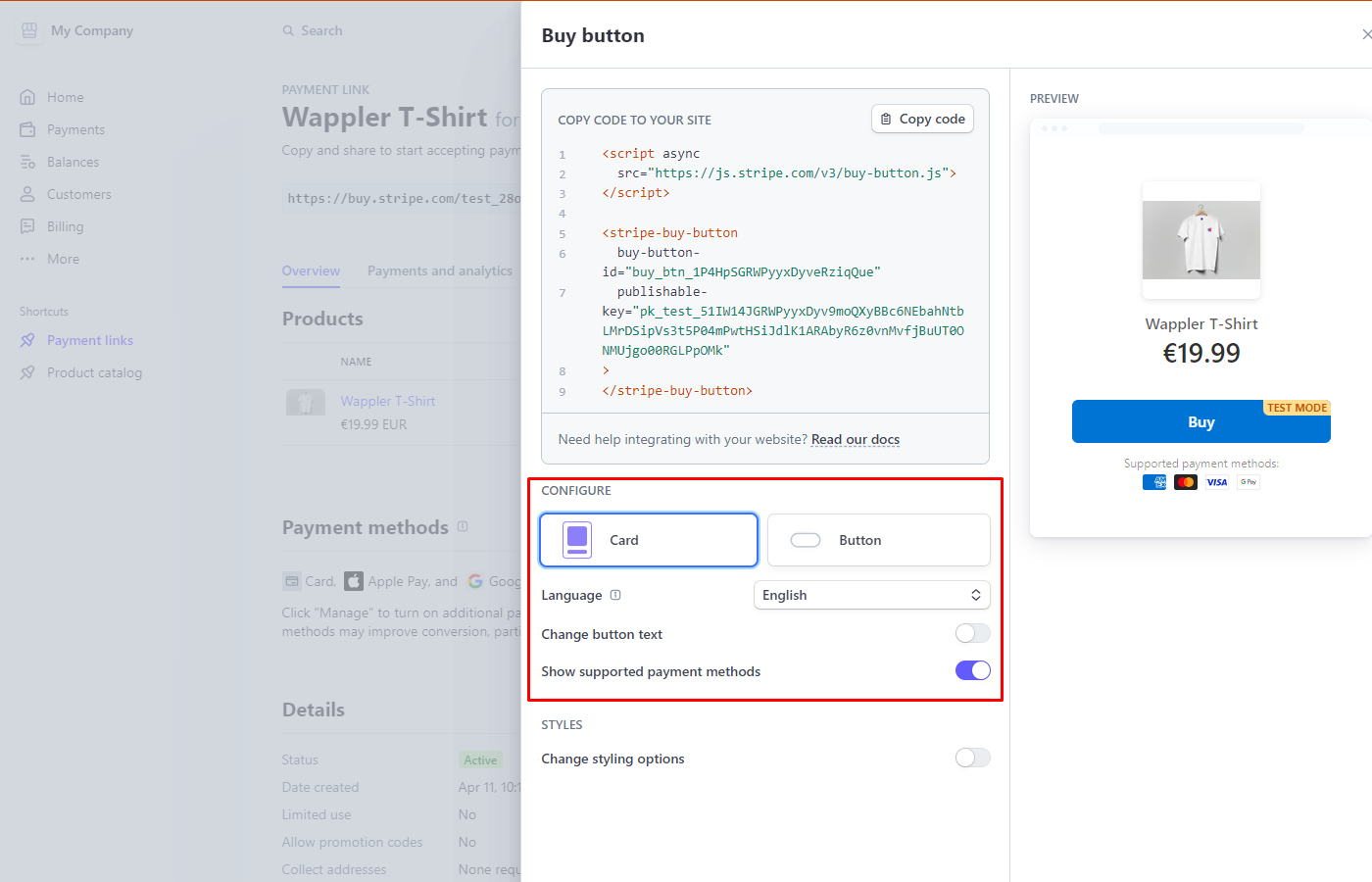
Change the button style to match your branding:
Section titled “Change the button style to match your branding:”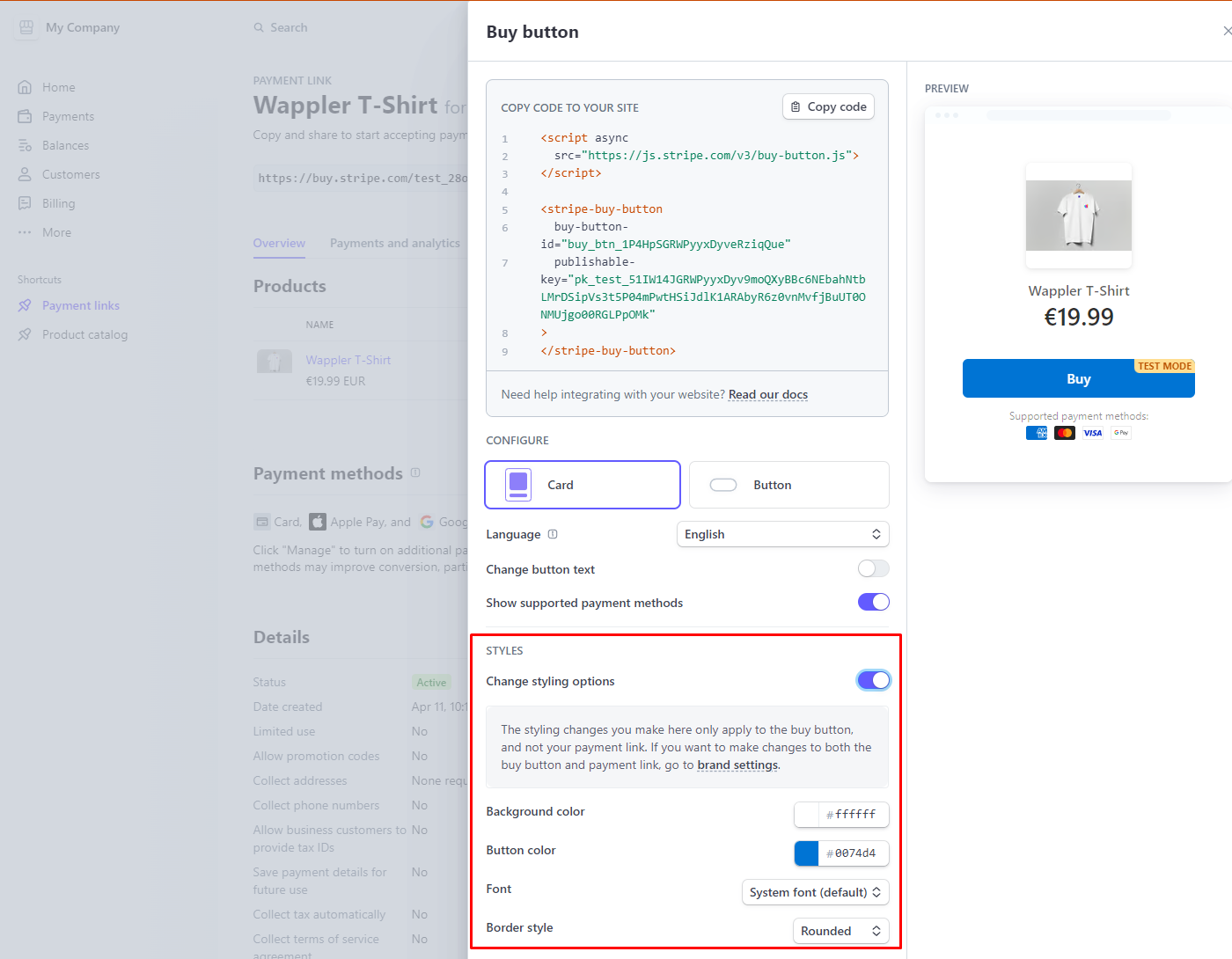
And then copy the button id and publishable key, these will be needed in the next steps in Wappler:
Section titled “And then copy the button id and publishable key, these will be needed in the next steps in Wappler:”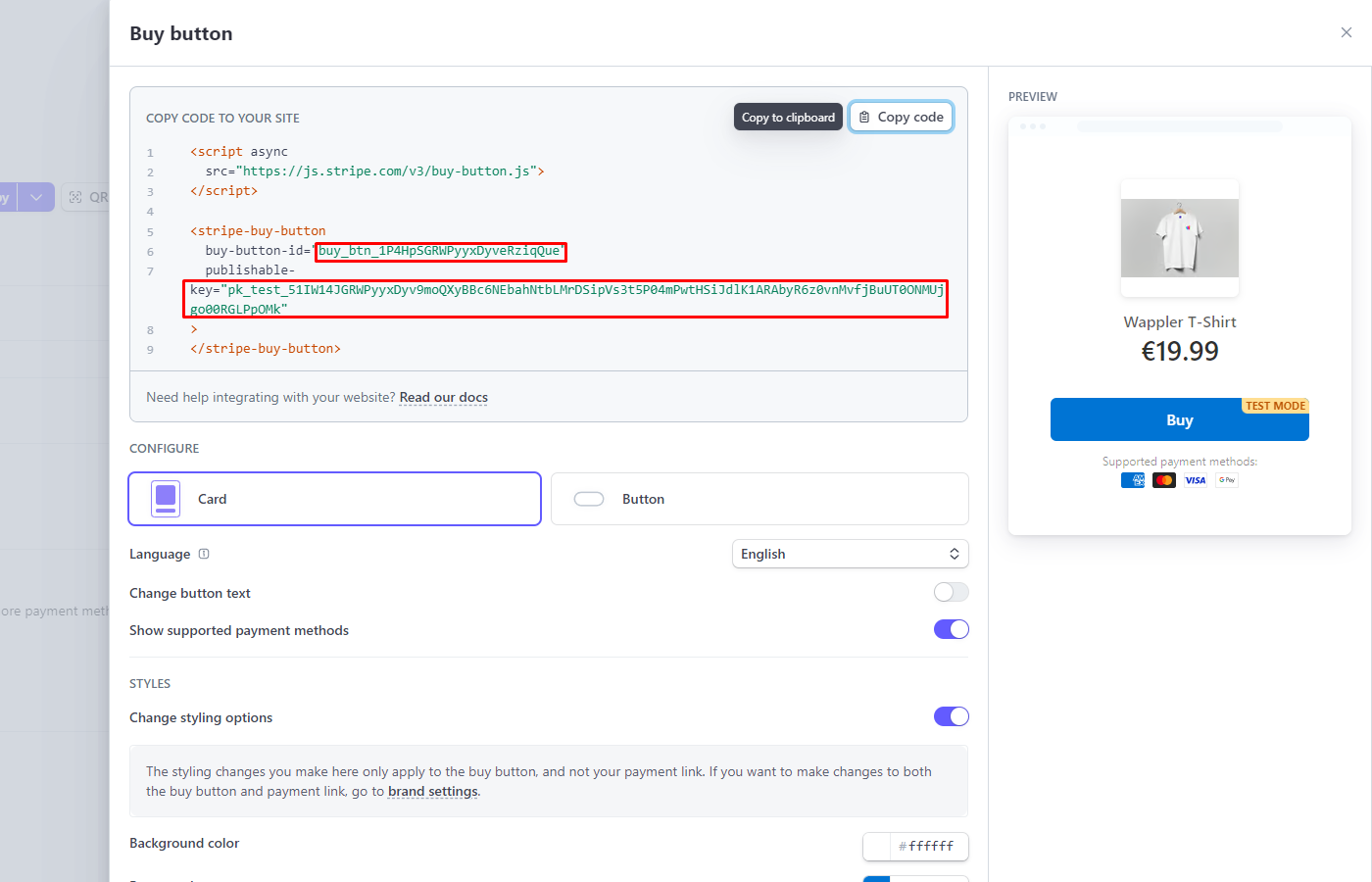
Save the changes:
Section titled “Save the changes:”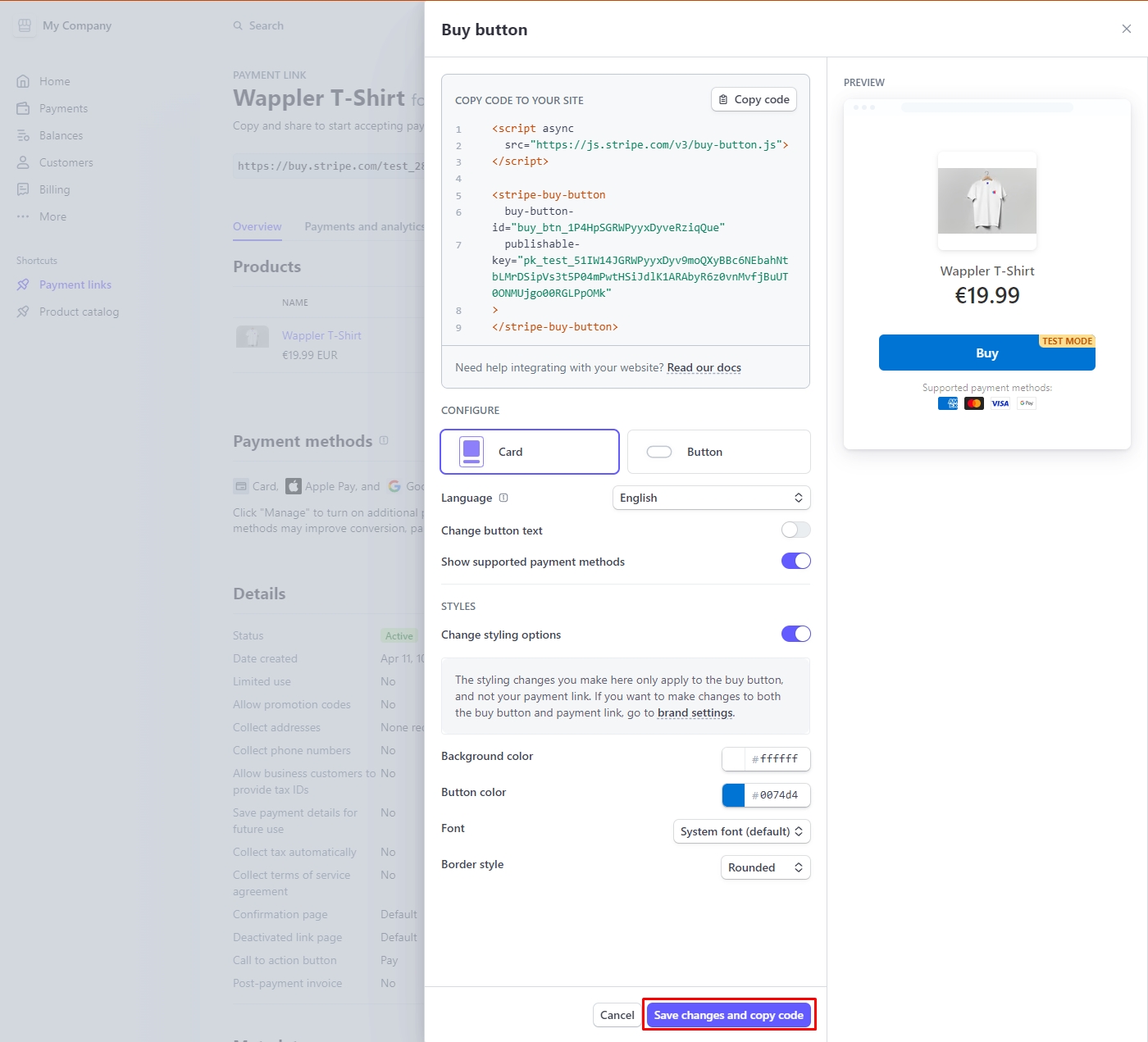
Adding Buy Button to Your Page
Section titled “Adding Buy Button to Your Page”You can add your button on the page. Click the add new component button:

Select Stripe > Stripe Buy Button:
Section titled “Select Stripe > Stripe Buy Button:”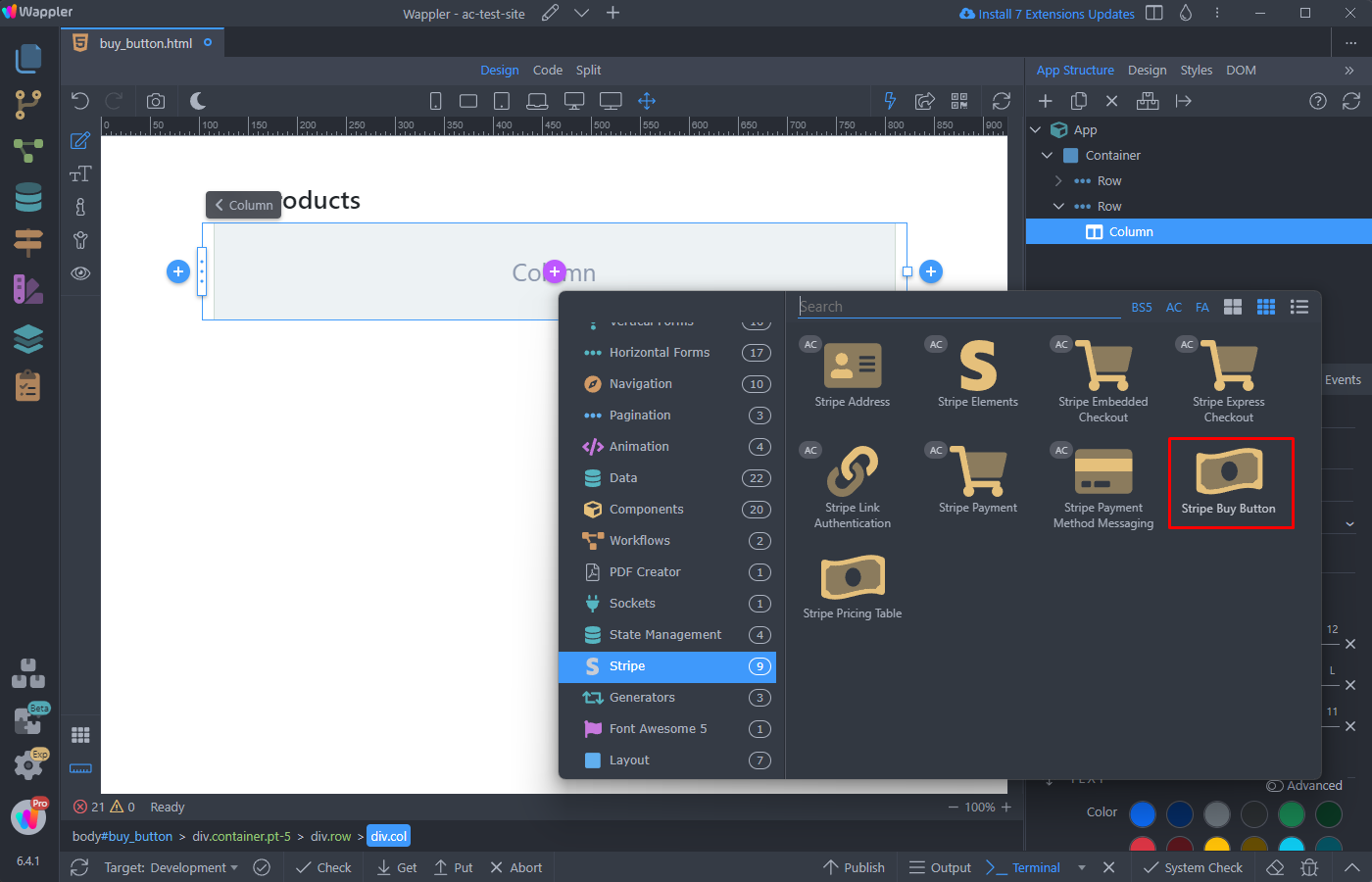
And paste your Buy Button ID and Publishable Key:
Section titled “And paste your Buy Button ID and Publishable Key:”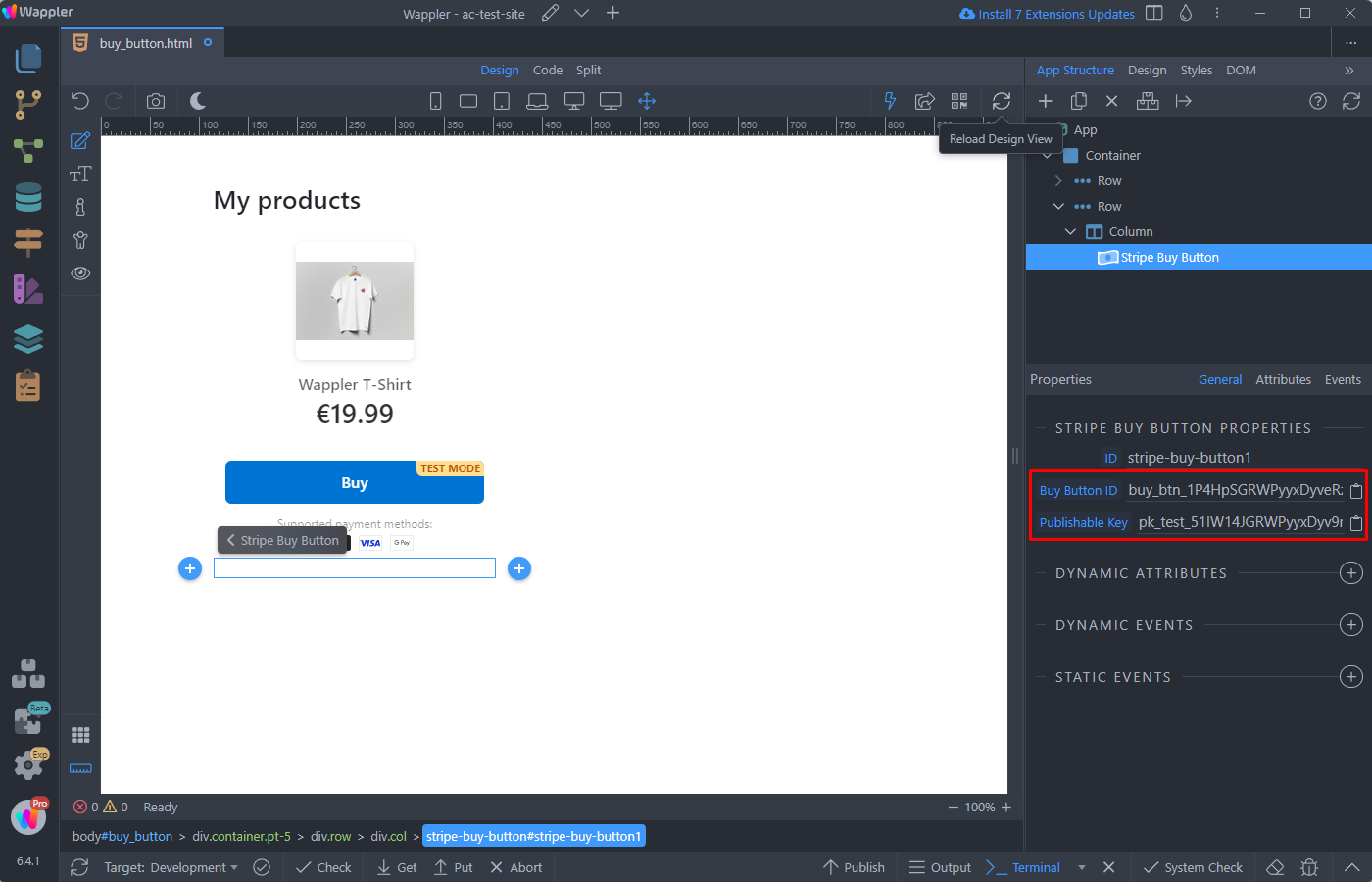
Step 16
Section titled “Step 16”Save your page and you are done. Clicking the buy button on your page opens the Stripe hosted payment page and you can pay, using the payment method of your choise: