
Stripe Integration Part 3 - retrieving a customer object
Following on from Part 2. I have made a modification to the table listing customers featured in Part 2 and made the ID field a link as below showcustomer.php?cus=cus_EirxWeBc14NKy6 Where the string is
Following on from Part 2.
Section titled “Following on from Part 2.”I have made a modification to the table listing customers featured in Part 2 and made the ID field a link as below
showcustomer.php?cus=cus_EirxWeBc14NKy6

We will pass this to the API and retrieve a specific customer object
Section titled “We will pass this to the API and retrieve a specific customer object”We will pass this to the API and retrieve a specific customer object
Again a simple API call will do the work
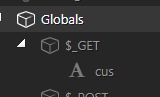
The customer id is passed as a GET variable as $_GET.cus
The API settings are pretty much identical to before, requiring a authorization in the header
Section titled “The API settings are pretty much identical to before, requiring a authorization in the header”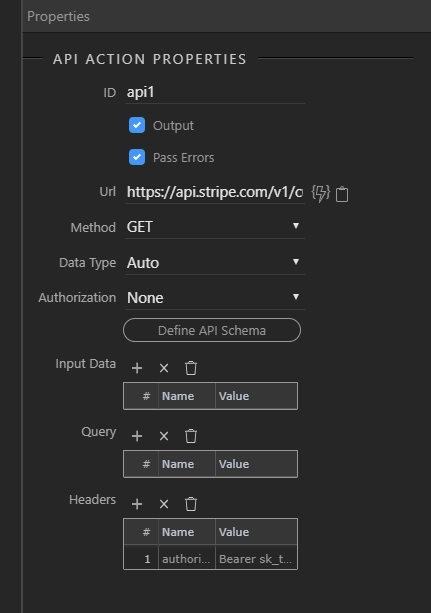
On this occasion we post to a slightly different url as the customer if must be passed in the url
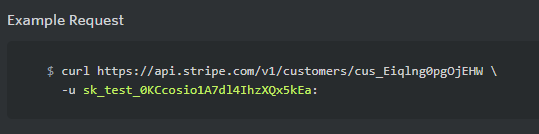
Section titled “On this occasion we post to a slightly different url as the customer if must be passed in the url”The url we will use is :https://api.stripe.com/v1/customers/{{$_GET.cus}} as the id must be passed in the url. See below curl example.
Step 5
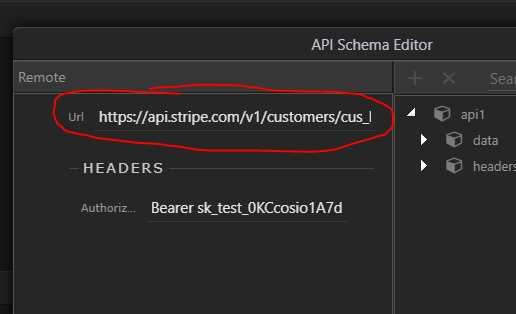
Section titled “Step 5”**NOTE: you may have an issue generating the schema for the API as $_GET.cus is undefined and an error will occur. To generate a schema paste a url with a valid customer id in it as shown in the above curl example into the Url field
 .
.
It should then be possible to generate the schema**
Section titled “It should then be possible to generate the schema**”We can then use this server action to retrieve a specific customer object
showcustomer.php is a simple page to display the id, name and email address returned by the API call via a server connection
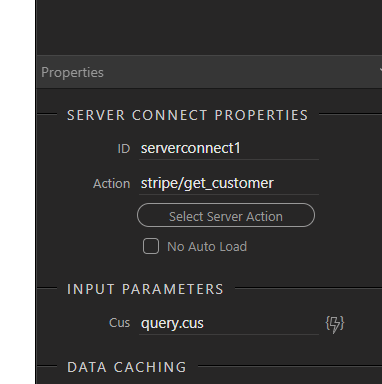
Step 7
Section titled “Step 7”The page simply makes the call and the customer object is returned to app connect where the sdata objects are available in the picker.
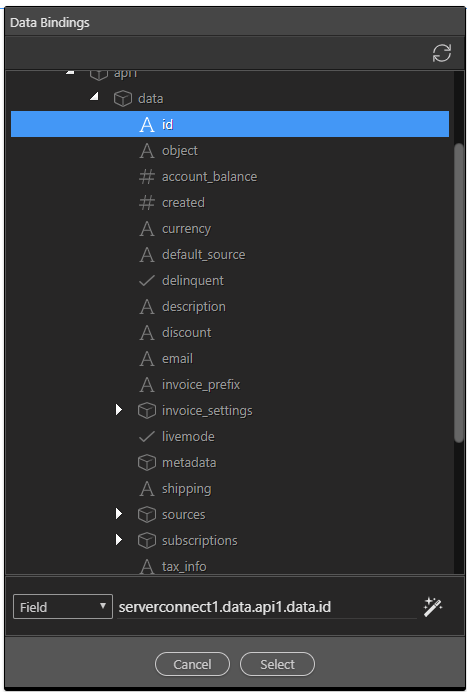
Example:
Section titled “Example:”
Step 9
Section titled “Step 9”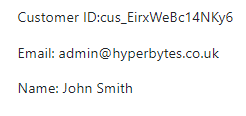
Selecting the second in the list returns:details for that id
Section titled “Selecting the second in the list returns:details for that id”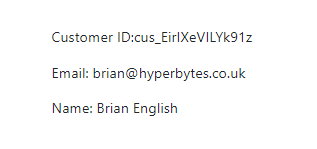
Part 4 following starts the payment process
Section titled “Part 4 following starts the payment process”Of course you could retrieve the customer record via the database table. This would be useful when needing access to the records from a customer login
The user could login via the database table email and password and then the customer id returned form a data query.
This could them be passed as the parameter to the showcustomer.php type page