Resource Manager Actions and Resources Reference
Direct reference for every current Resource Manager resource type, context-menu action, toolbar operation, and supported provider capability.
Introduction
Section titled “Introduction”Find the selected node type in these tables to see the actions Resource Manager exposes. Actions appear only when they are valid for that provider, resource, platform, and current state.
Global and Properties toolbars
Section titled “Global and Properties toolbars”The main toolbar handles tree-wide work; the Properties toolbar handles the selected operational resource.
| Surface | Actions |
|---|---|
| Main toolbar | Add, Delete, Search, Refresh, Show Tour |
| Docker lifecycle | Deploy, Shutdown and Clear, Start/Stop all services, Restart, Kill, Clean Up Unused Docker Images |
| Server | Open SSH Terminal, Resize, Reboot, Delete |
| Service | Service Configuration |
Resource tree types
Section titled “Resource tree types”These are the current organizational and operational node families.
| Family | Nodes |
|---|---|
| Roots | Local, Cloud Providers, SSH Agent |
| Provider | Provider account, resource group, resource group child |
| Compute | Servers, Server, Projects, Project, project services |
| Docker | Services, Service |
| Data | Database Clusters, Databases, Database, Users, User |
| Access | Provider SSH Keys, SSH Key, Server SSH Keys, authorized Server SSH Key |
All creation and import actions
Section titled “All creation and import actions”Creation is exposed on the branch that will own the new resource.
| Selected branch | Actions |
|---|---|
| Cloud Providers | Add New Provider |
| Provider resource group | Create <Resource>, Import Existing <Resource> where supported |
| Named resource group / child | Create New <Child> |
| Services | Add Service: Portainer, Traefik, Netdata, MySQL, MariaDB, PostgreSQL, CouchDB, Redis |
| Databases | Add New Database |
| Users | Add New User |
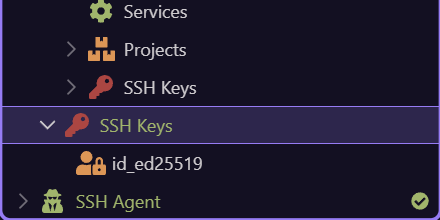
| SSH Agent | Add New Key; Start/Stop SSH Agent on Windows |
| Server SSH Keys | Authorize SSH Key |
Provider operation matrix
Section titled “Provider operation matrix”Current integrations expose these provider resources and API operations.
| Provider | Resource | Operations |
|---|---|---|
| Linode | Server | import, list, create, get, reboot, power off/on, delete |
| Linode | SSH Key | import, list, create, get, delete |
| DigitalOcean | Server | import, list, create, get, actions, reboot, power off/on, delete |
| DigitalOcean | Database Cluster | import, list, create, get, CA, delete |
| DigitalOcean | Cluster Database | list, create, get, delete |
| DigitalOcean | SSH Key | import, list, create, get, delete |
| Hetzner | Server | import, list, create, get, actions, reboot, power off/on, delete |
| Hetzner | SSH Key | import, list, create, get, delete |
| Custom | Server | import and list |
Server and local machine context actions
Section titled “Server and local machine context actions”Provider servers emphasize provider-safe inspection and access. Local/legacy server entries expose the local Docker machine lifecycle directly.
| Selection | Actions |
|---|---|
| Provider Server | System Check, Open SSH Terminal, Remove, Refresh |
| Local/legacy Server | Start, Stop, Restart, Kill, Delete Server, Open In Editor, Refresh |
| Projects / Project | Expand child services and Refresh |
| Server Services | Add Service, Open In Editor, Refresh |
Service actions
Section titled “Service actions”A new service can be removed before deployment; an existing service exposes operational terminal and destruction actions.
| Selection/state | Actions |
|---|---|
| New Service | Rename where supported, Service Configuration, Remove |
| Existing Service | Rename, Service Configuration, Open Service Terminal, Destroy and Remove, Open In Editor, Refresh |
| Traefik-integrated Service | Update Traefik Service when applicable |
| Server/service toolbar | Deploy, down/clear, start, stop, restart, kill, clean unused images |
Database and user actions
Section titled “Database and user actions”These actions can appear below provider-managed clusters or self-hosted database services, according to their supported resource definition.
| Selection | Actions |
|---|---|
| Databases | Add New Database, Refresh |
| Database | Inspect/configure where supported, Delete Database, Refresh |
| Users | Add New User, Refresh |
| User | Inspect/configure where supported, Delete User, Refresh |
SSH key and agent actions
Section titled “SSH key and agent actions”Local key availability and remote authorization are separate, complementary steps.
| Selection | Actions |
|---|---|
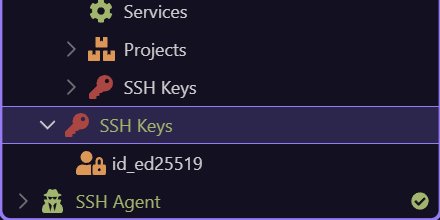
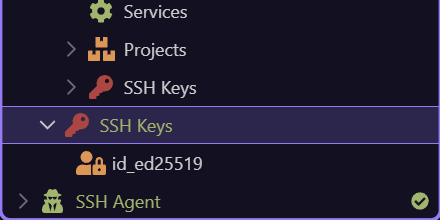
| SSH Agent | Add New Key, Start SSH Agent, Stop SSH Agent |
| Local SSH Key | Add To SSH Agent |
| Provider SSH Keys | Add SSH Key, Import Existing SSH Key, Refresh |
| Provider SSH Key | Remove/Delete, Refresh |
| Server SSH Keys | Authorize SSH Key, Refresh |
| Authorized Server SSH Key | Revoke SSH Key, Refresh |
Common tree actions and safety
Section titled “Common tree actions and safety”Rename changes a supported selected label or definition. Delete/Remove requests resource removal. Refresh reloads the selected branch. Open In Editor opens the owning compose or configuration file. Destructive provider and Docker operations require confirmation; verify scope, backups, dependencies, credentials, costs, and active workloads first.
| Action | Rule |
|---|---|
| Rename | Check references and generated names before committing. |
| Delete / Remove | Confirm whether this deletes the provider resource, Docker resource, or only its Wappler definition. |
| Refresh | Use after external/provider changes or stale state. |
| Open In Editor | Use for advanced configuration while preserving valid compose structure. |
| F5 | Refreshes the active selection context. |
| Delete key | Requests deletion for a supported selected node. |
Conclusion
Section titled “Conclusion”Use the hub for the sequential path, focused SSH and managed-database guides, provider-to-target handoff, or this direct reference.