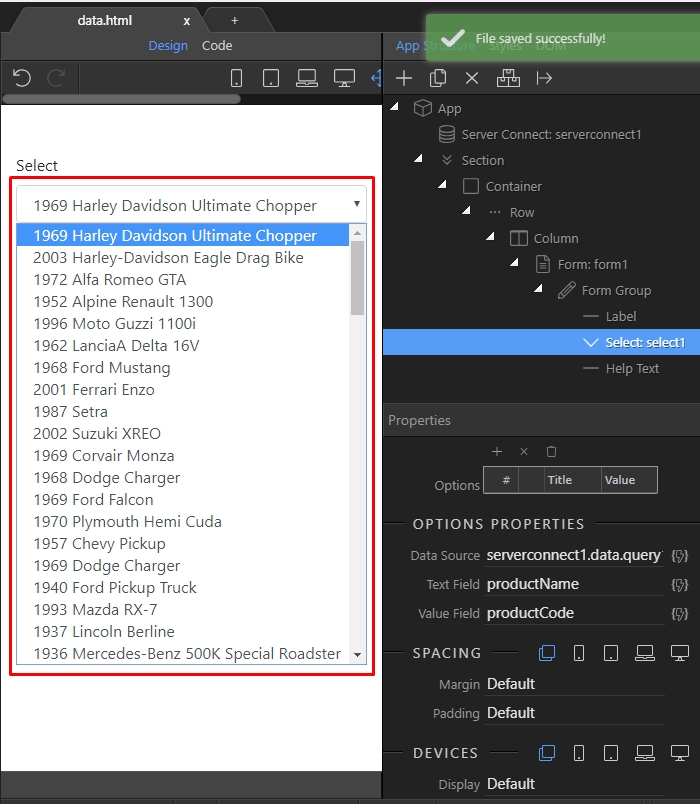
Dynamic Select Menu
Creating a dynamic select menu is really easy with Wappler. First you just need to create a server action, which pulls the dynamic action from your database. After you create the query open the App Co
Creating a dynamic select menu is really easy with Wappler.
Section titled “Creating a dynamic select menu is really easy with Wappler.”First you just need to create a server action, which pulls the dynamic action from your database.
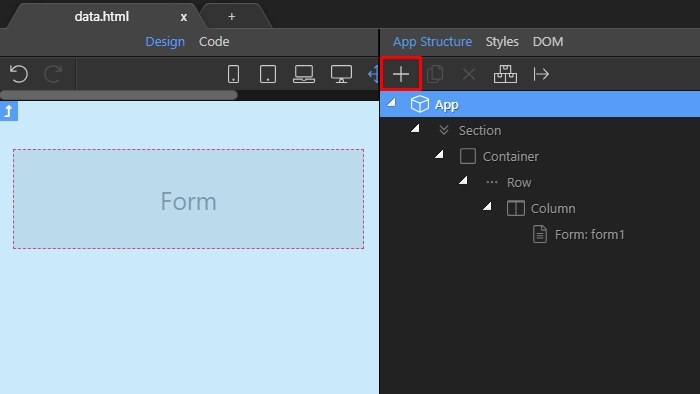
After you create the query open the App Connect panel and add new component:
Open Data:
Section titled “Open Data:”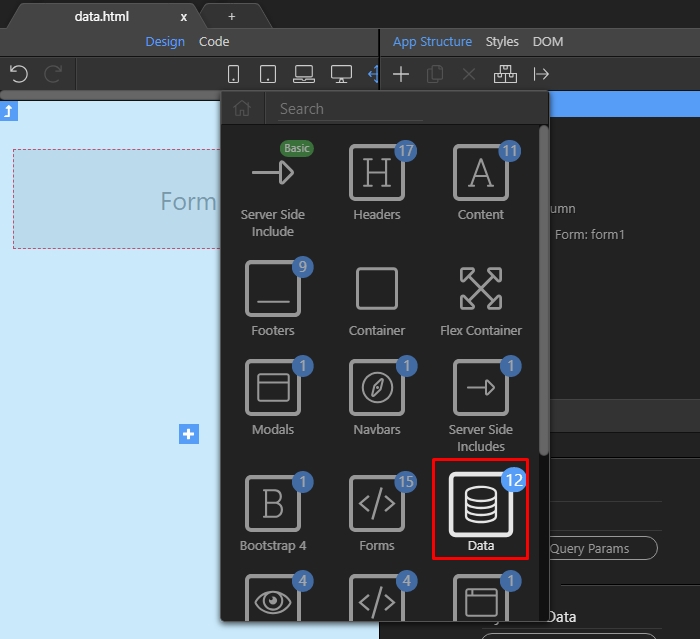
Select Server Connect:
Section titled “Select Server Connect:”
And then click the select server action button:
Section titled “And then click the select server action button:”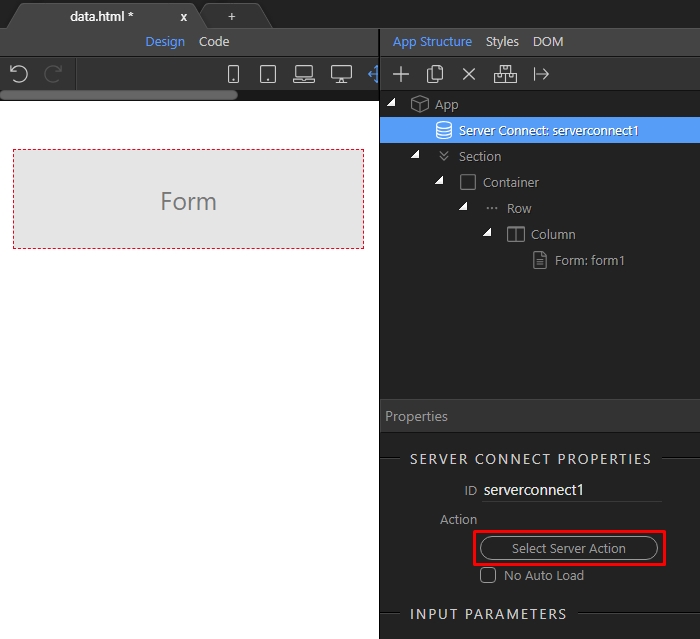
Select the server action containing your database query:
Section titled “Select the server action containing your database query:”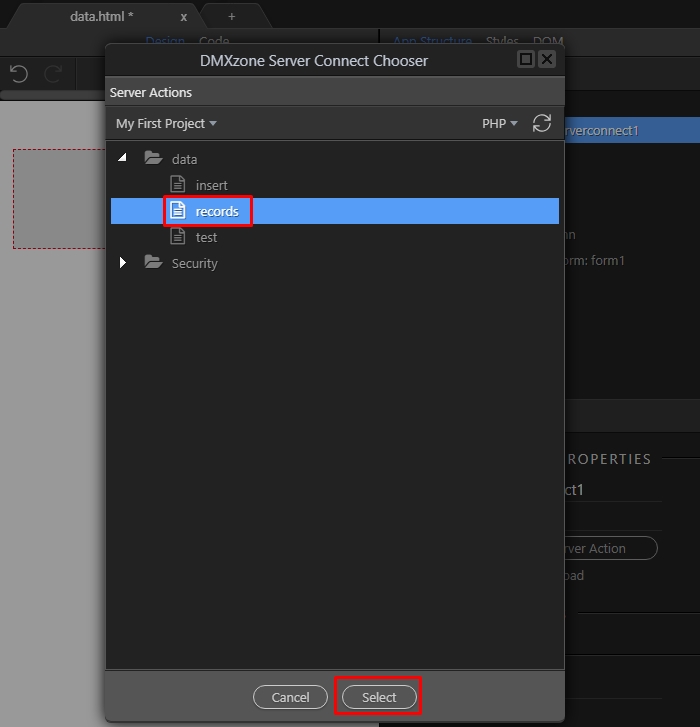
We have a form on our page - that’s where we are going to insert our select menu. Right click the form:
Section titled “We have a form on our page - that’s where we are going to insert our select menu. Right click the form:”
Open Forms:
Section titled “Open Forms:”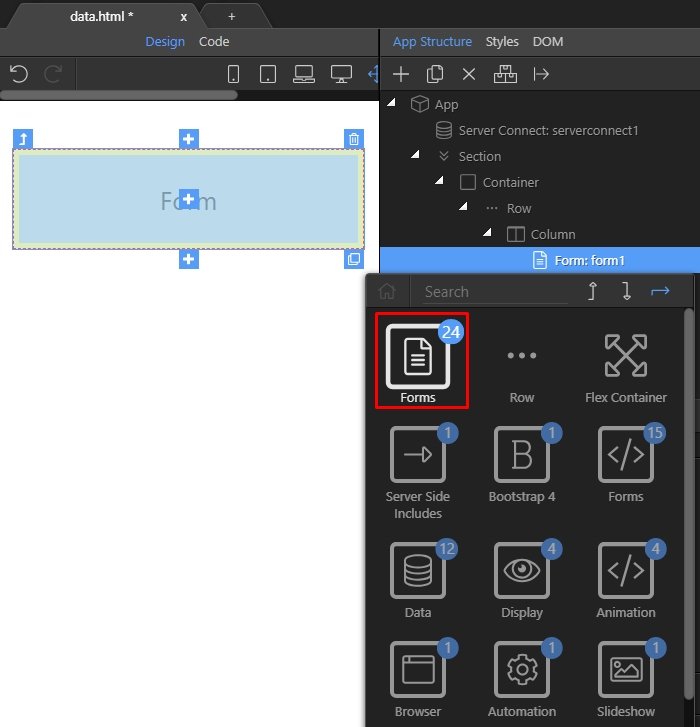
And add Select Form Group:
Section titled “And add Select Form Group:”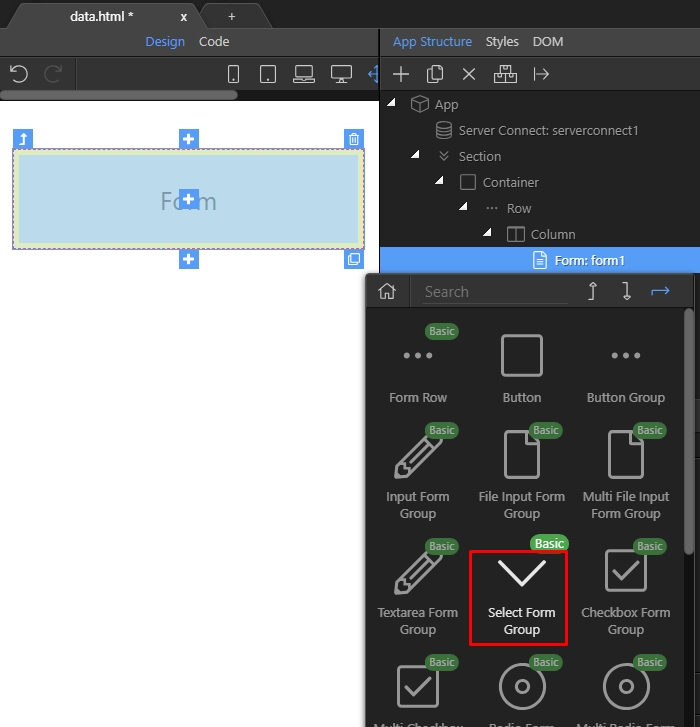
This adds a static select menu, with a few dummy options:
Section titled “This adds a static select menu, with a few dummy options:”
We remove the default dummy options, as we won’t need them:
Section titled “We remove the default dummy options, as we won’t need them:”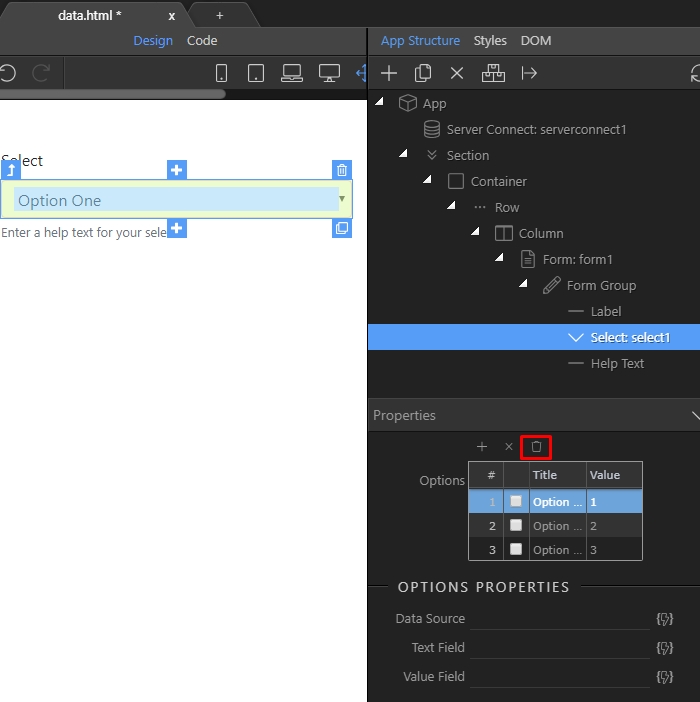
Then we need to select the data source for the dynamic select. Click the dynamic data button:
Section titled “Then we need to select the data source for the dynamic select. Click the dynamic data button:”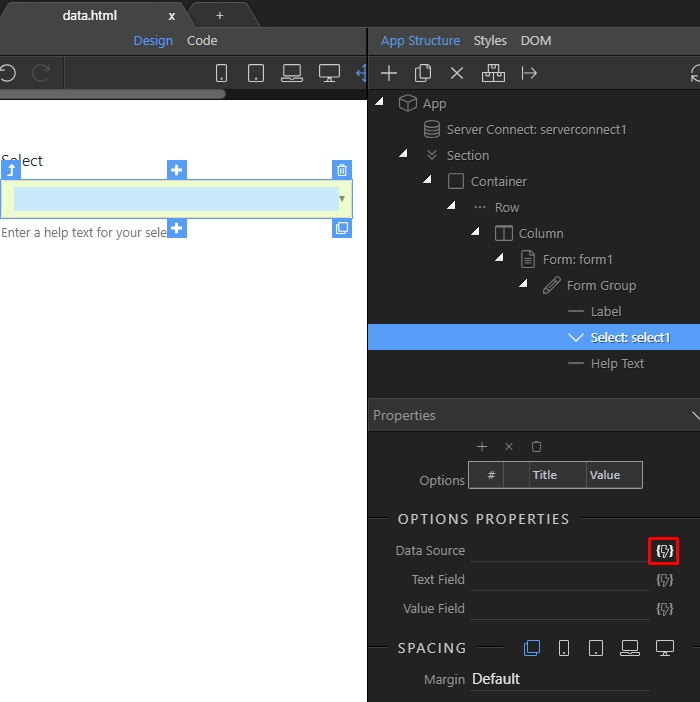
Under the server connect component > data select your database query:
Section titled “Under the server connect component > data select your database query:”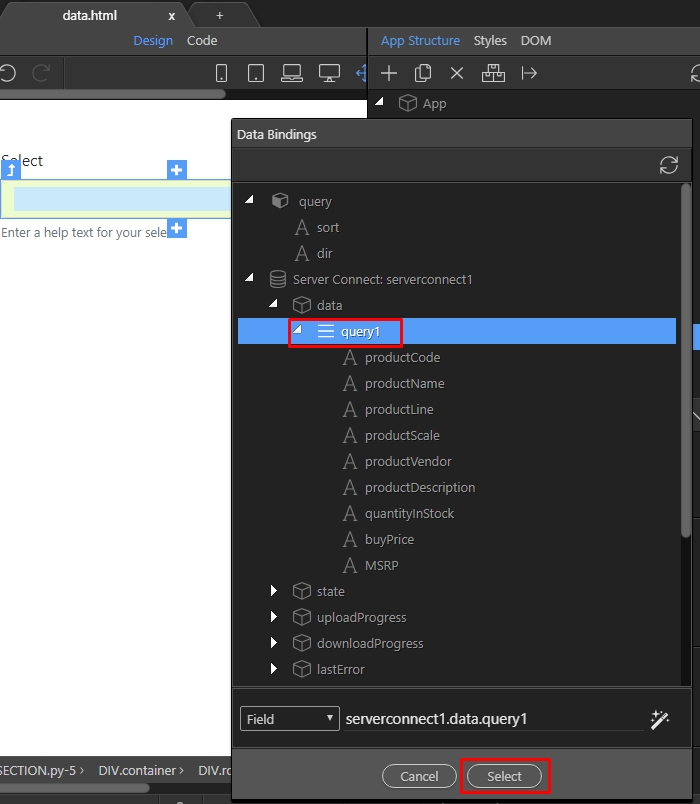
Then, select the text to be displayed in the select:
Section titled “Then, select the text to be displayed in the select:”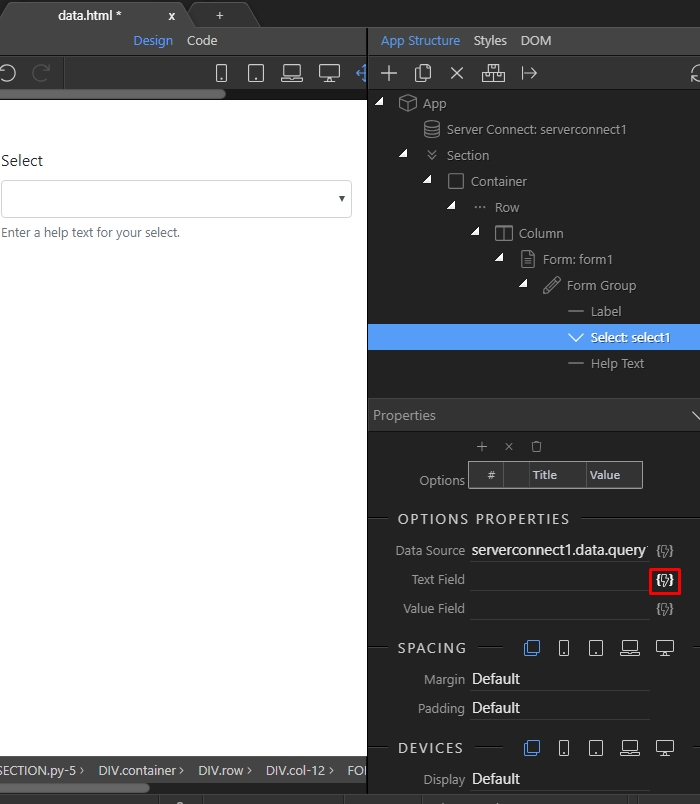
Select the binding which you need to show here:
Section titled “Select the binding which you need to show here:”
And finally we select the option value:
Section titled “And finally we select the option value:”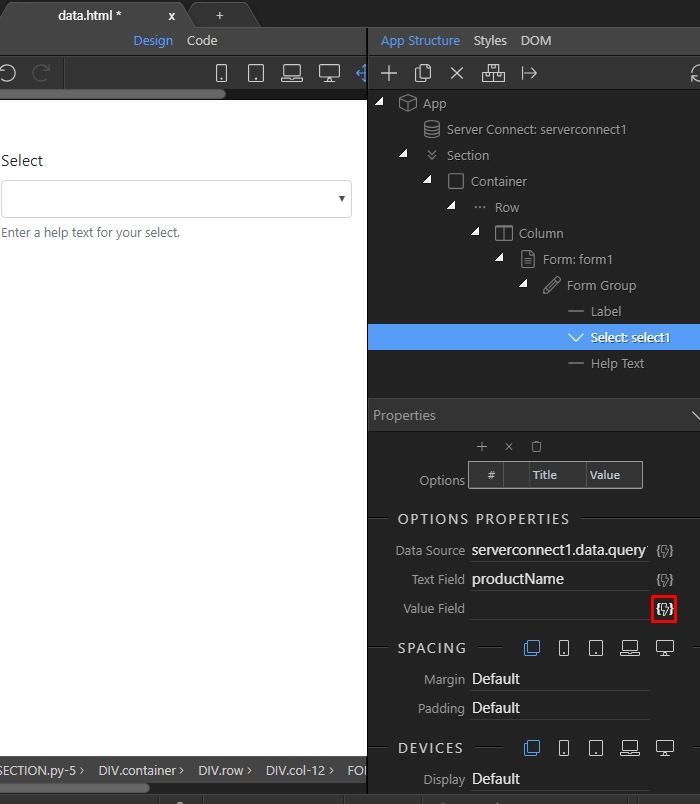
Click the binding and then the click the select button:
Section titled “Click the binding and then the click the select button:”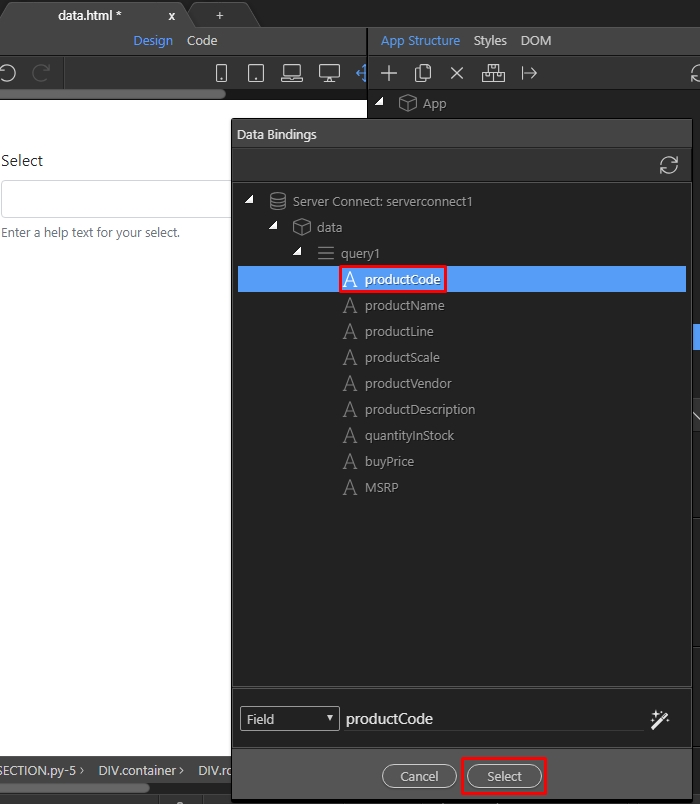
Step 17
Section titled “Step 17”Save your page and you are done! Now you have a dynamic select menu, which lists the records from your database table: