Get Inserted Record ID
There are some cases where you need to get the inserted record ID, for example - use it in another insert step, filter a query, update some data in another table etc. In our example we will show you h
Step 1
Section titled “Step 1”There are some cases where you need to get the inserted record ID, for example - use it in another insert step, filter a query, update some data in another table etc.
In our example we will show you how to use the inserted record ID in another insert step, which inserts data in another database table. The logic for accessing the inserted record ID is always the same - it doesn’t matter if you need it for filtering a query, updating record, sending an email or any other server action step.
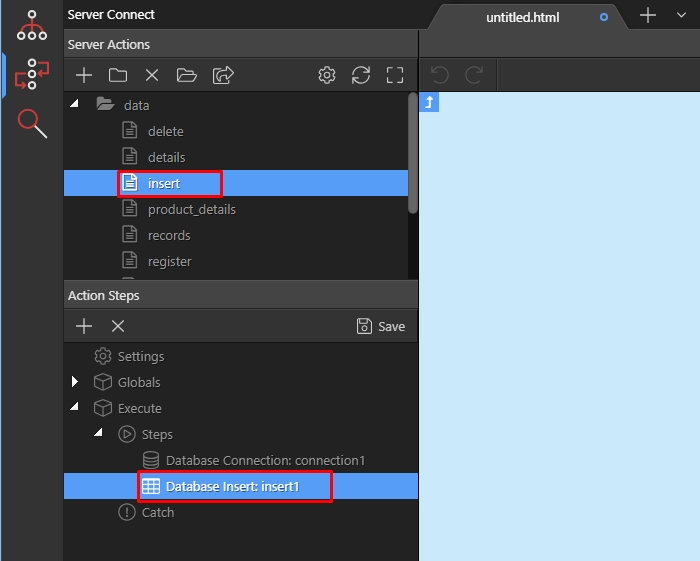
We have our insert record action, with an insert record step. Right click the insert record step, to add your other step, which needs to use the ID of the inserted record:
We select database actions:
Section titled “We select database actions:”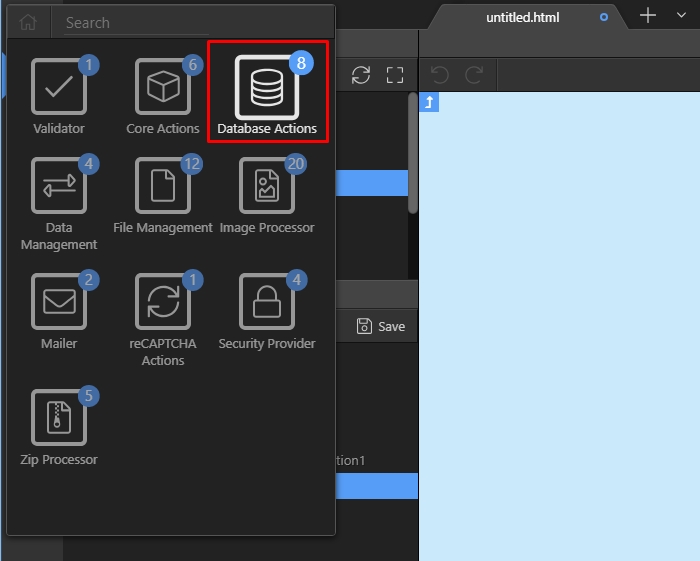
Then add database insert:
Section titled “Then add database insert:”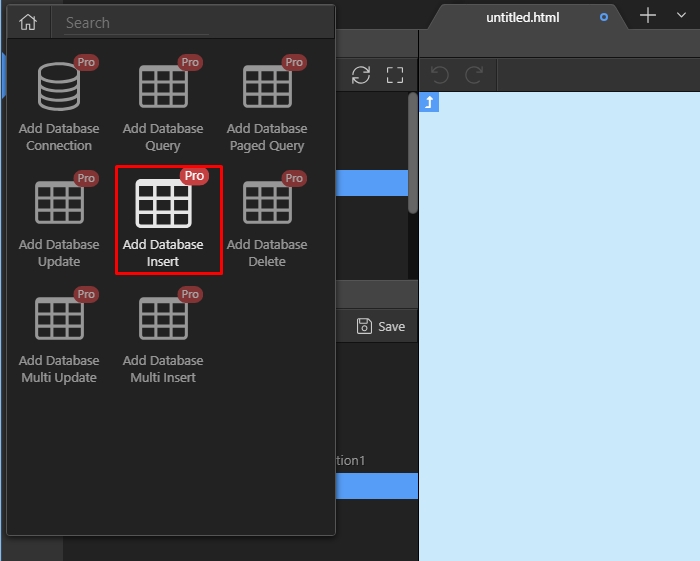
Open the insert options:
Section titled “Open the insert options:”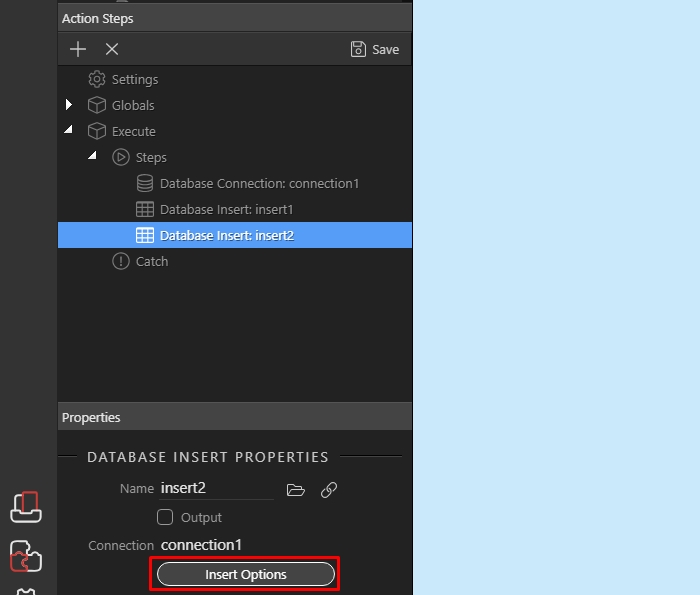
And add the table you want to insert data into:
Section titled “And add the table you want to insert data into:”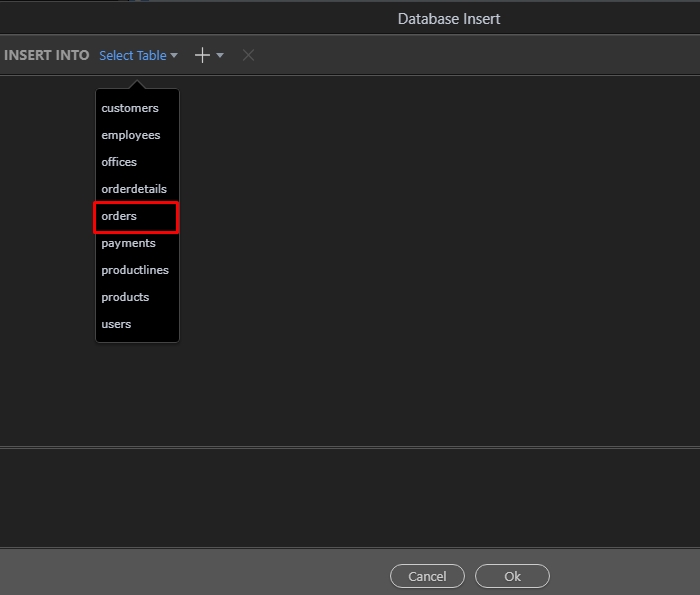
Click the dynamic data picker, for the column you want to insert the inserted record ID:
Section titled “Click the dynamic data picker, for the column you want to insert the inserted record ID:”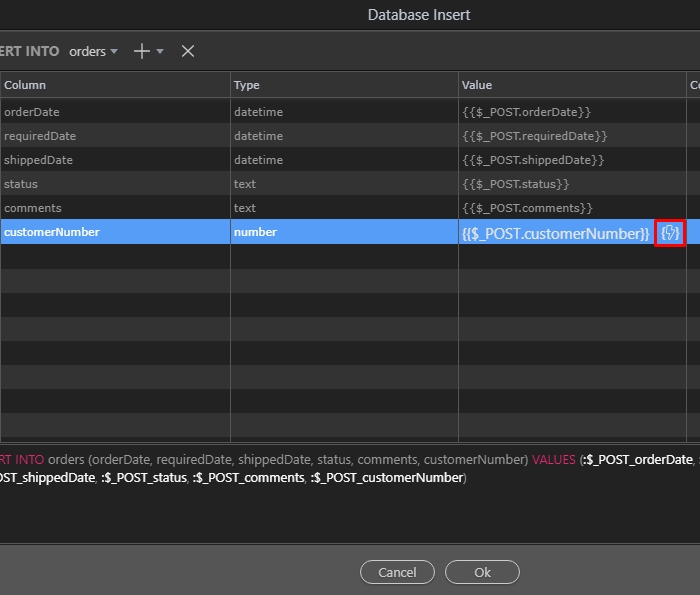
Step 7
Section titled “Step 7”And in the dynamic data picker dialog, you will find the identity binding, under the first insert record step. Select it:
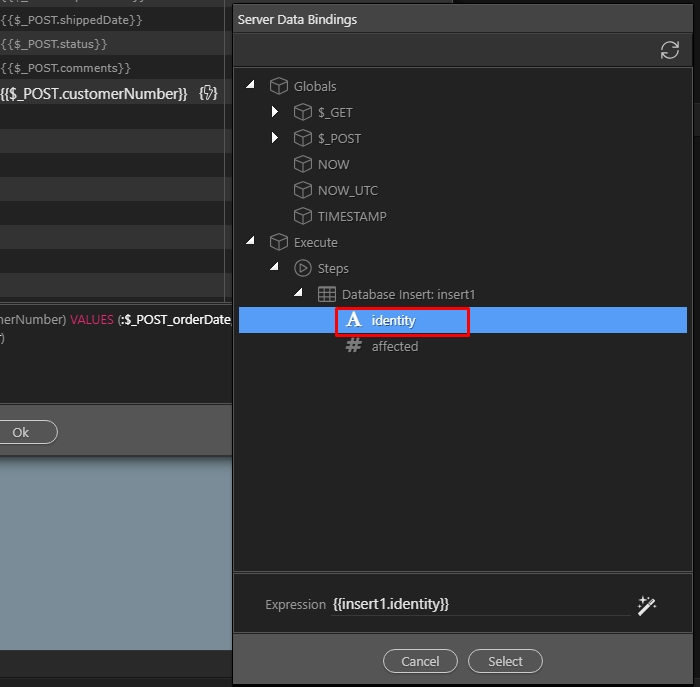
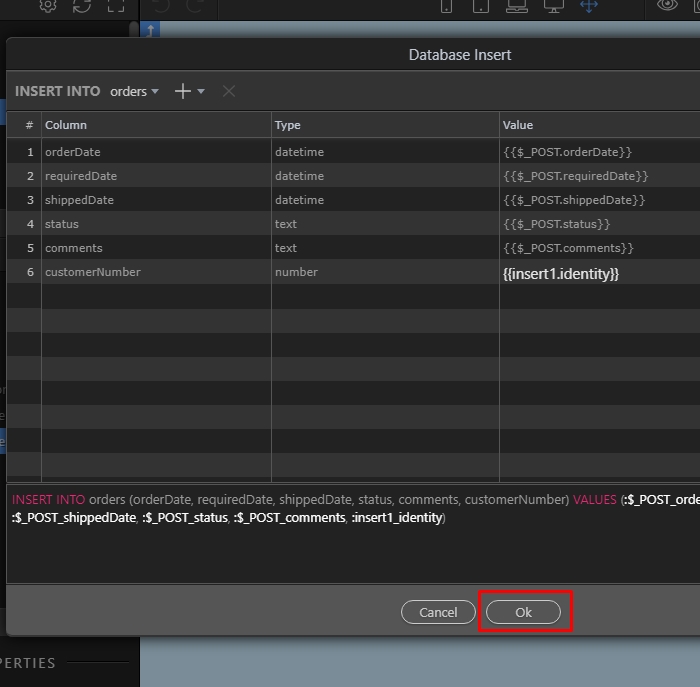
And you are done. Now the second insert record step will use the ID returned by the first step:
Section titled “And you are done. Now the second insert record step will use the ID returned by the first step:”