Applying Margin and Padding
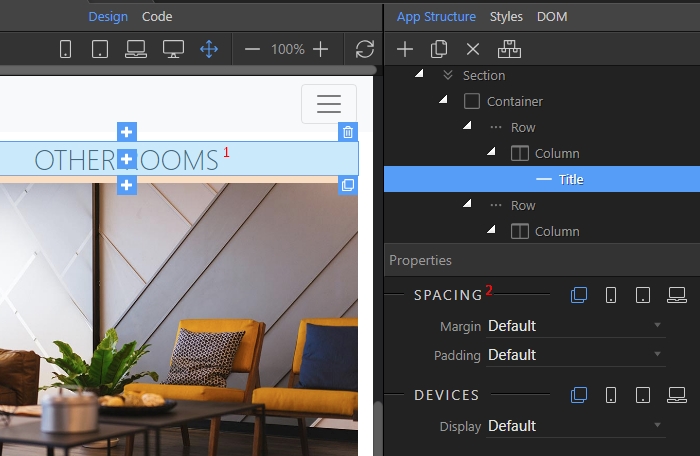
You can add margin or padding to any element in your Bootstrap 4 pages. Start by selecting the element (1) and scroll in the properties inspector to the Spacing options: Add the required margin or pad
You can add margin or padding to any element in your Bootstrap 4 pages.
Section titled “You can add margin or padding to any element in your Bootstrap 4 pages.”Start by selecting the element (1) and scroll in the properties inspector to the Spacing options:
Step 2
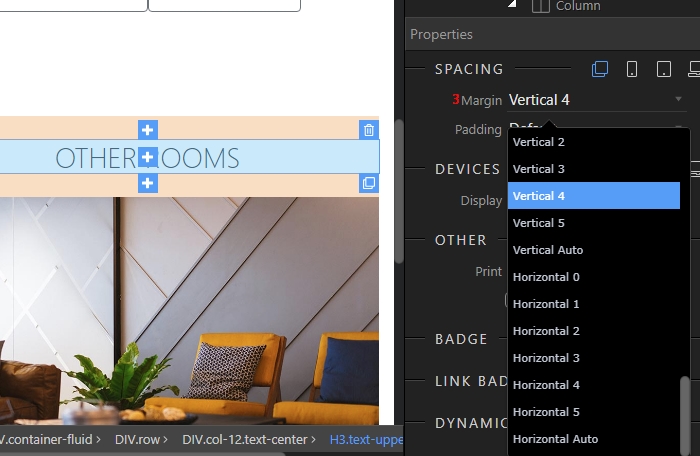
Section titled “Step 2”Add the required margin or padding. Select one of the available options: top, bottom, left, right or horizontal and vertical. Selecting horizontal or vertical margin or padding values adds margin or padding left and right or top and bottom: