
Vertical Navigation
In this tutorial we will show you how to create a vertical Navigation for your site, which for example, you can place in your sidebar. We have a really simple layout - two columns, one has a width of
Step 1
Section titled “Step 1”In this tutorial we will show you how to create a vertical Navigation for your site, which for example, you can place in your sidebar.
We have a really simple layout - two columns, one has a width of 3cols and the other one 9cols. We want to add a sidebar menu in the left column:
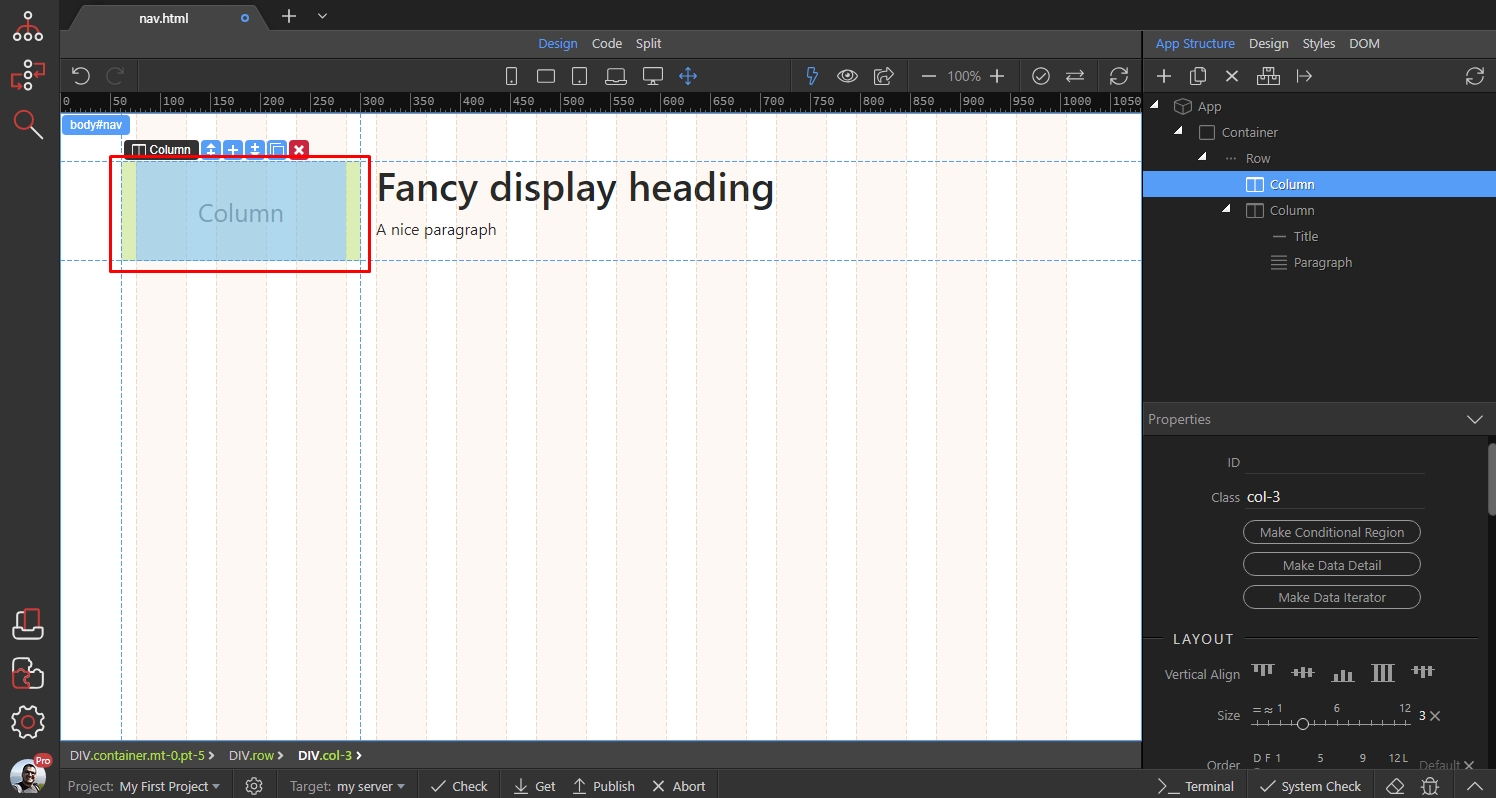
Click the add inside button:
Section titled “Click the add inside button:”
Open Lists and select Nav:
Section titled “Open Lists and select Nav:”
Then click the add inside button for the Nav:
Section titled “Then click the add inside button for the Nav:”
And add Nav Item:
Section titled “And add Nav Item:”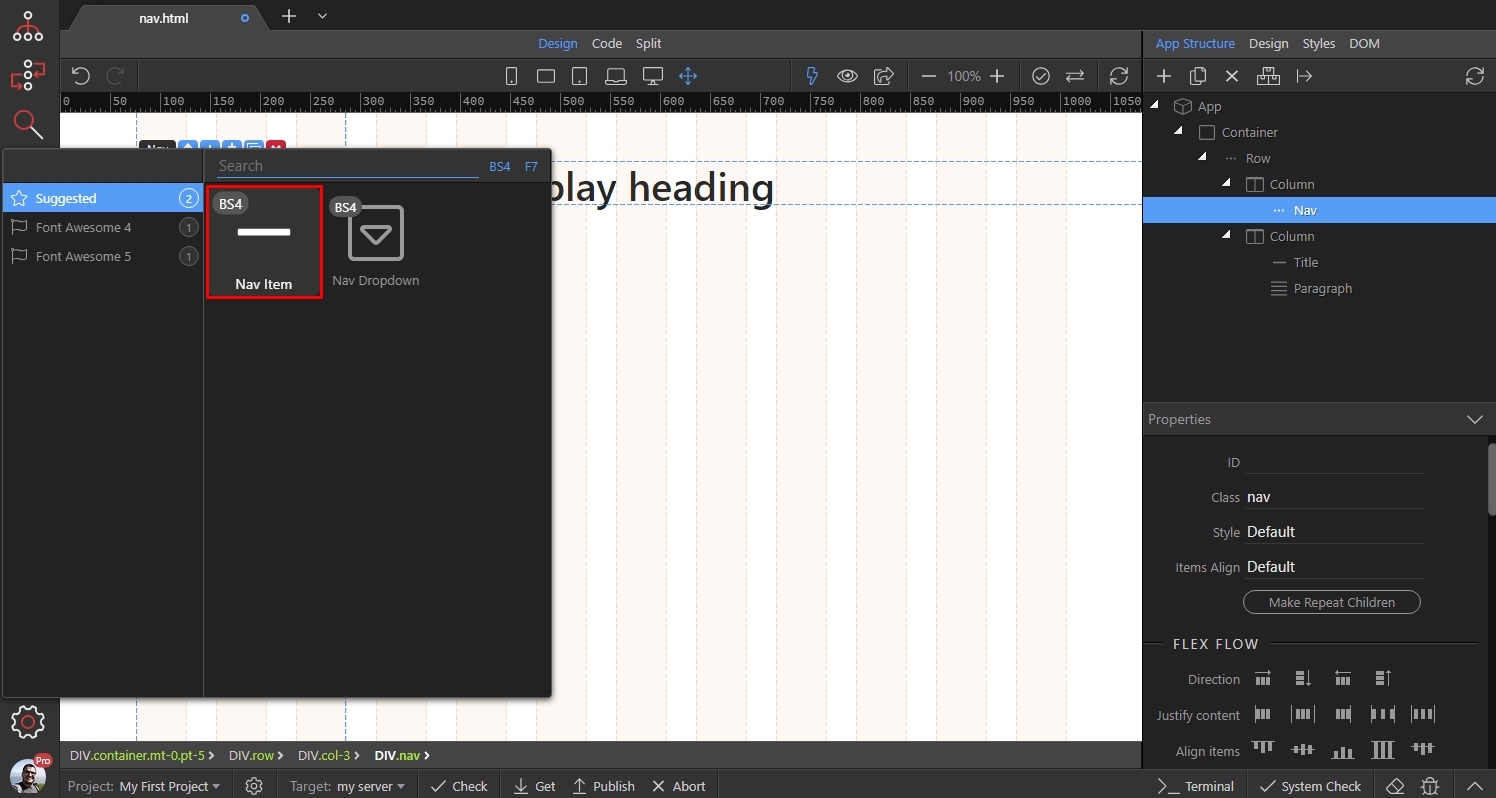
Step 6
Section titled “Step 6”Add as many Nav items, as you need. You see that they are aligned horizontally, and not vertically as we need them:
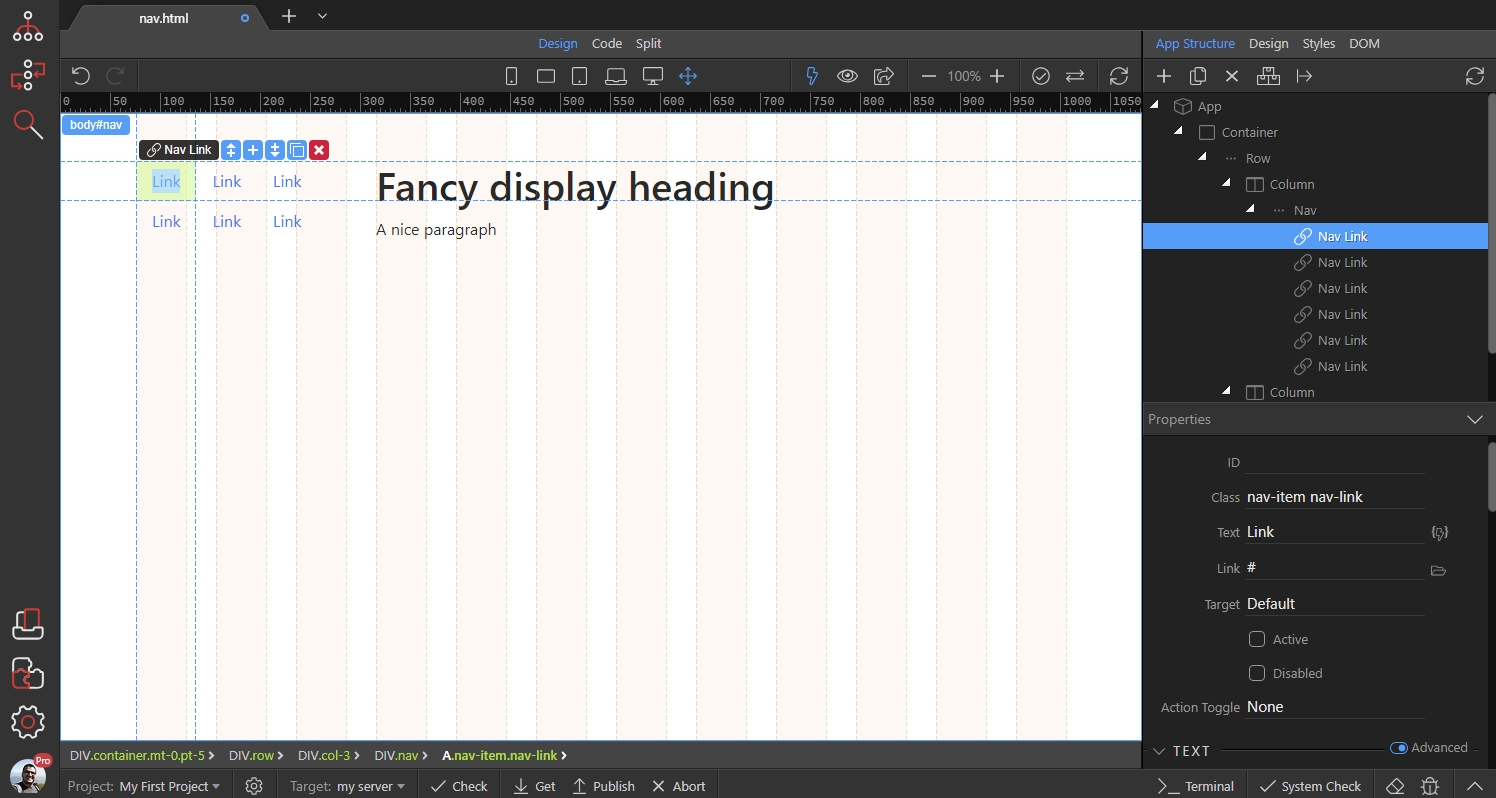
Select the Nav component in App Structure and then under Flex Flow select Direction: Vertical:
Section titled “Select the Nav component in App Structure and then under Flex Flow select Direction: Vertical:”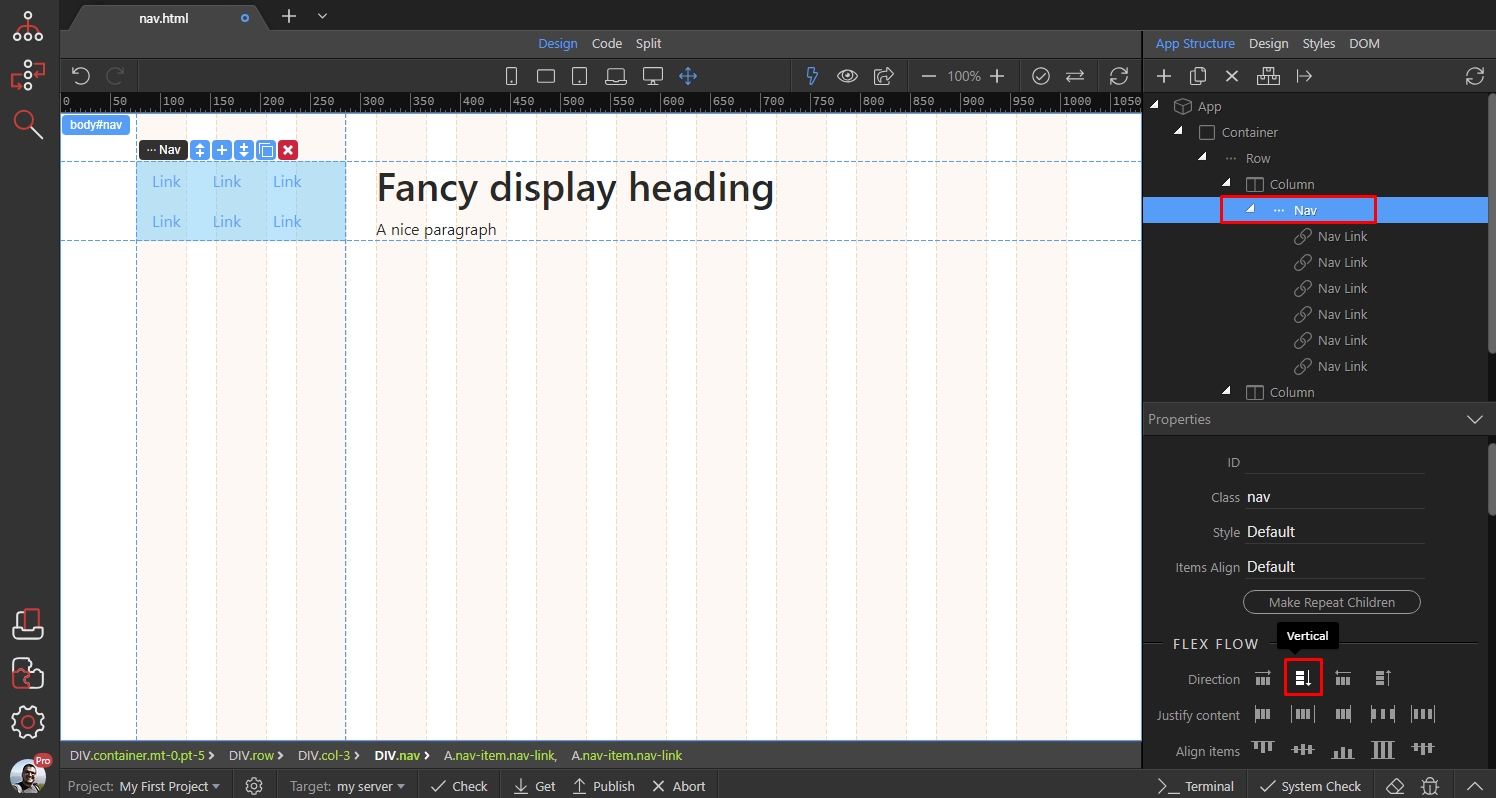
Step 8
Section titled “Step 8”The Nav Items are now vertically aligned an take 100% of the column width. Now you can style them as you need, using the Text color and background properties in the Properties Panel:
