
Push Footer to bottom of viewport
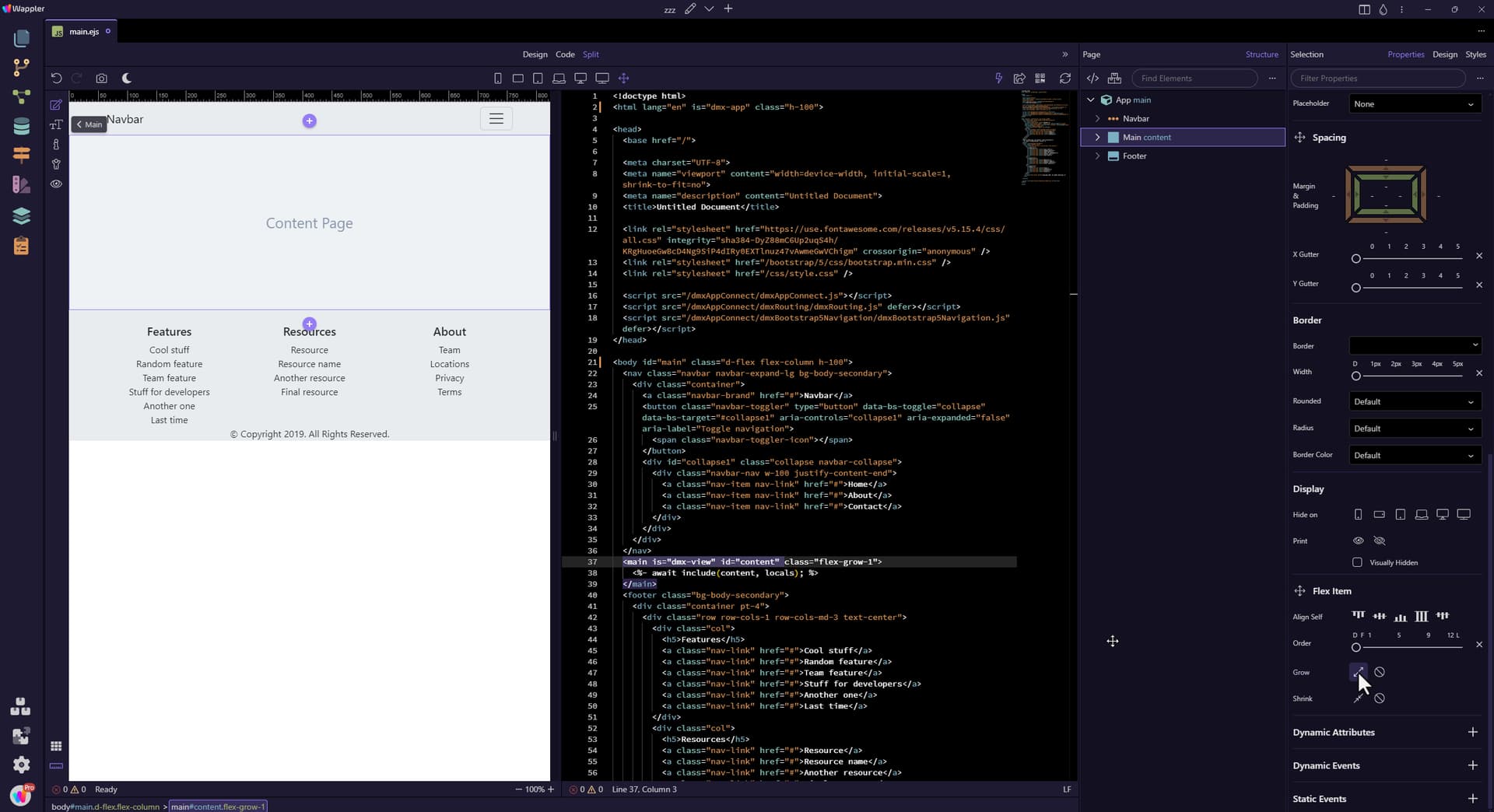
We start with a page with the usuals, a Navbar, a Main section and a Footer. As you can see, the Footer clings to the bottom of the Main section. To push the Footer to the bottom of the page when ther
Step 1
Section titled “Step 1”We start with a page with the usuals, a Navbar, a Main section and a Footer. As you can see, the Footer clings to the bottom of the Main section.
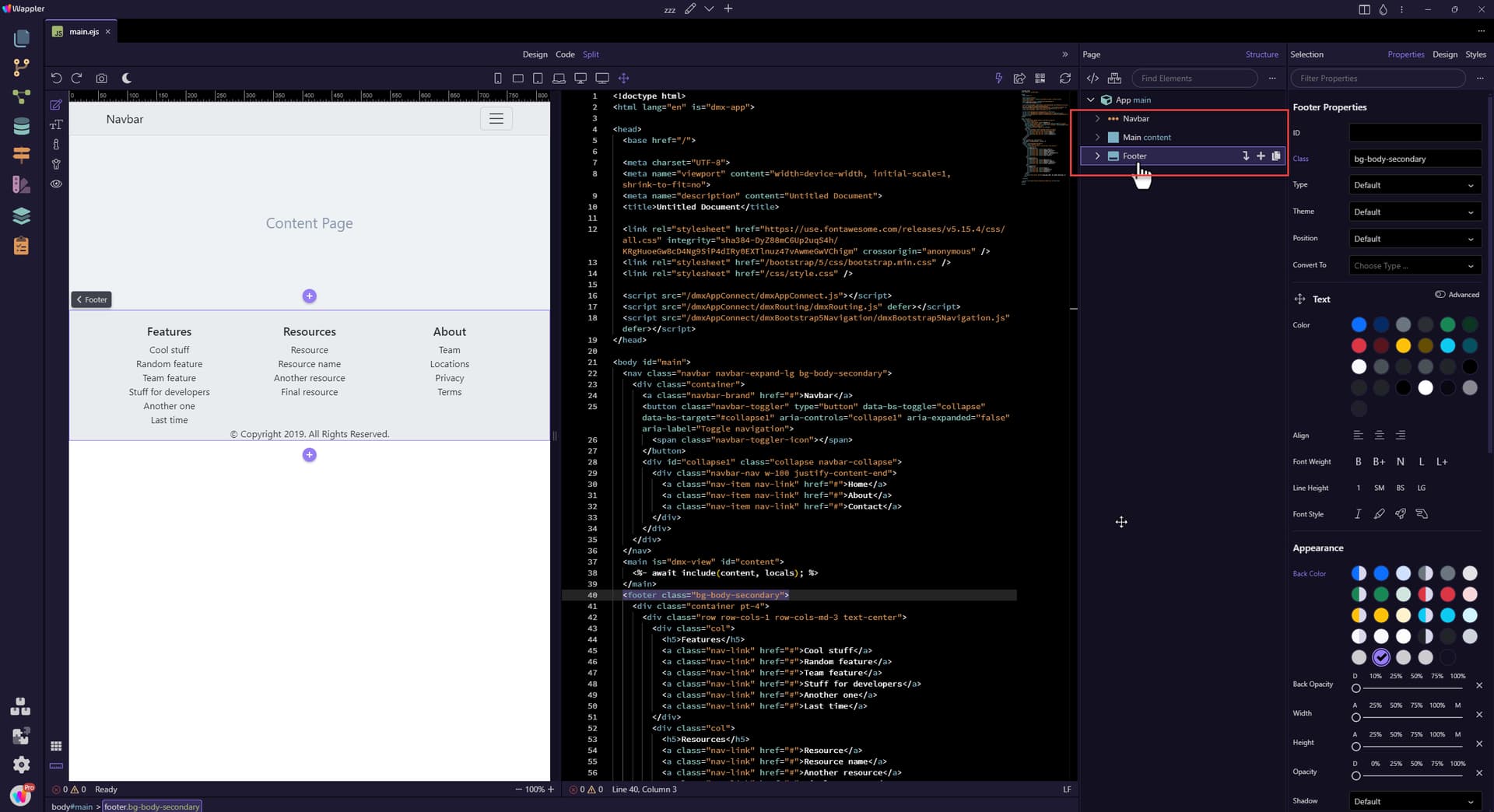
To push the Footer to the bottom of the page when there is not enough content in the Main section:
Section titled “To push the Footer to the bottom of the page when there is not enough content in the Main section:”- In the Structure panel, select the App node.
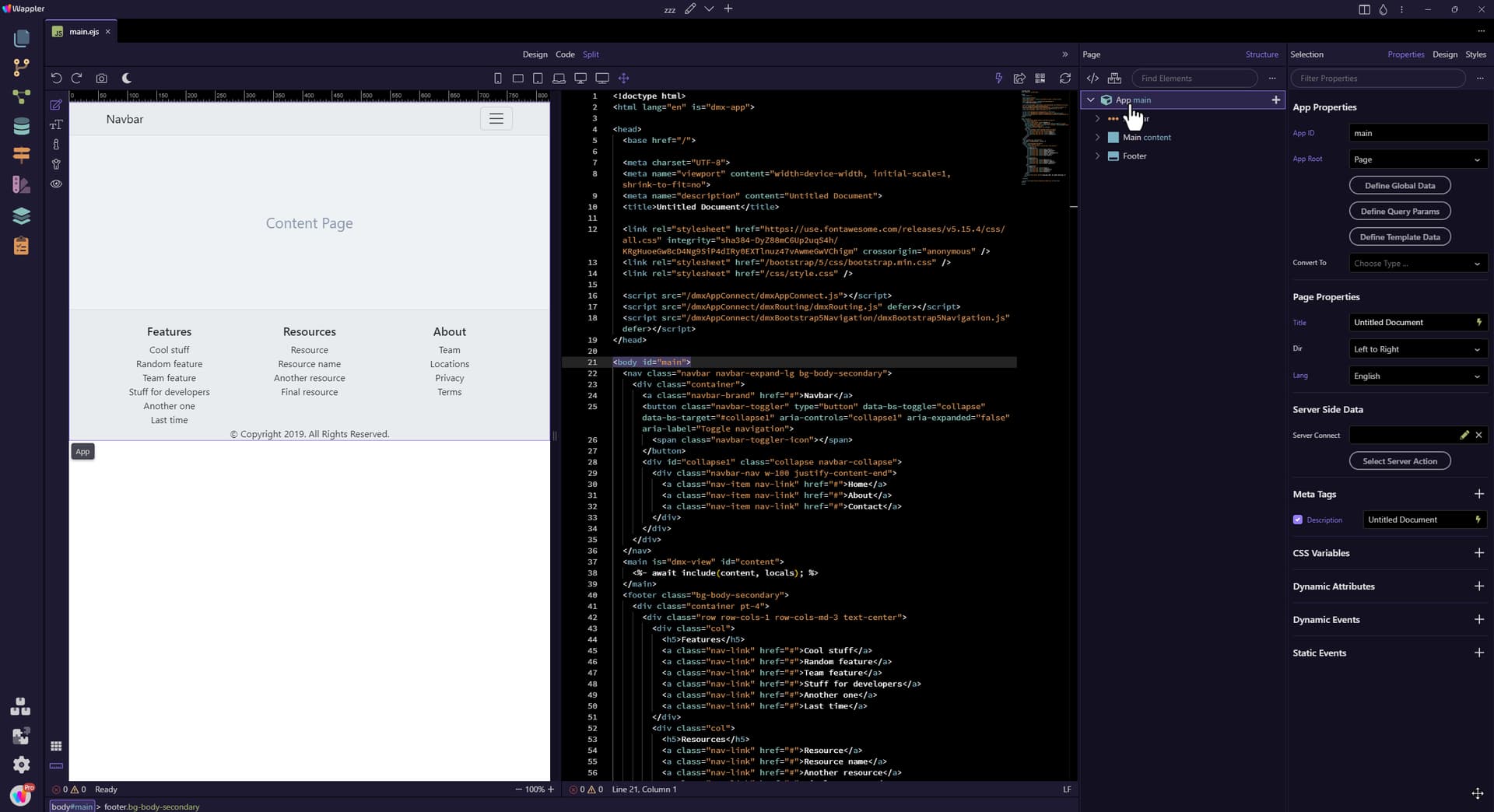
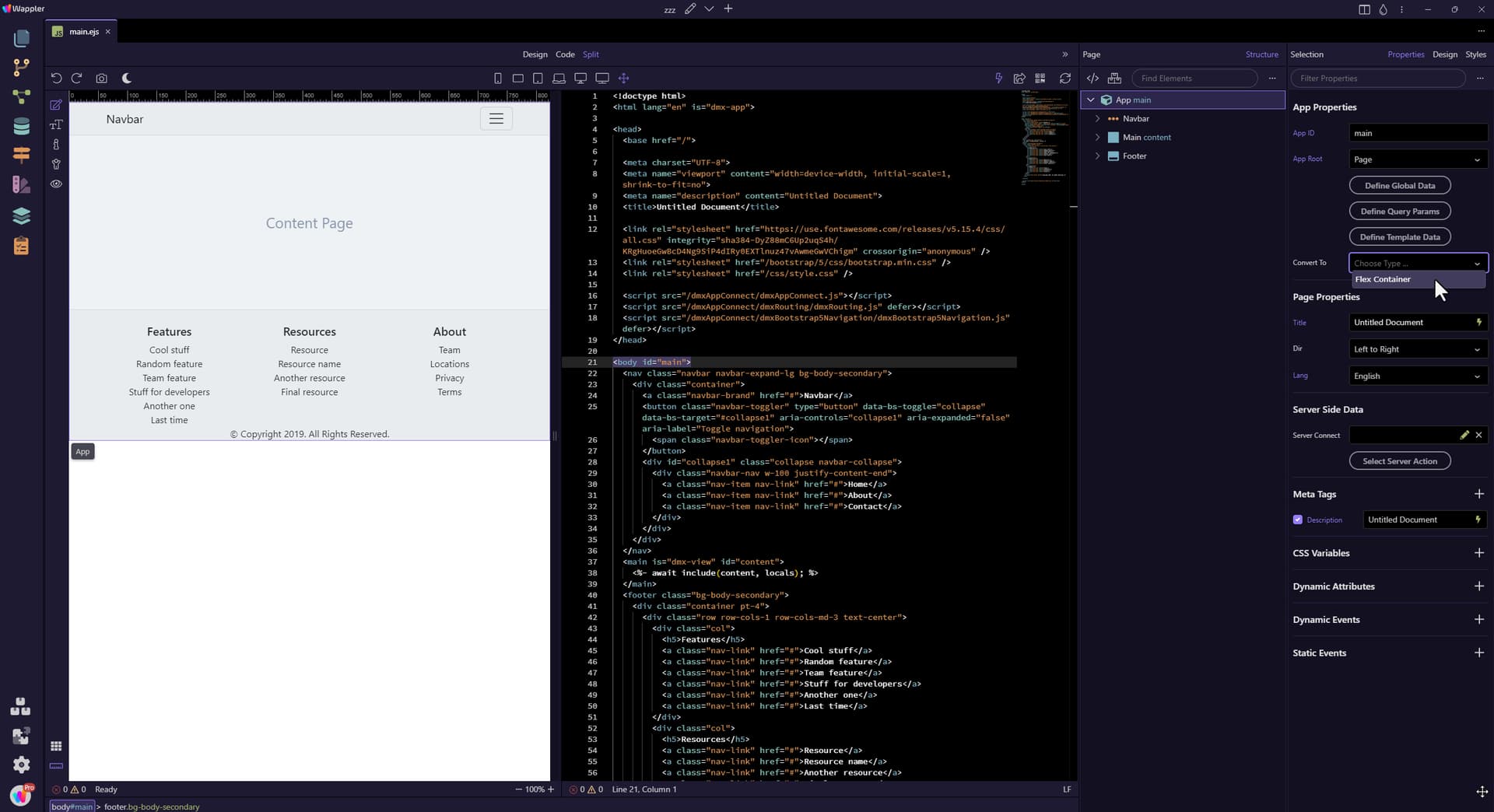
In the Properties panel, select Convert To: Flex Container
Section titled “In the Properties panel, select Convert To: Flex Container”- In the Properties panel, select Convert To: Flex Container
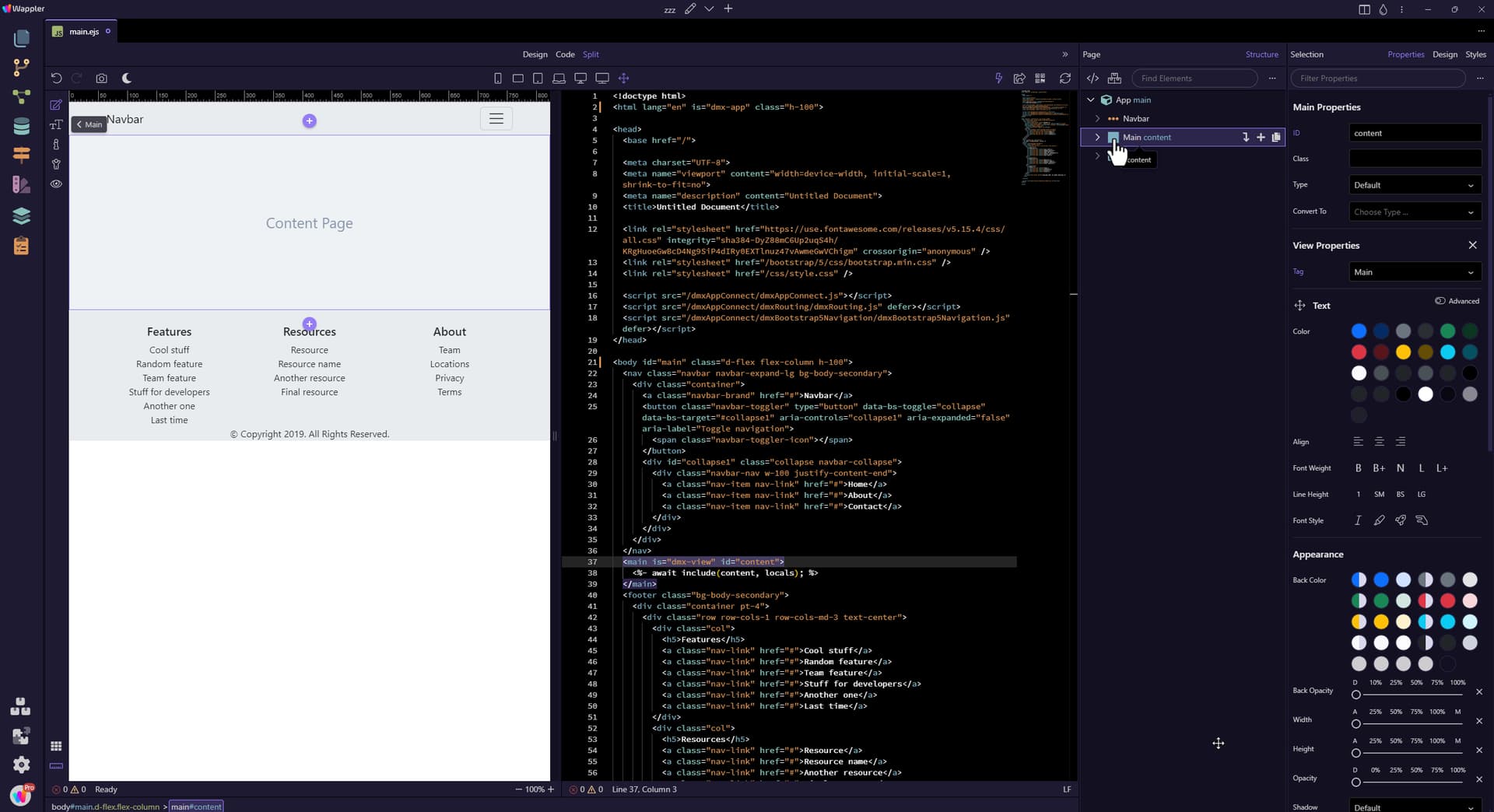
In the Structure panel, select Main.
Section titled “In the Structure panel, select Main.”- In the Structure panel, select Main.
In the Properties panel, under Flex Item, select Grow.
Section titled “In the Properties panel, under Flex Item, select Grow.”- In the Properties panel, under Flex Item, select Grow.
This has the effect of pushing the Footer to the bottom of the page.
Section titled “This has the effect of pushing the Footer to the bottom of the page.”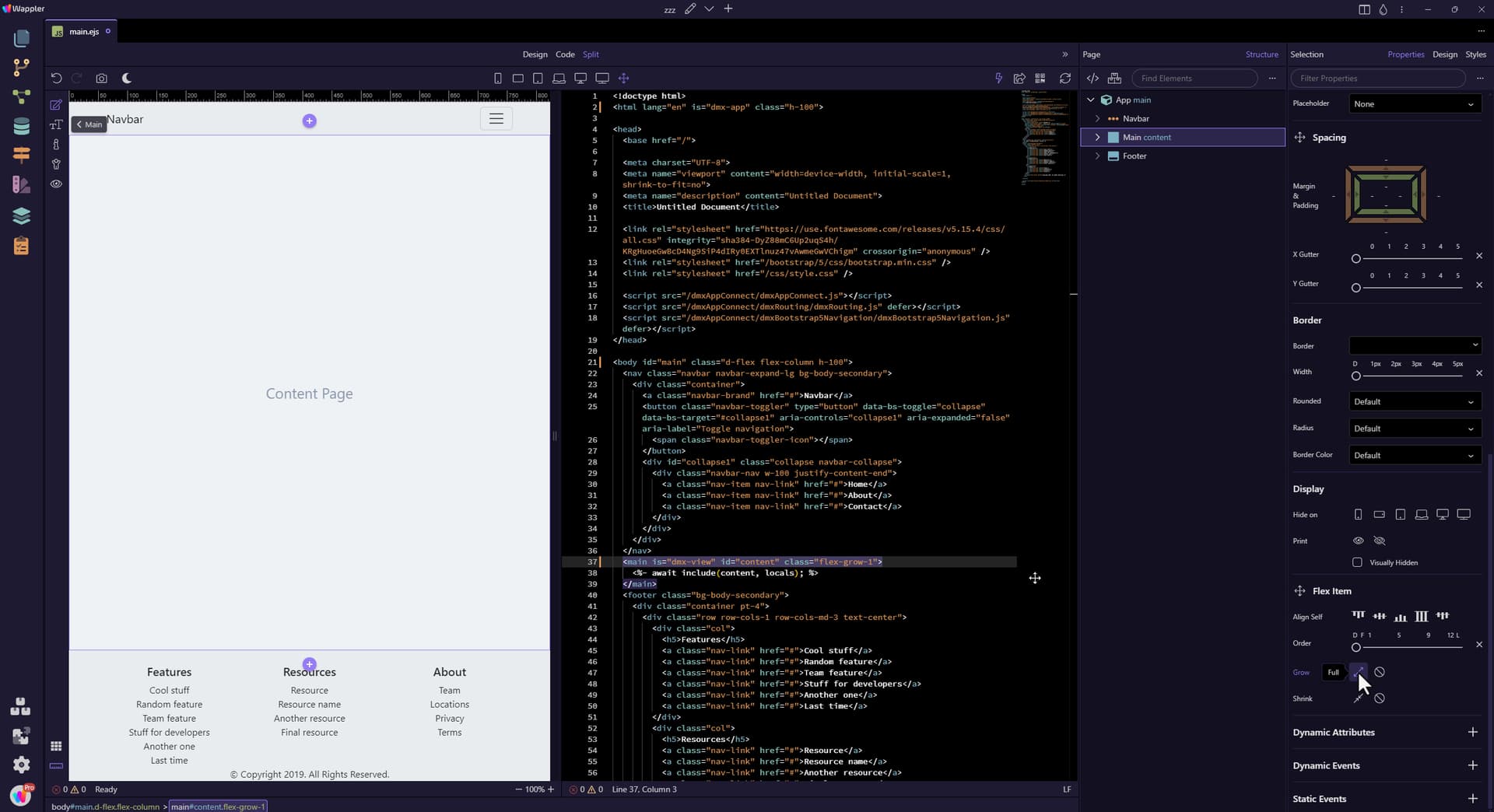
Save the page and you are done.
Section titled “Save the page and you are done.”- Save the page and you are done.
For a video on the subject, see:
