Show Confirmation Popup when Deleting Records
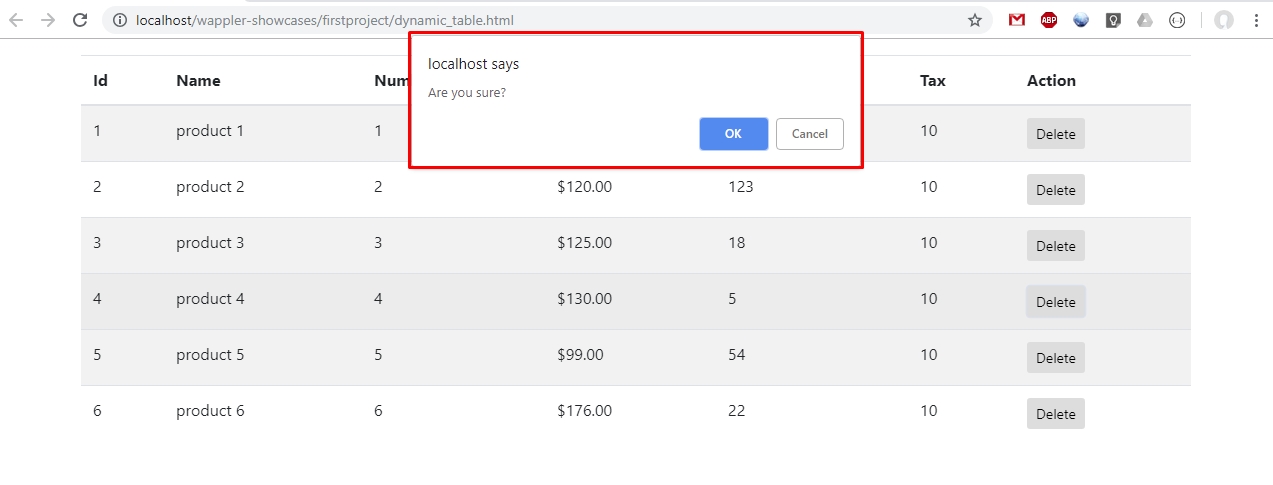
You already know how to delete database records . There are cases where you want to show users a confirmation dialog, asking them to confirm deletion. This can easily be done using Wappler static even
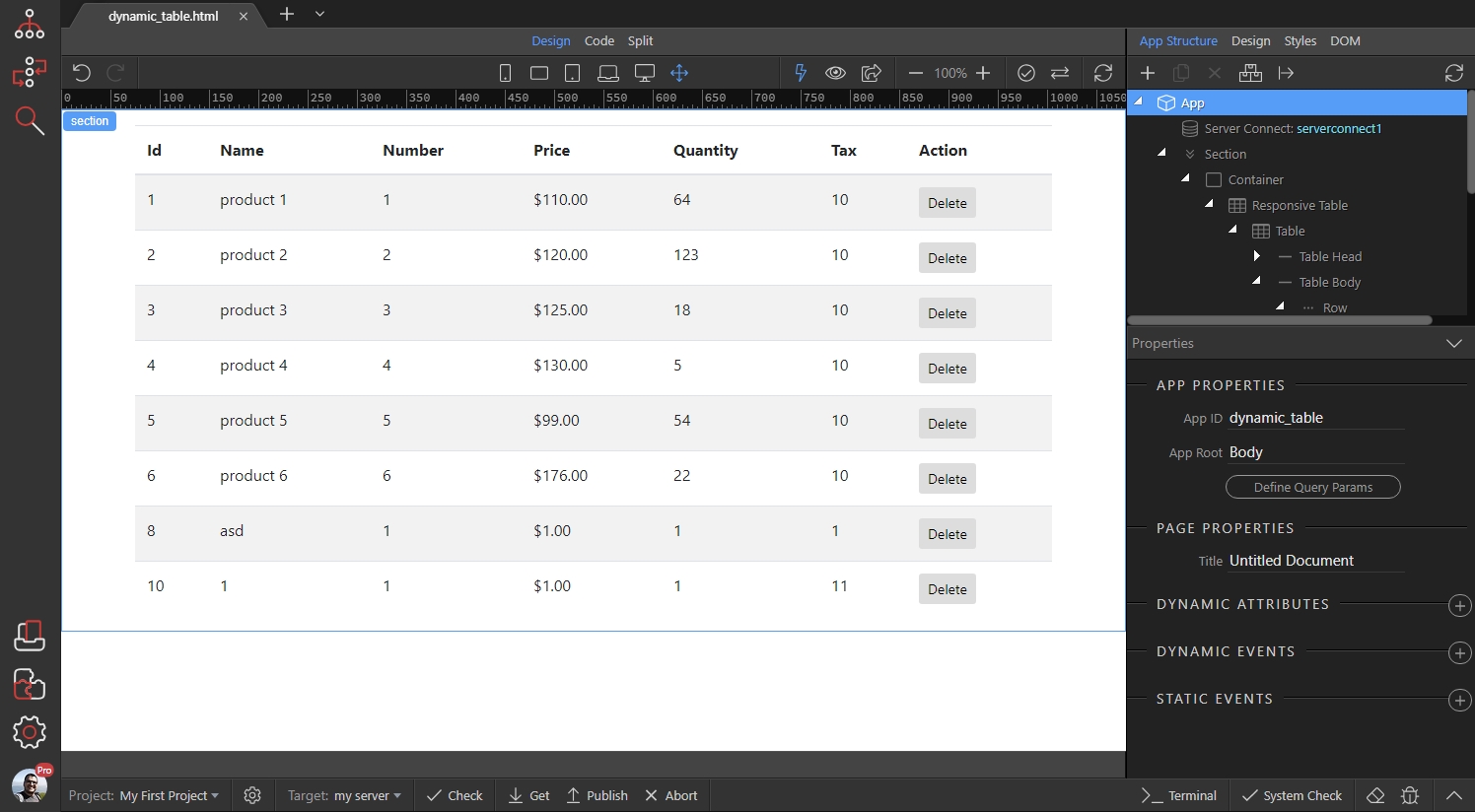
We have our dynamic table with a delete button for each of the records:
Section titled “We have our dynamic table with a delete button for each of the records:”You already know how to delete database records.
There are cases where you want to show users a confirmation dialog, asking them to confirm deletion. This can easily be done using Wappler static events and a simple method.
We have our dynamic table with a delete button for each of the records:
Select the delete record form:
Section titled “Select the delete record form:”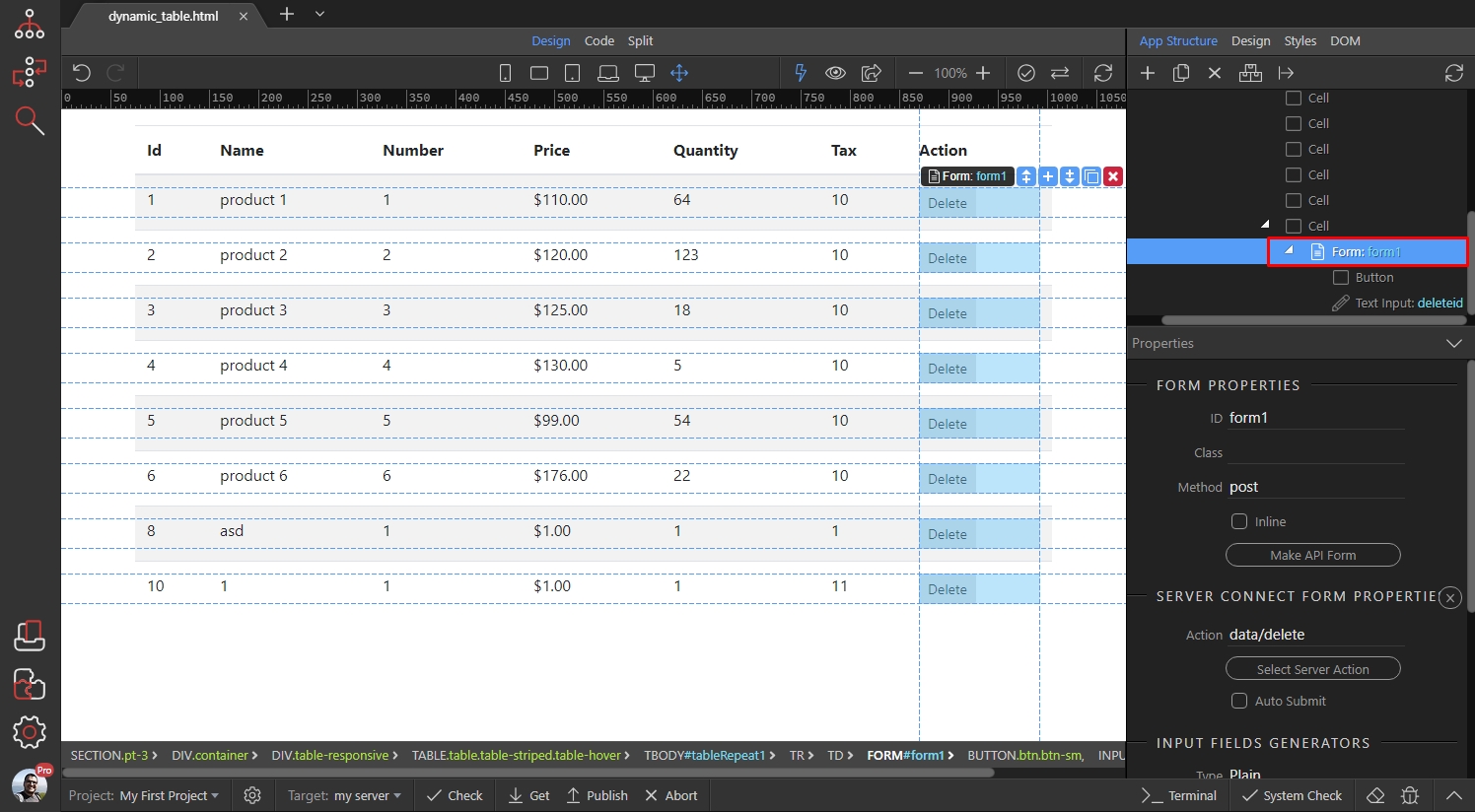
Scroll down to STATIC EVENTS and click the add new static event button:
Section titled “Scroll down to STATIC EVENTS and click the add new static event button:”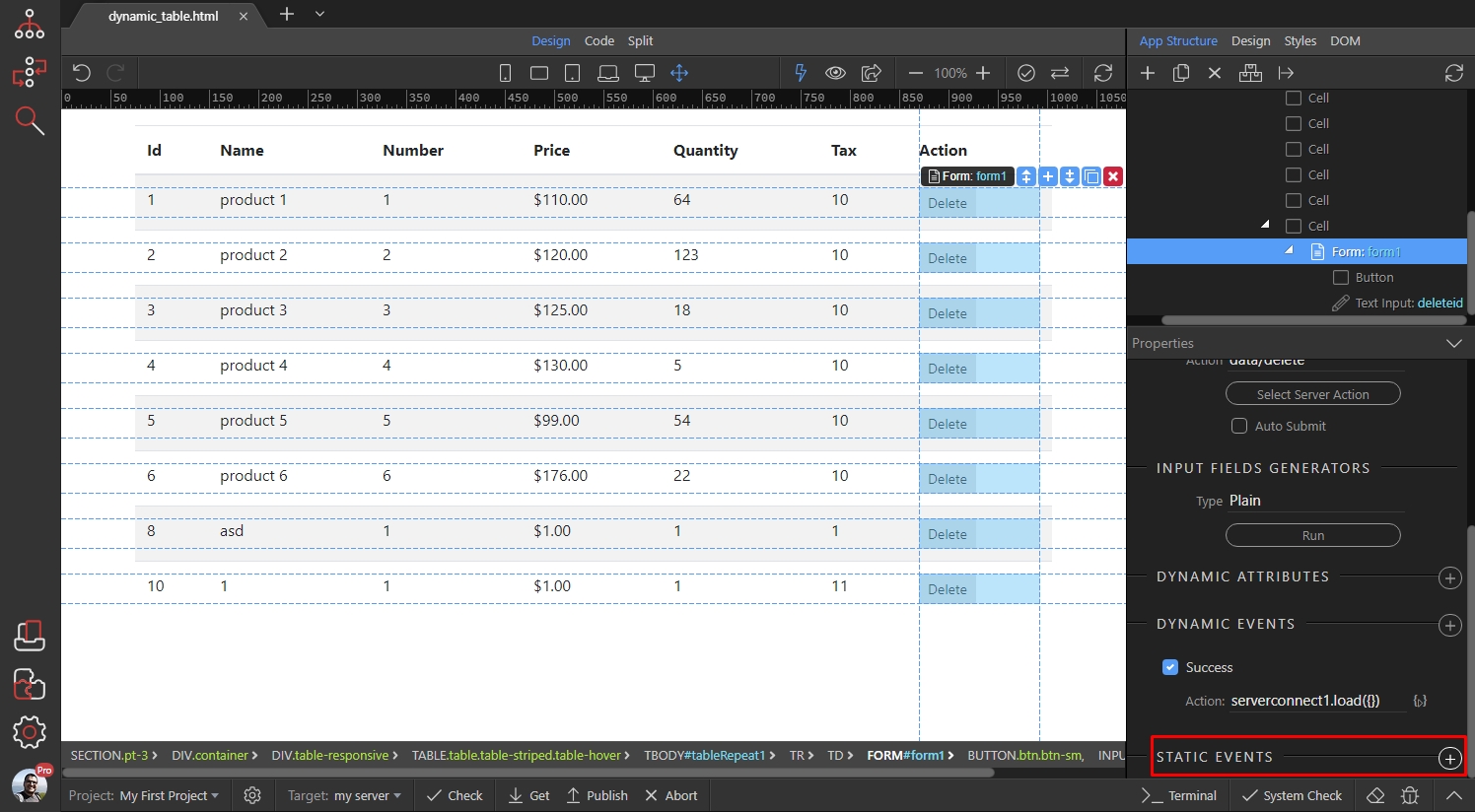
Select Form > Submit:
Section titled “Select Form > Submit:”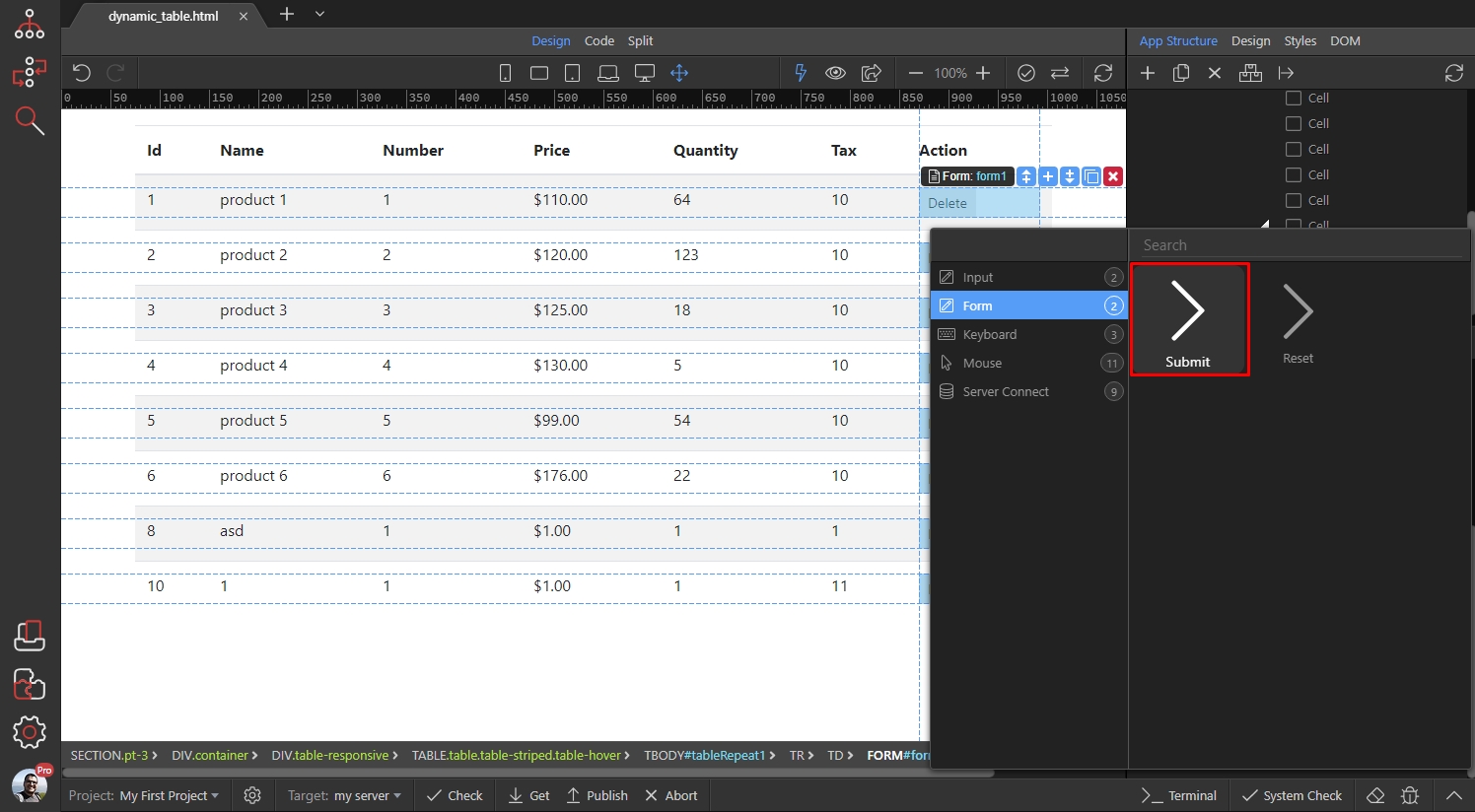
And then enter the following code: return confirm('Are you sure?');
Section titled “And then enter the following code: return confirm('Are you sure?');”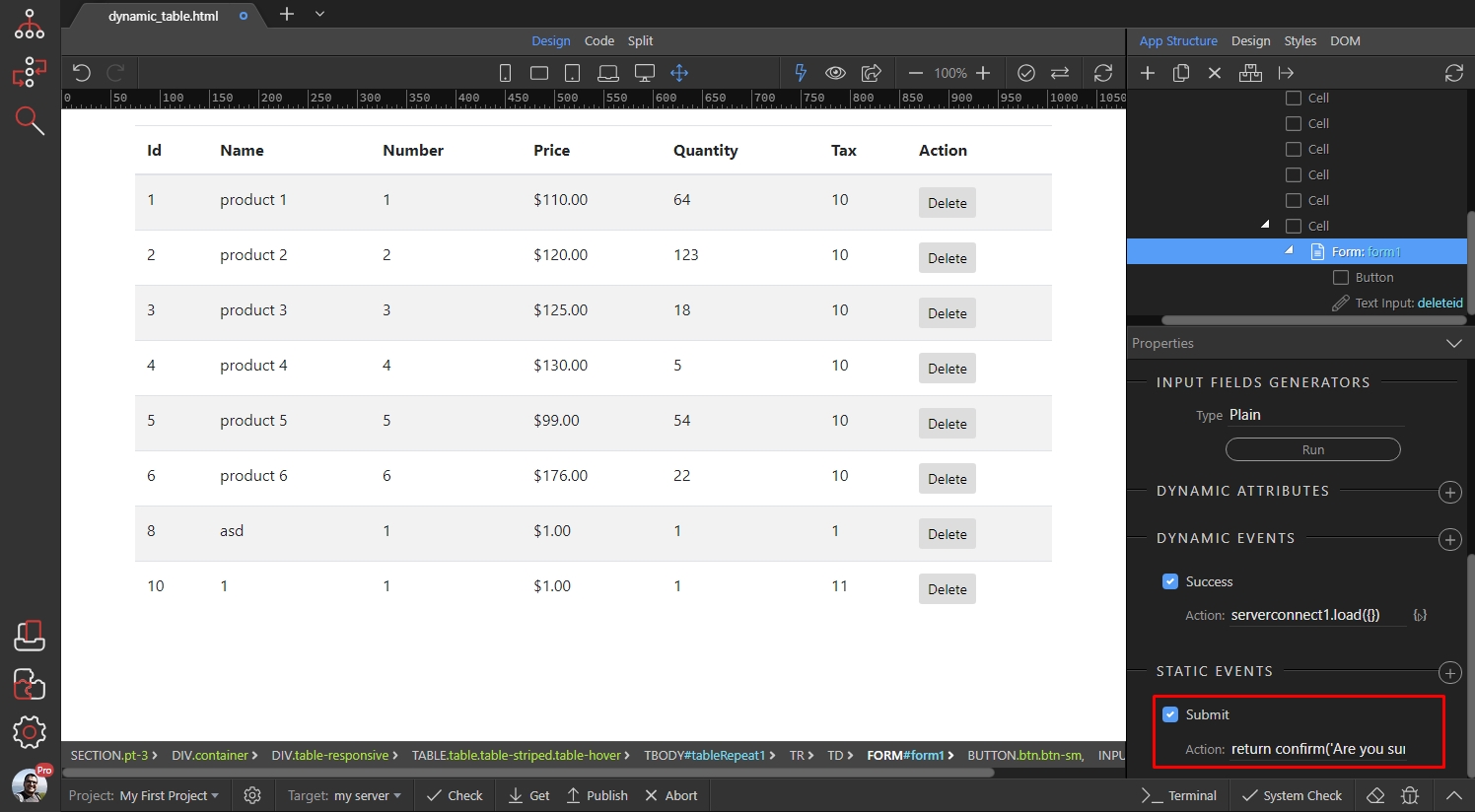
Of course you can replace the text in the single quotes with any custom message you need to show.
Section titled “Of course you can replace the text in the single quotes with any custom message you need to show.”The result is a native browser dialog, showing the custom message and OK and Cancel buttons. If the user clicks the OK button, the record will be deleted, otherwise the delete action won’t run: