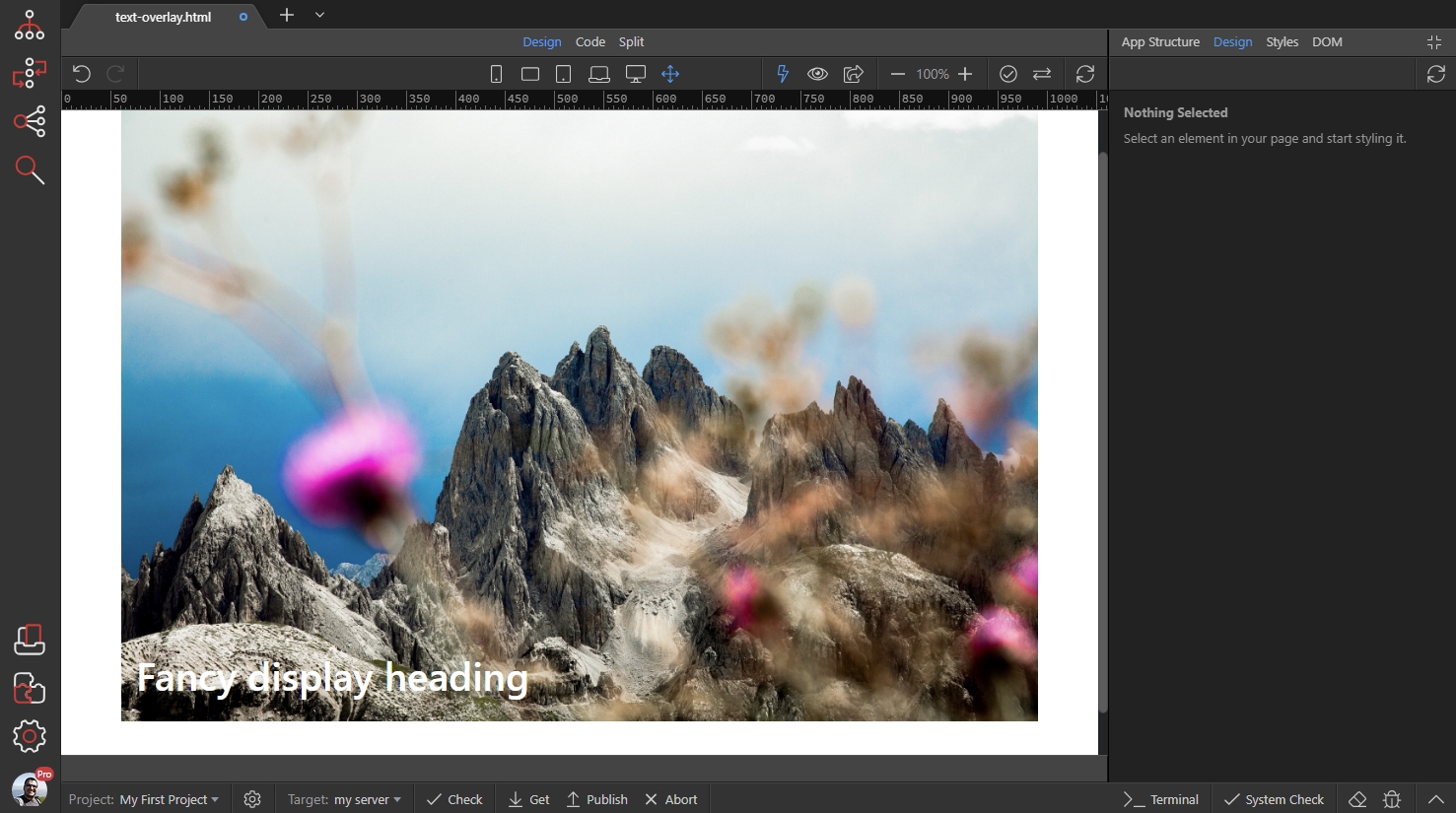
Overlaying Text on Image
You can overlay any text over your images, using the Design Panel in Wappler. We added a Bootstrap 4 Container on our page and it contains a Row with a Column. We’d like to insert our image inside thi
You can overlay any text over your images, using the Design Panel in Wappler.
Section titled “You can overlay any text over your images, using the Design Panel in Wappler.”We added a Bootstrap 4 Container on our page and it contains a Row with a Column. We’d like to insert our image inside this Column. Click the Add Inside button:
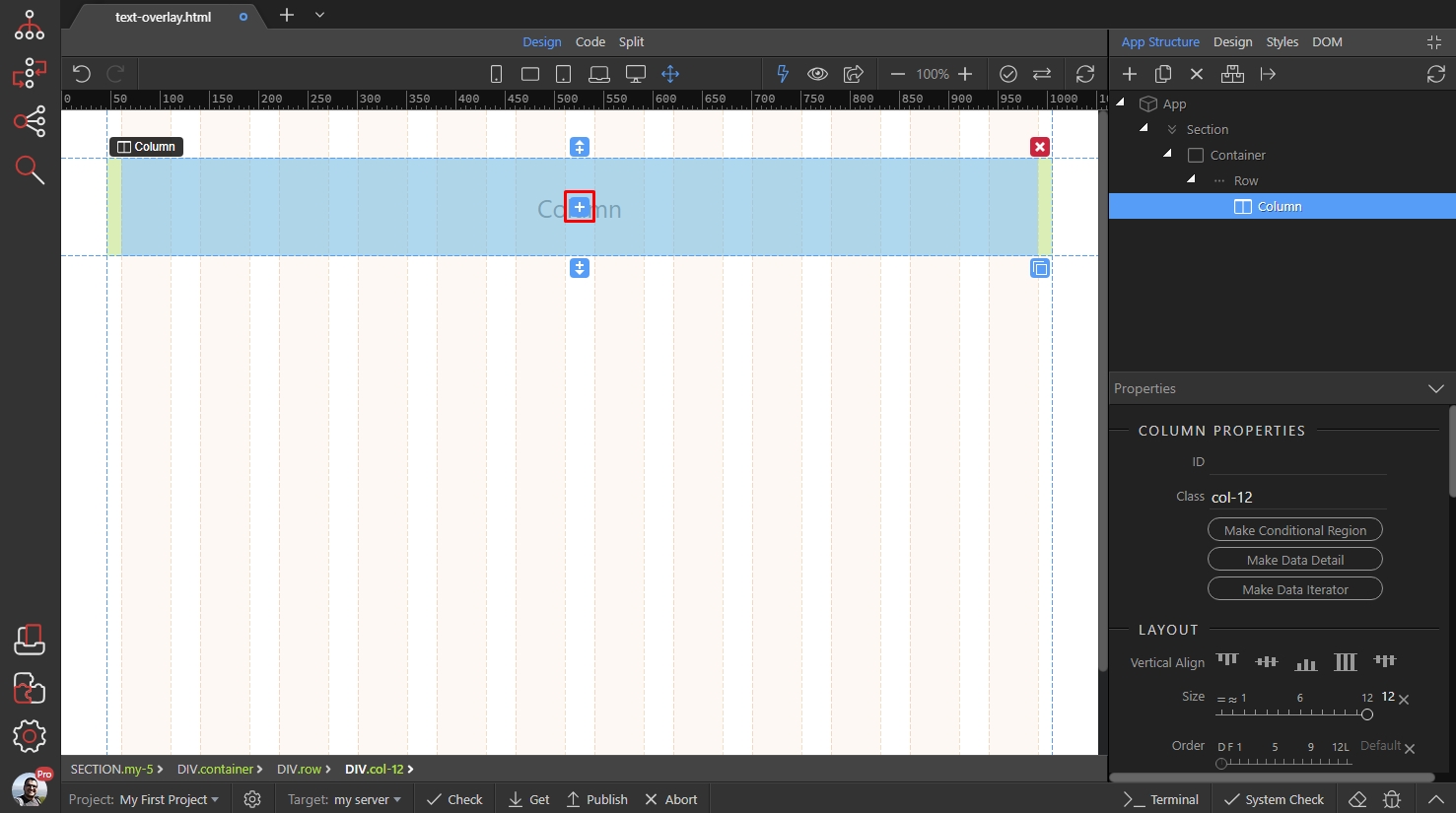
Open Content and add Image:
Section titled “Open Content and add Image:”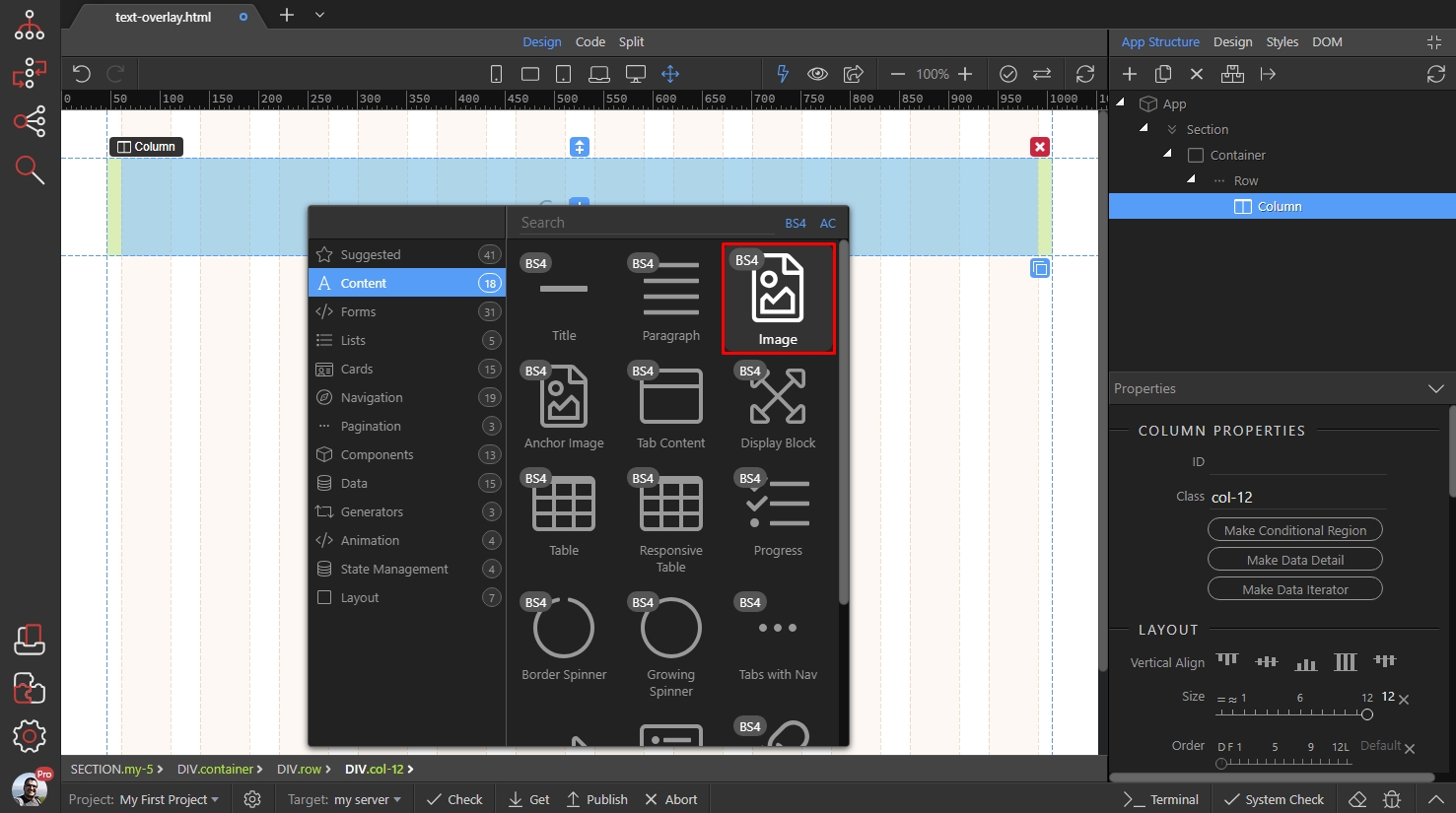
Browse to your image source and enable the Responsive checkbox:
Section titled “Browse to your image source and enable the Responsive checkbox:”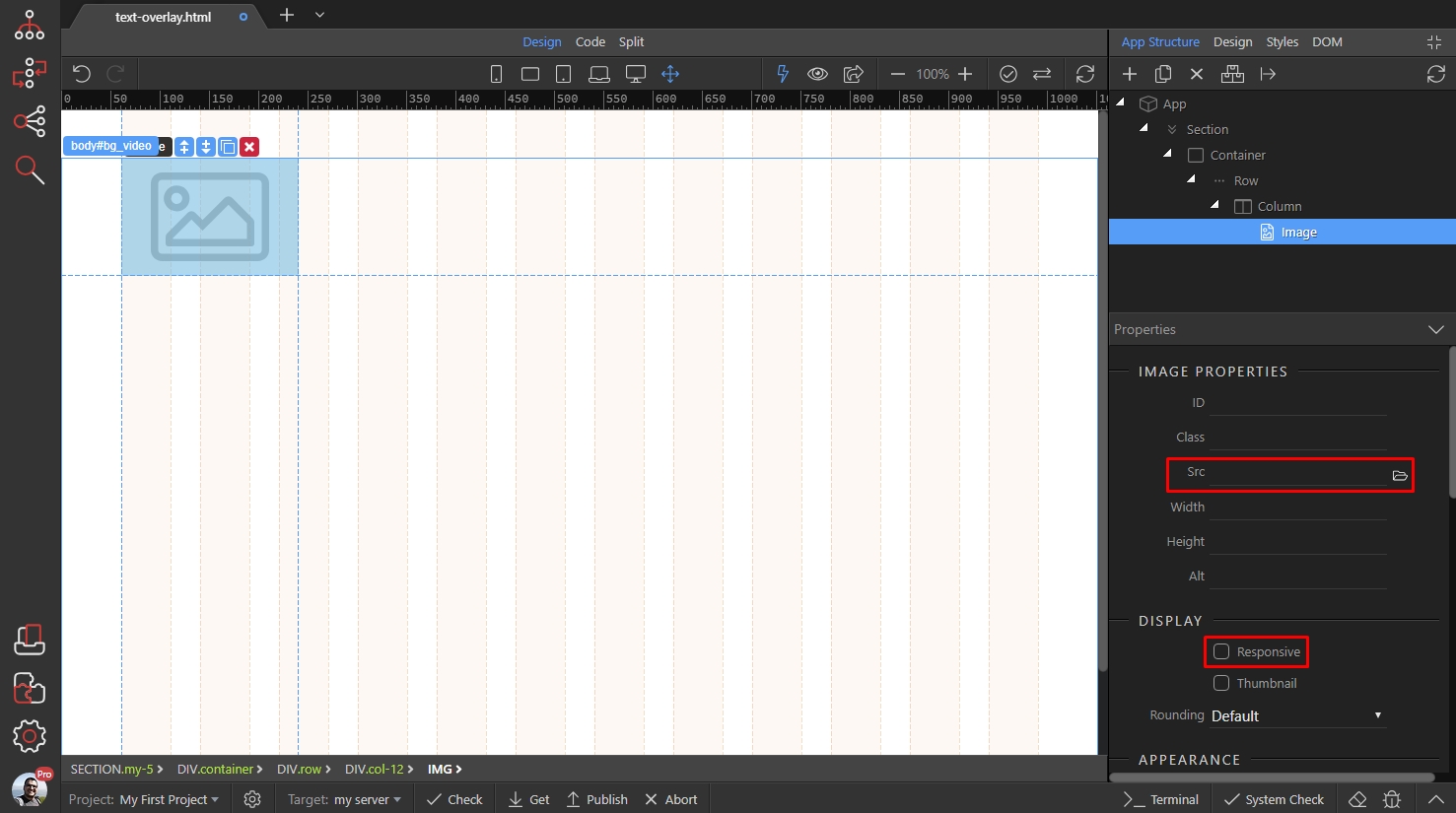
Then, with the image still selected, click Add After button:
Section titled “Then, with the image still selected, click Add After button:”
Open Content and add Title:
Section titled “Open Content and add Title:”
As you can see the title is below the image and not really overlaying it. So, open the Design panel:
Section titled “As you can see the title is below the image and not really overlaying it. So, open the Design panel:”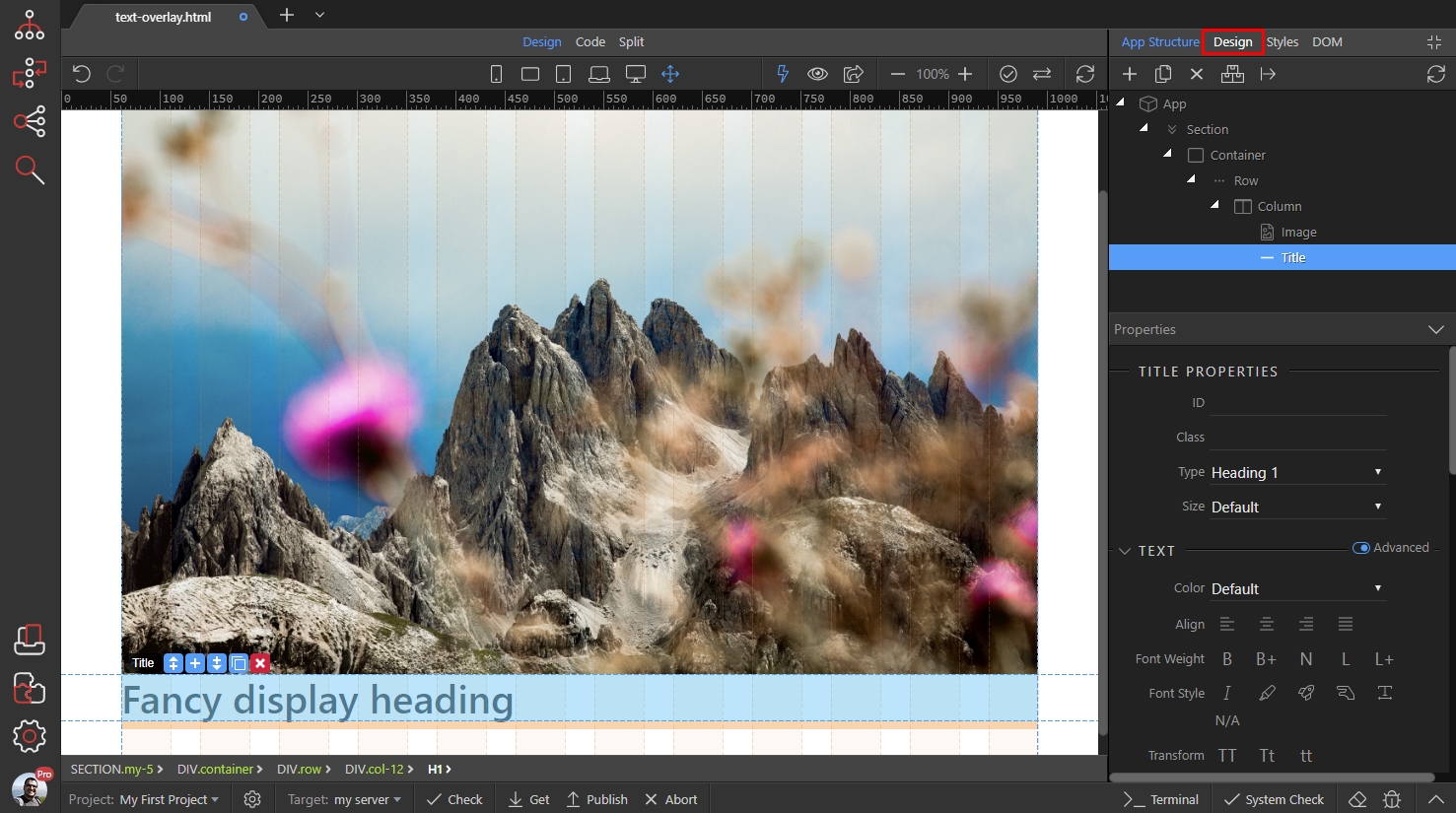
And under position - set the title position to Absolute:
Section titled “And under position - set the title position to Absolute:”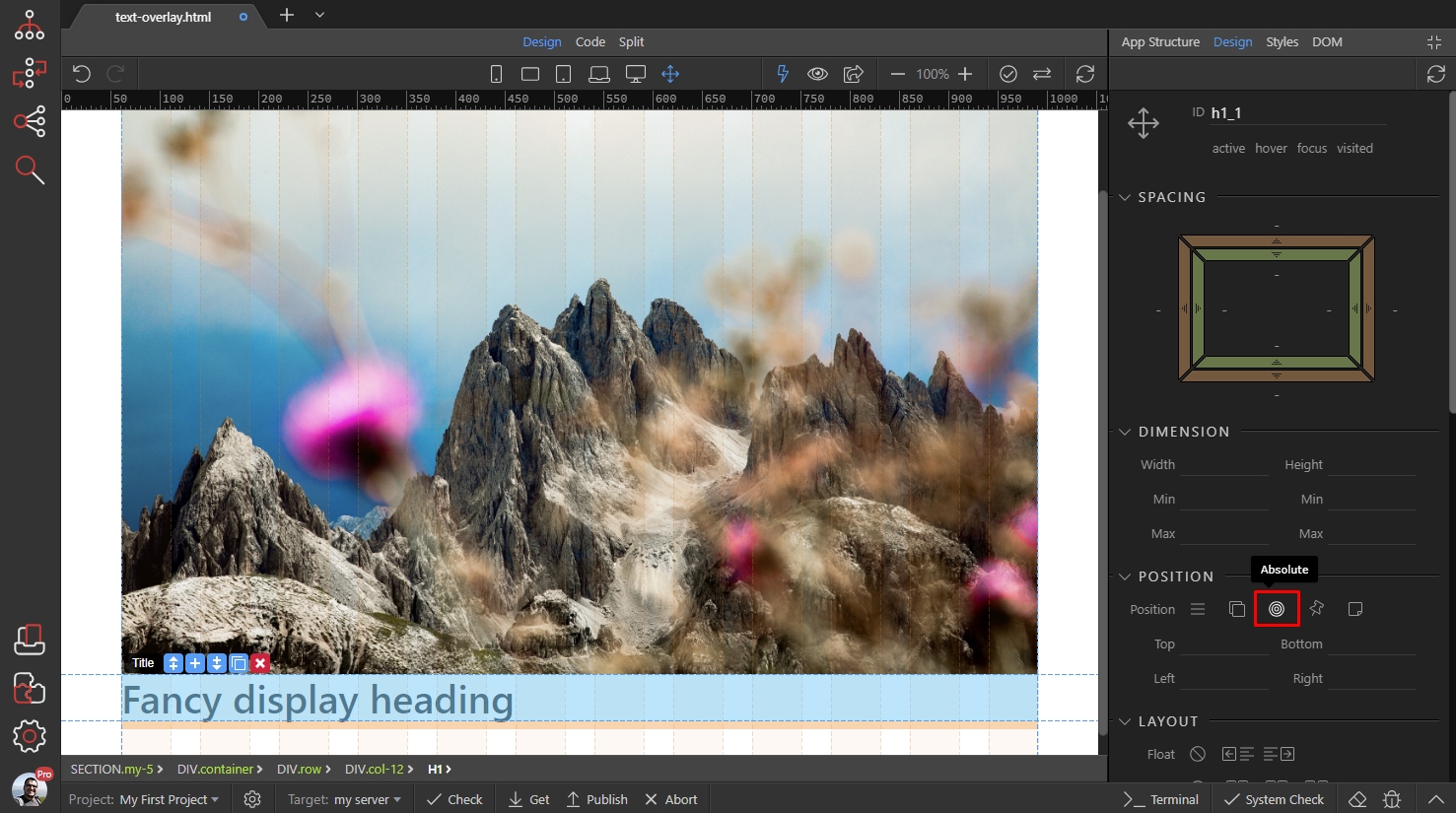
Step 8
Section titled “Step 8”We want to position the title in the bottom left part of the image. So we enter Bottom: 15px and Left: 30px - you can also drag the bottom/left settings to adjust it more precisely.
Note - if you want to position it on top, then you should adjust the Top property and if you want the title on the right, then you should adjust the Right property:
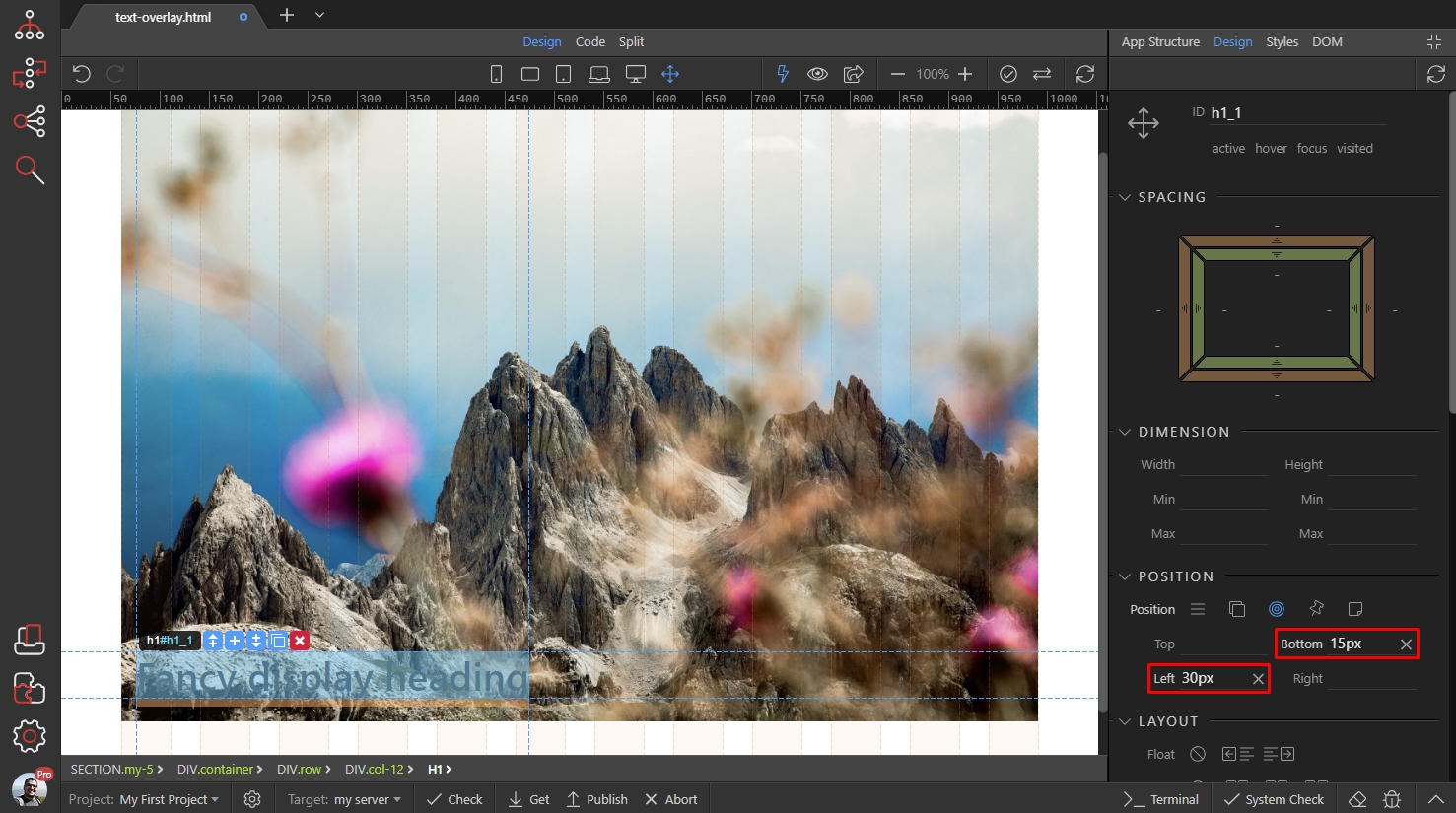
Then you can scroll down the design panel and setup the color of your title:
Section titled “Then you can scroll down the design panel and setup the color of your title:”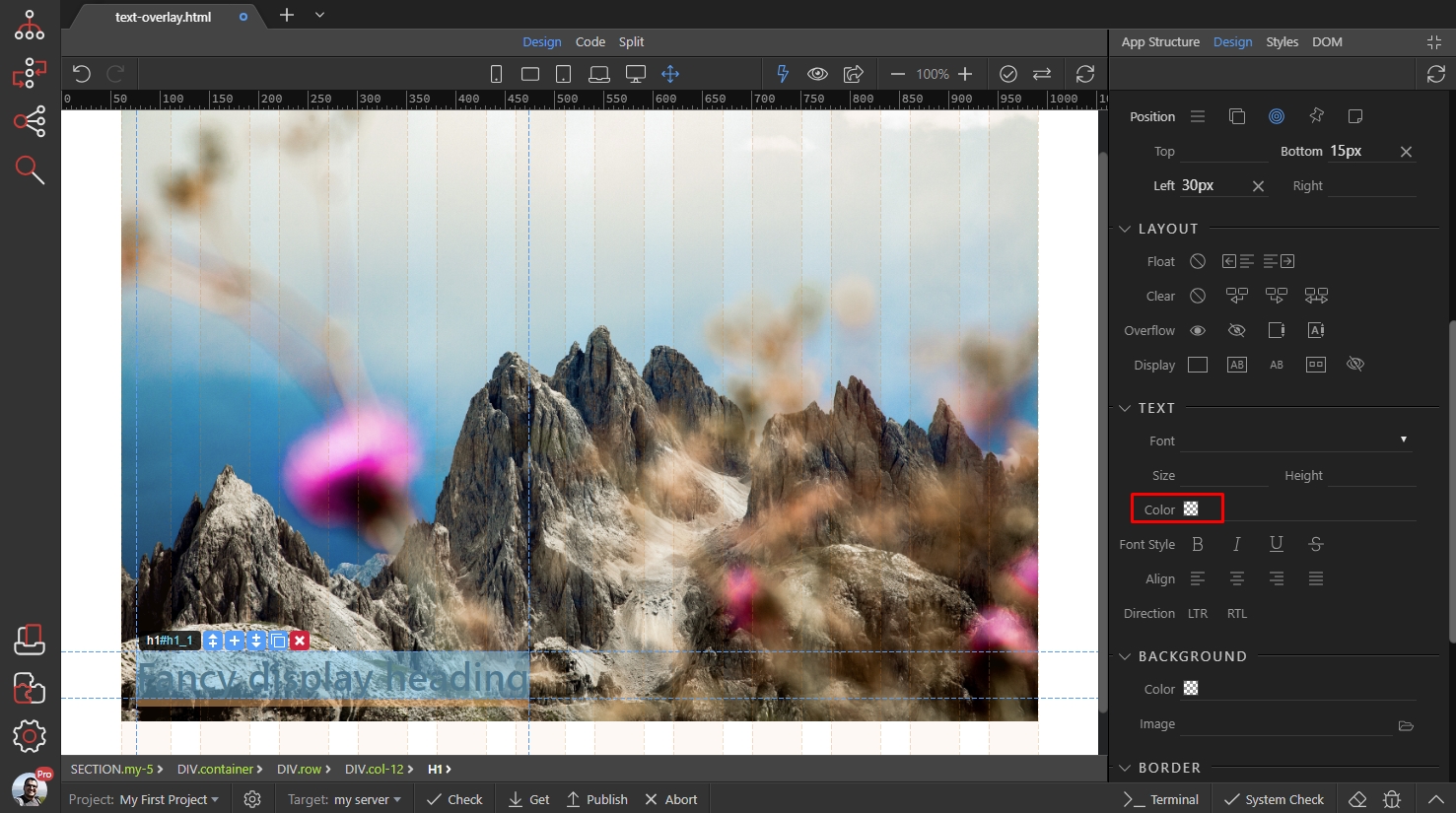
We set it to white, using the color picker:
Section titled “We set it to white, using the color picker:”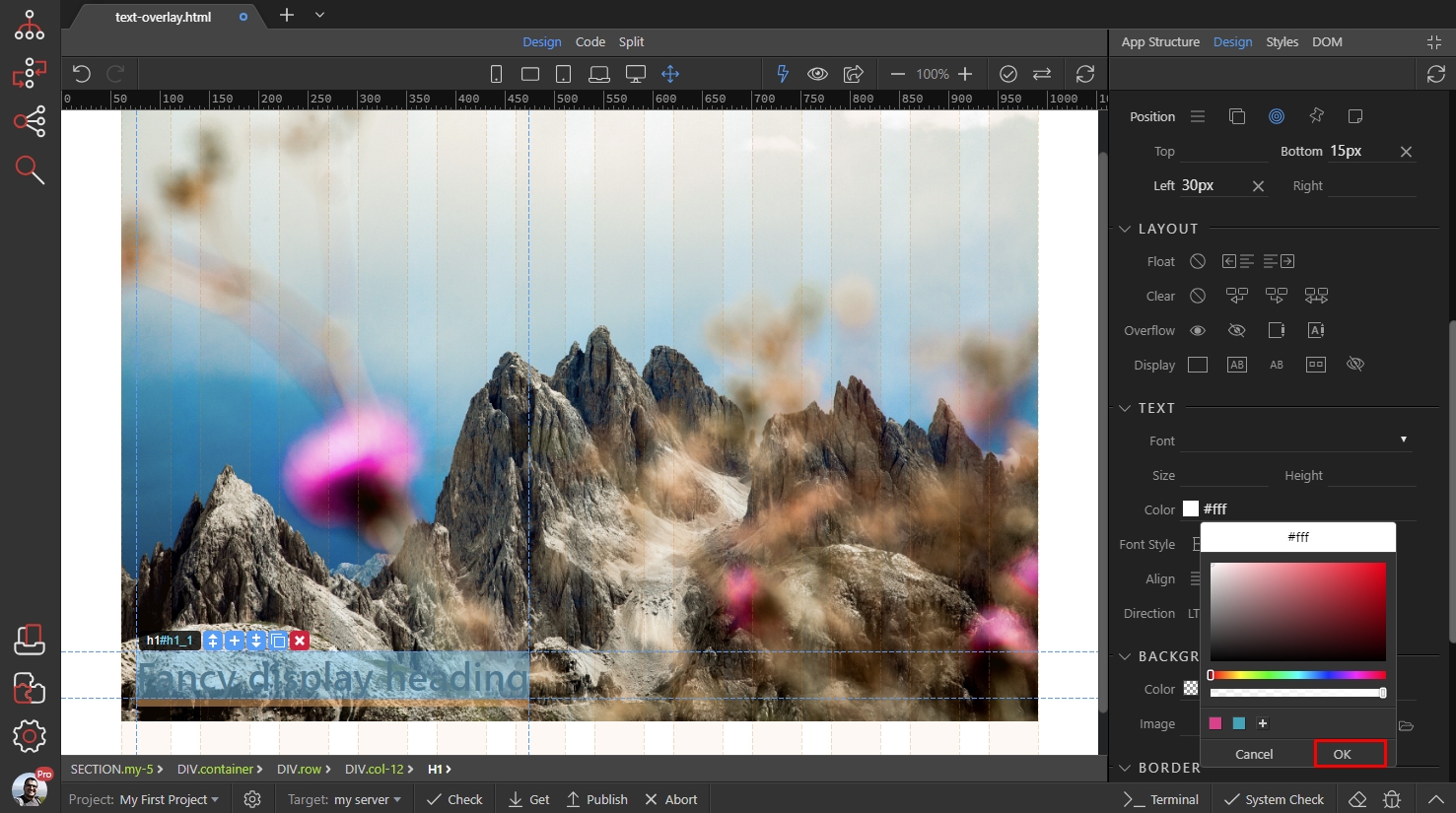
Step 11
Section titled “Step 11”Style the title/text as you need it for your project.
And you are done, the title is overlaying the image now: