Show Total Number of Records from a Query
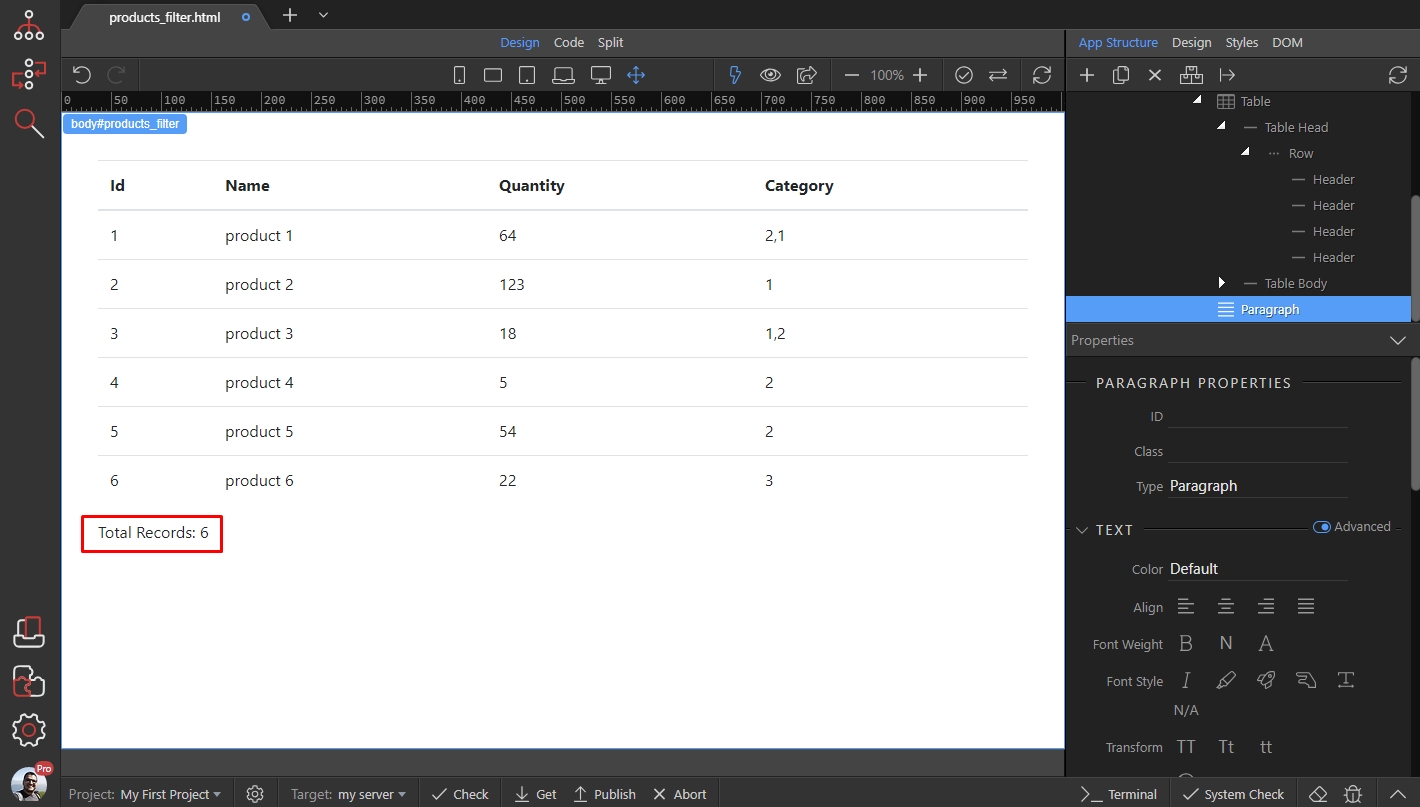
We created a page, which returns records from a database query. We want to show the total number of records in a paragraph below the table: Double click inside the paragraph, to activate the edit mode
Step 1
Section titled “Step 1”We created a page, which returns records from a database query. We want to show the total number of records in a paragraph below the table:
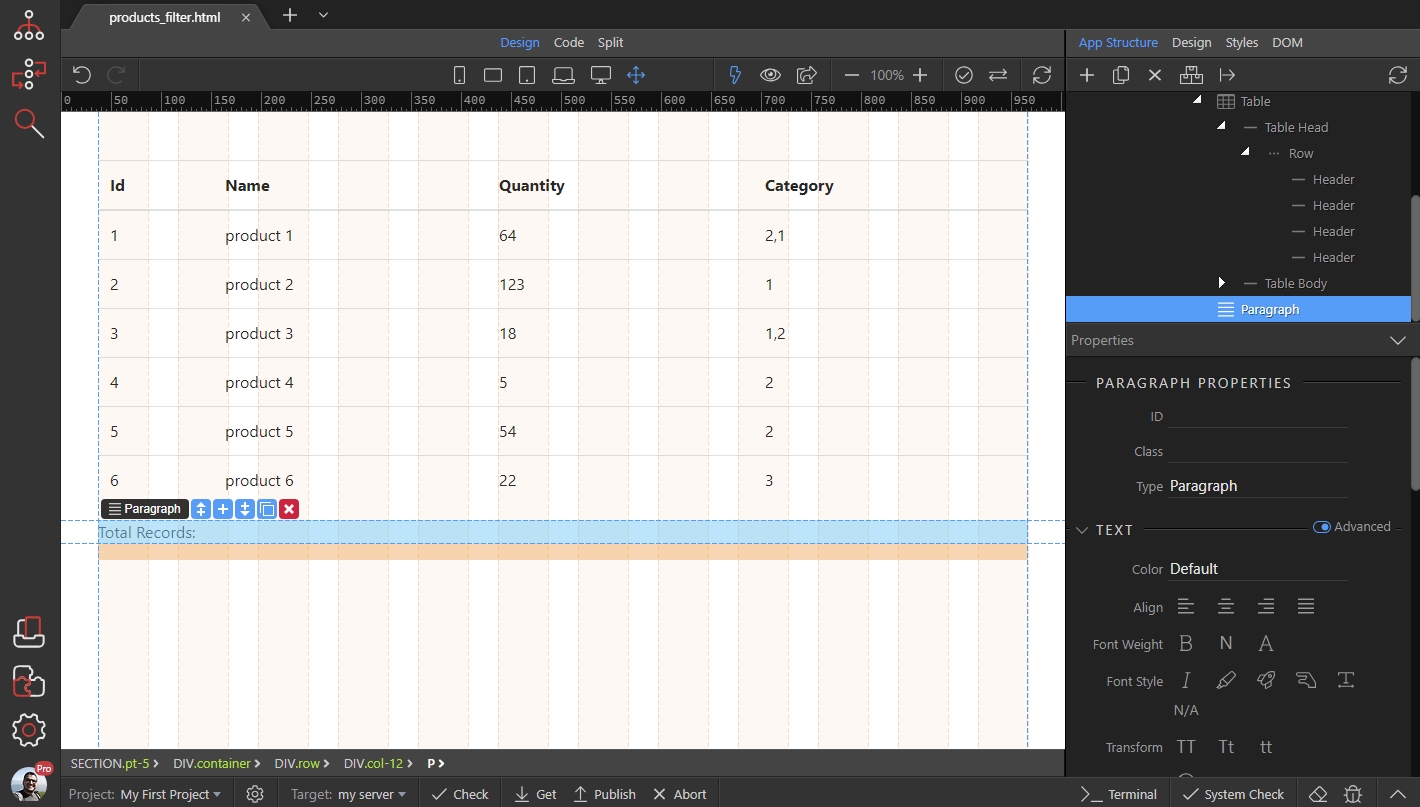
Double click inside the paragraph, to activate the edit mode. Then click the dynamic data icon:
Section titled “Double click inside the paragraph, to activate the edit mode. Then click the dynamic data icon:”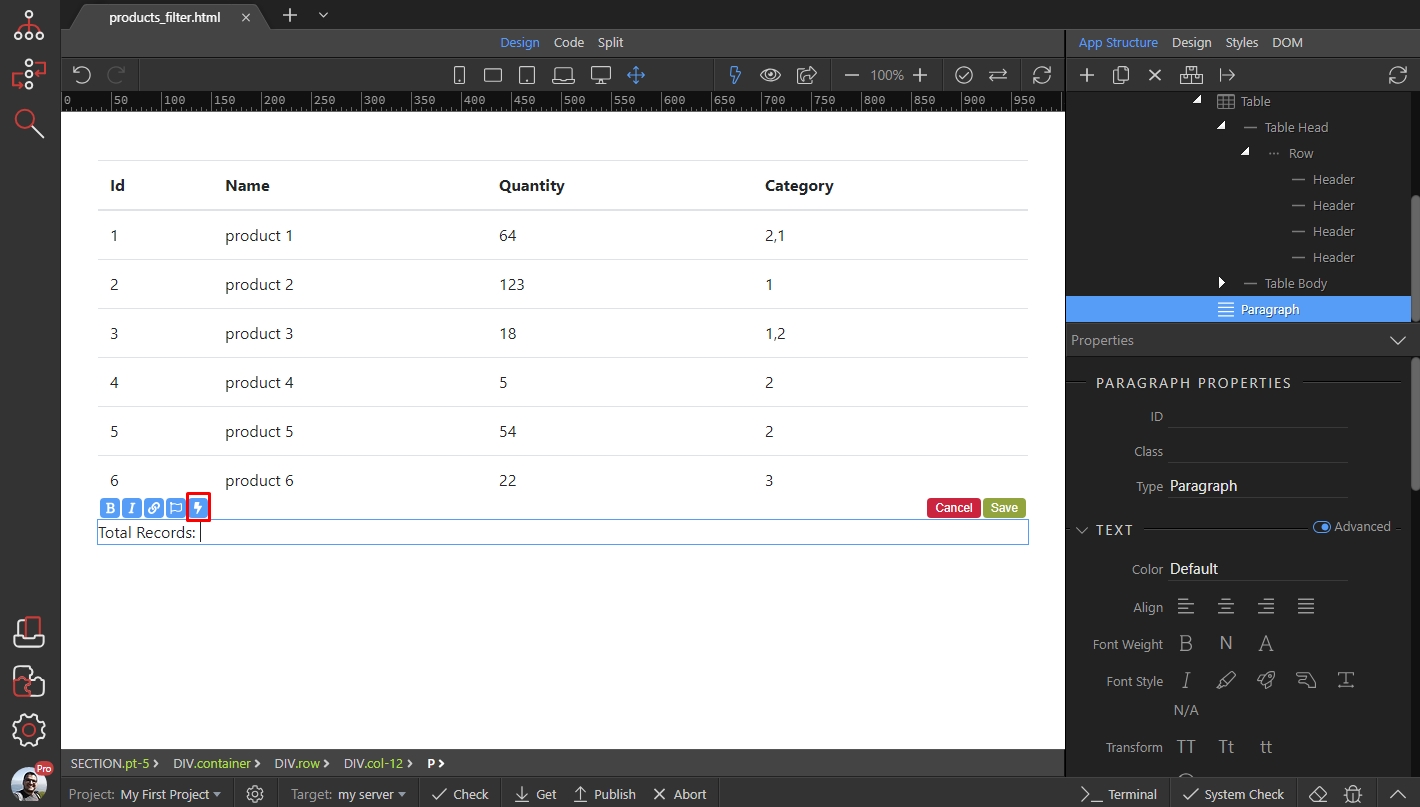
In the data picker, select your database query(1) and click the data formatter icon(2):
Section titled “In the data picker, select your database query(1) and click the data formatter icon(2):”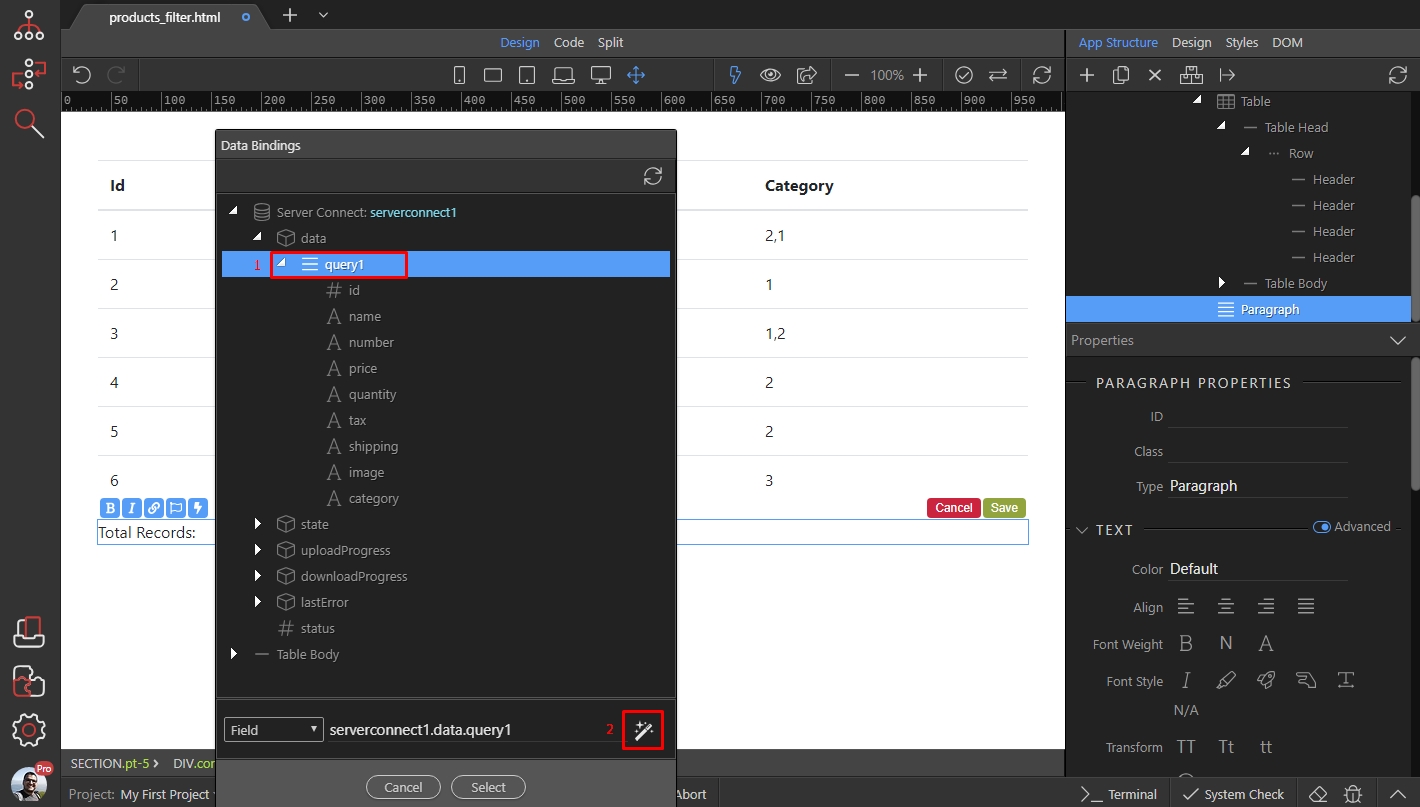
Right click the expression and then select the count formatting option, in the collections category:
Section titled “Right click the expression and then select the count formatting option, in the collections category:”
Click Select:
Section titled “Click Select:”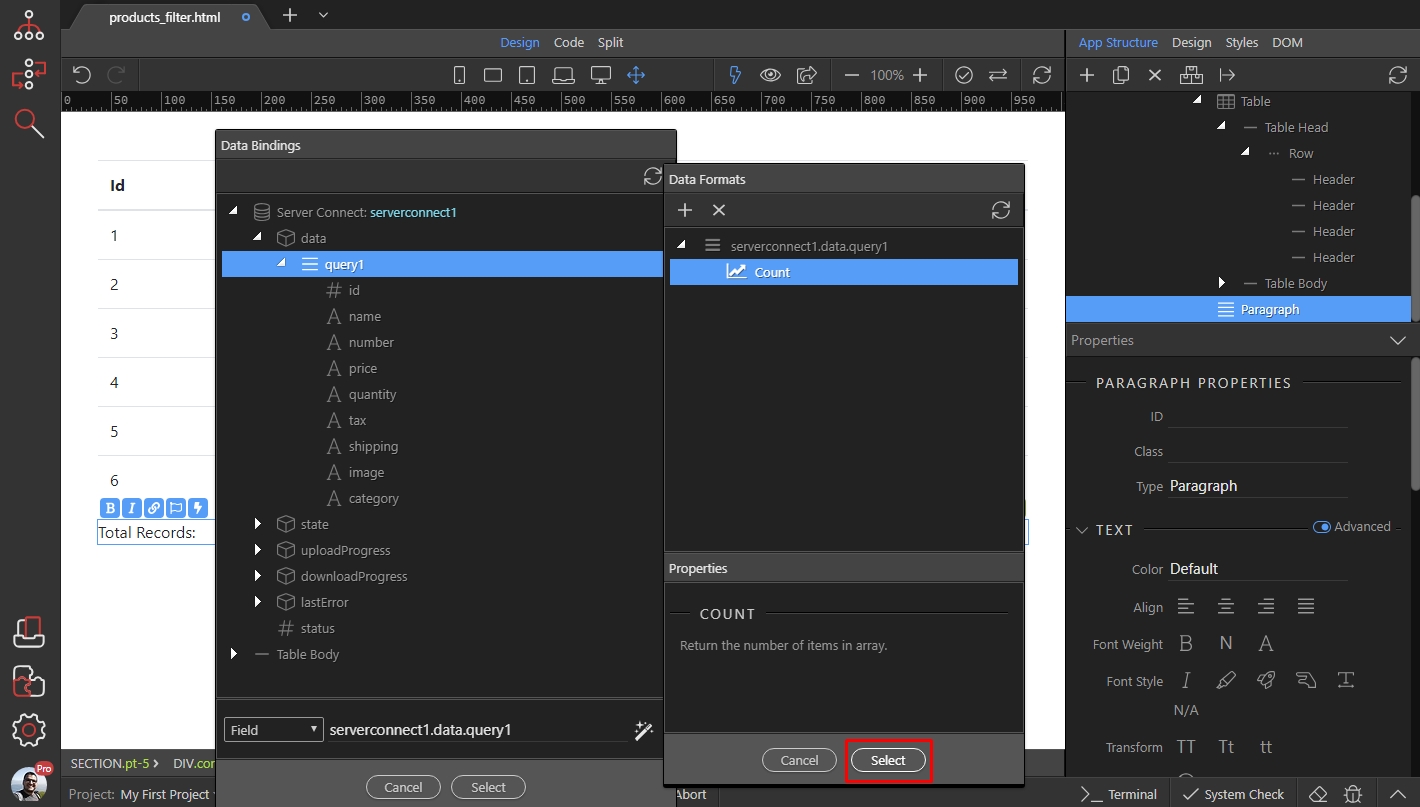
And click Select to insert the formatted value on the page:
Section titled “And click Select to insert the formatted value on the page:”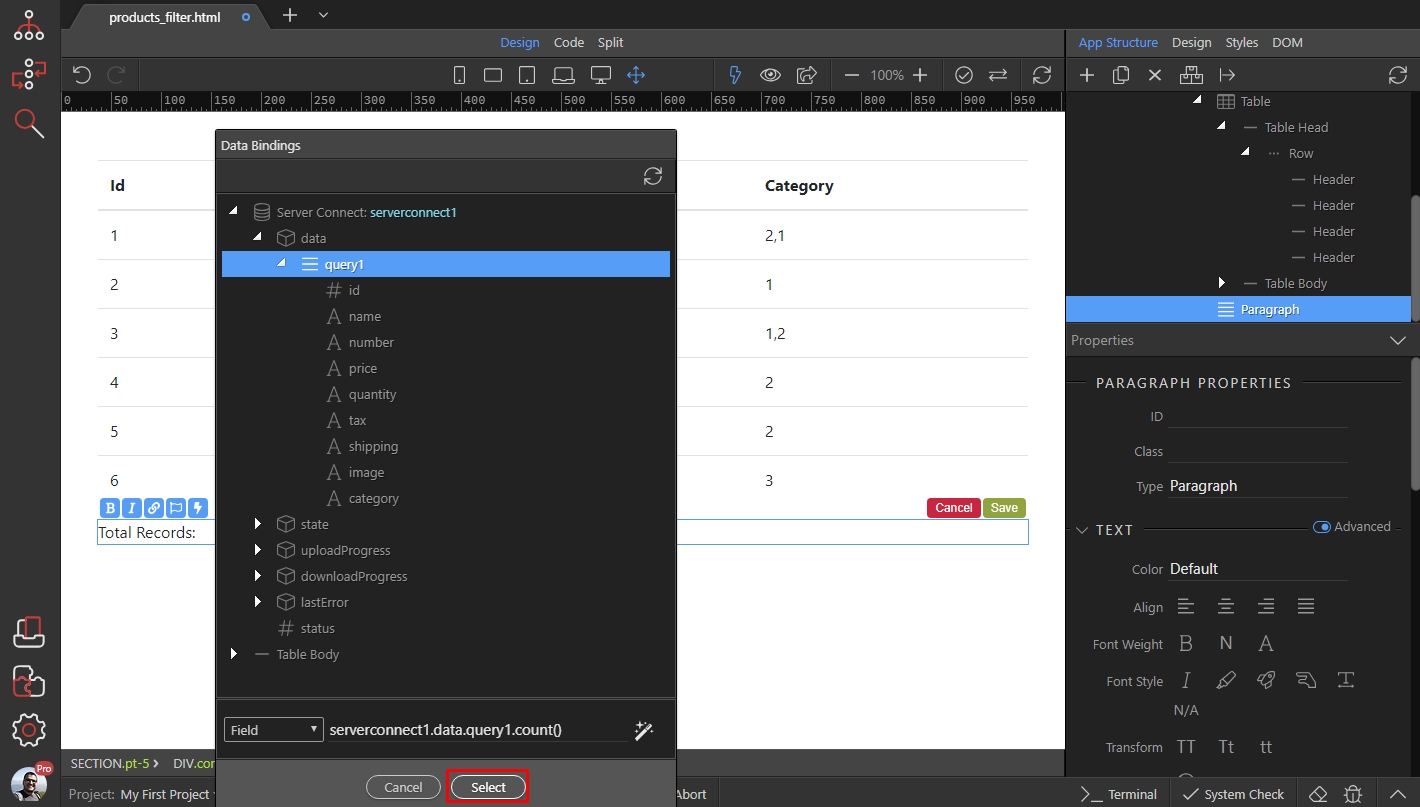
Then save:
Section titled “Then save:”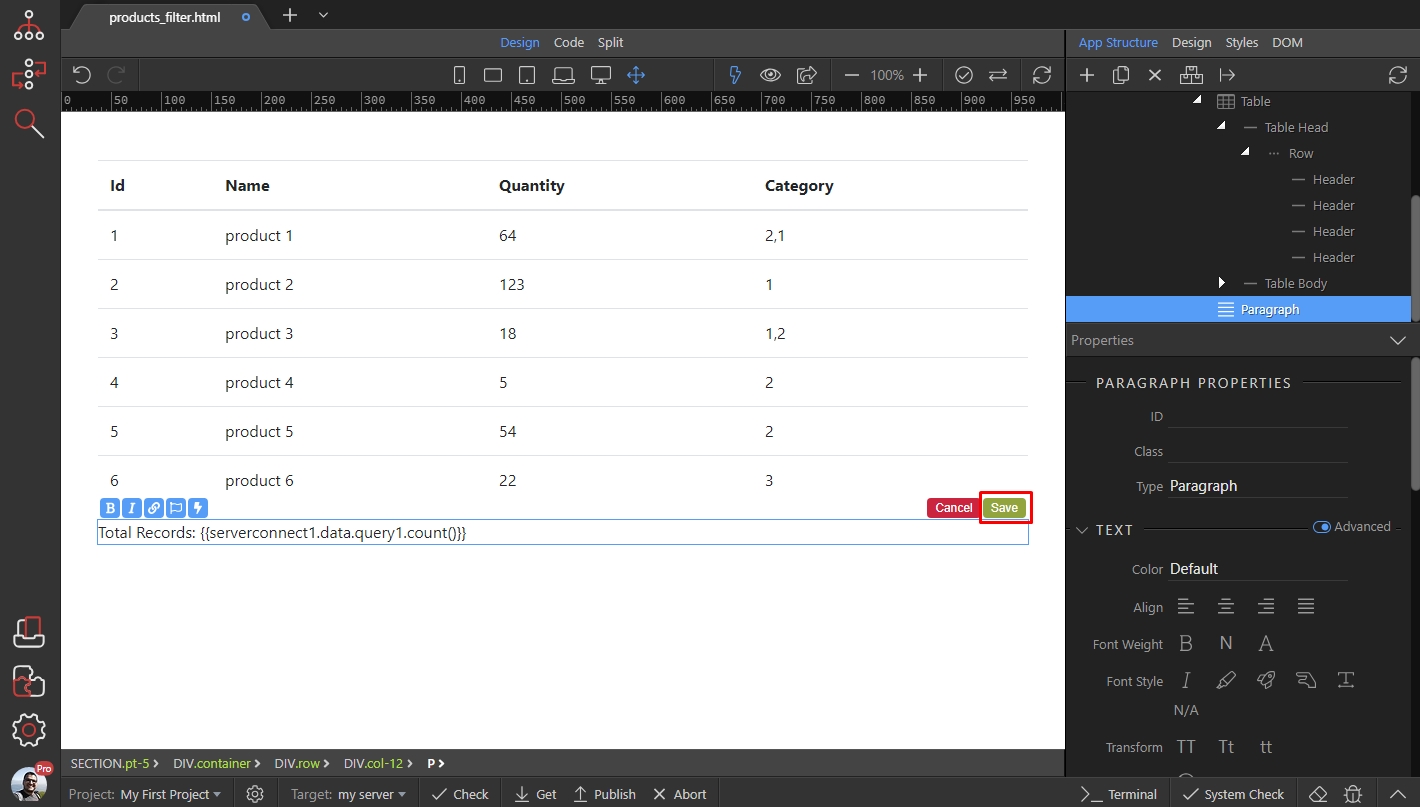
And you are done, the total number of records is displayed on the page:
Section titled “And you are done, the total number of records is displayed on the page:”